Lessons · FortiGate series · SSL inspection + CA trust
This lesson is the inspect gate: which SSL/SSH profile the policy uses, whether the client trusts the re-signing CA, and what you exempt. Signature sensors stay blind on ciphertext until Full SSL Inspection is on. Policy accept is a different object.
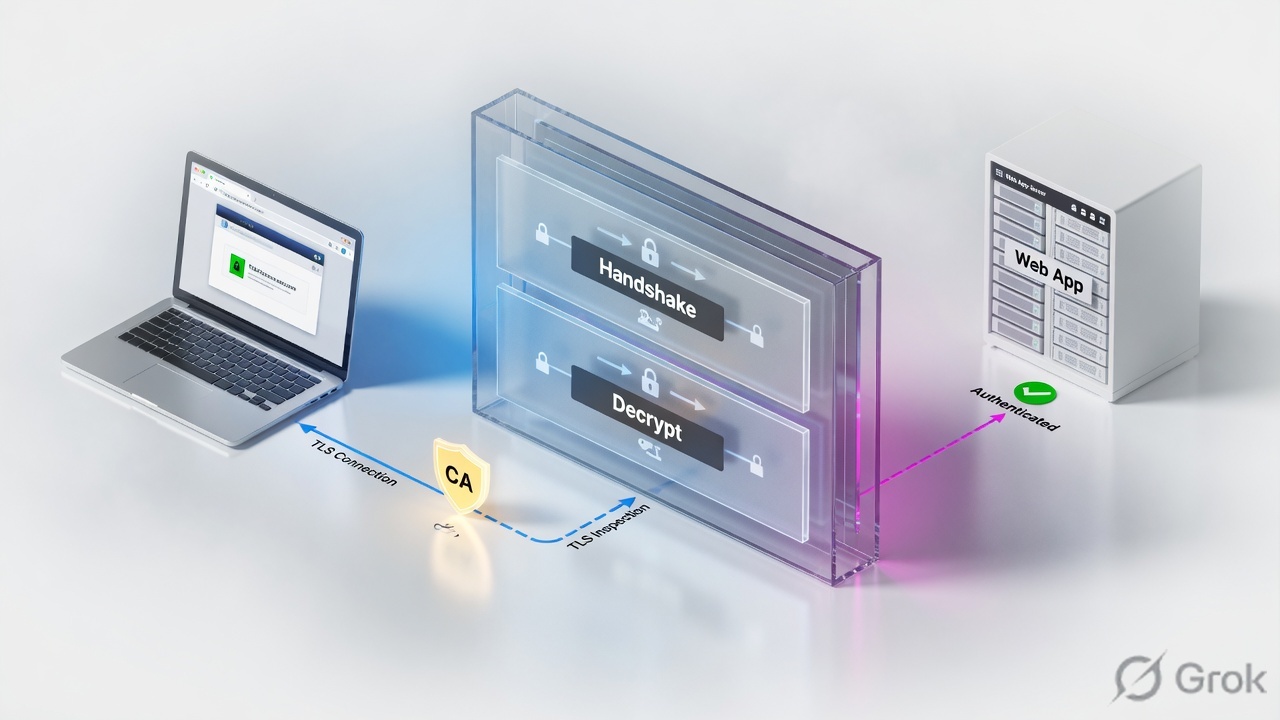
FortiOS ships four SSL/SSH profiles: read-only certificate-inspection, deep-inspection, no-inspection (clone them), plus editable custom-deep-inspection. Certificate inspection inspects headers up to the TLS layer (SNI, then CN/SAN) — Web Filter category and some App Control signatures work; AV / DLP / file body / most IPS stay blind. Deep inspection (Full SSL Inspection) impersonates the recipient, decrypts, inspects, re-encrypts with Fortinet_CA_SSL (or your uploaded CA). The browser does not trust that CA until you import it to Trusted Root. Untrusted server certs re-sign with Fortinet_CA_Untrusted — never import that one. Pinning and bank/health/privacy apps get ssl-exempt on the profile, not a global disable. Attach with set ssl-ssh-profile on the firewall policy. Lab: LAN 10.20.20.0/24, FGT 10.20.20.1, WAN 192.0.2.0/24.
Why HTTPS still hides the payload
Accept on LAN-to-WAN only won the 5-tuple. HTTPS is still ciphertext after that. IPS, AV, DLP and most App Control signatures never see the body until SSL/SSH Inspection is Full SSL Inspection. Certificate-inspection is the usual “we turned inspection on” state that still leaves you blind on 443.
Three tickets look identical from the desk (browser red padlock or a broken app) and are three different objects:
- Deep-inspection attached;
Fortinet_CA_SSLis not in the client store →NET::ERR_CERT_AUTHORITY_INVALIDon every site. - Certificate-inspection attached; AV “does nothing” on an HTTPS EICAR — the body was never decrypted.
- Deep-inspection attached, CA trusted; one SaaS/desktop app dies — certificate pinning. Exempt that dest. Do not flip the whole profile to
no-inspection.
A climbing hit count means the 5-tuple matched. It does not mean the payload was visible. Proof is the padlock issuer on a non-exempt site plus Security Events › SSL. Re-read One flow after go-live.
Certificate vs deep — two objects
The profile lives under Security Profiles › SSL/SSH Inspection (config firewall ssl-ssh-profile). You attach it on the firewall policy (set ssl-ssh-profile), same row as IPS / AV. Outbound internet uses Multiple Clients Connecting to Multiple Servers. Inbound to a published TLS server is Protecting SSL Server — a different profile shape (replace/re-sign a specific server cert). This lesson is outbound.
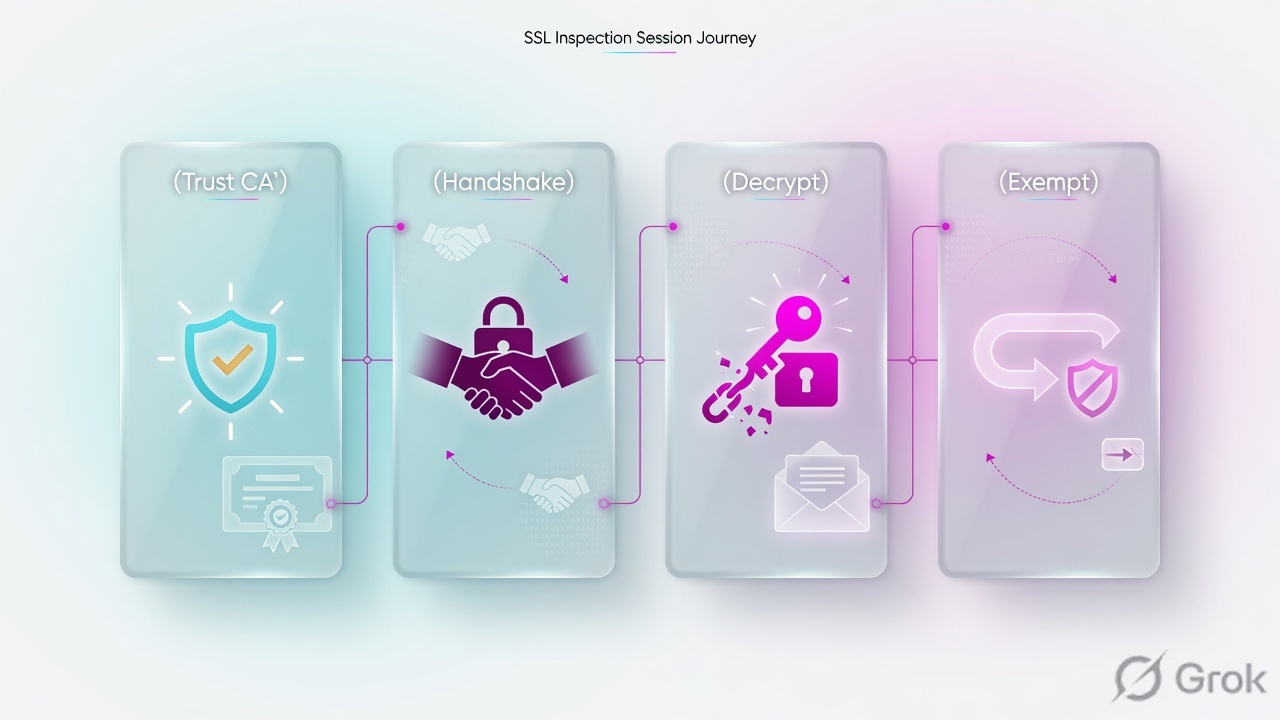
certificate-inspection
Inspect SSL handshake only. SNI then CN/SAN. No re-sign of the origin cert. Allowed browsing does not throw CA warnings. Payload stays encrypted.
deep-inspection
Full SSL Inspection. FortiGate impersonates, decrypts, inspects, re-encrypts with caname (default Fortinet_CA_SSL). Client must trust that CA.
Fortinet_CA_SSL
Re-signing CA for verified servers. Download from the profile. Import to Trusted Root (or GPO). Not in any public browser store.
ssl-exempt
Full SSL only. Address / wildcard-FQDN / FortiGuard category / Reputable websites. Default categories: Finance and Banking, Health and Wellness, Personal Privacy — pinning and privacy.
Certificate-inspection reads the handshake. Deep-inspection decrypts and re-signs. The client must trust Fortinet_CA_SSL first. Pinning is an exemption on the profile, not a reason to inspect nothing.
How a TLS session is inspected
Existing session first. New 443 from 10.20.20.10 hits policy LAN-to-WAN, then the SSL/SSH profile. Certificate-inspection stops at ClientHello SNI + server cert. Deep-inspection builds two TLS legs: client ↔ FortiGate (cert signed by Fortinet_CA_SSL) and FortiGate ↔ origin (real server cert). Exempt dests skip decrypt and keep the origin cert end-to-end.
Read left → right, then the two method boxes. Exempt is a deep-inspect skip, not a second policy.
| Object | Lab value | If missing |
|---|---|---|
| Policy | LAN-to-WAN accept + ssl-ssh-profile ssl_lan_wan | Default or no profile → you are not inspecting TLS. IPS/AV on 443 stay dark. |
| Profile | Clone custom-deep-inspection → ssl_lan_wan | certificate-inspection and deep-inspection are read-only. Do not try to edit them in place. |
| CA | Fortinet_CA_SSL in Trusted Root on 10.20.20.10 | Every site warns. Chrome: NET::ERR_CERT_AUTHORITY_INVALID. |
| Untrusted CA | Fortinet_CA_Untrusted stays off the client | Importing it hides real untrusted origins. Fortinet: never import. |
| Exempt | Finance and Banking + wildcard-FQDN for the pinned app | Teams/SAP/bank apps break. Wrong fix is disabling the profile. |
| Proof | Issuer Fortinet_CA_SSL + SSL event log | Policy hits only prove the 5-tuple. |
When to stay cert-only vs decrypt
Pick the inspection method the UTM feature actually needs. Mixing “we inspect SSL” with certificate-inspection is the usual empty-AV ticket.
Three columns, three tickets. Do not decrypt the whole internet to fix a Web Filter category miss.
| Need | Use | Skip |
|---|---|---|
| FortiGuard category / URL on HTTPS, no payload scan | certificate-inspection (or clone it to add ports). No CA push for allowed sites. | Deep-inspection “because SSL.” You will spend a week on CA and pinning. |
| AV / DLP / file filter / payload IPS on 443 | Full SSL Inspection. Clone custom-deep-inspection. CA in Trusted Root first. | Leaving the policy on certificate-inspection and blaming AV. |
| Banking, health, privacy, pinned desktop apps | ssl-exempt on that dest (category, FQDN, address). Log exemptions during the pilot. | Setting the whole policy to no-inspection. |
| Unknown outbound internet | Multiple Clients Connecting to Multiple Servers + your CA. | Protecting SSL Server — that is inbound to one cert. |
Runbook Side A / B / C
Side A is the CA on the client. Side B is the profile and the policy attach. Side C is exemptions and the SSL log. Do not start at B with a live user VLAN.
Side A — trust Fortinet_CA_SSL
-
Download the CA from the profile
Security Profiles › SSL/SSH Inspection — edit
deep-inspectionor the clone you will use. Default CA Certificate isFortinet_CA_SSL. Click Download. Source: FortiOS Administration Guide — Deep inspection (import Fortinet_CA_SSL). -
Install to Trusted Root on the pilot host
On 10.20.20.10: Certificate Import Wizard → Trusted Root Certification Authorities. Production: GPO (Computer Configuration → Policies → Windows Settings → Security Settings → Public Key Policies → Trusted Root Certification Authorities). macOS/iOS/Firefox have their own stores — a Windows GPO does not cover Chrome-on-Mac or Firefox’s NSS DB.
-
Do not import Fortinet_CA_Untrusted
Untrusted origin certs re-sign with
Fortinet_CA_Untrustedwhen action is Allow. If warnings remain after a correct SSL CA import, that is this CA — not a broken GPO. Never put it in Trusted Root.
config firewall ssl-ssh-profile
    edit "ssl_lan_wan"
        set caname "Fortinet_CA_SSL"
        set untrusted-caname "Fortinet_CA_Untrusted"
    next
end
# Download remains a GUI/API action from the profile page.
# Confirm the client store separately — FortiOS cannot see the laptop’s Trusted Root.
Side B — profile then policy
Security Profiles › SSL/SSH Inspection › Create New
ssl_lan_wan
Source: FortiOS 8.0 — Configuring an SSL/SSH inspection profile. Inspection method Full SSL Inspection is CLI deep-inspection. Exempt from SSL Inspection is Full SSL only. certificate-inspection / deep-inspection / no-inspection are read-only — clone or create ssl_lan_wan.
-
Create ssl_lan_wan (do not edit the factory deep-inspection)
Clone
custom-deep-inspectionor Create New. Multiple Clients Connecting to Multiple Servers. Inspection method = Full SSL Inspection. CA =Fortinet_CA_SSL. Untrusted = Allow (re-sign with Untrusted CA). Keep the default privacy categories unless the pilot has a reason to decrypt banks. -
Attach on LAN-to-WAN after the CA is on 10.20.20.10
Policy & Objects › Firewall Policy — Security Profiles: SSL/SSH Inspection =
ssl_lan_wan. CLIset utm-status enablethenset ssl-ssh-profile "ssl_lan_wan". Log allowed traffic during the pilot.
Policy & Objects › Firewall Policy › LAN-to-WAN
LAN-to-WAN · Security Profiles
Source: FortiOS firewall policy — SSL/SSH Inspection is a security profile on the policy, not a replacement for accept. Attach deep inspect only after Side A is done on the pilot subnet.
config firewall ssl-ssh-profile
    edit "ssl_lan_wan"
        set comment "LAN outbound full inspect after CA push"
        config https
            set ports 443
            set status deep-inspection
            set untrusted-server-cert allow
        end
        set caname "Fortinet_CA_SSL"
        set untrusted-caname "Fortinet_CA_Untrusted"
    next
end
config firewall policy
    edit 1
        set name "LAN-to-WAN"
        set srcintf "LAN"
        set dstintf "WAN"
        set srcaddr "LAN_NET"
        set dstaddr "all"
        set action accept
        set schedule "always"
        set service "ALL"
        set utm-status enable
        set ssl-ssh-profile "ssl_lan_wan"
        set nat enable
        set logtraffic all
    next
end
Side C — pinning exceptions + prove
-
Exempt pinning dests on the profile, not with a second any-any
On
ssl_lan_wan: Exempt from SSL Inspection — keep Finance and Banking / Health and Wellness / Personal Privacy. Add an address or wildcard-FQDN for the app that pins. Enable Log SSL exemptions on the pilot. Source: FortiOS — Exempt web sites from deep inspection; Configuring an SSL/SSH inspection profile. -
Prove decrypt on a non-exempt site
From 10.20.20.10 open HTTPS to a dest that is not in ssl-exempt. Padlock → issuer
Fortinet_CA_SSL(or your custom CA). NoNET::ERR_CERT_AUTHORITY_INVALID. Then Log & Report › Security Events › SSL. -
Prove the exempt dest kept the origin cert
Open the pinned/bank URL. Issuer is the public CA, not Fortinet. If Log SSL exemptions is on, that dest has an exemption row — not an ssl-anomaly.
config firewall wildcard-fqdn custom
    edit "PIN_APP"
        set wildcard-fqdn "*.pinned-app.example"
    next
end
config firewall ssl-ssh-profile
    edit "ssl_lan_wan"
        config ssl-exempt
            edit 1
                set type wildcard-fqdn
                set wildcard-fqdn "PIN_APP"
            next
        end
        set ssl-exemptions-log enable
    next
end
# Factory deep-inspection already exempts Finance and Banking,
# Health and Wellness, Personal Privacy in the GUI. Keep them.
# Do not invent FortiGuard category IDs in CLI — use the GUI list
# or an address / wildcard-FQDN you own.
Non-exempt site: issuer Fortinet_CA_SSL, no browser CA error. Exempt site: origin issuer. SSL log has the session (and exemption rows if enabled). That is the close — not “the policy is green.”
One flow after go-live
Host 10.20.20.10 ClientHello to 203.0.113.80:443. Policy 1 matches. Profile ssl_lan_wan is Full SSL Inspection. Dest is not in ssl-exempt. FortiGate completes TLS to the origin, validates the server cert against its CA bundle, decrypts, runs AV/IPS/Web Filter on the body, re-encrypts to the client with a leaf signed by Fortinet_CA_SSL. Client store has that CA → padlock is quiet. Reply path is the same two TLS legs.
Same host to a Finance and Banking URL: ssl-exempt hits. Origin cert is passed through. Payload UTM does not see the body. Pinning survives because the cert the app pinned is still on the wire.
Same host, CA never imported: every non-exempt site is NET::ERR_CERT_AUTHORITY_INVALID. That is Side A, not a Web Filter block.
show firewall policy 1 | grep ssl-ssh-profile
show firewall ssl-ssh-profile ssl_lan_wan
# https status deep-inspection · caname Fortinet_CA_SSL · ssl-exempt list

# Client: padlock on a non-exempt site → Issued by Fortinet_CA_SSL
# Log & Report › Security Events › SSL  (UTM subtype ssl)
# ssl-anomaly / untrusted → origin cert, not a missing client CA

diagnose wad debug enable category ssl
diagnose debug console timestamp enable
diagnose debug enable
# reproduce from 10.20.20.10, then:
diagnose debug disable
diagnose wad debug disable
Client warning on every site = missing Fortinet_CA_SSL. Client warning on one site after CA is trusted = FortiGate could not validate the origin and re-signed with Fortinet_CA_Untrusted (Allow) or blocked it. CLI set untrusted-server-cert allow|block|ignore. Ignore re-signs as trusted with Fortinet_CA_SSL — Full SSL only, and it hides a bad origin. Source: Fortinet Community — How FortiGate handles Untrusted SSL certificates.
Traps + proof
| Symptom | Likely cause | Proof |
|---|---|---|
NET::ERR_CERT_AUTHORITY_INVALID on all HTTPS | Fortinet_CA_SSL not in that browser’s Trusted Root (or Firefox NSS / mobile store). | Padlock issuer is Fortinet_CA_SSL. Store listing. GPO did not cover this store. |
| CA imported, still untrusted on some sites | Origin failed FortiGate validation; re-sign used Fortinet_CA_Untrusted. Or you imported the Untrusted CA by mistake. | Issuer name on the leaf. Community: never import Fortinet_CA_Untrusted. |
| AV/IPS silent on HTTPS EICAR | Policy still certificate-inspection, or dest is ssl-exempt (including Fortinet’s own test FQDN on factory lists). | show firewall policy ssl-ssh-profile. Official AV HTTPS test needs deep-inspection and the host not exempt. |
| One desktop app / bank site dies; browsers are fine | Certificate pinning. Deep inspect replaced the CA the app pinned. | Exempt that FQDN/address. Confirm origin issuer on that dest only. |
| SNI ≠ cert CN/SAN (Adobe-style) | Server certificate SNI check. Clone the profile; set SNI check disable/enable as required — do not use the read-only factory profile. | Fortinet Community: certificate errors with certificate-inspection SNI mismatch. |
| Flow policy, cert-inspection, “invalid cert” options do nothing | In flow-based mode, certificate-inspection does not validate the cert; untrusted and SNI checks are not performed. | FortiOS Certificate inspection note. Switch to proxy or to Full SSL if you need those checks. |
| HTTP/3 / QUIC bypasses inspect | Certificate-inspection forces HTTP/3 Bypass. Full SSL can Inspect / Bypass / Block HTTP/3 and DNS over QUIC. | Profile protocol options. Block or inspect QUIC, or force TCP 443. |
That CA exists so the client can still see that FortiGate did not trust the origin. Importing it trains users to ignore a real untrusted server. Fix the origin, or set untrusted-server-cert block, or ignore only with a written exception.
Fortinet_CA_SSLdownloaded from the profile you will attach. Installed in the store the browser actually uses on 10.20.20.10.ssl_lan_wanis a clone/create — not an edit of read-onlydeep-inspection.- Policy 1 lists
ssl-ssh-profile ssl_lan_wan. CA was on the host before the policy change. - Non-exempt site: issuer Fortinet_CA_SSL, no CA error. Exempt/pinned site: origin issuer, app works.
- Security Events › SSL has the test session. Exemption log on if you needed to prove a skip.
- Firefox / iOS / non-domain PCs called out — GPO is not “all clients.”
Knowledge check
Six judgment items. Submit once. Reasons point back at the section to re-read.
Sources
- FortiOS 8.0 Administration Guide — SSL & SSH Inspection (preloaded
certificate-inspection,deep-inspection,no-inspection; editablecustom-deep-inspection) - FortiOS 8.0 Administration Guide — Certificate inspection (handshake only; replacement pages signed by FortiGate CA; flow-based does not validate)
- FortiOS 8.0 Administration Guide — Deep inspection (
Fortinet_CA_SSLdownload; never importFortinet_CA_Untrusted; exempt by address/category/Reputable websites) - FortiOS 8.0 Administration Guide — Configuring an SSL/SSH inspection profile (Multiple Clients vs Protecting SSL Server; Full SSL vs Certificate Inspection; Exempt from SSL Inspection; HTTP/3 Bypass on cert-inspect)
- FortiOS handbook — Why use SSL inspection (certificate inspection: Web Filter without cert errors; most App Control signatures still need deep inspect)
- Fortinet Community — How FortiGate handles Untrusted SSL certificates (
untrusted-server-cert allow|block|ignore;caname/untrusted-caname) - Fortinet Community — Troubleshooting Tip: A guide to FortiGate and certificate issues (deep inspection + pinning;
diagnose wadfor proxy inspect)
Related: IPS + App Control · Security profiles + SSL · Zone, policy, NAT · Policy first-match · Command center · FortiGate interview