Lessons · FortiGate series · IPS and App Control
This lesson is which Security Profile does the work, and how you tune it. Certificate trust, Fortinet_CA_SSL on the endpoint, and exemptions for pinning live on the SSL page. Do not debug signatures on ciphertext.
SSL deep inspection + cert trust · Security profiles + SSL · Policy first match
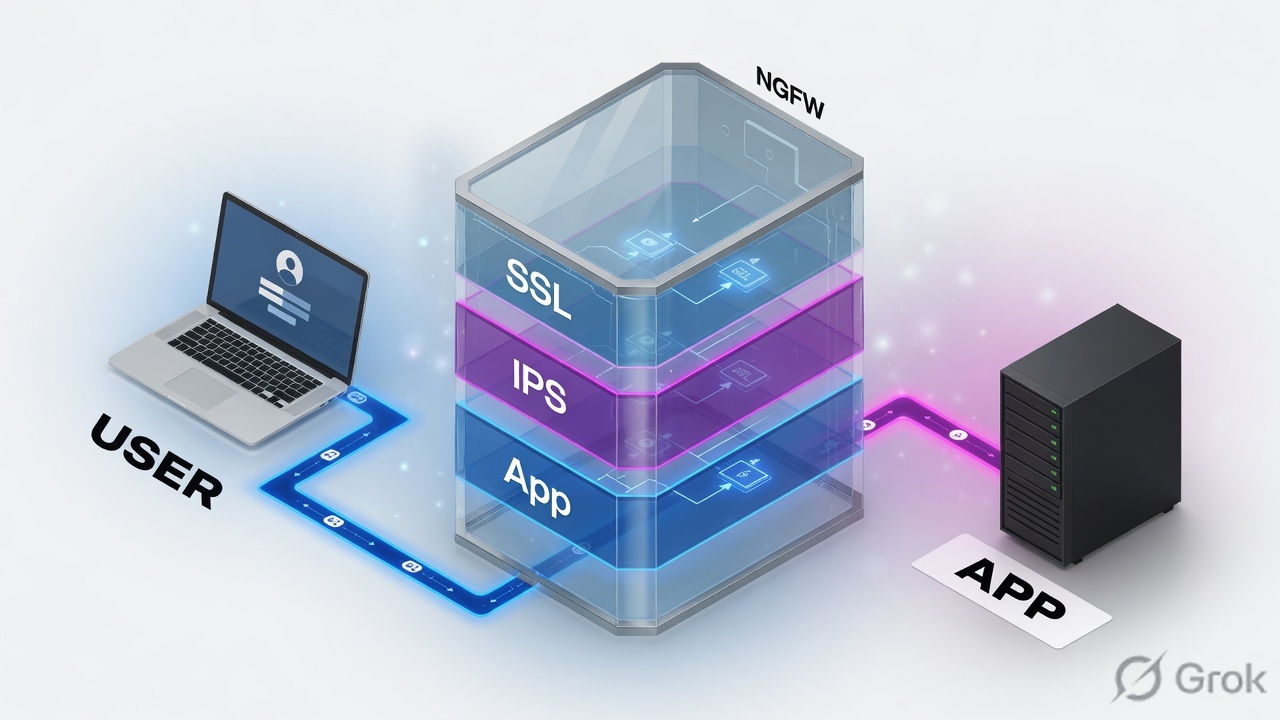
An IPS sensor is a bag of FortiGuard (and custom) exploit signatures plus filters — severity, OS, protocol, CVE — with action Allow / Monitor / Block / Reset / Default / Quarantine. An Application Control sensor classifies the application (Teams, BitTorrent, SAP) and then Allow / Monitor / Block / Quarantine that app or category. Both attach as Security Profiles on the firewall policy, together with an SSL/SSH Inspection profile. Certificate inspection does not decrypt payload; Full SSL Inspection does. False-positive tune = one signature, one application override, or Exempt IPs — not unset ips-sensor.
Why “disable IPS” is the wrong ticket
The day-one ticket is always a business app. The subject line says IPS. The log often says Application Control — or says nothing, because the policy still uses certificate-inspection and the IPS engine never saw the body.
Three silent or noisy states look identical to the user (“app is down”):
- Sensors exist, not attached to the policy the session actually matched.
- Attached, but SSL/SSH Inspection is certificate-inspection — handshake and SNI only. Payload signatures and
require_ssl_diapplication signatures stay blind. - Attached with deep-inspection, and the hit is a broad category Block (Proxy, P2P, Unknown Applications) or a signature whose default action is drop — not “IPS is broken.”
A vulnerability scanner at 203.0.113.50 will trip high-severity signatures on the SAP box. That is the sensor working. Exempt that source (or that one signature) on ips_lan_wan. If you unset ips-sensor on policy 10, you just opened every other host on 203.0.113.0/24.
Sensor then app — two profiles
FortiOS runs one IPS engine. Application Control uses the same protocol decoders — that is why it can identify apps on non-standard ports. The objects you edit are still two profiles:
IPS sensor
config ips sensor. GUI: Security Profiles > Intrusion Prevention. Job: is this packet an exploit? Filters by severity, target (client/server), protocol, OS, application, CVE. Actions per filter or per signature.
Application Control sensor
config application list. GUI: Security Profiles > Application Control. Job: which application is this session? Categories + Application and Filter Overrides. Actions Allow / Monitor / Block / Quarantine.
SSL/SSH Inspection
config firewall ssl-ssh-profile. Prerequisite, not a third “threat” profile. Certificate inspection = handshake. Full SSL Inspection = payload. No payload, no useful IPS or app ID on 443.
Firewall policy
The attach point. set utm-status enable then ips-sensor, application-list, ssl-ssh-profile on the policy the session hits. Profile-based NGFW. Policy-based NGFW puts applications on the security policy itself — out of scope here.
IPS asks “is this an attack?” Application Control asks “which app is this?” SSL inspection decides whether either of them can see the payload. All three must sit on the matching firewall policy.
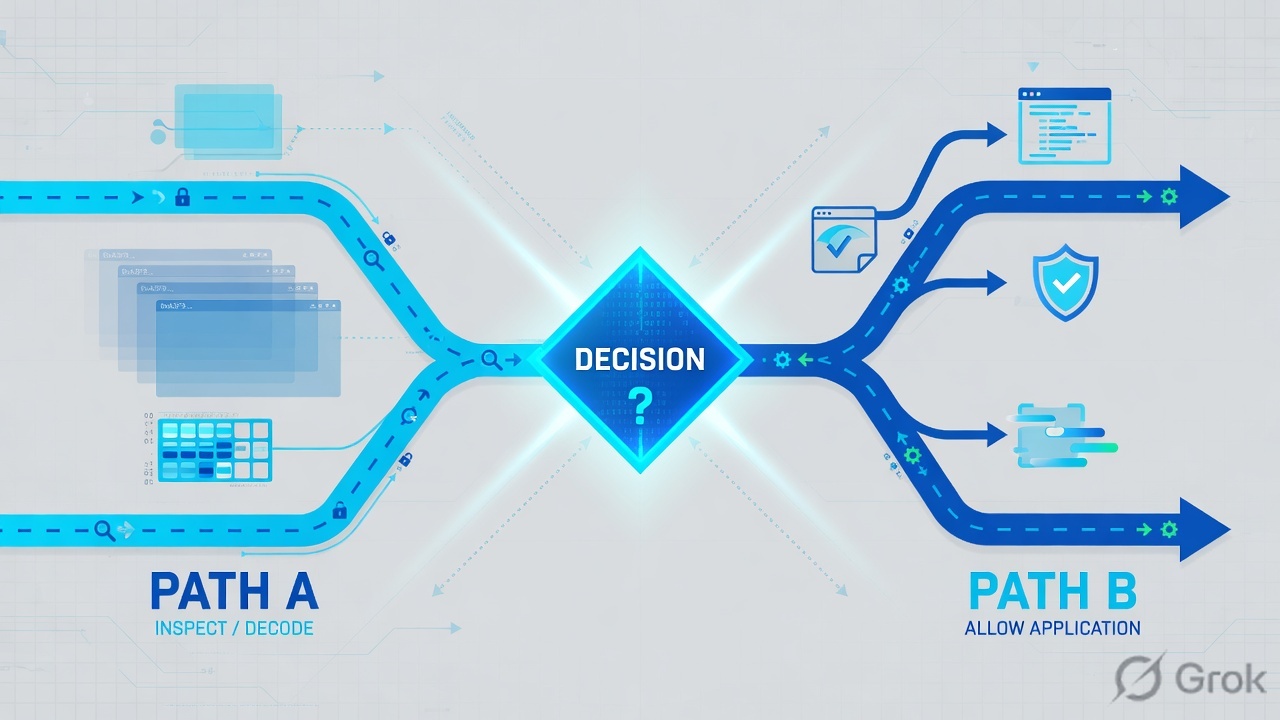
Policy → SSL → classify → signature
Walk it left to right. If the log is empty, stop at the first stage that has no evidence. Do not start by editing signatures.
Read left → right. The gold box is one firewall policy. IPS and App Control are profiles on that policy, not a second hop in the rack drawing.
IPS vs App Control vs SSL
Pick the object from the question you are actually answering. Mixing them is how Teams becomes “an IPS outage.”
| Question on the wire | Object | Factory starting point | If you get this wrong |
|---|---|---|---|
| Is this an exploit / CVE / overflow? | IPS sensor — Security Profiles > Intrusion Prevention | default (signature default action). Also all_default, all_default_pass, high_security, protect_client, protect_http_server | You block a scanner by detaching IPS and leave the rest of LAN naked. |
| Which application is this session? | Application Control sensor — Security Profiles > Application Control | default monitors all apps. block-high-risk is the named block sensor. wifi-default for offload Wi-Fi | You Block Unknown Applications on day one and drop every app the engine has not named yet. |
| Can the engine see HTTPS payload? | SSL/SSH Inspection — Security Profiles > SSL/SSH Inspection | certificate-inspection (handshake). deep-inspection / custom-deep-inspection (Full SSL Inspection) | Empty UTM logs on 443, or apps show as SSL / HTTPS.BROWSER instead of Teams. |
| Does this session even hit UTM? | Firewall policy — Policy & Objects > Firewall Policy | Must set IPS + Application Control + SSL on the matching policy | Sensors exist; traffic matches a wide ALL-ALL accept with no profiles. |
IPS: all_default uses each signature’s FortiGuard default action; all_default_pass is pass/monitor for everything — a log-only bag, not a protect profile; high_security filters Critical/High/Medium and sets Block. App Control: default monitors; block-high-risk is the block starting point. Clone them. Do not edit the factory objects in place.
Runbook Side A / B / C
Order is the whole job. SSL first so the engine can see. Sensors second. Policy attach last — that is when inspection starts. Then Monitor before Block.
Side A — SSL/SSH Inspection (the inspect gate)
-
Decide certificate vs full
Security Profiles > SSL/SSH Inspection. SSL Certificate Inspection inspects the certificate / handshake only. Full SSL Inspection inspects the encrypted payload. Outbound internet with IPS + App Control needs Full SSL Inspection on the policy that carries those profiles. Source: FortiOS 7.6 Administration Guide — Configuring an SSL/SSH Inspection profile.
-
Use a named profile
Lab uses the built-in
deep-inspectionprofile (Full SSL Inspection, multiple clients to multiple servers). Production: clone tossl_lan_wan, install Fortinet_CA_SSL on endpoints, exempt pinning destinations. That cert-trust work is the SSL lesson — here the gate is simply: payload or not. -
Do not skip this because “flow mode”
IPS and Application Control both run in flow-based and proxy-based policies. Flow vs proxy does not replace SSL inspection. Ciphertext is still ciphertext.
Side B — IPS sensor, then Application Control sensor
-
Create the IPS sensor
Security Profiles > Intrusion Prevention > Create New. Name
ips_lan_wan. Optional: Block malicious URLs (local drive-by URL DB), Botnet C&C = Block or Monitor. Under IPS Signatures and Filters, Create New → Type = Filter. Severity Critical / High / Medium, Action = Monitor for the pilot (or Default if you accept FortiGuard’s default). Packet logging off until you need a pcap. Source: FortiOS 7.6 — Configuring an IPS sensor. -
Know filter math
A filter is AND across attribute groups (severity AND OS AND application) and OR inside a group. Linux + Apache in one filter = signatures that apply to both. Two filters if you wanted all Linux or all Apache. Entries are top-down; first matching set wins. Source: Signature-based defense — IPS filters.
-
Create the Application Control sensor
Security Profiles > Application Control > Create New. Name
app_lan_wan. Clone behavior fromdefault(monitor) or start fromblock-high-riskonly after a monitor week. Categories: Monitor Botnet/P2P/Proxy first, then Block those three. Leave Unknown Applications at Monitor/Allow on day one. Add Application and Filter Overrides for the business apps you must never drop (SAP, Teams). Source: FortiOS 7.6 — Configuring an application sensor; Basic category filters and overrides.
Security Profiles › Intrusion Prevention › ips_lan_wan
Edit IPS Sensor
Source: FortiOS Administration Guide — Configuring an IPS sensor. Action Monitor = allow and log (action=detected). Block / Reset / Quarantine drop. Default = FortiGuard’s per-signature default. After OK, the sensor still inspects nothing until a firewall policy references it.
Side C — attach, log, then narrow the false positive
-
Attach all three on the matching policy
Policy & Objects > Firewall Policy — edit policy 10 (LAN → WAN, src
203.0.113.0/24, service ALL, action Accept). Security Profiles: SSL/SSH Inspection =deep-inspection, IPS =ips_lan_wan, Application Control =app_lan_wan. Log Allowed Traffic = All Sessions during the pilot. CLI:set utm-status enablethen the three profile names. -
Prove a hit before you block
Generate the business app and one known-bad (eicar HTTP, or a P2P test you own). Log & Report > Security Events > Intrusion Prevention and Application Control. You want
subtype=ips/subtype=app-ctrl,profilematching the sensor,policyid=10. Monitor week: action should be detected, not dropped, except for Botnet/P2P you already chose to Block. -
Tune the object that actually hit
IPS false positive: IPS Signatures and Filters → Create New → Type = Signature → that attack → Action Allow or Monitor; or Edit IP Exemptions (Exempt IPs) for
203.0.113.50. Application Control false positive: Application and Filter Overrides → that one app = Monitor/Allow — or exclude the child signature. Retest the original user. Do notunset ips-sensor.
Policy & Objects › Firewall Policy › 10
LAN-WAN-inspect
Source: FortiOS — Configuring a firewall policy + Inspection mode feature comparison (IPS and Application Control both valid in flow and proxy). Missing any one of the three profile dropdowns = empty Security Events for that session.
config ips sensor
    edit "ips_lan_wan"
        set comment "LAN-WAN pilot — monitor C/H/M"
        set block-malicious-url enable
        set scan-botnet-connections block
        config entries
            edit 1
                set severity critical high medium
                set location all
                set action pass
                set status enable
                set log enable
            next
        end
    next
end

config application list
    edit "app_lan_wan"
        set comment "Monitor, then block high-risk categories"
        set other-application-log enable
        set unknown-application-action pass
    next
end

config firewall policy
    edit 10
        set name "LAN-WAN-inspect"
        set srcintf "LAN"
        set dstintf "WAN"
        set srcaddr "LAN_203_0_113"
        set dstaddr "all"
        set action accept
        set schedule "always"
        set service "ALL"
        set utm-status enable
        set inspection-mode flow
        set ssl-ssh-profile "deep-inspection"
        set ips-sensor "ips_lan_wan"
        set application-list "app_lan_wan"
        set logtraffic all
    next
end
IPS GUI Monitor is CLI set action pass with set log enable — traffic continues, log writes action=detected. GUI Block is CLI block (drop). GUI Default is CLI default (FortiGuard per-signature). Application Control unknown apps: unknown-application-action pass|block. Do not invent set action monitor under config ips sensor.
One session after go-live
After attach, every new session on policy 10 should leave a trail. If it does not, you are still in Side A/C, not in signature tuning.
Diamond = read the log first. Three different fixes. Detaching the sensor is never the fourth.
# IPS monitor (pilot) — traffic continues
type=utm subtype=ips eventtype=signature action=detected
policyid=10 profile="ips_lan_wan" srcip=203.0.113.40
attack="Eicar.Virus.Test.File" severity="info"

# IPS block — this is the user-down ticket if it is a false positive
type=utm subtype=ips eventtype=signature action=dropped
policyid=10 profile="ips_lan_wan" attackid=…

# Application Control
type=utm subtype=app-ctrl eventtype=app-ctrl-all
app="BitTorrent" appcat="P2P" action=block profile="app_lan_wan" policyid=10

# Empty Security Events for 203.0.113.40 on 443 → check ssl-ssh-profile
# and whether policy 10 is actually first-match
Traps + proof
| Trap | What you see | Fix |
|---|---|---|
| Sensor not on the policy | Security Events empty. show firewall policy 10 has no ips-sensor / application-list | Attach ips_lan_wan, app_lan_wan, and SSL on the policy that actually matches. First-match wins — a wide ALL-ALL above policy 10 bypasses UTM. |
| Certificate inspection on 443 | Apps show as SSL / HTTPS.BROWSER. IPS payload signatures never fire. Some app signatures tagged require_ssl_di stay dark | Full SSL Inspection on that policy. Endpoint must trust Fortinet_CA_SSL. Exempt pinning sites — see the SSL lesson. |
| Block Unknown Applications day one | Random SaaS dies. Log: unknown / unclassified, action=block | unknown-application-action pass. Monitor a week. Override the business app. Then Block the high-risk categories you named. |
| Scanner false positive | SAP or the vuln scanner is dropped. subtype=ips, one attackid, src 203.0.113.50 | Exempt IPs on that signature, or set that signature Action to Monitor/Allow. Leave filter 1 in place. |
Edited factory default | Every policy that still points at default inherits your Block | Clone to ips_lan_wan / app_lan_wan. Factory objects stay factory. |
| On-hold treated as a bug | Log: “signature is on hold”; traffic not blocked | Expected after a FortiGuard IPS update for signature-hold-time. It monitors until hold expires. Not an Exempt IPs problem. |
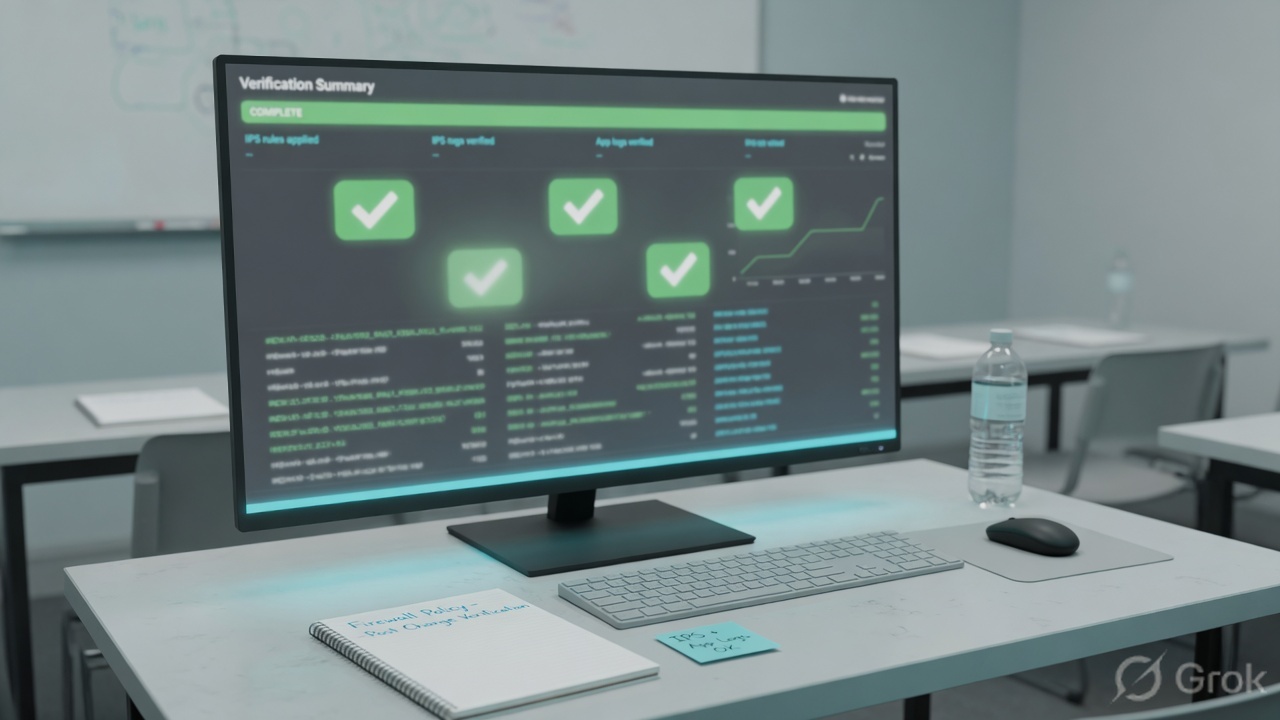
show firewall policy 10listsssl-ssh-profile deep-inspection,ips-sensor ips_lan_wan,application-list app_lan_wan.- Client
203.0.113.40generates one IPS row and one Application Control row in Security Events.policyid=10, profile names match. - Pilot action on the C/H/M IPS filter is Monitor (
action=detected). Botnet/P2P may already Block. - False-positive tune is one signature or one application override.
show ips sensor ips_lan_wanstill has the severity filter. - Original user test of SAP / Teams succeeds after the carve-out. Repeat the same URL, do not declare victory on a different host.
show firewall policy 10
# must include ssl-ssh-profile, ips-sensor, application-list

diagnose autoupdate versions
# IPS and Application definitions current — stale DB = missed apps, not a policy bug

get system ips
# engine status; fail-open default is disable (sessions drop if the IPS engine fails)

# Exempt IPs example — scanner 203.0.113.50, one signature entry
config ips sensor
    edit "ips_lan_wan"
        config entries
            edit 2
                set rule 29844
                set action pass
                set log enable
                config exempt-ip
                    edit 1
                        set src-ip 203.0.113.50 255.255.255.255
                    next
                end
            next
        end
    next
end
config ips global / set fail-open enable makes the IPS engine pass traffic when it cannot inspect. Default is disable (drop). That is a conserve-mode / engine-failure knob, not a false-positive control. Do not enable it to “fix Teams.”
Knowledge check
Six judgment items. Submit to score. Reasons point back to the section to re-read.
Sources
- FortiOS 7.6 Administration Guide — Configuring an IPS sensor (Security Profiles > Intrusion Prevention; Filter vs Signature; Allow / Monitor / Block / Reset / Default / Quarantine; Exempt IPs; packet logging)
- FortiOS 7.6 — Signature-based defense (filter AND/OR; top-down entries; predefined sensors all_default, all_default_pass, default, high_security, protect_client, protect_http_server, wifi-default)
- FortiOS CLI — config ips sensor (action pass|block|reset|default; exempt-ip; log-packet; scan-botnet-connections)
- FortiOS 7.6 — Configuring an application sensor (Security Profiles > Application Control; default / wifi-default / block-high-risk; category filters and overrides; excluding signatures)
- FortiOS — Application Control uses IPS protocol decoders; SSL-based application detection and
require_ssl_dion some signatures - FortiOS 7.6 — Configuring an SSL/SSH Inspection profile (Certificate Inspection vs Full SSL Inspection / deep-inspection)
- FortiOS — IPS signature filter options (signature-hold-time; on-hold monitors, does not block)
- FortiOS — IPS configuration options (fail-open default disable)
- FortiOS — Inspection mode feature comparison: Intrusion Prevention and Application Control in both flow and proxy
Related: SSL deep inspection + cert trust · Security profiles + SSL · Policy first match · Zone, policy, NAT flow · FortiGate interview · Troubleshooting command center