This lesson is data at rest: onboarded cloud/on-prem stores, agentless scan, classification, posture. Inline inspect, dictionary match on upload/download, and block/allow live on ZIA DLP. Do not merge them into “data protection.”
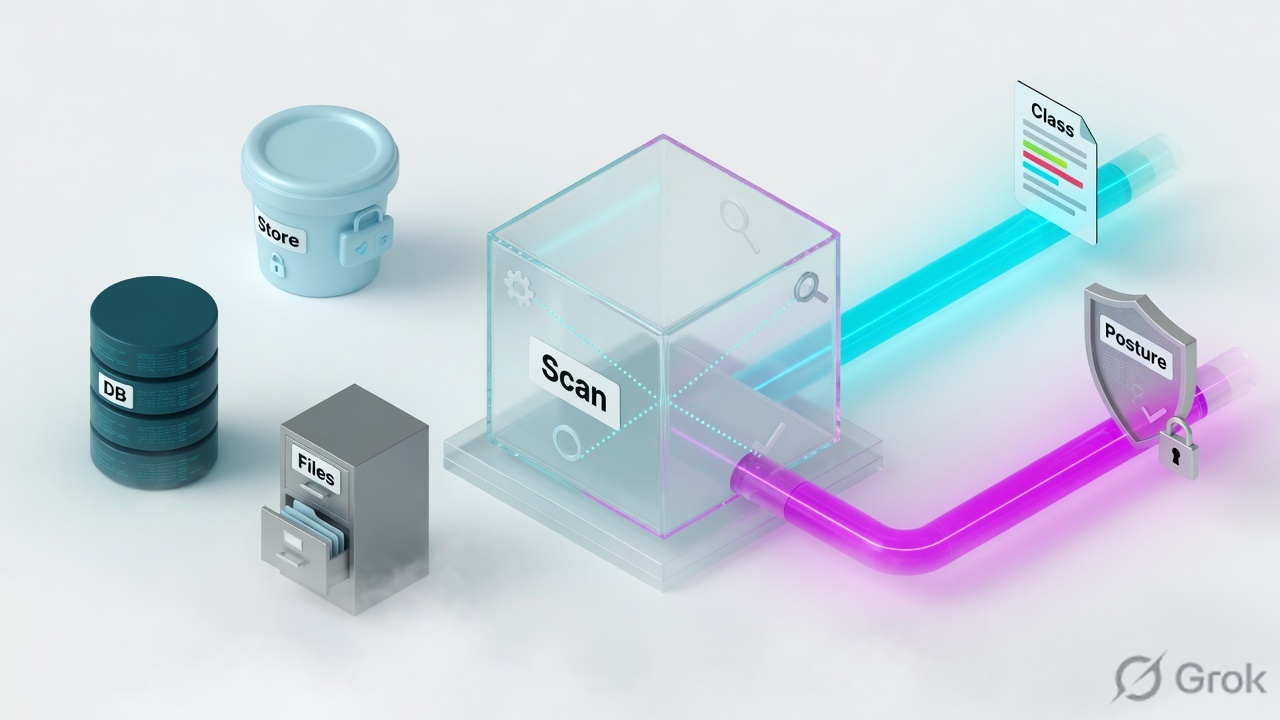
Zscaler DSPM is agentless data-at-rest security for onboarded AWS / Azure / GCP accounts plus supported on-prem stores. It discovers data stores, classifies sensitive data with DLP engines and dictionaries synced from Internet & SaaS (ZIA), then contextualizes posture — public exposure, encryption, logging, over-privileged access, AI-service exposure. Data Posture Policies (predefined NIST / GDPR / PCI plus custom query-builder rules) generate alerts. Proof is Resource Inventory: Last Completed Scan, Latest Scan Status, Open Alerts, posture labels, and a rescan after the owner change. Lab: lab-finance-exports (PCI files, public, logging off) vs lab-marketing-assets (public images, not sensitive).
Why a green DLP tile is not “data is safe”
ZIA DLP inspects a transaction that is already on the wire. DSPM inspects a store that is already in the account. If card files landed in S3 last quarter via a pipeline, there is no upload for DLP to match this week. The ticket looks like “DLP is fine” until someone lists the bucket.
Three silent-zero states look identical from the DLP dashboard (no incidents):
- Cloud account onboarded; scan rule never enabled. Inventory stays empty. No classification, no posture.
- Scan ran; DLP engines disabled in Data Classification Settings or omitted from Scan Scope. Stores exist; sensitivity is blank; public-exposure policies have nothing to correlate.
- Finding was “fixed” by flipping the S3 ACL in console. The CloudFormation / Terraform template still grants public. Next scan reopens the alert.
Two buckets can share the same posture label. One holds product images. One holds PCI files with logging off. DSPM’s job is sensitivity plus exposure plus access — not “every public object is Critical.” Confirm class, reachability, and owner before you page the cloud team.
Discover, classify, posture — three jobs
Discover is inventory of supported stores after the account is onboarded and a scan rule is enabled. DSPM uses an agentless scanner (orchestrator in a designated account; CloudFormation / Terraform templates: Tree Discovery, Orchestrator, Monitoring Scope, Evidence, Data Events on AWS). It does not install an agent on every bucket.
Classify is DLP engines and dictionaries synced from Internet & SaaS. You view them under Data Classification Settings; you edit engines in ZIA. ML document categories (Financial, Health, HR, Legal, …) land on files in storage and VMs — not inside database rows the same way. OCR covers image files and images embedded in PDF / Office.
Posture is the store’s security state: publicly accessible, encryption, logging, retention, exposed to AI services, over-privileged IAM. Data Posture Policies evaluate that state against sensitive data and raise alerts. Remediation guidance is on the alert; closure is a rescan, not a status dropdown.
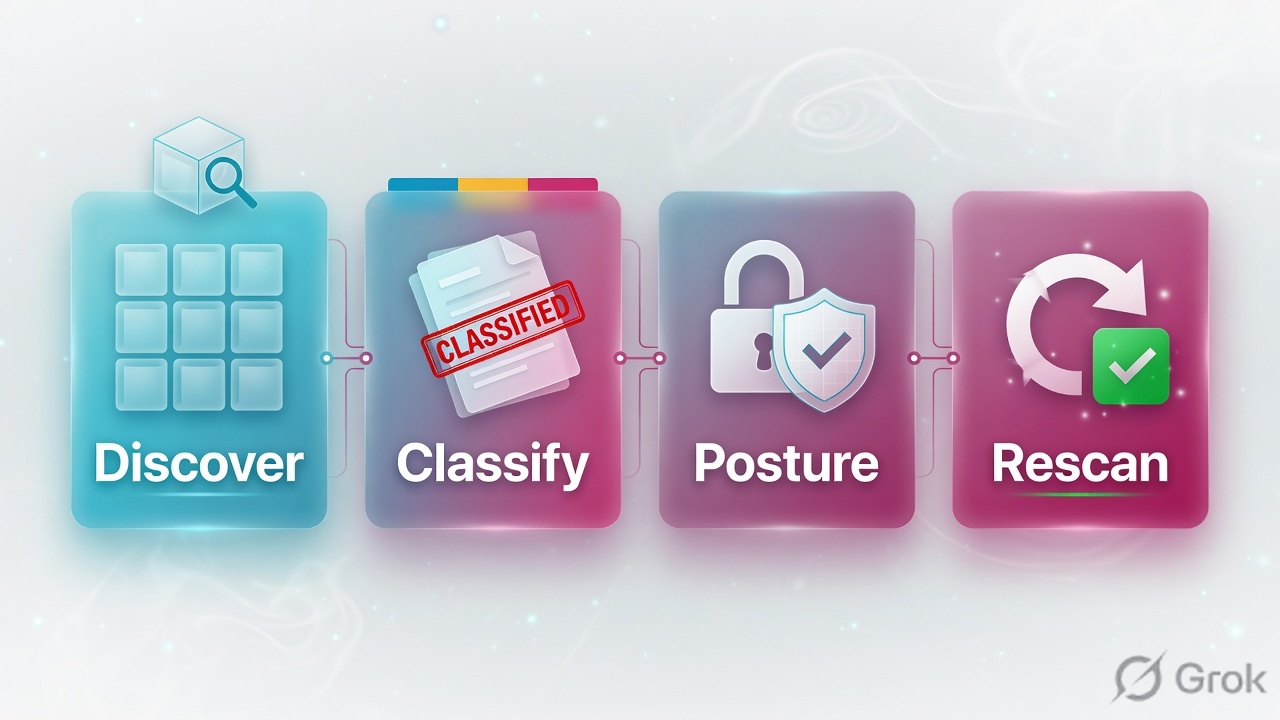
Discover
Onboard AWS org / Azure tenant / GCP org. Scan rule on the resource type (S3, blob, RDS, VM, on-prem DB). Enable the rule. Inventory fills.
Classify
DLP engines from ZIA. Scan Scope picks which engines run. Sensitivity settings and enable/disable evaluation live on Data Classification Settings.
Posture
Labels on the resource: public exposure, encryption, logging, AI. Policies (predefined + custom query) turn a bad combination into an alert.
Proof
Resource Inventory: Last Completed Scan, Latest Scan Status, Open Alerts, Access tab (entity, Read/Edit/Full). Rescan after the IaC change.
Discover the store. Classify the files with the same DLP engines ZIA already owns. Score how the store is exposed. Fix the template, then rescan. DLP never saw this because nothing moved.
How a store becomes a finding
Nothing classifies until a scan rule is enabled against an onboarded account. Full / incremental / historical / sampling are scan methods, not policy actions. After the scan, Resource Inventory shows the store, matched engines, document category, posture labels, and open alerts. A Data Posture Policy is a query: primary resource type plus predicates such as Publicly Accessible, Has Data / Is Sensitive, Encrypted, Logging.
Read left → right, then the gold bar. Discover is not classification. Classification is not a block. The alert is the policy hit; the rescan is the close.
| Object | Lab value | If missing |
|---|---|---|
| Cloud account | AWS organization onboarded; regions include ap-south-1 | No stores. Connection / orchestrator status failed → fix templates, not DLP. |
| Scan rule | Cloud Type AWS · Cloud Storage · S3 · enabled · full scan on lab buckets | Inventory empty. Latest Scan Status never moves. |
| Scan Scope | DLP engines that cover PCI / PII enabled in ZIA and selected here | Store found, class blank, posture has no sensitive-data correlation. |
| Store A | lab-finance-exports — CSV with test PANs, public ACL, logging off | This is the finding you want first. |
| Store B | lab-marketing-assets — public product images, no sensitive class | Public Exposure yes. Priority no. Do not page on colour alone. |
| Policy | Predefined PCI / public-sensitive, or custom: Publicly Accessible + Is Sensitive | Classification exists; no alert. Investigation query still works. |
| Proof | Last Completed Scan after the IaC fix; Open Alerts = 0 on that resource | Console ACL click without rescan is not closure. |
DSPM vs DLP vs CASB/SSPM
Pick the plane the ticket actually sits on. Mixing them is the usual “we have data protection, why did the bucket leak?” interview miss.
Three columns, three tickets. Do not toggle a ZIA DLP block to “fix” an S3 ACL.
| Need | Use | Skip |
|---|---|---|
| Find PAN files sitting in S3 / blobs / RDS | DSPM: onboard + scan + classify + posture | ZIA DLP. Nothing is in motion. |
| Stop a user uploading a PAN through the proxy | ZIA DLP engine / dictionary on the transaction | DSPM scan rule. DSPM does not inline-block. |
| SaaS app misconfig (sharing, SSPM) | CASB / SaaS security posture — different plane | Treating DSPM Resource Inventory as the SaaS admin. |
| Same dictionaries everywhere | Edit engines in Internet & SaaS; DSPM consumes the sync | Inventing a second dictionary only inside DSPM. |
Runbook Side A / B / C
Side A is onboard and scan (discover). Side B is classification and Data Posture Policies. Side C is inventory, owner change, rescan. Do not start at C.
Admin paths below are from Zscaler Help (2026 unified console). Legacy DSPM UI also documents Administration › Scan Settings for scan rules. If your tenant still shows the legacy left nav, use that Help article — do not guess a third menu.
Side A — onboard then scan
-
Onboard the cloud account
Policies › Common Configuration › DSPM › Cloud Accounts. AWS organization, Azure tenant, or GCP organization. Deploy the published templates (AWS: Tree Discovery, Orchestrator, Monitoring Scope, Evidence, Data Events). Check Roles and Templates; DSPM Connection Status must not sit on failed. Source: About Cloud Accounts; Viewing Roles and Templates.
-
Scan rule + enable
Policies › Common Configuration › DSPM › Scan Settings → Scan Rules. Cloud Type AWS, resource category Cloud Storage, resource type S3 (Azure: Blob Containers). Scope the lab buckets. Enable the rule — a disabled rule does not scan. Scan methods: full, incremental, historical, sampling. Source: Configuring Scan Settings / Enabling or Disabling a Scan Rule.
Policies › Common Configuration › DSPM › Scan Settings › Add Scan Rule
lab-s3-full
Source: Zscaler Help — Configuring Scan Settings; Enabling or Disabling a Scan Rule. The enable toggle is the discover gate. Finish without enable = no inventory.
Side B — classify then posture policy
-
DLP engines (view in DSPM, edit in ZIA)
Policies › Data Protection › Policy › Data Classification Settings. Confirm the engines DSPM will evaluate; set sensitivity; enable evaluation. Change dictionary logic in Internet & SaaS. Then Scan Settings › Scan Scope: attach those engines to the scan rule. A disabled engine cannot be selected in Scan Scope. Source: About Data Classification Settings; Configuring Scan Scope.
-
Data Posture Policies
Policies › Data Protection › Policy › Data Posture Policies. Start with predefined (NIST / GDPR / PCI). Custom: primary resource type S3 Bucket, query Publicly Accessible = true AND Has Data / Is Sensitive = true. Severity Critical/High/Medium/Low. You cannot edit or delete predefined policies. Disable = no new alerts; existing alerts stay. Source: About Data Posture Policies; Managing Policies; Query Builder.
Policies › Data Protection › Policy › Data Posture Policies › Create Policy
lab-s3-public-sensitive
Source: Query Builder for Policies and Investigation (Publicly Accessible, Has Data / Is Sensitive); About Data Posture Policies (primary resource types include S3 Bucket). This query misses lab-marketing-assets on purpose.
Side C — inventory, fix, rescan
-
Read Resource Inventory
Analytics › Data Security › DSPM › Data Discovery (widgets drill into inventory) or Analytics › Resource Inventory. On
lab-finance-exportsyou want: document category Financial, posture publicly exposed + no logging, Open Alerts > 0, Last Completed Scan populated, Latest Scan Status not Failed. Access tab: entity type, Read / Edit / Full, policy ARN. Source: Viewing the Data Discovery Dashboard; About Resource Inventory; Viewing the Access Levels. -
Change the store, not only the finding
Owner fixes the IaC that still grants public (bucket policy / ACL in the template). Console-only ACL is a reopen. Investigation → New Investigation can confirm Publicly Accessible after the change. Source: Creating a New Investigation.
-
Rescan is the close
On-demand or wait for the schedule. Last Completed Scan must be after the template deploy. Open Alerts on that resource drop. Disabling the policy hides new alerts; it does not prove the bucket is private. Source: Enabling or Disabling a Scan Rule; Managing Policies (disable ≠ close).
resource: lab-finance-exports
type: S3 Bucket · region: ap-south-1
class: DLP engines matched · document category Financial
posture: publicly exposed, no logging
access: list entity + Access Level (Read / Edit / Full)
alerts: Open Alerts count · policy name (predefined or lab-s3-public-sensitive)
scan: Last Completed Scan = <after-fix timestamp>
status: Latest Scan Status = completed (not Failed / Unsupported)
close: Open Alerts = 0 on this resource after rescan
do-not-close-on: AWS console ACL screenshot with no new Last Completed Scan
Inventory row for lab-finance-exports shows a Last Completed Scan newer than the IaC change, posture no longer publicly exposed (or policy query no longer matches), Open Alerts = 0. That is the close — not “DLP had no hits.”
One finding after go-live
Account is onboarded. Scan rule lab-s3-full enabled. Engines covering PCI are in Scan Scope. Full scan lists both buckets. Classification marks CSVs in lab-finance-exports as sensitive / Financial; lab-marketing-assets has no sensitive class. Posture labels public on both; logging off only on finance. Policy lab-s3-public-sensitive alerts finance only. Owner updates the stack that still set a public ACL. Rescan. Last Completed Scan moves. Open Alerts on that resource go to zero.
If the stack is not updated, the next scan reopens the same alert. That is not a DSPM bug.
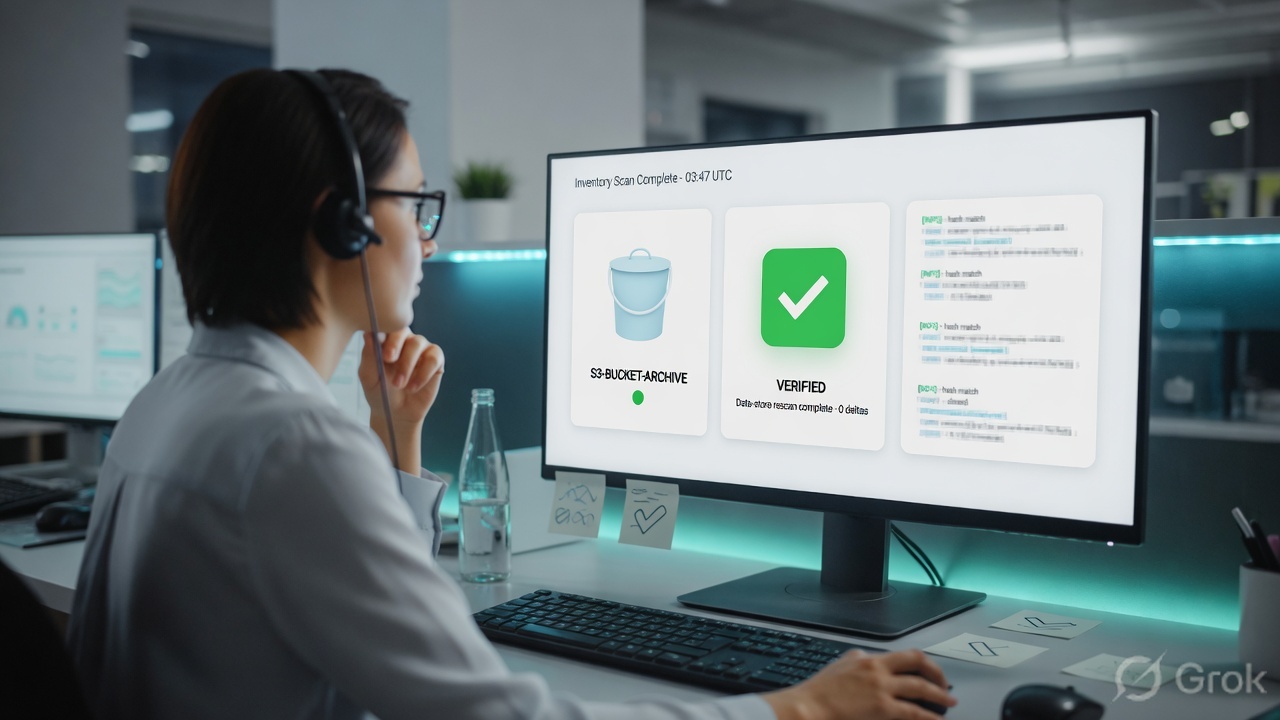
Traps + proof
| Symptom | Likely cause | Proof |
|---|---|---|
| DLP green, public PAN in S3 | At-rest data. Inline DLP never saw a transaction. | Resource Inventory class + Public Exposure. No ZIA DLP incident expected. |
| Inventory empty after onboard | Scan rule missing or disabled. Orchestrator / connection failed. | Scan Enable toggle. Latest Scan Status. Cloud Accounts connection status. Roles and Templates. |
| Stores listed, class blank | Engines disabled, or Scan Scope omitted them, or file type not scanned (DB vs object store). | Data Classification Settings enable/disable. Scan Scope. Help: file types scanned in storage/VMs, not the same in databases. |
| Every public bucket is Critical | Policy query is Publicly Accessible only. No Is Sensitive. | lab-marketing-assets vs lab-finance-exports. Add Has Data / Is Sensitive. |
| ACL fixed in console, alert returns | IaC / CloudFormation still grants public. Next scan is correct. | Template diff. Last Completed Scan after the stack update. Investigation Publicly Accessible. |
| Alert vanished, bucket still public | Policy disabled or custom query edited (DSPM closes old alerts and opens new ones on query change). | Managing Policies: disable = no new alerts; query edit closes existing. Inventory posture still public. |
| Scan Failed / Unsupported | Permissions, region, unsupported store, or network mode (automated vs custom/BYON). | Hover error on Latest Scan Status (timestamp, resource ID, reason). Roles and Templates vs cloud IAM. |
Disable stops new alerts. Existing alert state does not prove the store is private. Fix the resource, rescan, then read Open Alerts and posture on that row.
- One AWS account (or one Azure subscription) in a non-prod OU. Regions limited.
- Scan rule enabled on two buckets only: finance (sensitive + public) and marketing (public, not sensitive).
- DLP engines for the lab class exist in ZIA, enabled for DSPM evaluation, selected in Scan Scope.
- One custom or predefined policy that requires Is Sensitive, not public-alone.
- Data Discovery widgets show both stores. Finance has Open Alerts; marketing does not (or is lower).
- After IaC fix: Last Completed Scan newer than the deploy; Open Alerts on finance = 0. Keep the AWS screenshot as supporting evidence, not as the close.
Knowledge check
Six judgment items. Submit once. Reasons point back at the section to re-read.
Sources
- Zscaler Help — What is Data Security Posture Management? (agentless scan; discover / classify / exposure and posture)
- Zscaler Help — Step-by-Step Configuration Guide for DSPM (DLP engines from ZIA → onboard → scan → business units → Data Posture Policies → alerts)
- Zscaler Help — About Cloud Accounts (Policies › Common Configuration › DSPM › Cloud Accounts)
- Zscaler Help — Viewing Roles and Templates (Tree Discovery, Orchestrator, Monitoring Scope, Evidence, Data Events)
- Zscaler Help — About Data Classification Settings (Policies › Data Protection › Policy › Data Classification Settings; engines synced from Internet & SaaS)
- Zscaler Help — Understanding Data Classification (ML document categories; what classification tells you)
- Zscaler Help — Configuring Scan Scope (Policies › Common Configuration › DSPM › Scan Settings › Scan Scope)
- Zscaler Help — About Data Posture Policies and Managing Policies (predefined NIST/GDPR/PCI; disable vs edit query)
- Zscaler Help — Query Builder for Policies and Investigation (Publicly Accessible, Has Data / Is Sensitive, Encrypted, Logging)
- Zscaler Help — Viewing the Data Discovery Dashboard (Analytics › Data Security › DSPM › Data Discovery)
- Zscaler Help — About Resource Inventory; Viewing the Access Levels; Supported data stores and file types; Enabling or Disabling a Scan Rule
- Zscaler product — DSPM: discover, classify and contextualize data-at-rest; correlate risk, misconfiguration and exposure
Related: ZIA DLP · DLP + CASB · Risk360 exposure scoring