Cloud App Control answers “which app, which tenant, which activity.” DLP answers “what data is in the payload.” Dictionaries detect (predefined, Pattern and Phrases, Exact Data Match, Indexed Document Match). You do not hang a regex on the rule — you put dictionaries in a DLP Engine with All (AND), Any (OR), Exclude (AND NOT), or Sum, then the rule references up to four engines. Actions are Allow, Block, or Confirm. Tenant restriction is a Tenant Profile (Tenant Directory ID) on a Cloud App Control rule — not a DLP dictionary. Prove it on Analytics → Web Insights → Logs.
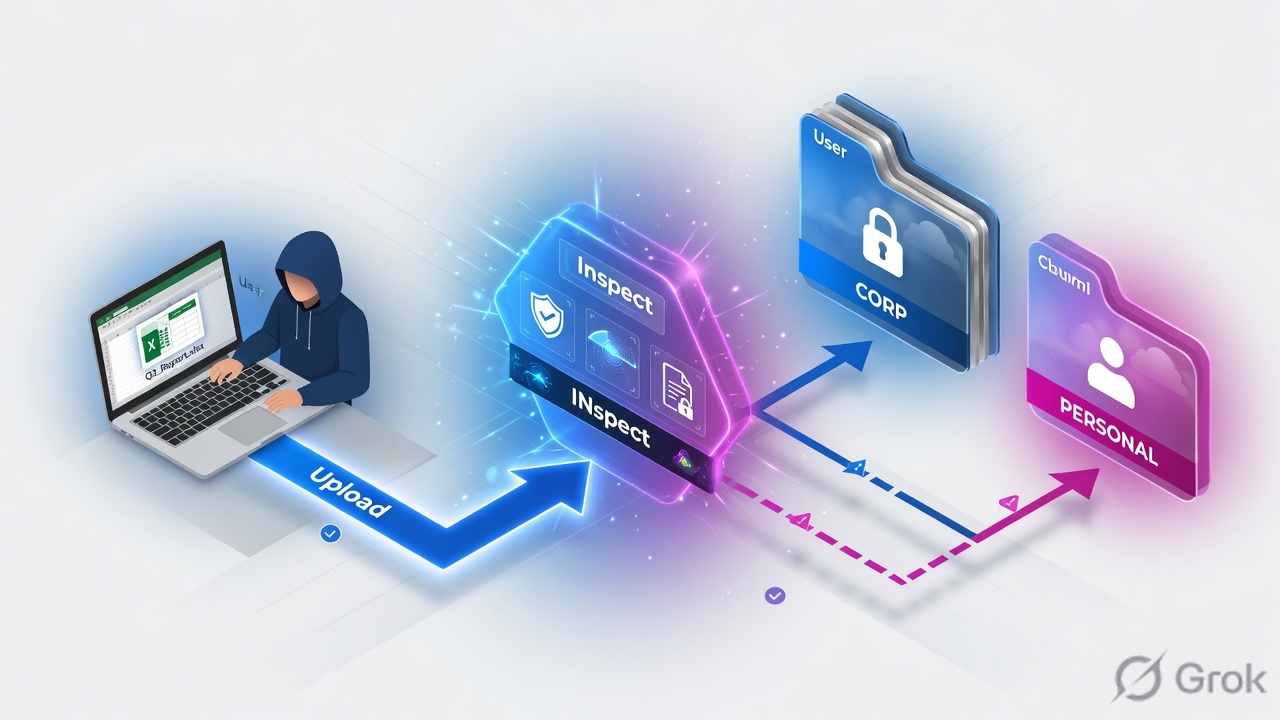
1. Why this ticket exists
URL Filtering keeps people off bad sites. Threat Protection keeps malware out. Legal will still ask one question: if an employee posts the customer table to personal webmail or a personal cloud drive, do we know, and do we stop it?
That is two different jobs. Cloud App Control can allow, caution, block, or isolate an app — and, with a Tenant Profile, tell corporate Microsoft 365 from a personal login on the same domain. DLP inspects the body and attachments after SSL inspection and matches dictionaries inside an engine. Neither one replaces the other.
HTTPS that is not decrypted is invisible to content DLP. If SSL Inspection is bypassed for onedrive.com, the DLP rule you spent a week on never sees the file. Fix inspection first; then build dictionaries.
2. Mental model
ZIA data protection is a stack. Memorize the order before you open the portal.
1 · Dictionary
The detector. Predefined (Credit Cards, SSN, Aadhaar, …), custom Pattern and Phrases, Exact Data Match (EDM), or Indexed Document Match (IDM).
2 · Engine
The expression. Combine dictionaries with All (AND), Any (OR), Exclude (AND NOT), Sum, plus a match count per dictionary. This is what the rule references.
3 · DLP rule
Who / where / which apps. Criteria include DLP Engines (Any, or up to 4), URL Categories, Cloud Applications, file types, users. Action: Allow, Block, Confirm.
4 · Tenant + at rest
Tenant Profiles on Cloud App Control pick the SaaS tenant. SaaS Application Tenants + Data at Rest Scanning find files already stored — they never had to cross the tunnel today.
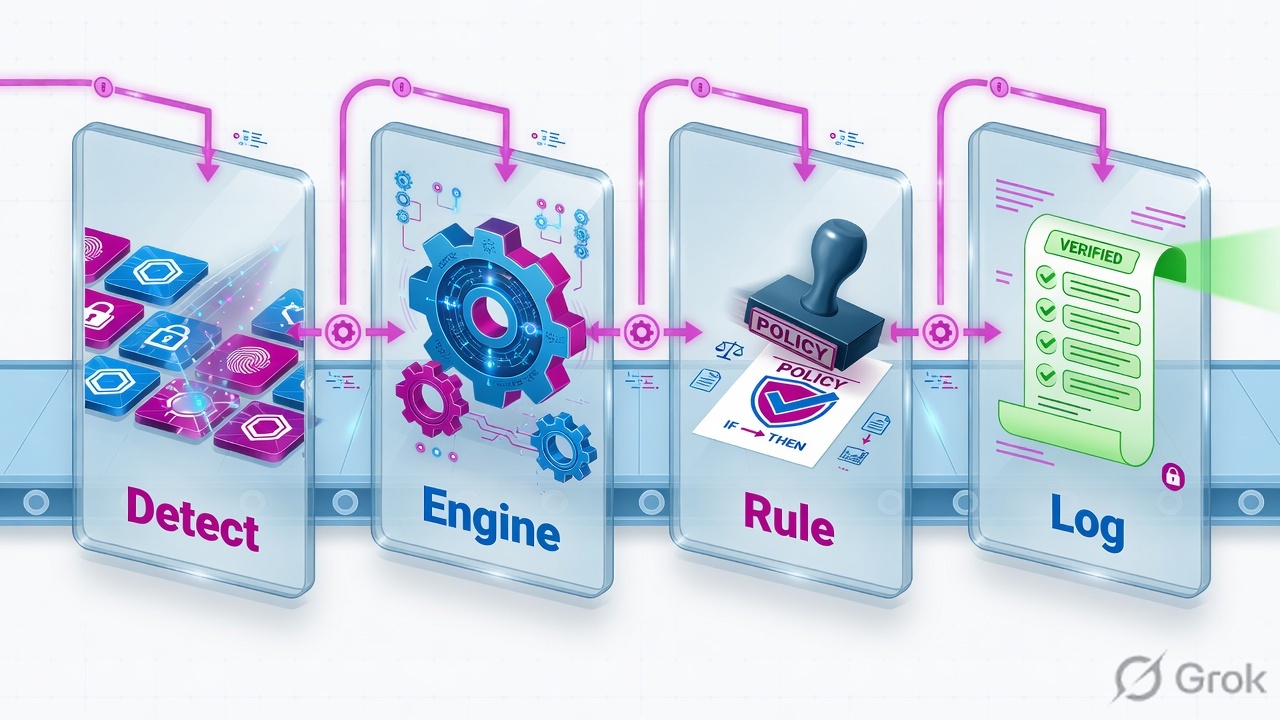
Provision the detector. Combine it in an engine. Scope the rule. Restrict the tenant. Then open Web Insights and name the engine that fired.
DLP Dictionary — a named detector. DLP Engine — Boolean (and Sum) over dictionaries; this is what the rule lists. EDM — Exact Data Match: Index Tool hashes your structured rows; inspection looks up hashes. IDM — Indexed Document Match: Index Tool fingerprints documents; match accuracy catches excerpts. Tenant Profile — Tenant Directory ID (and options such as Allow Personal Office 365 Domains) attached to Cloud App Control. Confirm — user must justify or cancel; both are logged. Match Only — still evaluates on Allow and Block; used when you want the engine to count without changing the action story.
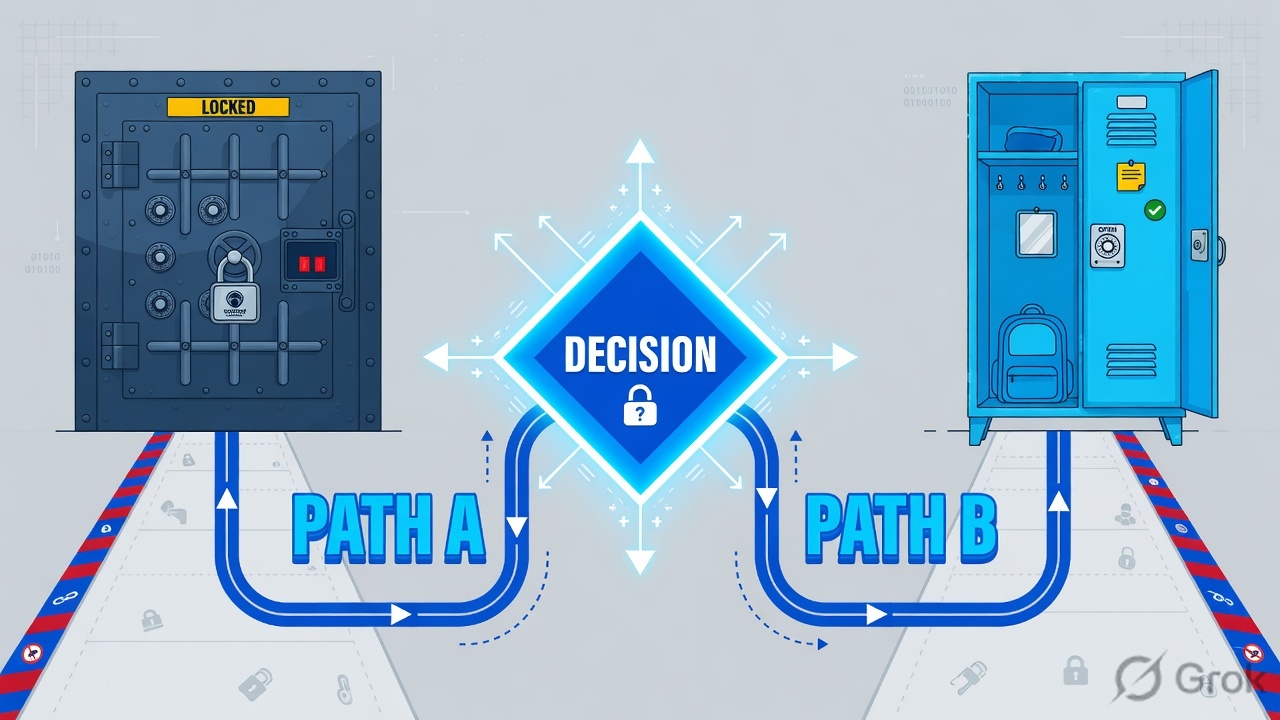
3. Decision flow
Read the diagram first. Then pick the control. Do not start in “Add DLP Rule” if the problem is “personal vs corporate login.”
Read top → bottom. Diamond = decision. Left = already stored (SaaS API). Right = in motion. Activity is not content.
4. How to choose
One detector does not cover every leak. Pick the tool that matches the data shape, then wrap it in an engine.
| Control | Use when | Do not use when | What it matches |
|---|---|---|---|
| Predefined dictionary | Regulator formats: Credit Cards, US SSN, India Aadhaar, IBAN, cloud keys. Zscaler maintains the pattern. | You only care about your customer rows, or a board deck excerpt. | Pattern + built-in validators (e.g. Luhn on cards). Alone, a Credit Cards dictionary is noisy. |
| Pattern and Phrases | Internal labels, project codenames, custom ID formats you can write as words, phrases, or a pattern. | You try to paste a regex onto the DLP rule itself. Rules do not take raw regex. | Tokens / phrases / patterns inside a named dictionary. Tune match count in the engine. |
| EDM | Structured rows you own: customer PAN + name + email. “Only our 1.2M records.” | Free-text excerpts, slide decks, source trees. Stale CSV with no refresh job. | Hash lookup from an EDM index template built in the Index Tool. Primary field is the unique key in classic templates. |
| IDM | Unstructured originals: board deck, M&A draft, contract. You need partial-document hits. | Row-shaped databases. You expect 100% match on a heavily templated legal form (raise match accuracy). | Document fingerprint. Set match accuracy on the custom IDM dictionary. |
| Cloud App Control + Tenant Profile | Personal vs corporate Microsoft / Google login. Block upload to an unsanctioned tenant while allowing the corp tenant. | You need to know what was in the file. Tenant control does not read PAN digits. | App + activity (upload / download / post) + Tenant Directory ID. |
| Data at Rest Scanning | Files already in SharePoint / Drive / Box from last quarter. Public shares. Off-tunnel BYOD that never hit ZIA. | You need a real-time block of this morning’s upload. That is inline DLP + Cloud App Control. | SaaS Application Tenant (OAuth) + Data at Rest DLP policy. Connector health is the silent failure. |
5. Runbook — dictionary → engine → rule → tenant
Side A builds detectors. Side B hangs them on an inline DLP rule. Side C restricts the SaaS tenant and (if licensed) authorizes the SaaS tenant for at-rest scan. Activate after each side.
Side A — Dictionaries and engines
Primary source: Zscaler Help About DLP Dictionaries, Adding Custom DLP Dictionaries, Understanding DLP Engines, Adding Custom DLP Engines.
-
Open Dictionaries & Engines
Path (current Help):
Policies → Data Protection → Common Resources → DLP Dictionaries & Engines. Older clouds still showPolicy → Data Loss Prevention. You will see predefined dictionaries, custom dictionaries, and DLP Engines as separate objects. -
Reuse or clone a predefined dictionary first
Credit Cards, Social Security Number (US), Aadhaar Card Number (India), and similar predefined dictionaries are maintained by Zscaler. Clone if you need a tighter match count later — do not invent a second Luhn regex unless Help’s dictionary cannot express the format.
-
Add a custom dictionary only when needed
Add Dictionary → choose type: Pattern and Phrases, Exact Data Match, or Indexed Document Match. Pattern and Phrases is words / phrases / patterns. EDM and IDM require an index template from the Index Tool before the dictionary is useful.
-
EDM: Index Tool → template → dictionary
Export the sensitive table, normalize columns the same way users will type them (strip spaces on PANs). In the Index Tool create an EDM index template. Classic templates still treat the primary field as the unique key the policy is based on. Hash upload — the Service Edge looks up hashes, not plaintext rows. Rebuild the index on a schedule; a six-week-old snapshot will not see last week’s customers.
-
IDM: Index Tool → template → match accuracy
Upload the protected documents to an IDM index template. On the custom dictionary, set match accuracy (Help: Defining IDM Match Accuracy for Custom DLP Dictionaries). Lower accuracy catches excerpts (pasted paragraphs). Higher accuracy reduces hits on templated legal text.
-
Build the engine — this is the Boolean
Add DLP Engine. Root operators: All (AND), Any (OR), Sum. Nested operators also include Exclude (AND NOT). Each dictionary gets a match count. Sum is for count-based dictionaries (Credit Cards, SSN, …) — you set the total matches that fire the group. Example production shape: All( Credit Cards match count ≥ 2 , Any( Cardholder-related phrase dictionary ) ). That is an engine, not a “composite dictionary.”
Policies / Data Protection / Common Resources / DLP Engines / Add DLP Engine
Add DLP Engine
Dictionary: Credit Cards Match Count: 2
Any ( Phrase: cardholder · expiry · CVV )
)
Root may be All, Any, or Sum. Exclude (AND NOT) is for nested expressions. Rules reference this engine — not the dictionaries directly.
Source: Zscaler Help · Understanding DLP Engines / Adding Custom DLP Engines. Values are training placeholders.
Side B — Inline DLP rule
Primary source: Zscaler Help Configuring DLP Policy Rules with Content Inspection.
-
Confirm SSL Inspection covers the destination
Content inspection of HTTPS requires decryption. If Cloud Apps or URL categories for webmail / file sharing are on an SSL bypass, stop and fix SSL Inspection first.
-
Add DLP Rule
Path:
Policies → Data Protection → Policy(older:Policy → Data Loss Prevention) → Add DLP Rule. Set Rule Order (evaluated ascending: 1 before 2), Rule Name, status, optional Rule Label. -
Content Matching = DLP Engines
Choose Select DLP Engines. Pick Any, or select up to 4 engines. That is a documented limit — if you need a fifth detector, fold it into an existing engine expression.
-
Scope with AND criteria
Help applies AND across URL Categories and Cloud Applications when both are set. Also set users / groups / departments / locations and file types. Example: Cloud Applications = webmail family, Groups = All except a documented exception group.
-
Action, auditor, notification
Allow — permit and log. Block — deny and log. Confirm — user justifies to continue or cancels; both are logged. Attach an auditor and a notification template if you want the email; Help says if you select neither, no notification is sent. Match Only applies to both Allow and Block.
-
Pilot with Confirm, then flip to Block
New PCI-to-personal-webmail rules go live as Confirm for a measured window (commonly two weeks in production practice). Tune match counts from the justification noise. Then change Action to Block. Check Evaluate All Rules on DLP Advanced Settings if your design needs more than first-match.
Add DLP Rule
  Rule Order:        20
  Rule Name:         Block-PCI-to-personal-webmail
  Content Matching:  Select DLP Engines
  DLP Engines:       PCI-CC-Strict          (max 4 engines)
  URL Categories:    Webmail
  Cloud Applications:Gmail / Yahoo Mail / Outlook.com (as classified)
  Users / Groups:    All except documented exception group
  Action:            Confirm   → later Block
  Auditor:           secops-dlp@example.com
  Notification:      PCI-block-banner
  Match Only:        off
Side C — Tenant restriction + SaaS at rest
Primary source: Zscaler Help Adding Tenant Profiles, About Cloud App Control, Adding SaaS Application Tenants.
-
Add Tenant Profile
Path (current Help):
Policies → Access Control → Internet & SaaS → Tenant Profiles → Add Tenant Profile. Older label:Administration → Tenant Profiles. For Microsoft Login Services, enter the corporate Tenant Directory ID (Entra tenant GUID). Decide Allow Personal Office 365 Domains explicitly — leaving this wrong is how personal OneDrive stays open. -
Attach the profile to Cloud App Control
Cloud App Control rule (IT Services / File Sharing / the category Help shows for that app) → Tenant Profiles. Actions here are app actions: Allow, Caution, Block, Isolate, plus per-activity Allow/Block (upload, download, posting) where the category supports them. This is not DLP.
-
Authorize SaaS Application Tenants for at-rest
If the ticket is “files already in SharePoint with a public link,” add the SaaS Application Tenant (OAuth / admin consent) and write a Data at Rest Scanning DLP policy against the same engines. Inline DLP will never enumerate last year’s library.
Policies / Access Control / Internet & SaaS / Tenant Profiles / Add Tenant Profile
Add Tenant Profile
Directory ID example shape from Help. Then attach this profile on the Cloud App Control rule — saving the profile alone does nothing.
Source: Zscaler Help · Adding Tenant Profiles (Microsoft Login Services · Tenant Directory ID · Allow Personal Office 365 Domains).
6. Runtime path
After go-live, one Gmail attachment or OneDrive PUT walks this path. If any box is skipped, the log will lie to you.
Left → right, then down. If step 3 is bypass, steps 5–6 never populate DLP columns.
7. Traps + proof

| Symptom | Likely cause | Fix |
|---|---|---|
| 50k Credit Cards alerts / day, mostly from build logs | A single predefined dictionary with match count 1, no engine AND | Wrap Credit Cards in an engine: All + higher match count + Any nearby phrase dictionary. Optionally add EDM so only your rows count. |
| Personal OneDrive upload succeeds; URL looks like onedrive.com | No Tenant Profile on Cloud App Control, or Allow Personal Office 365 Domains left on | Add Tenant Profile with corporate Tenant Directory ID. Attach it. URL Filtering cannot split tenants. |
| Rule exists; Insights has no DLP Engine / DLP Dictionaries | SSL Inspection bypassed, or file encrypted / password-protected, or traffic never hit ZIA | Confirm inspect for that Cloud App. Encrypted ZIP will not yield payload matches — pair File Type Control. Prove forwarding first. |
| New customer PAN does not fire EDM | Index is a snapshot. Row was added after last Index Tool upload | Rebuild / re-upload the EDM template on a schedule. Alert if last successful index is stale. |
| Board-deck excerpt pasted into a chatbot is missed | You used EDM or a phrase dictionary. That is the wrong detector | IDM template + lower match accuracy on the custom dictionary. EDM is rows, not prose. |
| SharePoint public-link report is empty for last month | SaaS Application Tenant OAuth expired or last scan is old. Inline DLP never sees at-rest objects | Re-authorize the tenant. Monitor connector / last-scan age. Write Data at Rest DLP separately. |
| Match preview in the log shows a full PAN | Notification / Insights preview not redacted; NSS forwarded the same string | Treat the log as a second leak. Use redacted previews and confirm NSS / SIEM columns do not store the raw match. Audit every DLP rule. |
Unsafe: Block-from-day-1 on All Users + Credit Cards dictionary only. Monday is a ticket flood and SecOps mutes DLP.
Safe: Engine with All + match count → Confirm on a pilot group → read Web Insights → widen → Block. Tenant Profile on Cloud App Control so corporate OneDrive still works.
- From a pilot user, trigger a documented test payload (not a live customer row). Confirm the user saw Allow / Confirm / Block as designed.
Analytics → Web Insights → Logs— columns on: User, URL, Cloud App, DLP Engine, DLP Dictionaries, DLP Severity, Action. Filter the engine name you created.- NSS / SIEM: same four DLP facts arrived. Endpoint DLP feeds use
dlpenginenames,dlpdictnames,actiontaken,severity,triggeredrulelabel. - Cloud App Control: personal Microsoft login is blocked or cautioned; corporate Tenant Directory ID still works.
- SaaS tenant page: connector connected; last scan is recent if you rely on Data at Rest.
- EDM / IDM: Index Tool last upload time and row / document count match the system of record.
Knowledge check
Six judgment questions. Map each miss back to the section in the reason.
Sources
- Zscaler Help — About DLP Dictionaries · Adding Custom DLP Dictionaries · Understanding Predefined DLP Dictionaries
- Zscaler Help — About DLP Engines · Understanding DLP Engines · Adding Custom DLP Engines
- Zscaler Help — Understanding Exact Data Match Index Templates · Creating an Exact Data Match Template · Defining EDM Fields for Custom DLP Dictionaries
- Zscaler Help — About Indexed Document Match · Creating an IDM Template · Defining IDM Match Accuracy
- Zscaler Help — Configuring DLP Policy Rules with Content Inspection · Configuring DLP Advanced Settings · About Zscaler Incident Receiver
- Zscaler Help — About Cloud App Control · About Tenant Profiles · Adding Tenant Profiles
- Zscaler Help — About SaaS Application Tenants · Adding SaaS Application Tenants · Data at Rest Scanning Policies
- Zscaler Help — Web Insights Logs: Columns · DLP Severity on Web Insights Logs · NSS Feed Output Format: Endpoint DLP Logs
Related: URL Filtering & Cloud App Control · SSL Inspection & file type · Zscaler authentication · ZIA traffic flow · Batch 11 · Lesson 9 — ZPA architecture