⚡ Quick answer (say this out loud)
ZIA web engines run in a documented order: Firewall → SSL Inspection → ATP → Malware/AV → Cloud App → URL → File Type → DLP → Cloud Sandbox. SSL is the gate — without Inspect, content engines do not see file bytes. Malware Protection is global Allow/Block on known malware families. ATP is destination and page behaviour (phishing, C2, cryptomining, Page Risk). Sandbox detonates unknowns; Quarantine holds the download until a verdict, Allow & Scan delivers now and can create a Patient 0. Prove it in Web Insights (Blocked Policy Type / policy reason) then open the Sandbox Detail Report by MD5. Never disable an engine for one false positive — add a Security Exception or a scoped Sandbox rule.
1. Why the four engines exist
Lesson 6 gave ZIA the cleartext. Threat protection is what that decrypt is for. URL Filtering blocks a category. These engines block a payload, a phishing page, a never-seen executable, or a vulnerable User-Agent.
When the CISO asks what stopped last week’s incident, the honest answer is one of four: Malware Protection hit a known family, ATP hit a destination or page-risk score, Cloud Sandbox detonated an unknown file, or Browser Control refused an EOL client. Get any engine too loose and the payload lands. Get it too tight, with no exception model, and CI dies on Friday and someone disables Sandbox for the whole tenant.
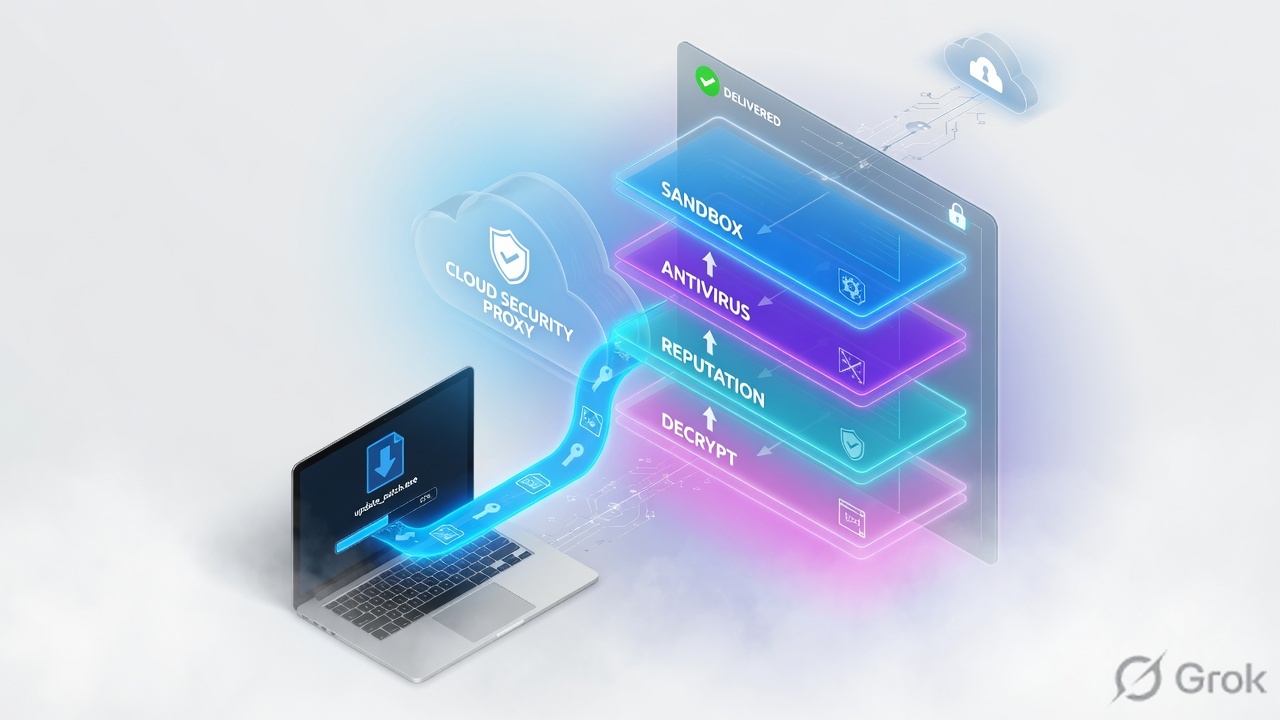
URL Filtering ≠ ATP
URL is slow acceptable-use categories. ATP is live threat verdicts (phishing, C2, Page Risk). A “Business” site can still be ATP-blocked.
Sandbox ≠ AV
AV needs a known family or feed. Sandbox detonates a first-seen file. Known malware should die at AV so Sandbox is not your only gate.
2. Mental model — who inspects what
Pre-train the four names before you open the Admin Console. Two of them (Malware Protection and ATP) are global tenant toggles — no user/group rule order. Sandbox and Browser Control are policies you can scope.
| Engine | What it inspects | How it decides | Typical catch |
|---|---|---|---|
| Malware Protection | File bytes after SSL Inspect (HTTP, HTTPS if inspected, FTP / FTP-over-HTTP) | Signature + Zscaler malware feeds. Per-category Allow/Block. Files ≤ 400 MB; up to 5 archive layers. | Trojan, ransomware, worm, virus, adware, spyware, PUA, RAT |
| Advanced Threat Protection | URL / destination / page content / callback pattern | ThreatLabz + Page Risk index (Help recommends 35) + category toggles | Phishing, C2, DGA, cryptomining, anonymizer, browser exploit, XSS |
| Cloud Sandbox | Unknown files that matched a Sandbox rule | First-Time Action + optional AI Instant Verdict + later detonation report | Zero-day / first-seen PE, macros, novel dropper |
| Browser Control | User-Agent / plugin / document-app version on the request | Version checks + notify or block | IE11, EOL Chrome, Java plugin, Flash, old Reader |
- First-Time Action — what Sandbox does the first time it sees that file hash: Quarantine (hold) or Allow & Scan (deliver now, analyse in the background).
- Patient 0 — a user who already received a file that later comes back malicious. Official Help: malicious files downloaded under Allow & Scan are Patient 0 events. Investigate them.
- AI Instant Verdict — Sandbox ML that can return a high-confidence result without waiting for full detonation. Help: only when First-Time Action is Quarantine or Allow & Scan.
- Security Exception — ATP URL allowlist. It bypasses all ATP scanning for that URL, not one category.
3. Engine order vs SSL inspect
Flowchart first. Zscaler’s ZIA Policy Leading Practices Guide lists the web-module order. SSL Inspection is station two. Cloud Sandbox is last. That is why “Sandbox didn’t see my HTTPS file” is almost always an SSL ticket, not a Sandbox ticket.
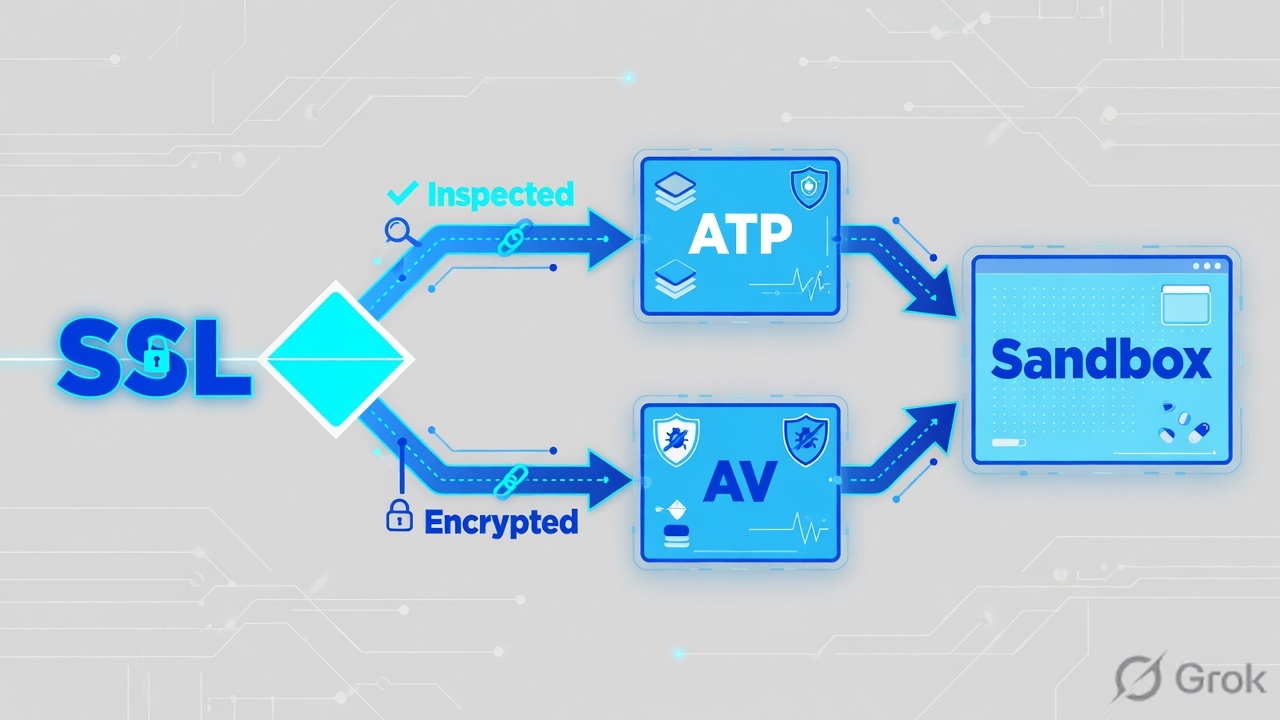
Read left → right. Diamond after SSL is the real fork. Sandbox is last on purpose: known-bad should already have died at ATP or AV.
A common wrong story is “Sandbox detonates first, then AV.” Official order is the opposite. Known malware should be a Malware Protection block. Sandbox is the first-seen / zero-day station. If the session was Do Not Inspect, you debug SSL — you do not add another Sandbox rule.
4. How to choose First-Time Action
Sandbox is the only engine in this lesson where the first download of a hash can be held. Pick the action by blast radius, not by “we hate waiting.”
| Choice | What the user gets | Use when | Cost |
|---|---|---|---|
| Quarantine (First-Time Action) | Download is held until verdict. Policy reason documents a temporary hold. | Executables, installers, macro Office from untrusted URL categories. | Wait. Breaks one-time / signed-URL downloads if the origin expires during the hold. |
| Allow & Scan | File delivers now. Analysis runs in the background. Later Malicious = Patient 0. | Low-risk types, or a trusted internal source you must not stall. | Patient 0 risk. SOC must read Sandbox Activity Report. |
| AI Instant Verdict (with either action) | High-confidence ML can finish before full VM detonation. | On, for Quarantine or Allow & Scan. You do not set a custom threshold in the default rule. | Does not replace the behavioural report on novel files. |
| ATP / Malware Security Exception | That URL skips the named security scan (ATP exception skips all ATP). | One confirmed false-positive host. Never a whole threat category. | Allowlist is a hole. Keep it a hostname, not *.com. |
Quarantine for first-seen executables from the open internet. Allow & Scan only where holding the file breaks a signed URL or a hash-verified pipeline. ATP and Malware stay on — they are not Sandbox.
5. Runbook — Side A malware/ATP, Side B sandbox, Side C proof
Do this on a pilot group after SSL Inspection already shows Inspected on the test destination. Each block cites one primary Help article.
Side A — Malware Protection + ATP (global)
Primary sources: Configuring the Malware Protection Policy and Configuring the Advanced Threat Protection Policy.
-
Confirm Inspect before you touch threat toggles
Web Insights on the pilot user: SSL/TLS Policy Reason = Inspected for the test HTTPS download. If it is any “Not inspected…” reason, stop. Fix Lesson 6 first. Content-based Malware and Sandbox will not see the file.
-
Malware Protection — leave defaults unless you own a change
Policies → Cybersecurity → Inline Security → Malware Protection. On the Malware Policy tab enable Inspect Inbound Traffic (and Outbound if you scan uploads). Inspect HTTP, and FTP / FTP-over-HTTP only if those protocols are in use. Help’s on-page guidance: do not casually change the default category Allow/Block set. Categories are tenant-wide: Virus, Trojan, Worm, Ransomware, Adware, Spyware, Unwanted Applications, Remote Access Tool.
-
Unscannable and password-protected archives
Same page, file-handling: Block Unscannable Files and Block Password-Protected Archive Files are the two documented levers. Files over 400 MB are not scanned. Password-protected ZIPs are not “Sandbox will crack them” — they are unscannable unless you block or carve them out.
-
ATP — block malicious active content, set Page Risk
Policies → Cybersecurity → Inline Security → Advanced Threat Protection. Recommended Help: block Malicious Active Content. Set Suspicious Content Protection (Page Risk) to the documented starter of 35 unless Legal signed a different tolerance. Keep Known + Suspected Phishing, Command & Control Servers/Traffic, Crypto Mining, and Anonymizers on Block for a production tenant.
-
False positive? Exception, not category off
ATP is global — you cannot “turn Suspicious Destinations off for Engineering.” Add the exact host to Security Exceptions (ATP allowlist). That URL then bypasses all ATP, so keep the entry a hostname (lab:
jenkins.lab.example), never a category toggle.
Policies / Cybersecurity / Inline Security / Advanced Threat Protection
Advanced Threat Protection
Source: Zscaler Help — Configuring the Advanced Threat Protection Policy / Recommended Advanced Threat Protection Policy. Page Risk 35 is the documented starter. Exceptions bypass all ATP for that URL.
Side B — Cloud Sandbox rule
Primary sources: About Sandbox, Configuring the Sandbox Policy, Recommended Sandbox Policy.
-
Open Sandbox, do not fight the default rule
Policies → Cybersecurity → Inline Security → Sandbox. Rules evaluate in ascending numerical order. The default behavioural-analysis rule is last. Add your custom rule above it. Confirm the tenant SKU (Basic vs Advanced) before you promise Office/PDF detonation — Basic historically covers a short executable/archive list only.
-
Add a Quarantine rule for high-risk first-seen files
Lab name:
Sandbox-Exec-Quarantine-Lab. File types: Windows executables / libraries (and, if Advanced, macro Office). URL categories: all except the internal-software category you own. Users/Groups: pilot first. First-Time Action = Quarantine. AI Instant Verdict = Enabled. Action for subsequent known-malicious downloads = Block. Enable the quarantine notification page so the user sees a wait, not a silent hang. -
Add a higher Allow & Scan (or Allow) rule for trusted internal artifacts
Lab name:
Sandbox-Artifactory-AllowScan-Lab, order below only if you want Quarantine to miss this source — put this rule above the catch-all. URL custom:artifactory-internal.lab.example. First-Time Action = Allow & Scan if you still want a background verdict; or exclude the URL from Sandbox if the pipeline already hash-pins every artifact. Do not set First-Time Action Quarantine on a 200+ MB CI installer unless you have measured queue time. -
Optional MD5 allow list — Advanced Policy Settings
Help: Policies → Cybersecurity → Inline Security → Sandbox → Advanced Policy Settings. Custom MD5 hashes can be allow-listed so a known-good build is not re-held. Use the hash of the file you actually ship, not a guess. Activate.
Policies / Cybersecurity / Inline Security / Sandbox / Add Rule
Add Sandbox Rule
Source: Zscaler Help — About Sandbox / Configuring the Sandbox Policy / Recommended Sandbox Policy. Quarantine holds the first-seen file. AI Instant Verdict is valid only with Quarantine or Allow & Scan.
Side C — Browser Control + prove the sandbox verdict
Primary sources: Configuring the Browser Control Policy, About the Sandbox Activity Report, Policy Reasons, Web Insights Logs: Columns.
-
Browser Control — request-time only
Help title: Configuring the Browser Control Policy (left-nav may sit under Access Control / Internet & SaaS). Enable checks and user notification. Block IE 6–11 and EOL plugins (Java, Flash, ActiveX). Warn on old Chrome/Firefox rather than a hard block on day one. This reads the User-Agent — spoofing defeats it, which is why ATP still sits behind it.
-
Trigger a known-good sandbox hold
From the inspected pilot: download a first-seen lab executable that matches the Quarantine rule (or Zscaler’s published sandbox test file if your tenant still hosts one). The browser should show the quarantine notification, not a raw TCP hang.
-
Web Insights — quote the engine
Analytics → Insights → Web. Filter user + URL + last 30 minutes. You need SSL/TLS Policy Reason = Inspected and either a hold reason (“temporarily held due to a Sandbox First Time Action policy set to Quarantine”) or Blocked Policy Type = Sandbox / Malware Protection / Advanced Threat Protection. Copy the MD5 from the row.
-
Sandbox Detail Report — that MD5 is the proof
Open Analytics → Sandbox (Sandbox Activity Report). Click the MD5 to open the Sandbox Detail Report: verdict (Benign / Suspicious / Malicious), AI/ML score if present, behaviour, and MITRE mapping when the SKU provides it. Help: files that landed under Allow & Scan and later went Malicious are Patient 0 — investigate, do not ignore.
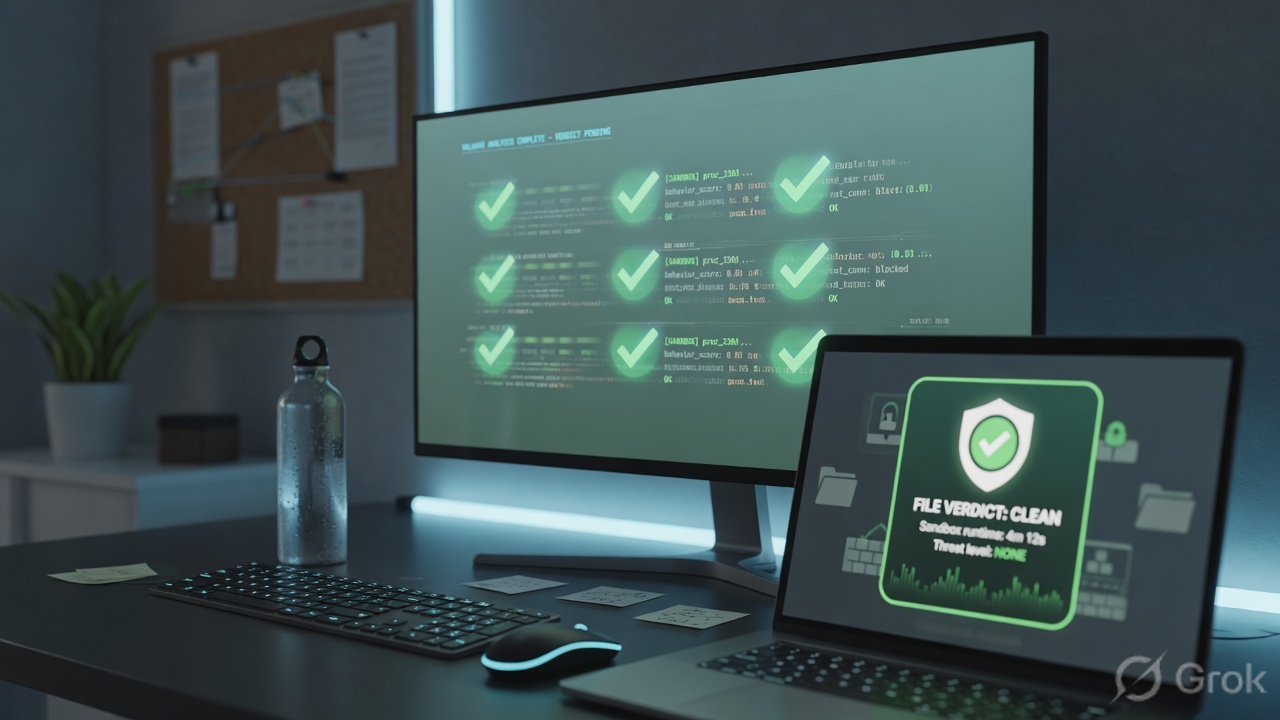
time=16:44:12Z user=pilot@lab.example url=https://files.lab.example/tools/build.exe
ssl_tls_policy_reason=Inspected
action=held
reason="temporarily held due to a Sandbox First Time Action policy set to Quarantine"
md5=d41d8cd98f00b204e9800998ecf8427e

time=16:45:08Z  same md5
blocked_policy_type=Sandbox  verdict=BENIGN
sandbox_detail_report=open  ai_instant_verdict=not_required

# ATP false-positive pattern (different ticket)
blocked_policy_type=Advanced Threat Protection
reason=Suspicious Destination / Page Risk
fix=Security Exception for jenkins.lab.example  (not category off)
6. Runtime path after Activate
Forwarding did not change (Client Connector, GRE/IPSec, or PAC). After Activate, each download walks the official stations. Browser Control can refuse the request on User-Agent before a file exists. Sandbox only runs if earlier stations allowed the object and a Sandbox rule matched.
Quarantine vs Allow & Scan is the only Sandbox decision that changes Patient 0 risk. The proof is always MD5 → Detail Report.
7. Traps and the proof checklist
| What you see | Likely cause | Fix + evidence |
|---|---|---|
| HTTPS .exe never appears in Sandbox | SSL Do Not Inspect (or Bypass Other Policies) on that destination. | Web Insights: SSL/TLS Policy Reason. If Not inspected, fix SSL. Do not add another Sandbox rule. |
| CI installer hangs 90s then 504 | First-Time Action = Quarantine on a large internal artifact; queue depth high. | Higher Sandbox rule for that host (Allow & Scan or skip). Keep Quarantine on the open internet. |
| Internal Jenkins blocked “Suspicious Destination” | ATP reputation / Page Risk on a new or low-reputation host. | ATP Security Exception for that URL. Do not disable the ATP category tenant-wide. |
| Office file “Benign — no active content” | Static pre-check found no macro/script — not a full detonation. | Read the Detail Report wording. Do not claim Sandbox executed the file. |
| File over 400 MB “allowed” but never scanned | Malware Protection size limit. Sandbox SKU may also refuse the object. | Help: files above 400 MB are not scanned. Use File Type Control or an approved channel. |
| IE-mode intranet dies after Browser Control | Edge IE-mode still presents an IE User-Agent. | Keep the external IE block. Exempt the intranet host. Audit UA quarterly. |
- Calling ATP “better AV” and turning Malware Protection off.
- Disabling Sandbox for all executables because Artifactory queued.
- Expecting Sandbox to brute-force a password-protected ZIP.
- Treating Activate as proof — no MD5 Detail Report, no ticket close.
- ATP Security Exception on a whole public suffix because one page mined crypto.
- Writing a Sandbox rule and testing it on a Do Not Inspect banking bypass.
- Test URL shows SSL/TLS Policy Reason =
Inspected. - Malware: EICAR (or tenant test file) → Blocked Policy Type = Malware Protection. Category visible in reason.
- ATP: published phishing/malicious test URL → Blocked Policy Type = Advanced Threat Protection.
- Sandbox: first-seen lab exe → quarantine notification → Detail Report by MD5 with a verdict.
- Trusted internal host has a higher Allow & Scan / exception rule. Catch-all Quarantine still on.
- Browser Control:
curl -A "Mozilla/4.0 (compatible; MSIE 8.0)"hits the notify/block page. - Activate done. Optional: NSS web logs with threat / sandbox fields into SIEM for Malicious after hours.
Knowledge check
Six judgment questions. Same bar as the runbook: SSL first, official order, scoped exception, MD5 proof.
Sources
- ZIA Policy Leading Practices Guide — web-module order: Firewall → SSL Inspection → ATP → Malware/AV → Cloud App → URL → File Type → DLP → Cloud Sandbox.
- Configuring the Malware Protection Policy — Policies → Cybersecurity → Inline Security → Malware Protection; Inspect Inbound/Outbound; HTTP / FTP / FTP-over-HTTP.
- Configuring Security Exceptions for the Malware Protection Policy — files up to 400 MB are scanned; larger files are not.
- Recommended Malware Protection Policy
- Configuring the Advanced Threat Protection Policy — fraud, unauthorized communication, malicious objects/scripts; Security Exceptions allowlist.
- Recommended Advanced Threat Protection Policy — block Malicious Active Content; Page Risk starter 35.
- Configuring Security Exceptions for the Advanced Threat Protection Policy
- About Sandbox — zero-day / APT layer; AI analysis; rules in ascending order.
- Recommended Sandbox Policy — Quarantine vs Allow & Scan; default rule on Windows executables/libraries from suspicious URL categories.
- Configuring the Default Sandbox Rule — AI Instant Verdict only when First-Time Action is Quarantine or Allow & Scan.
- Configuring Sandbox Advanced Policy Settings — custom MD5 allow list.
- About the Sandbox Activity Report — Patient 0 after Allow & Scan.
- Using the Sandbox Scanning Portal — MD5 → Detail Report.
- Policy Reasons — temporary hold when First-Time Action = Quarantine.
- Configuring the Browser Control Policy — outdated browsers, plugins, applications.
- Recommended Browser Control Policy
- Web Insights Logs: Columns
- Adding URLs to the Allowlist — exceptions apply across Malware, ATP, Sandbox, and URL Filtering.
Related: SSL inspection + File Type · URL & Cloud App Control · DLP & CASB · Zscaler authentication · ZIA traffic flow