URL Filtering is the default access-control space: it matches a site’s class / category (Legal Liability, Social Networking, Newly Registered Domains). Cloud App Control matches a known SaaS app and its actions — allow YouTube view, block YouTube upload. In the web module, Cloud App Control runs before URL Control. An explicit Cloud App Allow skips URL Filtering unless you enable Allow Cascading to URL Filtering. Inside each policy, rules evaluate in ascending order and stop at the first match. Caution shows an EUN then lets the user continue. Block + Allow Override carves named users/groups out of that Block. Prove it in Web Insights: URL Category, Cloud Application, Blocked Policy Name.
1. Why two engines exist
Auth told ZIA who is on the wire. Forwarding got the session to a Public Service Edge. Neither answers “can Marketing open Facebook?” or “can Engineering upload source to a personal GitHub?” Those are two different questions, so ZIA has two engines.
URL Filtering answers what kind of site is this? It uses Zscaler’s URL taxonomy — predefined classes that contain categories. You cannot add a class. You can add a custom category (URLs, IPs, keywords, IP ranges) and write a rule against it.
Cloud App Control answers which known application, and which action? That is why you can leave YouTube reachable and still stop the upload, or allow Microsoft 365 and still refuse a personal tenant. Official leading practice: use Cloud App Control for the known list; leave the unknown to URL Filtering.
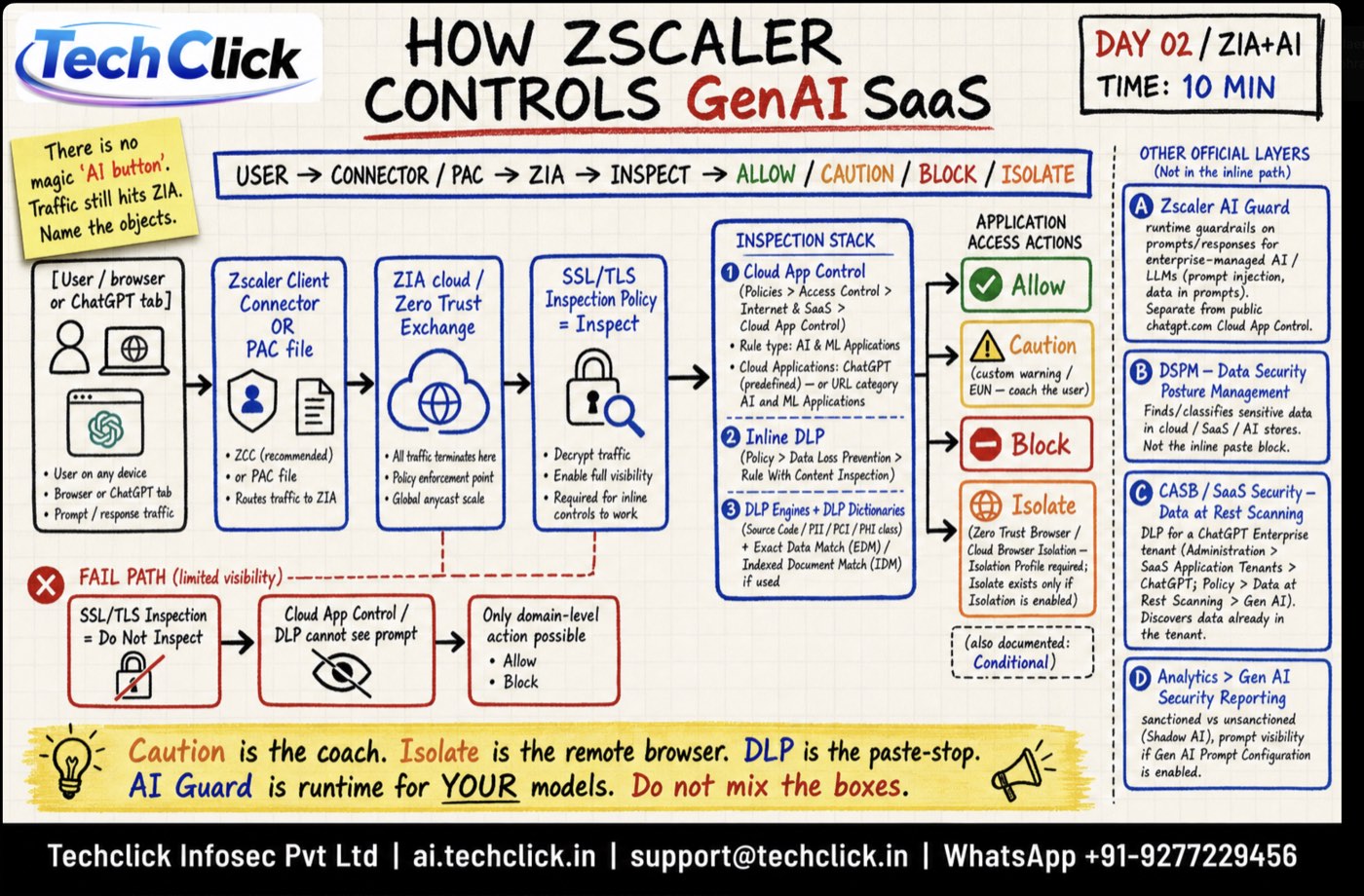
ChatGPT and other GenAI SaaS use the same Cloud App Control engine — category AI & ML Applications — after SSL Inspection. Full path, Isolate vs Caution, and AI Guard vs DLP: How Zscaler controls GenAI SaaS.
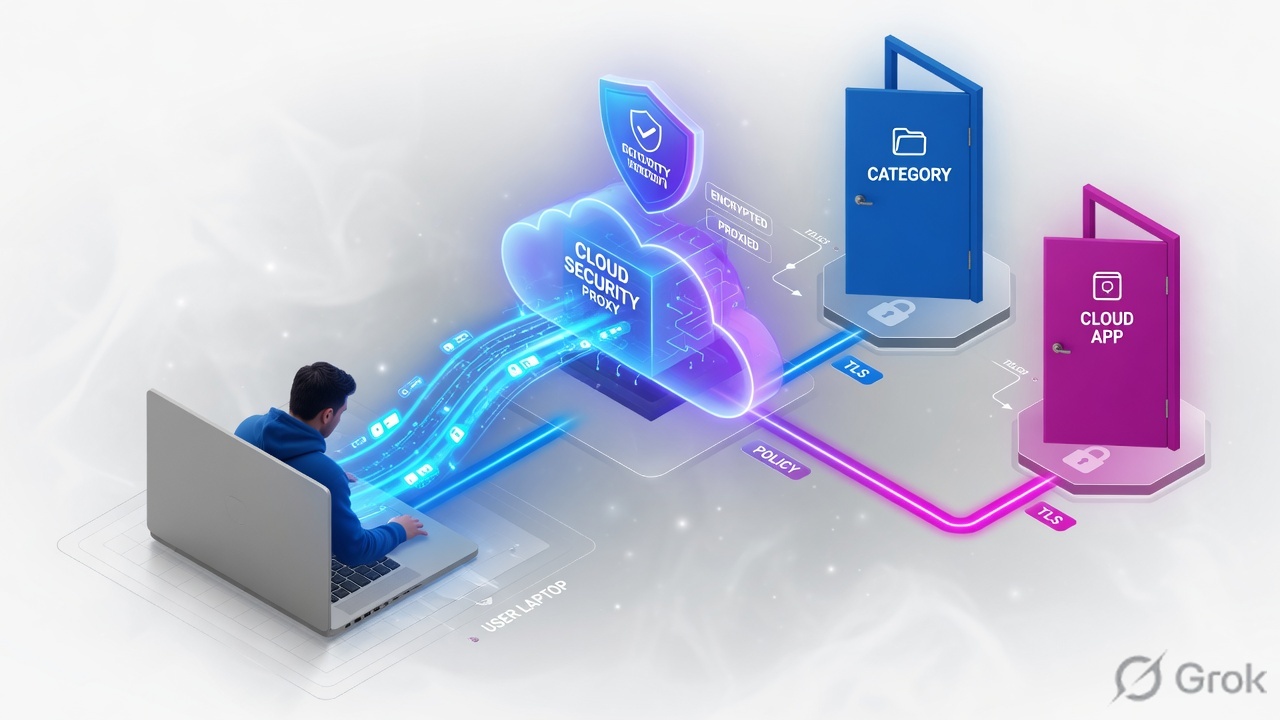
If someone says “just block youtube.com,” answer with the engine, not the domain. A URL rule can only see a category or a custom URL. View-versus-upload is Cloud App Control, and it needs enough visibility (usually SSL inspection) to identify the application.
2. Mental model — category vs cloud app
Memorise four named objects before you open the Admin Portal. Every “why didn’t my rule fire?” ticket maps back to these.
URL class + category
Zscaler groups sites into classes (Legal Liability, Privacy Risk, Productivity Loss, and the rest). A class contains categories. Recommended baseline: Block the Legal Liability class. You cannot create a new class.
Custom URL category
Your exception list. URLs, IPs, keywords, or IP ranges. The allowlist pattern is official: put the URL in a custom category, then write an Allow rule whose order is higher (lower number) than the Block.
Cloud application
A recognised SaaS object (YouTube, GitHub, OneDrive, Salesforce). Rules live under the Cloud App category in the left menu — Social Networking, IT Services, File Sharing, System Development, Webmail, and so on.
Tenant profile
Restricts personal vs business (or named) accounts for supported apps. You create the profile, then attach it to a Cloud App Control rule. One rule can carry up to 16 tenant profiles.
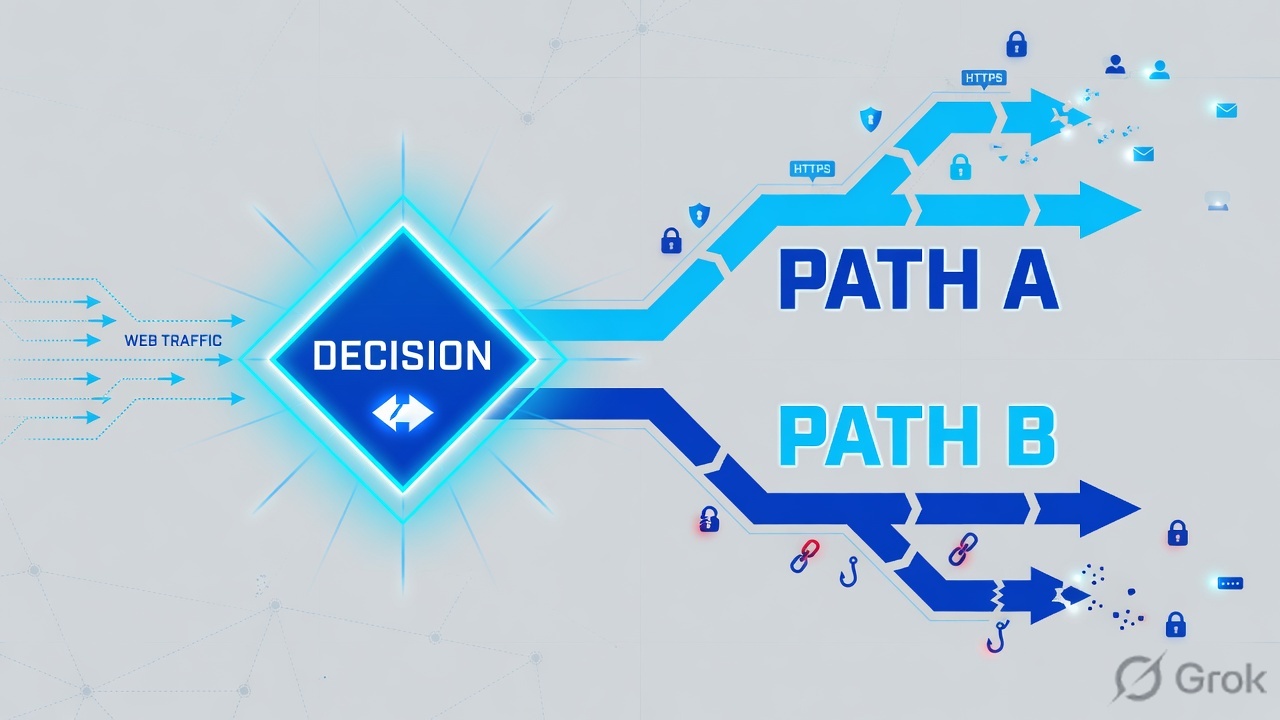
Read the diamond first. If you only need “this class of site is off,” stay on the left. If you need a named app or a tenant, go right.
A category rule can allow, caution, or block a website. A Cloud App rule can leave the website up and still stop the risky action. First-match is inside each policy. Cascading is the switch between the two policies.
Hard words before the runbook
| Term | Meaning on a ticket |
|---|---|
| Class / category | Zscaler’s taxonomy. Classes are predefined. Categories live under a class. Older training may say “super-category” — the Admin UI and Help say class. |
| First-match | Inside URL Filtering (and inside Cloud App Control), rules evaluate in ascending order. The first match applies and evaluation stops. |
| Caution | Action that shows an End User Notification, then lets the user continue. Optional Redirect URL instead of the default EUN. |
| Allow Override | On a Block action: named users or groups may still reach that blocked content. Different from a separate Allow rule above the Block. |
| Identity-based Block Override | Advanced Policy Setting. An authorised user re-authenticates (SAML force-reauth) to temporarily pass a Block. Off by default; hosted-DB override applies if you leave it off. |
| Allow Cascading to URL Filtering | Advanced Settings. If on, a Cloud App Allow is still judged by URL Filtering. A Cloud App Block still wins even when cascading is on. |
| Daily Time Quota | On an Allow: 15–600 minutes per day on the matched categories. Idle time is ignored. Known location resets at midnight in the location TZ; roaming uses the org TZ. |
| Tenant profile | Restricts personal vs business (or listed) accounts on supported cloud apps. Attach it to the Cloud App rule — do not try to do this with a custom URL list. |
| Blocked Policy Name | Web Insights column: the policy that took the action. Pair it with URL Category and Cloud Application. |
3. Policy order — CAC, then URL, first-match
Do not start the whiteboard with menus. Start with the request. The Public Service Edge web module applies policies in a documented order. Cloud App Control sits above URL Control. If a web policy already violates, later engines in that chain are not applied.
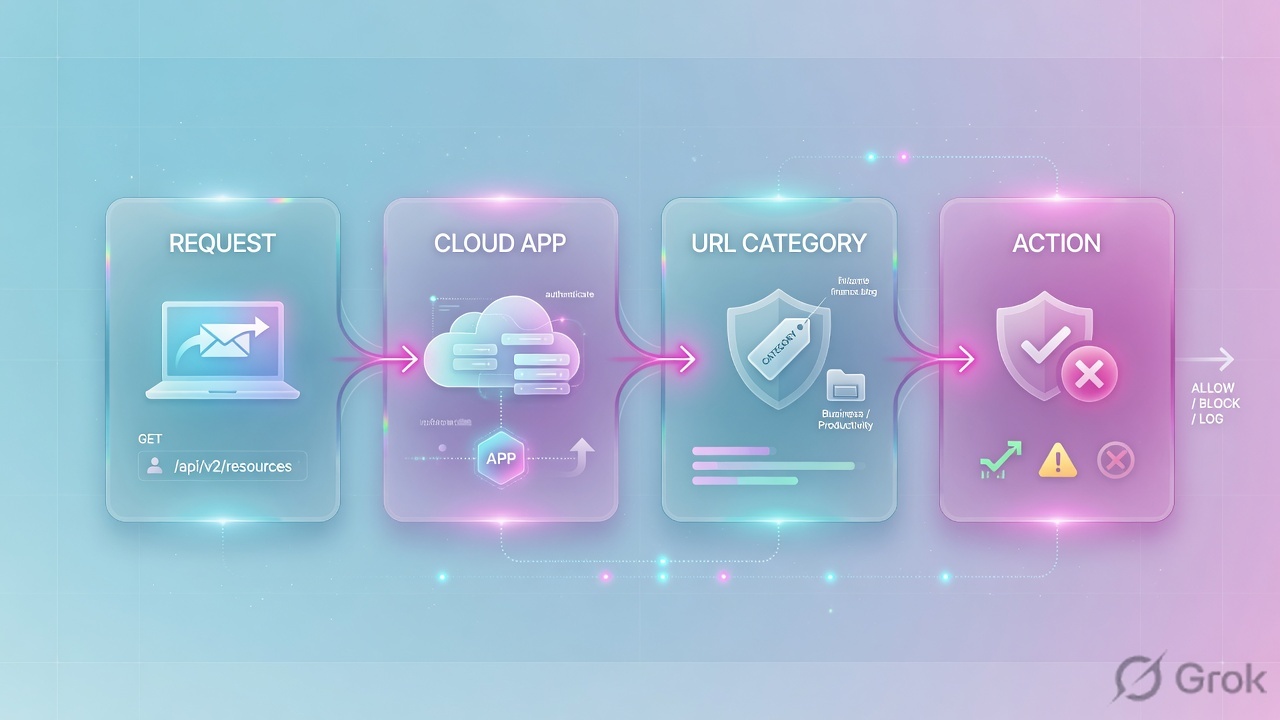
Two first-matches, not one. Cloud App Control can finish the story before URL Filtering starts. Cascading is the only way an Allow on the right still walks the URL list.
You Allow Facebook in Cloud App Control and Block Social Networking in URL Filtering. Users still reach Facebook. That is documented default behaviour, not a bug: the Cloud App Allow never cascaded. Turn on Allow Cascading to URL Filtering, or do not write a CAC Allow you do not mean.
4. How to choose — action + engine
Pick the engine first, then the action. Mixing them is how you get a 40-rule tenant that nobody can debug.
| You need | Engine | Action | Why |
|---|---|---|---|
| Adult / gambling / illegal off for everyone | URL Filtering | Block the Legal Liability class | Official recommended URL policy starts here. |
| Grey-area sites (Newly Registered Domains) | URL Filtering | Caution | EUN lets a real user click through; a phish victim usually pauses. Isolate is heavier. |
| One VIP or partner URL that sits in a blocked category | URL Filtering | Custom category + Allow above the Block | Official allowlist pattern. Do not put the Allow below the Block. |
| Help-desk carve-out on an existing Block | URL Filtering | Block + Allow Override (users/groups) | Same rule, named exceptions. Different from a new Allow rule. |
| Teacher temporarily unlocks a Block for a class | Advanced Policy Settings + Block | Identity-based Block Override | SAML force-reauth. IdP must support it (Okta: do not disable Force Authentication). |
| Watch YouTube, no upload | Cloud App Control | Allow view / block upload on YouTube | URL Filtering cannot split actions on one hostname. |
| GitHub browse, no push | Cloud App Control | System Development category rule | Official example in the Policy Leading Practices guide. |
| Corporate M365 only — no personal OneDrive | Cloud App Control + Tenant Profile | Restrict to the corporate tenant | A custom URL list cannot tell tenants apart. |
| Streaming allowed, but not all day | URL Filtering Allow | Daily Time Quota 15–600 min | Quota is per rule, per user. Categories in the same rule share the pool. |
Daily Time Quota: minimum 15 minutes, maximum 600. Daily Bandwidth Quota: 10–100,000 MB. Use Surrogate IP so the quota binds to a user, not a shared egress IP. For mixed groups, put a catch-all “any user” quota only for unidentified users — do not use “any” to mean “everyone else.”
5. Runbook Side A → B → C
Lab tenant. One Marketing user, one Engineering user, one executive. You will ship a URL baseline, one Cloud App action rule, then prove both in Web Insights. Source for each side is named under the mock.
Side A — URL Filtering baseline
-
Open the policy
Policies → Access Control → Internet & SaaS → URL Filtering → Create (or Duplicate an existing rule). Older tenants may still show Policy → URL & Cloud App Control. Trust the current Help path.
-
Allow exceptions first
Create a custom URL category (Administration → URL Categories) for partner / VIP hosts. Enter URLs in lowercase ASCII. Write rule order 10, action Allow, criteria = that custom category. This is the official allowlist: the Allow must sit above any Block that would otherwise match.
-
Block Legal Liability
Rule order 50, action Block, URL Categories = all categories in the Legal Liability class. That is the recommended starting policy, not a Techclick invention.
-
Caution the grey class
Rule order 40 (above the universal Block, below exceptions): action Caution on Newly Registered Domains (or whatever grey class your org accepted). Leave the default EUN unless you have a hosted Redirect URL.
-
Group / time / quota last among the business rules
Example: Marketing, Social Networking, Mon–Fri 09:00–18:00, action Block. Or Engineering Streaming Media, action Allow, Daily Time Quota 30 minutes. Do not put a broad Block above a later Allow for the same category.
Policies / Access Control / Internet & SaaS / URL Filtering / Add URL Filtering Rule
Add URL Filtering Rule
Source: Zscaler Help — Configuring the URL Filtering Policy (Policies → Access Control → Internet & SaaS → URL Filtering). Caution displays an EUN, then allows the site. Activate after Save.
Side B — Cloud App Control + tenant
-
Open the app category, not a generic “add rule”
Policies → Access Control → Internet & SaaS → Cloud App Control. Left menu: pick the Cloud App category (Social Networking, System Development, File Sharing, IT Services…). Then Add Rule. GitHub view-not-upload lives under System Development. YouTube actions live under the Social / streaming app category your tenant shows.
-
Write the action, not the domain
Select the application (YouTube, GitHub). Set the action the product exposes for that app — typically Allow / Block / Isolate, plus per-activity controls where the app supports them (view vs upload). Scope users or groups. Save. This is the official “known list” pattern from the Policy Leading Practices guide.
-
Tenant profile for Microsoft 365 / Google
Create the Tenant Profile first (restrict personal, allow listed business tenant IDs). Then attach it to the Cloud App Control rule. Official limit: up to 16 tenant profiles on one rule. Test one user before you Activate for the org — a wrong tenant ID locks everyone out of M365.
-
Decide cascading on purpose
Policies → Common Configuration → Advanced → Advanced Settings (some tenants still show Administration → Advanced Settings). Allow Cascading to URL Filtering: enable only if a Cloud App Allow must still be judged by URL Filtering. Leave it off if Cloud App is the source of truth for that app. A Cloud App Block still wins either way.
Policies / Access Control / Internet & SaaS / Cloud App Control / System Development / Add Rule
Add Cloud App Control Rule
Source: Zscaler Help — Adding rules to Cloud App Control (Policies → Access Control → Internet & SaaS → Cloud App Control → category → Add Rule) and ZIA Policy Leading Practices (GitHub view, block upload). Training values only.
Side C — prove it in Web Insights
-
Activate, then generate one transaction
Save is not live. Activate. From the pilot user, hit (a) a Legal Liability site you expect to Block, (b) an NRD you expect to Caution, (c) GitHub view vs a test upload, (d) personal vs corporate Microsoft sign-in if you attached a tenant profile.
-
Open the log, not the policy editor
Analytics → Insights Logs → Web (label in Help: Web Insights Logs). Filter user + time + URL or Cloud Application. Do not disable rules one-by-one.
-
Read three columns
URL Category — which class/category Zscaler assigned. Cloud Application (and Cloud Application Class) — whether the session was a recognised app. Blocked Policy Name — which policy took the action. NSS web feeds also expose Cloud Application Policy Name. If those three are empty or “none,” you are looking at the wrong transaction or SSL inspection never identified the app.
-
Close the ticket with the name, not a screenshot of the site
Green success: the log row shows the rule name you wrote, the expected category or cloud app, and the action (block / caution / allow). If the CEO is still blocked, the Blocked Policy Name is almost always the broader rule above your Allow — not “Zscaler is broken.”
Analytics / Insights Logs / Web
Web Insights Logs
Source: Zscaler Help — About Insights Logs and Web Insights Logs: Columns (URL Category, Cloud Application, Cloud Application Class, Blocked Policy Name). Lab identities only.
Three rows, three names. Caution row: action caution, policy Caution-NRD-All, category Newly Registered Domains. GitHub view: Cloud Application = GitHub, not blocked. GitHub upload: Blocked Policy Name = Eng-GitHub-View-NoUpload. If you only see the URL category and no cloud application, SSL inspection (or an M365 One Click bypass) never gave the engine the app identity.
6. Runtime path after Activate
Once Side A/B/C is live, the path is short. Use it as the first five minutes of every “policy didn’t fire” Sev-2.
- Is the user authenticated and forwarded? Unknown user + no Surrogate IP means group criteria and quotas will not bind. That is an auth/forwarding ticket, not this lesson.
- Did Cloud App Control already decide? If the log shows a Cloud Application and a Cloud App policy name, stop reading URL rules until you know whether cascading is on.
- If you are in URL Filtering, walk order from the top. The first matching rule wins. Your Allow at 60 is dead if a Block at 50 already matched that user + category.
- What can the engine see? Without SSL inspection, later policy is often limited to the domain / SNI. CDN hosts (video, static) will not look like the front-page hostname.
- Write the three columns in the ticket. URL Category, Cloud Application, Blocked Policy Name. Then change one rule. Then Activate again.
7. Traps + Web Insights proof

| Symptom | Likely cause | First check |
|---|---|---|
| CEO still blocked after you added an Allow | Allow sits below a broader Block (first-match) | Web Insights → Blocked Policy Name. Move the Allow above the Block, or use Allow Override on the Block. |
| URL Block of Social never hits Facebook | Cloud App Allow, cascading off | Advanced Settings → Allow Cascading to URL Filtering, or remove the CAC Allow. |
| YouTube “blocked” but video still plays | URL rule on youtube.com only; video on a CDN; or no SSL inspection so Cloud App never identified the app | Log: Cloud Application empty? Enable inspection / write a Cloud App rule for YouTube, not a single hostname. |
| Personal OneDrive still works | No tenant profile on the M365 / File Sharing Cloud App rule | Tenant Profiles attached? SSL inspection not bypassed by Microsoft One Click “Bypass Other Policies”? |
| Custom list hit verybadreddit.com | Suffix wildcard *reddit.com (no dot) | Use a dotted subdomain form (*.reddit.com) and re-test. URLs in lowercase ASCII only. |
| Quota burned after 15 min YouTube + 15 min Netflix | Both categories in one Allow-with-quota rule | Quota is per user per rule. Split categories if you want two pools. |
| M365 One Click allow ignores your URL Block | Predefined Cloud App allows; cascading does not apply to those One Click rules | Write a higher-rank Cloud App rule of your own, or change Evaluate / Bypass Other Policies on the SSL exemption. |
- URL Lookup / Site Review agrees with the category you think you are matching.
- Allow exceptions are a lower order number than the Block they must beat.
- Caution shows the EUN once, then the site loads; the log says Caution, not Block.
- Cloud App action (view vs upload) appears as Cloud Application + the Cloud App policy name.
- Tenant profile: corporate tenant signs in; personal tenant is refused by the app, and the log still names your rule.
- Activate was clicked. Save-only is the most common “rule didn’t fire” in a new tenant.
Knowledge check
Six judgment items. Map each one back to a promise bullet. Check answers, then Reset if you missed the order or the Insights columns.
Sources
- Zscaler Help — Configuring the URL Filtering Policy (Policies → Access Control → Internet & SaaS → URL Filtering; first-match; Allow / Caution / Block / Isolate; Allow Override; quotas)
- Zscaler Help — About URL Filtering
- Zscaler Help — About URL Categories (predefined classes; custom categories; you cannot add a class)
- Zscaler Help — Adding URLs to the Allowlist (custom category + Allow above the Block)
- Zscaler Help — URL Format Guidelines (lowercase ASCII)
- Zscaler Help — Recommended URL & Cloud App Control Policy (Block Legal Liability class)
- Zscaler Help — About Cloud App Control
- Zscaler Help — Adding a Social Networking Rule for Cloud App Control (Policies → Access Control → Internet & SaaS → Cloud App Control → category → Add Rule)
- Zscaler Help — About Tenant Profiles / Adding Tenant Profiles
- Zscaler Help — Configuring Advanced Settings (Allow Cascading to URL Filtering)
- Zscaler Help — Configuring Advanced Policy Settings (Identity-based Block Override)
- Zscaler Help — ZIA Policy Leading Practices Guide (web-module order; CAC before URL; GitHub view / block upload)
- Zscaler Help — Cloud App Control Deployment and Operations Guide
- Zscaler Help — About Insights Logs
- Zscaler Help — Web Insights Logs: Columns (URL Category, Cloud Application, Cloud Application Class, Blocked Policy Name)
Related: Lesson 4 · Authentication & deployment · Zscaler authentication · Lesson 6 · SSL Inspection & file type · Lesson 7 · Threat protection · Lesson 3 · Traffic forwarding