Provision first, then authenticate. Help’s default modern design is SCIM to provision + SAML to authenticate. Form-Based is Hosted User Database passwords — Help recommends it only when SAML/SCIM are not feasible and the org is up to about 100 users. Kerberos is for cookie-hostile apps; users must already exist, and the PAC must return ${GATEWAY_HOST} (an FQDN), not an IP. Then ship ZCC: App Profile says who + which OS, Forwarding Profile says how. Silent MSI needs USERDOMAIN, and if you set STRICTENFORCEMENT=1 you also need CLOUDNAME + POLICYTOKEN. Full Entra gallery / ACS / PEM / SCIM token steps: Zscaler Authentication — identity before policy.
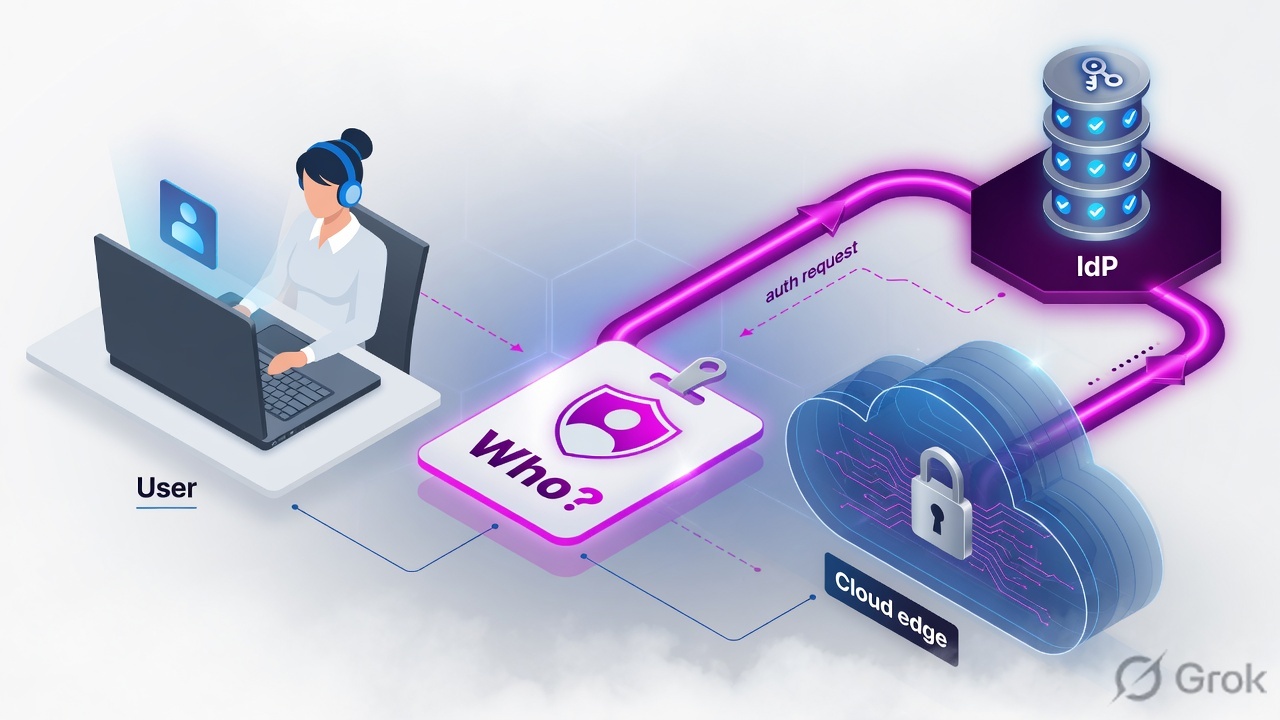
1. Why identity is the ticket
ZIA can block malware without a name. It cannot fairly split Finance from Interns, write a clean audit, or apply SaaS controls by group unless the Public Service Edge knows who is on the wire.
Location-only policy is one door for everyone on a GRE/IPSec path — fast to deploy, blind in logs. User authentication is the production standard: email-format username on a registered domain, up to 128 groups, one department, a secure cookie (or a Kerberos ticket).
Help is explicit: provisioning must be done first. Upload users, groups, and departments. Then enable authentication so the service can enforce user/group/department policy and write named logs. Unknown locations always require auth. Known locations can fall back to location policy if you leave auth off — and then every report is “Pune-HQ,” never “priya@example.com.”
Provision
User exists in Zscaler CA with groups and one department. Prefer SCIM from Entra/Okta. Hosted CSV only for labs / ≤100.
Authenticate
SAML assertion, Form-Based password, or Kerberos ticket at the Public Service Edge. Cookie (or ticket) then carries the session.
2. Mental model — three parts only
Pre-train these before you open Default Settings.
- Directory object — user ID is an email-style string on a domain you registered. Groups drive policy (max 128). Department is one, because reports and admin scope break if a person is counted twice.
- Authentication Type — on Administration → Identity → Internet & SaaS → Internet Authentication Settings → Default Settings. Form-Based (hosted passwords) or SAML. Kerberos is enabled on the same page and needs a PAC that uses FQDNs.
- Client Connector — the agent that enrolls the device to that same identity, then downloads an App Profile (who + OS) that names one Forwarding Profile (how). Identity and forwarding are different objects. Do not merge them in your head.
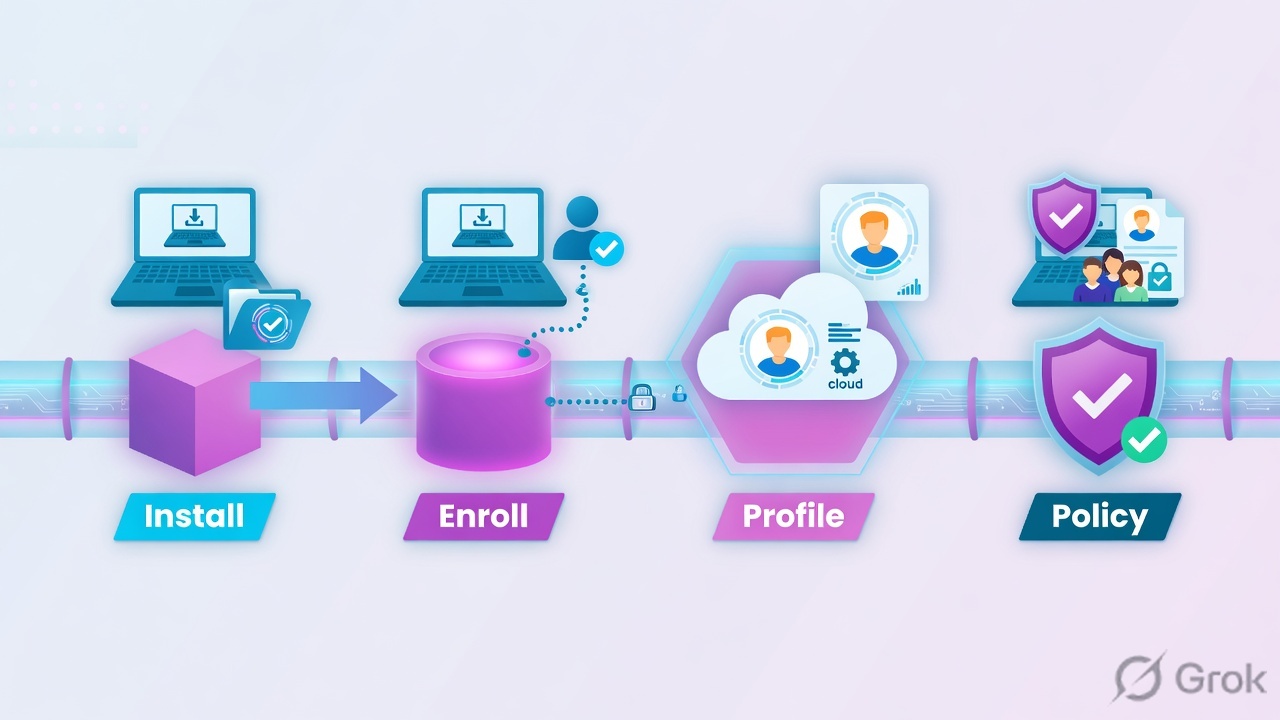
Provisioning puts the user in the directory. Authentication proves who is on the wire. ZCC enrolls the laptop to that identity and pulls the App Profile. Policy uses all three.
Read left → right. Skip step 1 and Entra password success still fails at ZIA. Skip step 3 and only the browser is identified.
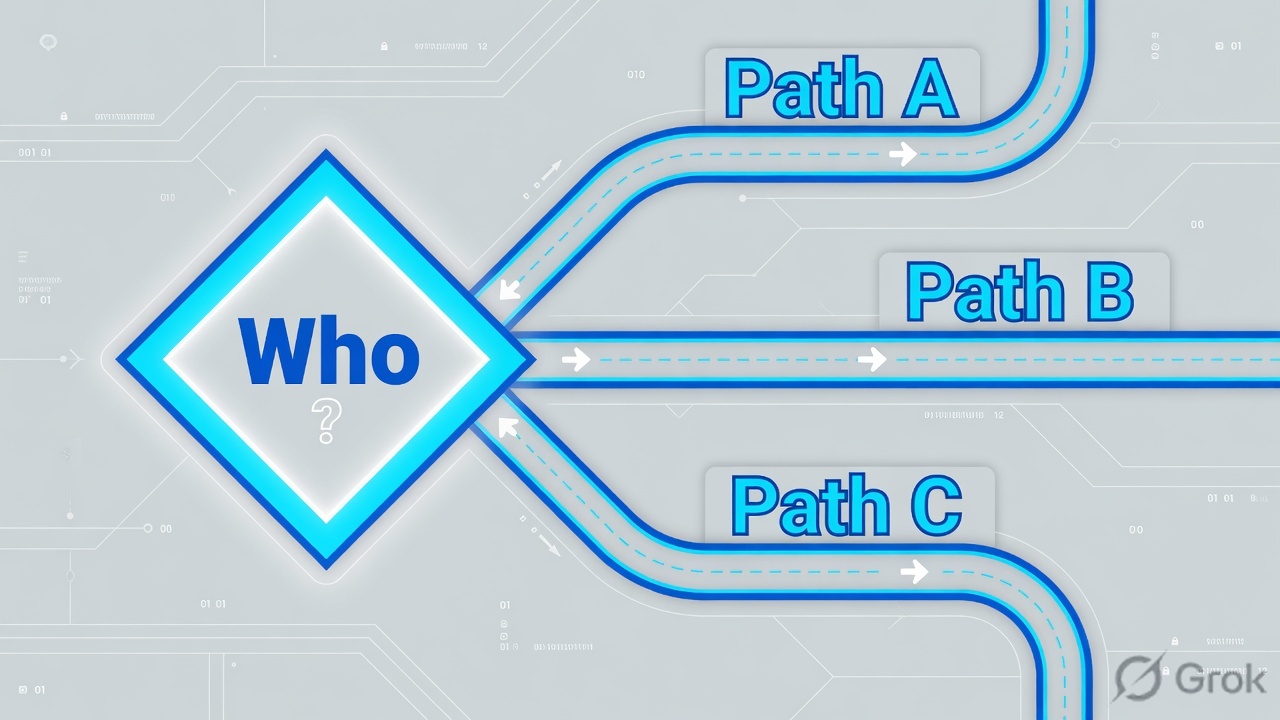
3. Decision flow — pick the method first
Diamond = decision. If you already have Entra, do not start a Hosted DB. Kerberos is an add-on for cookie-hostile traffic, not a replacement IdP.
4. How to choose — SAML vs Form-Based vs Kerberos
Help lists five provisioning methods (SCIM, SAML auto-provision, Hosted User Database, directory sync, ZAB) and seven authentication methods. In production interviews you defend three authentication choices. LDAP BIND is the leftover for “we have AD, no SAML yet.”
| Situation | Prefer | Pairs with | Do not use when |
|---|---|---|---|
| Enterprise already on Entra / Okta / Ping | SAML (Help’s recommended authentication method) | SCIM 2.0 provisioning. SAML is the only auth method SCIM supports. | You have not exempted the IdP and ACS from PAC/tunnel hairpin. You turned SAML auto-provision ON together with SCIM. |
| Lab, PoC, or ≤ ~100 users and no IdP | Form-Based (Authentication Type on Default Settings) | Hosted User Database — CSV or UI. Passwords stored in Zscaler. Also supports One-Time Link / Token. | You expect group lifecycle, SSO, or more than a hundred people. Help’s own cap is “up to 100 users” when SAML/SCIM are not feasible. |
| Cookie-hostile apps (Microsoft 365, Windows Metro, some FTP) or you need CONNECT auth without decrypt | Kerberos | Users already provisioned (SCIM, CSV, or LDAP). PAC with ${GATEWAY_HOST}. TCP/UDP 88 to Zscaler Domain KDC; TCP 8800 on ZENs. |
You try to use it as the only method for a cloud-IdP estate, or you PAC with ${GATEWAY} (that returns an IP — Kerberos dies). |
| On-prem AD, inbound LDAP allowed, no SAML yet | LDAP BIND (auth) + directory sync (provision) | ZAB if the firewall cannot accept inbound from Zscaler. Passwords never leave the org. | ZAB is already provisioning — you cannot also enable SCIM on any IdP. |
Gallery app, Entity ID, ACS https://login.<cloud>:443/sfc_sso, PEM as a single-dot .pem, Add IdP, SCIM Base URL + bearer token, Microsoft login exemptions — that is the gold lesson Zscaler Authentication — identity before policy. This page stops at when and why. Open that runbook when the choice is SAML + Entra.
Auth frequency
Daily · Session · Custom (1–180 days) · Only once. Set on Default Settings. Force Reauthentication invalidates cookies org-wide — not a Monday casual click.
Username shape
Email format, unique, domain registered on the tenant. It does not have to be a working mailbox. Groups ≤ 128. One department.
5. Mini runbook — Default Settings, then ZCC
Goal: Authentication Type matches the choose table, then every managed laptop enrolls to that identity and pulls one App Profile. Source for Side A/B: Help Choosing Provisioning and Authentication Methods + About Authentication Default Settings. Source for Side C: Help Configuring Zscaler Client Connector App Profiles + Supported Parameters for Windows.
Side A — Identity provider (when / why only)
-
Decide the pair before you click
If Entra or Okta already owns SSO, the pair is SCIM + SAML. If you have no IdP and fewer than ~100 people, the pair is Hosted DB + Form-Based. If cookie-hostile apps will fail, add Kerberos on top of a provisioned directory — do not replace SAML with it.
-
If the answer is Entra SAML + SCIM, leave this page
Do the gold runbook: gallery ZIA app that matches your cloud name → Entity ID + ACS → Department / groups claims → PEM → Add IdP → Authentication Type = SAML → SCIM ON / SAML auto-provision OFF → assign pilot groups. Return here for ZCC.
-
Exempt the IdP before you force traffic
PAC DIRECT (or a GRE/IPSec exception at the edge router) for the IdP and the ACS. An unauthenticated browser cannot complete SAML if login.microsoftonline.com hairpins through ZIA. Details and host list: gold auth lesson, Exemptions section.
Side B — ZIA Default Settings + IdP object
-
Open Default Settings
Administration → Identity → Internet & SaaS → Internet Authentication Settings → Default Settings. Newer tenants may show a thinner page because Authentication Service owns more of the profile — still start here, then follow the live labels.
-
Set Authentication Type
SAML for the enterprise path. Form-Based only for Hosted DB passwords (Help: Configuring the Hosted User Database). If you enable Kerberos, leave users pre-provisioned and plan the PAC in the same change window.
-
Set Authentication Frequency, then Save & Activate
Daily / Session / Custom (1–180 days) / Only once. Session plus a captive-portal café is how “I keep getting the login page” tickets are born. Activate — a saved-but-not-activated profile is still the old method.
-
Add the IdP only if Type is SAML
… → Identity Providers → Add IdP. SAML Portal URL, Login Name Attribute =
NameID, upload the IdP PEM, map domains. Do not paste ACS strings from memory — copy them from the gold lesson or the live IdP UI.
Administration / Identity / Internet & SaaS / Internet Authentication Settings / Default Settings
Default Authentication Profile
Form-Based is the Hosted DB password path. SAML is the enterprise path. Kerberos is a separate toggle plus a PAC that uses GATEWAY_HOST.
Source: Zscaler Help · About Authentication Default Settings / Configuring the Hosted User Database / Configuring the Default Authentication Profile. Values are training placeholders.
Side C — ZCC install + App Profile
Identity without an agent still works for PAC/GRE browsers. Production laptops need Client Connector so the same username follows the user off the office GRE.
-
Build the App Profile before the MSI
Infrastructure → Connectors → Client → Windows → App Profiles → Add Windows Policy (macOS / Linux / iOS / Android each have their own tab — the OS is the tab, not a field). Set Name, Rule Order (ascending — lowest number wins), Status = Enabled, and one Forwarding Profile. Scope users/groups. A VIP rule at order 3 never matches if Default-Win sits at 1.
-
Copy the policy token for that profile
POLICYTOKENis the pre-enroll profile. After the user enrolls, the group-matched App Profile supersedes it. That replacement is expected, not a bug. -
Silent Windows install (Intune / SCCM / GPO)
Documented MSI properties.
STRICTENFORCEMENT=1requiresCLOUDNAMEandPOLICYTOKEN.USERDOMAINmust match the SAML NameID domain so ZCC skips the “type your domain” screen and goes to SSO. -
Lock the agent
ENABLEANTITAMPERING=1stops users killing services. Silent uninstall usesUNINSTALLPASSWORDCMDLINE(ZCC 4.2.1+), which must match the portal uninstall password — not a homemadeLOGINPASSWORDflag. App Profile also has Exit or Uninstall Password for fail-close.
msiexec /i Zscaler-windows-4.x.msi /qn ^
  CLOUDNAME=zscalerthree.net ^
  USERDOMAIN=example.com ^
  POLICYTOKEN=00000000-lab-policy-token ^
  STRICTENFORCEMENT=1 ^
  ENABLEANTITAMPERING=1 ^
  HIDEAPPUIONLAUNCH=1
Help: strict enforcement blocks all internet until a valid policy is in effect. It only works when the Forwarding Profile action is Tunnel or Tunnel with Local Proxy. If POLICYTOKEN is wrong, expired, or the App PAC does not DIRECT the IdP, the laptop blocks its own SSO path. Fix is a reinstall with a corrected token — the user cannot authenticate out of it. Pilot one ring before the fleet.
Infrastructure / Connectors / Client / Windows / App Profiles / Add Windows Policy
Add Windows Policy
Lowest Rule Order wins. A perfect VIP rule at order 5 never matches if Default-Win is order 1. Build Windows rules on the Windows tab.
Source: Zscaler Help · Configuring Zscaler Client Connector App Profiles / About Zscaler Client Connector App Profiles. Training names only.
Help: a PAC is required, and Kerberos needs the ZEN addressed as an FQDN. ${GATEWAY_HOST} returns a hostname. ${GATEWAY} returns an IP and will not complete Kerberos.
function FindProxyForURL(url, host) {
  if (isPlainHostName(host) ||
      shExpMatch(host, "login.microsoftonline.com"))
    return "DIRECT";
  return "PROXY ${GATEWAY_HOST}:80";
}
6. Runtime — browser cookie vs ZCC enroll
After go-live there are two identity paths. They must name the same user.
If Chrome is named and Outlook is not, you have a forwarding problem, not an IdP problem. Re-read the forwarding lesson.
7. Traps + how to prove who is on the wire
Three production failures show up in every Batch 11 lab. Learn the evidence, not the folklore.
| Trap | What you see | What is actually wrong | Fix + proof |
|---|---|---|---|
| SAML hairpin | Redirect loop or blank auth after you published a PAC or GRE. IdP login never finishes. | IdP or ACS is forced through ZIA before the user is authorized. Help’s Configuring SAML prerequisite: exempt the redirected URL in the PAC, and send IdP traffic direct at the GRE/IPSec edge. | DIRECT the IdP + ACS. Re-test a private window. Then finish the PEM / NameID checks in the gold auth lesson if the loop is gone but ZIA still rejects the assertion. |
| Hosted DB at enterprise scale | Joiners wait on a CSV. Leavers still have policy. Helpdesk resets Zscaler passwords that are not the corporate password. | Form-Based + Hosted User Database is the ≤100-user path. Passwords live in Zscaler. There is no group lifecycle. | Move to SCIM + SAML. Do not “CSV harder.” Prove: user appears in Administration → Users from the IdP cycle, then Web Insights shows the username without a Zscaler password prompt. |
| STRICTENFORCEMENT + bad token | Fresh image has no internet at all. SSO never loads. Helpdesk reimages. | STRICTENFORCEMENT=1 without a valid CLOUDNAME + POLICYTOKEN, or the pre-enroll App PAC does not DIRECT the IdP. Forwarding Profile is not Tunnel / Tunnel with Local Proxy, so the flag is a no-op in some labs and a brick in others. |
Reinstall with a known-good token on a pilot ring. Confirm enroll, then ZSACli.exe status (if CLI is enabled on the App Profile) shows the expected appProfile. |

- User exists under Administration → Identity → Internet & SaaS → Users with the expected groups and one department.
- Known location: Web Insights row shows username, not only the Location name.
- Unknown location / hotspot: SAML (or Form-Based) still completes. Auth fail here is a refuse — Help: unknown locations must authenticate.
- ZCC: enrolled, App Profile name matches the Windows rule you intended, Forwarding Profile matches the network state (off-trusted = Tunnel).
- IdP sign-in log timestamp lines up with the ZIA transaction.
- Negative: a leaver disabled in Entra is disabled in ZIA on the next SCIM cycle — CSV cannot do this.
“We provision with SCIM, authenticate with SAML, Form-Based only for a lab Hosted DB, Kerberos only when cookies cannot ride. ZCC is installed with USERDOMAIN, and STRICTENFORCEMENT only after POLICYTOKEN and the IdP bypass are proven. Web Insights showing the email-style username is the close.”
Knowledge check
Six judgment items. Map each to a method choice, a Default Settings field, or a ZCC deploy trap. Check answers, then reset until you are 6/6.
Sources
- Zscaler Help — Choosing Provisioning and Authentication Methods (Help export 01 Aug 2026)
- Zscaler Help — Understanding User Provisioning and Authentication
- Zscaler Help — Configuring the Default Authentication Profile · Configuring the Hosted User Database
- Zscaler Help — About Kerberos Authentication · Adding Identity Providers
- Zscaler Help — SAML & SCIM Configuration Guide for Microsoft Entra ID (full click-path is in the gold lesson)
- Zscaler Help — Configuring Zscaler Client Connector App Profiles · About Zscaler Client Connector App Profiles
- Zscaler Help — Supported Parameters for Zscaler Client Connector for Windows · Customizing Install Options for MSI
- ZCCA-IA Authentication Student Guide 5.6 · Techclick Zscaler Authentication handout (Aug 2026)
Related: Gold · Zscaler Authentication (Entra SAML + SCIM runbook) · Batch 11 · Lesson 3 — traffic forwarding · ZCC App & Forwarding Profiles · ZIA traffic flow