SailPoint is an identity-lifecycle factory. Aggregation reads accounts and entitlements from a source. An identity profile on an authoritative source prints an identity cube — IdentityIQ’s official name for the multi-dimensional identity; Identity Security Cloud creates the same logical object. People then decide with an access request or a certification. Provisioning writes the target — automatically when the source feature list includes PROVISIONING, or as a Task Manager item on a flat file. Success is a Completed request or a correlated account on the identity — not a green Connected badge. Official: Pending means the request is executing. Connected is not last aggregation. Identity processing starts role and lifecycle writes; it does not validate that the target accepted them.
I do not start with the VA. I ask whether the source actually aggregated, whether a cube exists with a valid lifecycle state, whether a person approved or a cert revoked, and whether the connector wrote. Connected without lastAgg is not success. Pending is a queue. Unique-constraint is the target.
1. Why Connected is not an identity
Every other blog starts with “IGA”, “joiner-mover-leaver”, and three marketing boxes. That is why students freeze in interviews. The real object is the identity — IdentityIQ calls it the Identity Cube. Features are only stations the factory walks before it writes an account a person can use.
Official IdentityIQ wording: Identity Cubes are multi-dimensional data models of identity information that offer a single, logical representation of each managed user. Each cube holds attributes, entitlements, accounts, policy violations, risk scores, and a history of access. Official Identity Security Cloud wording: you make a source authoritative by attaching an identity profile. The tenant then creates an identity for each of that source’s accounts. Same factory job. Different product name on the door.
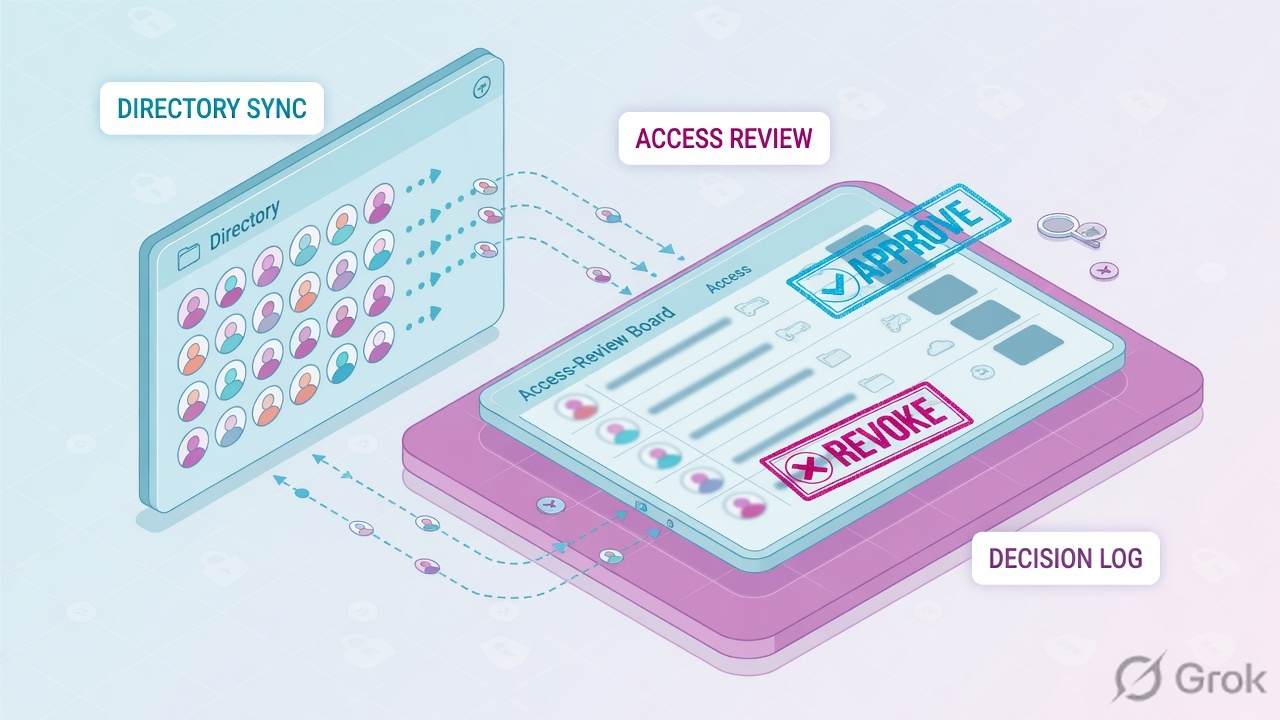
What the ticket asked
“IdentityNow is down — the new hire has no AD.” That sentence is a hypothesis. The factory may already have a healthy source and no cube, or a cube and a manager who has not clicked.
What you prove first
Last aggregation, then whether an identity exists, then request or cert state, then the provisioning event. The evidence desk is the night-shift version of this order.
“The source is Connected, so SailPoint is fine — restart the VA.” Connected only means the factory can still talk to the box. If last aggregation is 36 hours old, the joiner is not in the cube. If the request is Pending, a person has not clicked. Restarting the VA reprints the same empty ticket.
Tenant lab.identitynow.example. Identity user@lab.example. Manager manager@lab.example. Authoritative source HR-LAB-01. Target source SOURCE-LAB-01 (AD). Request AR-1042 item Finance-SaaS-User. Provisioning event PE-88. Campaign CERT-Q3. Nothing here is a live tenant.
2. Mental model — four stations on one cube
Hold four parts. Interviews fail when people mix “the source is up” with “the identity exists” with “a person approved” with “AD accepted the write.”
1. Aggregate is the intake
Official: aggregation discovers and reads accounts and entitlements from the source into the tenant. Path: Admin → Connections → Sources → source → Account Aggregation. Optimized is the default. Connected is not lastAgg.
2. The cube is the identity
IdentityIQ: Identity Cube. ISC: identity created by an identity profile on an authoritative source. Path: Admin → Identity Management → Identities. Required mappings: uid, email, lastname. Lifecycle lives on cloudLifecycleState.
3. Request / cert is people
Access request: submit → review → assign or provision. Certification: reviewer decides, then signs off. Unsigned revoke is not applied. Paths: Request Center / Admin → Dashboard → Approval Management and Admin → Certifications → Campaigns.
4. Provision is the write
Official: changing user access on enterprise systems. Direct connection with PROVISIONING writes automatically. Flat file becomes a Task Manager item for the source owner. Create Account spec prints a new native ID when the identity has no account yet.
Read left → right. A later station can fail even when every earlier station is green. Connected is intake health, not a cube and not a write.
Aggregate. Official loading-data table: optimized (default) retrieves every record and skips unchanged accounts — neither account correlation nor manager correlation is re-evaluated. Unoptimized rescans every account and recalculates correlation even when attributes did not change. Delta loads only creates, changes, and deletes on supported connectors. Account deletions are processed on a full source aggregation, not on a single-account aggregate. Path: Admin → Connections → Sources → source → Account Management → Account Aggregation. History lives under Aggregation History and Connections → Aggregation History.
Identity cube. Official IdentityIQ: when you aggregate from an authoritative source, IdentityIQ creates an Identity Cube for each account. When you aggregate from a non-authoritative source, correlation matches the account to an existing cube. Official ISC: each identity is associated with only one identity profile — the highest-priority profile whose authoritative source has that account. Required identity attributes: User Name (uid, unique across the tenant), Work Email (email), Last Name (lastname). Missing required attributes generate an identity exception. A duplicate uid does too.
Request / cert. Official access-request beats: users submit; reviewers approve or deny; if approved, the item is assigned or provisioned. Just-in-Time lands on Launchpad → Just-In-Time Access. Standing access with no start date provisions now. Default: requests not fully approved after 90 days are automatically denied and expired. Official cert: roles from requests can be approved or revoked; automated roles can only be acknowledged. Access profiles granted by a lifecycle state do not appear in certifications. Revoke decisions that are not signed off will not be applied.
Provision. Official: initiated by access requests, certifications, manager requests, role assignments, or lifecycle states. Direct connections provision automatically. Flat file sources create a Task Manager item for the source owner (entitlement owner first, source owner as fallback). If the identity has no account on the source, Identity Security Cloud creates one from the Create Account specification. Retryable connector errors retry once per hour, up to 3 times. A unique-constraint is not that class of error.
3. Factory path — aggregate to write
Draw this on a whiteboard before you touch a VA. HR does not become an AD account because a source is green. The factory reads the authoritative source, prints or updates the cube, lets people or policy decide, then writes. Identity processing sits between the cube and the write: it remaps attributes, re-correlates the manager, applies the lifecycle state, and starts role adds and removes. Official wording: identity processing does not validate that access was successfully provisioned after it starts the write.
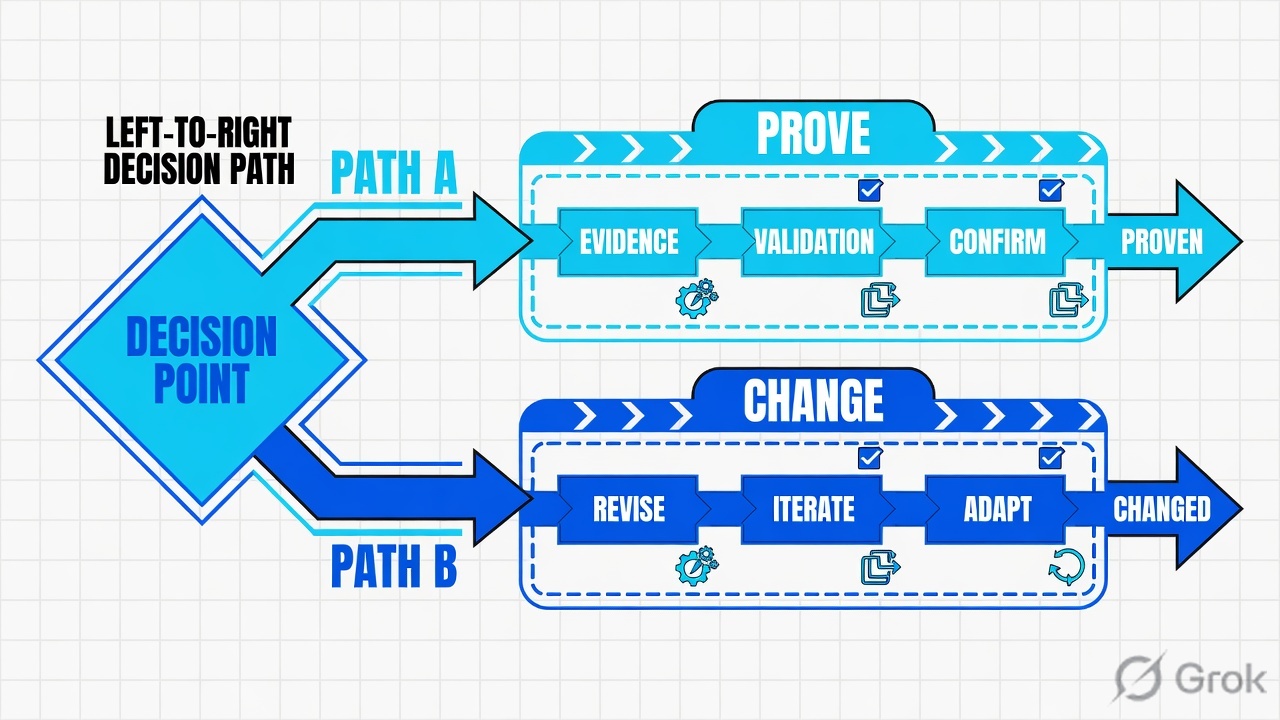
Read left → right, then the green write bar. Decision diamond = “did aggregation plus the identity profile actually print a cube?” Do not skip to provision if the joiner is still an identity exception.
Official source health: a banner of Healthy, or Test Connection in Review and Test, only proves the factory can still talk. Last aggregation is a different row on Aggregation History — start, stop, accounts scanned, optimization on or off, warning or error. A new hire missing from Identities with a 36-hour-old lastAgg is source data or schedule, not a VA outage. Quote the timestamp. Then search the source. Then go back to HR if the person is not on the file.
4. How to choose the station
You are not choosing a product. You are choosing which station of the factory is allowed to write on the ticket.
| Choice | Use when | Do not use when | Proof you were right |
|---|---|---|---|
| Optimized aggregation (default) | Daily / scheduled intake. Account data actually changed. | You just changed correlation or manager correlation and unchanged accounts are still uncorrelated. | Aggregation History shows success; new/changed accounts appear. Unchanged uncorrelated accounts stay uncorrelated — that is expected. |
| Unoptimized aggregation | Correlation config changed. You must reprocess every record. API: disableOptimization=true on that one load-accounts call. |
Every night “just in case.” Official: it is rarely necessary to aggregate a non-authoritative source more than once a day. | Previously uncorrelated accounts attach to the right cube. UI aggregations always run optimized — you needed the API flag. |
| Delta aggregation | Supported connector (AD, Entra ID, Workday, Okta, …) and you want only creates/changes/deletes. | OU moves on AD. Official: delta does not support OU moves — run a full aggregation or you risk duplicate accounts. | Aggregation History is short and the moved user still has one account, not two. |
| Identity profile on HR | HR is the authoritative list of humans. Map uid, email, lastname, manager, and cloudLifecycleState. |
You attach the profile to a junk AD OU and wonder why contractors overwrite employees. One identity, one profile — highest priority wins. | Preview mappings. Identities page shows the cube, not an identity exception. |
| Access request + approval | Standing or JIT access a person must ask for. Configure requestability on roles, access profiles, entitlements. | Birthright that should ride the lifecycle state. Do not make joiner AD a two-day manager queue. | Approval Management Status moves Pending → Completed. Search event Request Access Processed. |
| Certification campaign | Periodic review. Manager campaign needs a manager on every identity. Source-owner campaign needs a source owner. | You use it to grant joiner access. Certs review; they do not replace birthright or requests. | Campaign started from a same-day preview. Signed-off revokes remediate. Unsigned items follow the completion option — default maintain. |
| Lifecycle state access profiles | Birthright for pre-hire / active / terminated. Enable the state. Map cloudLifecycleState to the technical name (case-sensitive). |
You expect those access profiles to appear in a manager cert. Official: LCS-granted access profiles do not appear in certifications. | Identity Details shows Active (Automatic) or the manual override. AD account exists after processing — then you still prove the write. |
Identity Security Cloud automatically includes pre-hire, active, leave of absence, terminated, and archived lifecycle states on new identity profiles. States are disabled by default until you enable them. Technical name matching is case-sensitive: active will not match a source value of Active.
5. Runbook Side A → B → C
Concept is the factory. Path is the four stations. Do is this runbook. Lab values only. Cite: Creating Identity Profiles, Loading Account Data, Access Request Overview, Approvals Administration, Provisioning Overview, Setting Up Lifecycle States, Understanding Certifications.
Side A — source, identity profile, aggregation (building the factory floor)
Primary source: Managing Sources Overview + Creating Identity Profiles + Loading Account Data. This is change-control. You do not invent an identity profile on a P3 “pending two days” ticket.
-
Stand up the authoritative source
Admin → Connections → Sources. Create or open
HR-LAB-01. Direct connection (VA-based or SaaS) or flat file. Assign a Source Owner under Source Setup → Base Configuration. Official: no owner means access-request approvals that name the source owner escalate to an admin, and a source-owner campaign errors. -
Attach the identity profile
Admin → Identity Management → Identity Profiles → Create New. Name it for the source. Choose
HR-LAB-01— that source becomes authoritative. Map User Name, Work Email, Last Name. Map Manager Name if any manager campaign or approval will fire. Map Lifecycle State (cloudLifecycleState) if you will provision from states. Preview one identity. Apply Changes starts identity processing for that profile. You cannot create a profile while an account aggregation is running. -
Schedule or start aggregation
Source → Account Management → Account Aggregation. Enable Schedule, or Start Aggregation for a one-time run. Optional: Enable Account Deletion and set Percentage of Deleted Accounts Allowed so a bad file cannot wipe the cube. Time zone for the schedule is the VA cluster offset — it does not shift for daylight saving. Quote Aggregation History, not the Connected badge.
-
Correlate non-authoritative accounts
Open
SOURCE-LAB-01(AD). Accounts tab. Filter Uncorrelated. Those rows have a shadow identity; they are not the cube you govern. After you change correlation, an optimized aggregation will not re-stick unchanged accounts. That is official expected behaviour. Use an unoptimizedload-accountsfor that one run.
Admin › Connections › Sources › SOURCE-LAB-01
Account Aggregation
Connected is health. Last aggregation is the intake proof. UI Start Aggregation is always optimized. Unoptimized is the load-accounts API flag for this run only.
Source: Loading Account Data — Admin → Connections → Sources → Account Aggregation / Aggregation History; Managing Sources Overview — Test Connection in Review and Test. Dummy values only. Click next: open Aggregation History and copy start, stop, scanned, optimization, status.
Side B — requestability, approvals, certifications (people decide)
Primary source: Access Request Overview + Approvals Administration + Starting a Manager or Source Owner Campaign. Path: Admin → Dashboard → Approval Management → Access Requests. User path: Request Center → My Requests.
-
Mark what users may request
Configure requestability on roles, access profiles, and entitlements. Entitlements have a global switch plus optional per-item overrides. Segments can hide items from the Request Center. Roles and access profiles each have their own review process. All required reviewers must approve. One deny stops the request. Identity Security Cloud blocks self-approval of access requests by default.
-
Work a stuck request in Approval Management
Paste
AR-1042in the search bar (comma-separated IDs work only here). Columns that matter: Access Name, Access Request ID, Assigned to, Access for, Requested by, Days old, Status. Official Status values: Pending, Partial Provisioning, Failed, Error, Canceled, Denied, Completed. Pending = executing. Open Grant / Process / Assignees / Details. Remind User, Reassign (a person, not a governance group), Overwrite Current Approver (this step only), or Cancel Request with comments. -
If access vanished, open the campaign before you re-provision
Admin → Certifications → Campaigns. Preview, then Start Campaign within a day — official: otherwise delete and recreate. Default undecided-item option is Maintain access to undecided items. Identities without managers are excluded from a manager campaign. Start from Search and choose Manager as reviewer if you must include them. Signed-off revokes remediate automatically on a provisioning-capable source, or become a source-owner task on a disconnected source.
Admin → Dashboard → Approval Management → Access Requests
Grant: Finance-SaaS-User
Identity tab shows name, email, manager, identity state, plus up to five extra public-identity attributes if configured. Pending is not Failed.
Source: Approvals Administration — Admin → Dashboard → Approval Management fields and actions (View Details, Reassign, Remind User, Cancel Request, Overwrite Current Approver). Dummy identities only. Click next: Process tab, then Identity tab, then decide remind vs reassign. Do not restart SOURCE-LAB-01.
Side C — Create Account, write, prove
Primary source: Provisioning Overview + Setting Up Lifecycle States + Understanding Certifications. The cube and the approval are not the AD account.
-
Confirm the source can write
Get Source API:
featuresincludesPROVISIONING. That flag controls create and modify. Removing it forces every add and remove onto Task Manager. Flat file never had it. Path to inspect health: source → Review and Test → Test Connection. Quote last aggregation separately. -
Read the Create Account profile before you retry
If the identity has no account on the source, Identity Security Cloud creates one from the Create Account spec. Unique-constraint on
sAMAccountNamemeans the target already has that native ID. Fix the naming rule or correlate the existing account. Official delayed-create warning in Search Account Activity: “Delayed provisioning due to an existing provisioning request for creating an account on the same source with the same nativeId.” The first entitlement becomes the create; later entitlements wait. Blind retry repeats the same native ID. -
Prove the cube and the write
Admin → Identity Management → Identities →
user@lab.example. Details: Modified date, lifecycle state (Automatic vs Manual), manager. Accounts: correlated AD row, not Uncorrelated. Search events: Request Access Started / Approved / Rejected / Cancelled / Processed / Escalated. For a campaign: campaign name, phase, due date, this user’s item, sign-off. For processing jobs: Admin → Dashboard → Monitor Active Jobs, or Searchname:"Manual Identity Processing Started" OR name:"Manual Identity Processing Passed".
SAIL-LAB > show source SOURCE-LAB-01
source=SOURCE-LAB-01 type=Active Directory health=Connected
lastAgg=success scanned=8420 optimized=true age=18m
features=PROVISIONING,AUTHENTICATE owner=ad.owner@lab.example

SAIL-LAB > show identity user@lab.example
identity=user@lab.example profile=HR-Employees status=Active
manager=manager@lab.example lifecycle=active (Automatic)
uid=user@lab.example email=user@lab.example lastname=User
accounts=HR-LAB-01 (authoritative), SOURCE-LAB-01 (correlated)
modified=2026-08-16T02:10:00Z entitlements=42

SAIL-LAB > show access-request AR-1042
id=AR-1042 item=Finance-SaaS-User state=PendingApproval
approver=manager@lab.example age=2d
search="Request Access Started" actor=user@lab.example

SAIL-LAB > show provisioning event PE-88
id=PE-88 identity=user@lab.example dest=SOURCE-LAB-01
result=failed error=unique-constraint sAMAccountName

SAIL-LAB > show certification CERT-Q3
campaign=CERT-Q3 phase=Active due=2026-08-20
reviewers=18 completed=6 revoked=21
note=unsigned revoke is not applied
HR lastAgg recent and successful. Identity exists, required attributes populated, lifecycle technical name matches. Request Status Completed or cert item signed off. Identity Accounts shows the correlated target account. Search shows Request Access Processed (or a Task Manager item closed on a flat file). Connected alone is not that list.
6. Runtime — processing, LCS, delayed create
Once the factory is live, a night-shift engineer does not redesign identity profiles. You walk the same stations the joiner already walked. Official processing is the old identity refresh under a new name.

Event-based processing fires when an aggregation or a provisioning action modifies an identity. It remaps attributes from the identity profile, re-runs manager correlation, applies the lifecycle state, then adds or removes roles. It starts provisioning. It does not check that AD accepted the create.
Scheduled processing queues at 08:00 and 20:00 in the tenant time zone (default CST/CDT). Morning: Active and Inactive (short-term) identities that have an account on a source with attribute sync. Evening: those identities if any roles exist; otherwise identities whose profile has an attribute tagged @requiresPeriodicRefresh. Other queued work can delay the start. Time-based processing uses the nextProcessing attribute (ISO 8601, at least an hour in the future) — usually a transform on startDate / endDate. Manual processing is Apply Changes on an identity profile, or on the role / access profile / application lists, or Actions → Process Identity on one row. Official: finish all role and access-profile edits, then apply once.
Lifecycle states enable or disable source accounts, remove access, and grant access profiles. Remove all access is on by default for out-of-the-box Terminated and Archived; birthright from the current state and current birthright roles is kept. Access profiles listed on the state are excluded from removal and are re-provisioned if someone strips them while the identity stays in that state. They are revoked when the identity leaves the state unless the next state also grants them. Delete of accounts is only legal when identity state is Inactive (long-term), and never with “All sources.” A role that still contains those entitlements will recreate the account on the next refresh — remove the role first.
Identity state is not the lifecycle name. Active identities can be selected in Request Center and My Team. Inactive (short-term) still get scheduled / manual processing and may attribute-sync. Inactive (long-term) drop out of most services after a final sync; they are excluded from the 01:00 CST SYNCHRONIZE_IDENTITIES job. A manual Set Lifecycle State shows (Manual) until the source value changes, then it snaps back to Automatic.
Runtime request path. Optional start date waits. No start date provisions now. Expiration is not sent to the source as an account attribute — ISC initiates revocation when the date hits. Multiple entitlements on a source with no account: only the first is a create; the rest wait on that nativeId. Harbor Pilot can draft a request if an admin enabled it; official caution: it can make mistakes.
Approval Management Status: Pending, Partial Provisioning, Failed, Error, Canceled, Denied, Completed. Filter wording adds Provisioning Failed. Identity profile status: Active or Needs Processing. Aggregation History: success, warning, error, terminated. Identity exception: missing required attribute or duplicate uid. Those words are different tickets.
7. Traps + cube / request proof
| Symptom | Looks like | Actually | First move |
|---|---|---|---|
| New hire missing, source green | IdentityNow down | Stale lastAgg, or person not on HR yet, or identity exception | Quote Aggregation History, then Identities / exception CSV |
| Pending two days | Connector outage | Status Pending = executing. Approver has not clicked | AR-1042 Assigned to, Remind or Reassign |
| Approved, AD create failed | VA / IQService down | unique-constraint on sAMAccountName, or delayed nativeId create | Read PE-88. Find the colliding account. Do not blind retry |
| Access vanished mid-quarter | Need to re-provision tonight | Signed cert revoke, or LCS left the state | CERT-Q3 item + sign-off. Do not silent-undo governance |
| Reviewer marked Revoke, access remains | Provisioning broken | No sign-off. Official: unsigned revokes are not applied | Sign-off date. Campaign completion option (default maintain) |
| Changed correlation, account still uncorrelated | Correlation rule is wrong | Optimized aggregation skipped an unchanged account | One unoptimized load-accounts, then re-check Uncorrelated |
| LCS not assigned | Provisioning service is off | Technical name case mismatch, or state still disabled | Compare source value to the name in parentheses on the LCS page |
| Apply Changes, tile still missing | Processing failed | Processing started the write and did not wait for AD | Monitor Active Jobs, then the provisioning event / Task Manager |
| Manager campaign empty for a joiner | Filter ate the campaign | No manager on the cube. Official: those identities are excluded | Identities Without Managers report, then fix manager correlation |
| Reset the source to “reload AD” | Cleanup | Deletes identities on that profile, deletes access profiles, needs recreate | Do not reset on night shift. Read the official impact table first |
- Source name, connection type, owner, Test Connection result.
- Aggregation History: start, stop, scanned, optimized flag, success / warning / error — not just Connected.
- Identity exists on the expected profile.
uid/email/lastnamepopulated. No identity exception. - Lifecycle technical name matches. Identity state is the one you intended (Active vs Inactive short / long).
- Request ID, Status, Assigned to, Days old — or campaign name, phase, this item, sign-off.
- If failed: provisioning event, dest, error string (unique-constraint named). Search Account Activity for delayed nativeId create.
- Identity → Accounts shows the correlated target account (not Uncorrelated).
- What you will not do: VA restart for a queue, source reset, silent re-provision after a signed revoke.
SailPoint is an identity-lifecycle factory. Aggregation reads the source. An identity profile prints the cube. People decide with an access request or a signed certification. Provisioning writes the target. I prove last aggregation, the cube, the request or cert state, and the connector result. Connected is not lastAgg. Pending is not down. Unique-constraint is the target. A signed revoke is governance — I take it to the owner, I do not undo it on night shift.
Related: SailPoint evidence desk · ISC architecture · Provisioning lifecycle · Access certifications · Access requests and SoD · SailPoint Identity Security hub
Knowledge check
Six judgment questions. Map each miss back to the section named in the reason.
Sources
- Identity Management — Identity Cubes — multi-dimensional identity; attributes, entitlements, accounts, history
- Application Concepts — aggregation reads; correlation matches; authoritative cube create; provisioning writes back
- Creating Identity Profiles — authoritative source, required uid / email / lastname, priority, identity exceptions, Apply Changes
- Loading Account Data — optimized / unoptimized / delta, schedule, Aggregation History, deletion threshold, single-account limits
- Managing Sources Overview — Admin → Connections → Sources, source owner, Test Connection, Connected vs aggregation, reset impact
- Processing Identity Data — event / scheduled 08:00–20:00 / time-based / manual; does not validate provision success
- Access Request Overview — submit, approve, assign or provision, 90-day expiry, delayed nativeId create, Search events
- Approvals Administration — Admin → Dashboard → Approval Management fields, Status words, Remind / Reassign / Overwrite / Cancel
- Provisioning Overview — request / cert / role / lifecycle drivers; PROVISIONING feature; Create Account; retryable errors 1/hour × 3
- Setting Up Lifecycle States — Admin → Identity Management → Identity Profiles, cloudLifecycleState, Remove all access, identity state
- Understanding Certifications — what is certifiable, sign-off required, auto vs manual remediation, default completion
- Starting a Manager or Source Owner Campaign — Admin → Certifications → Campaigns, preview, manager prerequisite, undecided-item default
- Managing Access Profiles — requestable bundles; lifecycle / role grant; multiple-account options
Related: Blog 2 · SailPoint evidence desk · SailPoint Identity Security hub · Dummy lab