TTechclick ⚡ XP 0% All lessons
Palo Alto · Cloud-Delivered Security · URL FilteringInteractive · L1 / L2 / L3

Palo Alto Advanced URL Filtering: — Categories, Actions, Credential Phishing & Inline ML

Your security rule says "allow web-browsing" — so why did a user still land on a phishing page and type the corporate password into it? Because allowing the app is not the same as controlling the websites. This lesson is the URL Filtering profile: the scanner that turns a website's category into an action, blocks credential theft, and catches brand-new malicious pages with inline ML.

📅 2026-06-11 · ⏱ 12 min · 3 live demos · 4 infographics · 🏷 10-Q assessment + AI Tutor inline

⚡ Quick Answer

Palo Alto Advanced URL Filtering for L1/L2 & PCNSE: URL categories, the 5 site-access actions, credential-phishing prevention, inline ML and SSL decryption.

🎯 By the end you will be able to

Read as:

Pick where you want to start

1

Categories & actions

Five actions: allow, alert, continue, override, block.

2

Phishing & inline ML

Stop credential theft; catch brand-new bad pages.

3

Cache, custom cats & EDL

Cloud lookup, your own allow/block lists, precedence.

4

Decryption & troubleshooting

Why full-path needs decryption; test url; miscategorization.

🧠 Warm-up — 3 questions, no score

Just notice which ones make you pause. We answer all three inside the lesson.

1. A security rule allows the 'web-browsing' app. Does that, by itself, stop a user from reaching a known phishing website?

Answered in Categories & actions.

2. You set the 'gambling' category to 'continue'. What does the user see when they click a gambling site?

Answered in Cache, custom cats & EDL.

3. For HTTPS traffic with no SSL decryption, how much of the URL can the firewall categorize on?

Answered in Phishing & inline ML.

Most engineers think…

Most engineers think URL Filtering is just "a big block-list of bad websites" — you tick the bad categories, set them to Block, and you're done.

Wrong — and that mindset leaves three big holes. A URL Filtering profile is a per-category action engine with five actions (not just allow/block): continue and override let you warn or gate instead of slamming the door. It also does credential-phishing prevention (stopping staff typing the corporate password into a look-alike site, even one in an allowed category) and real-time inline ML that catches never-before-seen malicious pages PAN-DB hasn't categorized yet. And for HTTPS, most of that only works at full path if you also turn on SSL decryption — without it the firewall sees only the domain.

① URL categories and the five site-access actions

Picture Sneha, an L2 engineer at Infosys. A security rule already allows web-browsing for the staff zone, so users can browse. One afternoon a phishing email lands, a user clicks, types the company password into a fake portal — and the rule did nothing, because allowing the app is not the same as controlling the websites. The control she was missing is a URL Filtering profile.

Here's the model. Palo Alto's PAN-DB cloud assigns every website one or more URL categories (social-networking, gambling, malware, phishing, financial-services, and dozens more). The URL Filtering profile is just a table: for each category, you pick a site-access action. There are five of them, and knowing exactly what the user feels for each is core PCNSA/PCNSE material.

Allow — the site loads and no log entry is written. Alert — the site loads, but a log entry is written to the URL Filtering log (this is the workhorse: visible, not blocking). Continue — the user hits a warning response page saying the site is discouraged, and must click Continue to proceed. Override — the user sees a page demanding a password (set by the admin) before the category is unlocked. Block — the site is blocked, the user gets a block page, and a log entry is written.

👉 So far: a URL Filtering profile maps each category to one of five actions. Next: see the actions as a decision and watch what the user experiences.
Figure 1 — Where URL Filtering sits in the single pass
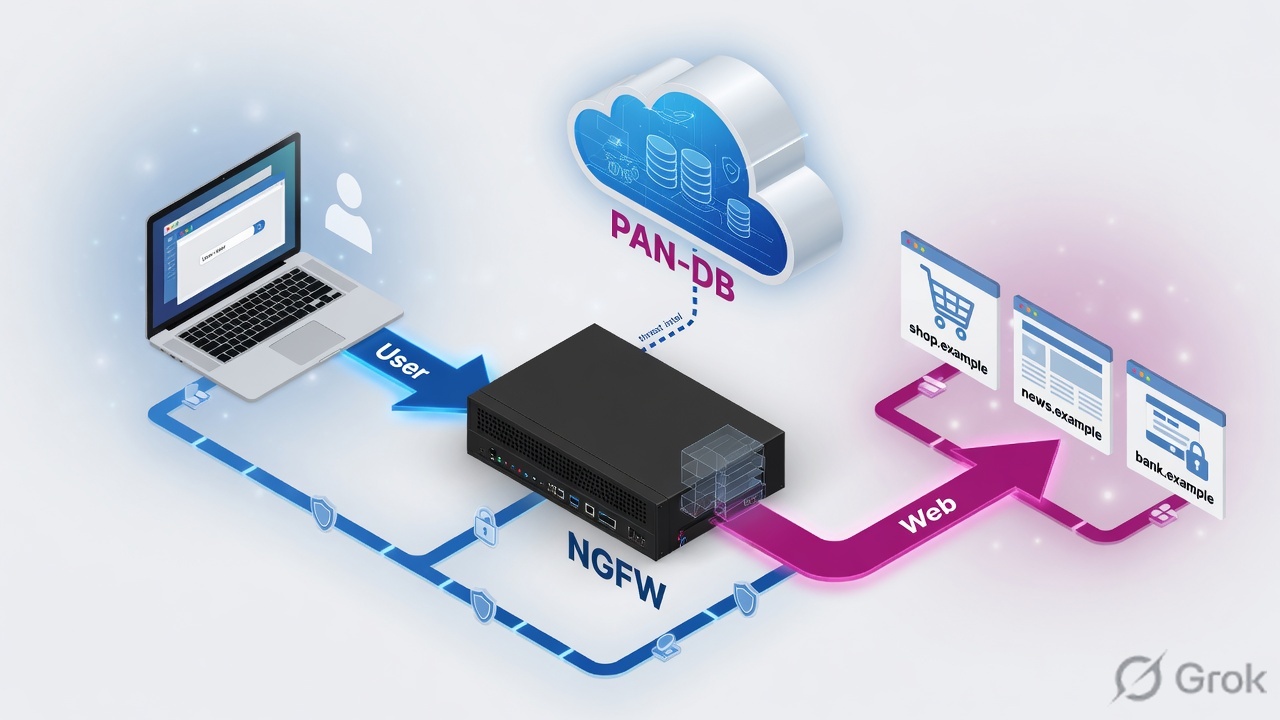
URL Filtering is one scanner in the profile stack — allow the app but skip this profile and you let the bad website through The Palo Alto NGFW drawn as a single-pass inspection pipeline. On the left an internal user in the trust zone browses out toward the internet in the untrust zone. The packet enters the firewall, App-ID identifies the app as web-browsing or ssl, then the security profile group runs its scanners in parallel: Antivirus, Anti-Spyware, Vulnerability, the URL Filtering profile highlighted in amber, File Blocking, WildFire and DNS Security. The URL Filtering scanner asks PAN-DB for the site category and applies a per-category action of allow, alert, continue, override or block. A leader line points at the URL Filtering box noting that it only attaches when the security rule is allow and a profile group is bound. The PAN-DB cloud and the local URL cache are drawn on the right. One pass, many scanners — URL Filtering decides which websites are allowed User · trust10.10.20.40browses out PA-VM NGFW — single-pass App-ID → web-browsing / ssl Security Profile Group (scanners run in parallel) Antivirus Anti-Spyware Vulnerability URL Filteringcategory → action File Block WildFireDNS Sec action set per URL category:allow · alert · continue · override · block ↑ attaches only when the rule action is Allow AND a profile group is bound no profile group? app is allowed —the malicious website rides straight through PAN-DB cloudcategory lookup+ inline-ML verdict URL cacheDP + MP, fast re-hits miss → cloud lookup clean site → out to internet untrusted / internettrusted / inspectedpolicy decisionkey insightallowed / clean
Look for the amber URL Filtering box inside the profile-group stack — it only runs when the rule is Allow and a profile group is bound. No profile group (red note) and the website rides straight through.

The five actions, in one tap each

Tap each card — these are the exact behaviours an interviewer (and your block page) will test you on.

allow / alert
tap to flip

allow = loads, no log. alert = loads, but writes a URL log. So: alert is your default 'watch but don't block' for most categories.

⚠️
continue
tap to flip

User sees a warning page and must click Continue to proceed. So: a soft speed-bump for discouraged-but-not-banned categories.

🔒
override
tap to flip

User must type an admin-set password to unlock the category. So: 'allowed only with a manager's blessing' sites.

🚫
block
tap to flip

Hard block page, plus a URL log entry. So: malware, phishing and command-and-control — no way through, full stop.

🖥️ This is the screen you'll use — Objects > Security Profiles > URL Filtering > Add > Categories tab. Set the Site Access action per category. (Recreated for clarity — your console matches this.)
PA-VM · Objects · Security Profiles · URL Filtering
1
Name
Corp-URL-Strict
2
Category: malware
block
Category: phishing
block
3
Category: gambling
continue
Category: social-networking
alert
Category: financial-services
alert
OK
Daily-life analogy — the society gate register

Think of your apartment society's main gate. Allow = a resident walks straight in, guard writes nothing. Alert = a known vendor walks in, but the guard notes it in the register. Continue = a guest is asked "are you sure you're expected?" and waved in once they confirm. Override = a contractor needs the secretary's code before entry. Block = a flagged stranger is turned away at the gate. Same five reactions — the URL category just tells the guard which one to use.

Quick check · Q1 of 10

Rahul at TCS wants users to be able to reach 'gambling' sites only after consciously acknowledging a warning, with no password and no hard block. Which site-access action fits?

Correct: a. Continue shows a warning response page that the user must click through — a conscious speed-bump with no password. Block would deny it outright; override demands an admin password (more than just an acknowledgement); alert just logs and lets it load silently with no warning page at all.

Pause & Predict

Predict: you set the 'social-networking' category to 'allow' (not alert). A week later your manager asks how much LinkedIn and Instagram traffic staff generated. Can you answer from the URL Filtering logs? Type your guess.

Answer: No — and this is the classic gotcha. The 'allow' action writes NO log entry, so there's nothing in the URL Filtering log to count. If you want visibility without blocking, use 'alert', not 'allow'. Most real profiles set the vast majority of permitted categories to 'alert' precisely so the logs stay useful; 'allow' is reserved for categories you truly never want to see.

② Credential-phishing prevention and real-time inline ML

Blocking known-bad categories is table stakes. The two features that make this "Advanced" URL Filtering — and that show up heavily on the PCNSE — are credential-phishing prevention and real-time inline ML. Both exist because the dangerous site is often one PAN-DB hasn't flagged yet.

Credential-phishing prevention tackles the most common breach entry point: a staffer typing the corporate username and password into a fake login page. In the URL Filtering profile, alongside the Site Access column there is a User Credential Submission column. You can let a user browse a category but set credential submission to block — so they can read a site, but the moment they try to post the corporate password, the firewall stops it. The firewall knows it's the corporate password using User Credential Detection (configured on the User Credential Detection tab — IP-User mapping, Group Mapping, or the Domain Credential Filter).

👉 So far: the User Credential Submission column stops staff posting the corp password to untrusted sites. Next: how inline ML catches a page PAN-DB has never seen.

The second feature: inline ML categorization. PAN-DB is huge but it can't have already-seen a one-time-use phishing URL spun up five minutes ago. Inline ML runs ML models on the firewall (Local Inline Categorization) against the live page content — detecting phishing kits and malicious JavaScript in real time — and can also forward suspicious pages to Cloud Inline Categorization (deep-learning detectors for cloaked, multi-step or CAPTCHA-gated zero-day pages). You enable it on the Inline Categorization tab; the detectors update automatically, no package to download.

Figure 2 — From click to verdict — cache, cloud, category, action
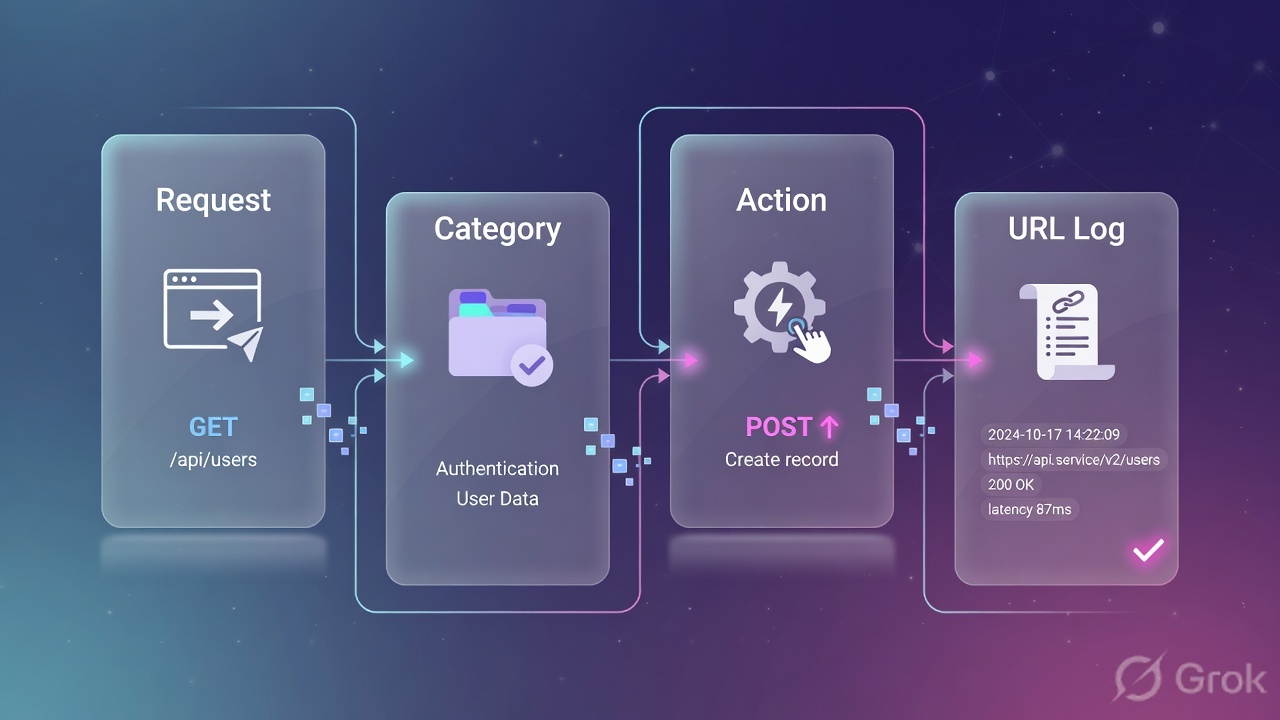
A single click checks the cache first, asks PAN-DB on a miss, then the profile turns the category into allow, log, warn or block A five-step left-to-right flow of one HTTPS request through URL Filtering. Step 1 the user clicks a link. Step 2 the firewall checks the local data-plane URL cache. Step 3 on a cache miss it asks the PAN-DB cloud, which returns a category and an inline-ML verdict for brand-new pages. Step 4 the URL Filtering profile maps that category to a site-access action. Step 5 the action is applied: allow silently, alert with a log, continue or override with a response page, or block with a block page. A break note shows what happens for HTTPS without SSL decryption, where the firewall sees only the domain, not the full path. From click to verdict — cache, cloud, category, action 1· user clicksGET news.example.in 2· check URL cacheDP cache hit? → skip cloud 3· miss → PAN-DBcategory + inline-MLbrand-new page? ML scores it 4· profile maps actioncategory → site-access 5· the action — what the user actually experiences allowsite loadsno log written alertsite loadsURL log entry written continuewarn page → clickContinue to proceed overridepassword page →admin secret needed blockblock page+ URL log entry Credential phishing check rides alongside: User Credential Submission can allow / alert / block / continuestops staff typing the corporate password into an untrusted look-alike site untrusted / internettrusted / inspectedpolicy decisionkey insightallowed / clean
Trace one click left to right: cache → on miss, PAN-DB + inline-ML → category → the profile turns it into allow / alert / continue / override / block. The amber dashed line is the chosen action; the bottom strip is the parallel credential-submission check.

▶ Watch inline ML catch a brand-new phishing page

A user at the Wipro branch clicks a link in an SMS. The page was registered 4 minutes ago, so PAN-DB has no category for it yet. Follow what the firewall does. Press Play for the healthy path, then Break it to see the failure.

① Click10.10.20.55secure-icici-verify[.]top; firewall checks URL cache first
② Cloud lookupcache miss → ask PAN-DB; verdict comes back not-resolved / unknown — too new
③ Inline MLinline-ML scans live page content: fake login form + cloned ICICI brand → phishing
④ Actionprofile maps phishing → block; block page shown, URL log written, no creds leaked
Press Play to step through the healthy path. Then press Break it.
🖥️ Turning on real-time detection — Objects > Security Profiles > URL Filtering > Inline Categorization tab, plus the credential setting on the Categories tab. (Recreated for clarity — your console matches this.)
PA-VM · URL Filtering · Inline Categorization / User Credential Submission
1
Enable Local Inline Categorization
✓ checked
2
Enable Cloud Inline Categorization
✓ checked
3
User Credential Submission: unknown
block
User Credential Detection (tab)
Use Group Mapping
Valid Username Detected Log Severity
medium
OK
Common mistake — "inline ML is on but never blocks anything"

Symptom: you ticked Enable Local Inline Categorization but test phishing pages still load, and Monitor > Logs > URL Filtering shows no inline-ML verdicts. Two usual causes: (1) the box has no Advanced URL Filtering license (the legacy 'URL Filtering' license does NOT include inline ML), or (2) the traffic is HTTPS and you have no SSL decryption, so the firewall can't read the page content the ML models need. Verify the license under Device > Licenses and confirm a decryption rule covers the test category.

Quick check · Q2 of 10

At HCL, Meera wants staff to read a partner portal that PAN-DB lists as 'business-and-economy', but to NEVER be able to submit the corporate password there (the partner had a breach). Which setting does this without blocking the site?

Correct: c. The User Credential Submission column is exactly this: allow browsing (Site Access stays alert/allow) but block posting the corporate password. Blocking Site Access would stop them reading the portal; turning off the profile removes all protection; 'override' gates viewing the site, not credential submission.

Pause & Predict

Predict: inline ML needs to read the actual page content to score it. So for an HTTPS site with no SSL decryption configured, will Local Inline Categorization be able to analyse the page body? Type your guess.

Answer: No. Without SSL decryption the firewall sees only the encrypted stream and the domain/SNI — it cannot read the HTML, the login form or the JavaScript that inline ML inspects. So inline-ML (and credential detection on the page) effectively need decryption to do their job on HTTPS. This is why the SSL-decryption lesson is a hard dependency, not an optional extra, for full URL protection.

③ The URL cache, custom categories, EDLs and precedence

Categorizing every click against the cloud would be slow, so the firewall keeps a URL cache. On a click it checks the local cache first; only on a miss does it ask PAN-DB in the cloud. The database lives on the management plane and resolutions are cached on the data plane — worth knowing because that's exactly where a stale or corrupt entry causes a miscategorization you have to clear.

Sometimes PAN-DB's category isn't what you want. That's where custom URL categories come in. Build one of two types: a URL List (explicit sites — e.g. allow linkedin.com even though you block the social-networking category) or a Category Match (sites that match several PAN-DB categories at once). For lists that change often, point the firewall at an External Dynamic List (EDL) of type URL List — a hosted text file the firewall re-fetches on a schedule, so you update the list without touching config.

👉 So far: cache speeds things up; custom categories + EDLs are your own lists. Next: the precedence rule that decides who wins when lists disagree.

Now the rule that trips people up: precedence. PAN-DB evaluates a URL against your custom URL categories first, then EDLs, then the predefined PAN-DB categories. So a custom allow-list entry for linkedin.com beats the broad social-networking block — that's how allow-listing works. And when one URL is matched by multiple rules, the firewall applies the strictest URL Filtering profile action. Get this order wrong and your 'allow this one site' exception silently does nothing.

Figure 3 — HTTPS: domain-only vs full-path
Without decryption the firewall sees only the domain; with decryption it sees the full path — so full-path URL Filtering needs SSL decryption A two-column comparison of HTTPS traffic. Left column without SSL decryption: the firewall sees only the SNI or domain name such as drive.example.com, it can categorize at the domain level only, full-path actions like blocking one folder fail, continue and override response pages cannot be injected into the encrypted stream, and credential detection is blind. Right column with SSL decryption enabled: the firewall sees the full URL path, can act on the exact page, inject continue and override pages, run inline-ML on the page content, and detect credential submission. Red marks the blind old behaviour; green marks what decryption unlocks. HTTPS: domain-only vs full-path — why URL Filtering wants decryption No SSL decryption (encrypted) ✗ firewall sees only the domain / SNI ✗ category applied at domain level only ✗ cannot block one path or folder ✗ continue / override pages cannot inject ✗ credential detection is blind seen: drive.example.com (domain)hidden: /share/secret-leak.zip block one folder? you can't — it's encrypted SSL decryption ON (full visibility) ✓ firewall sees the full URL path ✓ act on the exact page, not just host ✓ block / allow a single folder ✓ continue / override pages inject fine ✓ inline-ML + credential detection work seen: drive.example.com/share/secret-leak.zip → block this path precise page action + warning pages work Same site, two worlds — decryption is the price of full-path URL control
Compare the columns. Left (red): with no decryption the firewall sees only drive.example.com, so it can't block one folder or inject a warning page. Right (green): decryption reveals the full path, unlocking precise actions, inline-ML and credential detection.
CLI — test how the firewall has categorized a URL (Base db = MP cache, Cloud db = live cloud)
admin@PA-VM> test url www.linkedin.com
Expected output
www.linkedin.com social-networking (Base db) expires in 3600 seconds
www.linkedin.com social-networking, low-risk (Cloud db)
admin@PA-VM> test url secure-icici-verify.top
secure-icici-verify.top not-resolved (Base db) expires in 0 seconds
secure-icici-verify.top phishing, high-risk (Cloud db)
Prove a category before you blame the profile

Two lines, two sources. The Base db line is the management-plane cache; the Cloud db line is the live PAN-DB answer. If they disagree, your cache is stale — refresh it with request url-filtering update url <url>, or clear the data-plane cache with clear url-cache all. Always confirm cloud connectivity first with show url-cloud status — a 'not-resolved' Base db with an empty Cloud db usually means the box can't reach the cloud (egress blocked).

Quick check · Q3 of 10

Aditya blocks the 'social-networking' category but adds a custom URL category 'Allowed-Social' containing only linkedin.com, set to allow, and references it in the profile. A user reports LinkedIn is still blocked. Most likely cause?

Correct: b. Custom categories are evaluated before PAN-DB, but only if the allow rule actually references the custom category and is ordered/configured so its allow action applies — otherwise the broad social-networking block (the stricter action) still wins. PAN-DB does NOT override custom categories (precedence is the reverse); allow-listing LinkedIn is the textbook use case; and custom categories apply to HTTPS too.

Priya at ICICI faces this

Priya, an L1 analyst, gets a ticket: a vendor's site that staff need is being blocked as 'malware', but the security team swears it's clean and the public Test-A-Site page shows it as 'business-and-economy'.

Likely cause

The data-plane copy of the category for that URL is stale or corrupt — the cloud has since reclassified it, but the firewall is still acting on an old cached 'malware' verdict.

Diagnosis

She runs test url on the firewall and compares the Base db line (the cached value driving the block) against the Cloud db line (the current correct category). They disagree — confirming a stale cache, not a policy bug.

CLI: test url → then Monitor > Logs > URL Filtering (filter: ( url contains 'vendor' ))
Fix

Refresh the entry with request url-filtering update url (or clear url-cache all if widespread); if the cloud category itself is wrong, submit a category change request via the Test-A-Site portal so PAN-DB is corrected for everyone.

Verify

Re-run test url → Base db and Cloud db now both show business-and-economy; the user reaches the site and the URL log shows 'alert', not 'block'.

Pause & Predict

Predict: you submit a category change request and Palo Alto accepts it, reclassifying a site from 'malware' to 'business-and-economy' in the cloud. A user behind your firewall is still blocked an hour later. Why — and what do you do? Type your guess.

Answer: The cloud is now correct, but your firewall is still serving the OLD value from its local cache, whose expiry it controls — not you. The cloud fix doesn't instantly push down. Force a refresh: 'request url-filtering update url ' to re-pull that entry, or 'clear url-cache all' to flush the data-plane cache, then 'test url' to confirm both Base db and Cloud db agree. Cache, not policy, is the lag.

④ Why full-path filtering needs decryption — plus safe search, headers, exam & career

Here's the dependency that quietly defeats half of new deployments. The web is HTTPS now. For an encrypted session with no SSL decryption, the firewall sees only the SNI / domain — e.g. drive.example.com — not the full path. So it can categorize at the domain level only: it cannot block a single folder, cannot inject a continue or override warning page into the encrypted stream, and cannot read page content for inline ML or credential detection. Full-path URL Filtering needs SSL decryption.

Two more profile features worth knowing. Safe Search Enforcement (on the URL Filtering Settings tab) forces strict SafeSearch on Google/Bing/YouTube so users can't turn off explicit-content filtering. And HTTP Header Insertion (its own tab) lets the firewall inject headers — for example restricting Google Workspace or Office 365 to only your corporate tenant — plus HTTP Header Logging for visibility. Both, again, work properly on HTTPS only when traffic is decrypted.

👉 So far: full-path control, Safe Search and header insertion all lean on decryption. Next: the recent security note, the exam angle, and a one-card recap.

One sober note from 2025. URL Filtering lives on the data plane, but it's configured and monitored from the management web interface — which has been a target. Palo Alto disclosed several 2025 management-interface flaws: CVE-2025-0108 (authentication bypass), CVE-2025-0110 (OpenConfig command injection) and CVE-2025-4231 (authenticated admin command injection). The lesson for a URL-filtering admin: keep the management interface off the public internet and restricted to trusted IPs, and patch PAN-OS — a compromised firewall makes your carefully tuned URL policy meaningless.

For your certification path, this is heartland PCNSA and PCNSE content. The exam loves the five actions (especially the difference between continue and override), credential-phishing prevention, the order custom-category → EDL → PAN-DB, and the single most-missed idea: that HTTPS full-path filtering, inline ML and credential detection all depend on SSL decryption. Nail those and you've covered a solid slice of the Security Profiles domain — and you'll sound like someone who has actually run a firewall, not just read about one.

Figure 4 — Advanced URL Filtering — the cheat-sheet
Advanced URL Filtering on one card — the five actions, the WebUI path, the CLI checks and the precedence order A nine-tile cheat sheet. Tiles cover the five site-access actions and what each does, the WebUI path Objects Security Profiles URL Filtering, the credential phishing prevention setting, inline-ML local versus cloud, custom URL categories and external dynamic lists, the precedence order, safe search and HTTP header insertion, the test url CLI command with its two-line output, and the cache and cloud-status commands. Each tile has a one-line role. Advanced URL Filtering — your one-glance card 5 site-access actionsallow (no log) · alert (log)continue (warn page) · override (password)block (block page + log)set per URL category WebUI pathObjects > Security Profiles> URL Filtering > Addattach via a profile group to the rule Credential phishingUser Credential Submission columnallow / alert / block / continueblocks corp password to untrusted sites Inline-MLlocal: real-time phishing/JS on boxcloud: page sent to deep-learningcatches brand-new, never-seen pages Custom cat + EDLObjects > Custom Objects > URL CategoryURL List or Category Match · EDL feedyour own allow / block lists Precedencecustom category → EDL → PAN-DBstrictest profile action winsallow-list overrides the category block Safe Search + headersURL Filtering Settings: Safe SearchHTTP Header Insertion (e.g. tenant-restrict)enforce SafeSearch on Google/Bing/YT Test a category> test url www.example.in→ Base db line + Cloud db linetwo categories = MP cache vs cloud Cache + cloud commands> show url-cloud status> clear url-cache all> request url-filtering update url
Your one-card recap: the five actions, the WebUI path, credential phishing, inline ML, custom categories + EDL, precedence, Safe Search/headers, and the test url + cache CLI. Keep it open in your first week.
Daily-life analogy — airport security layers

URL categories are the watch-list lookup at immigration. The five actions are the officer's choices: wave through (allow), wave through but stamp the register (alert), pull aside for a quick question (continue), require a supervisor's sign-off (override), or deny boarding (block). Credential-phishing prevention is the rule that you may walk around the terminal but cannot hand your passport to a stranger. And inline ML is the trained dog that sniffs out a brand-new threat no watch-list has yet — even when the passenger looks ordinary.

CLI — daily URL-filtering health checks
admin@PA-VM> show url-cloud status
admin@PA-VM> request url-filtering update url www.example.in
Expected output
URL cloud status:
   Cloud connection:    connected
   URL database version: 20260611.20240
   Cloud server:        serverlist.urlcloud.paloaltonetworks.com
   Status:              up

www.example.in updated. Category now: computer-and-internet-info, low-risk
Dependency: SSL Decryption — see the full pathWhere profiles attach: Security Policy Fundamentals
Prove you own URL Filtering

Cold, in 30 seconds: name the five site-access actions and what the user sees for each; say where credential-phishing prevention is set (User Credential Submission column) and how the box knows it's the corporate password; explain why a brand-new phishing page needs inline ML not just PAN-DB; state the precedence order (custom category → EDL → PAN-DB); and explain why full-path HTTPS filtering needs SSL decryption. If you can do that without notes, you're ready for the Security Profiles questions on the exam.

Quick check · Q4 of 10

An interviewer asks Karthik: "Your URL Filtering profile blocks the 'malware' category, yet a user reached a malware page over HTTPS and the firewall only logged it as the parent domain's category. What's the single most likely reason and fix?"

Correct: d. Without SSL decryption the firewall categorizes on the domain/SNI only and can't read the full path or page content, so a malicious sub-path on an otherwise-benign domain slips by — enabling decryption is the fix. A reboot doesn't address visibility; a re-commit doesn't change what's encrypted; and doing nothing leaves the gap open.

🤖 Ask the AI Tutor

Tap any question — instant, scoped to this lesson. No login, no waiting.

Pre-curated from Palo Alto docs + community Q&A, scoped to this lesson. For a live prod issue, paste your export into chat.techclick.in.

📝 Wrap-up assessment — six more

You've answered 4 inline. Six left. 70% (7 of 10) marks the lesson complete on your profile. Tap Submit all answers at the end.

Q5 · Remember

In a Palo Alto URL Filtering profile, which site-access action lets the website load but writes a log entry to the URL Filtering log?

Correct: c. Alert lets the site load AND writes a URL Filtering log entry — the workhorse 'permit but record' action. Allow loads with NO log; block denies and logs; override demands a password before access. Mixing up allow (silent) and alert (logged) is a classic exam trap.
Q6 · Apply

An Airtel admin wants staff to be able to read a 'shareware-and-freeware' site but must click through a warning acknowledging the risk first — no password, no hard block. Which Site Access action?

Correct: a. Continue presents a warning response page the user clicks through to proceed — a conscious speed-bump with no password. Alert just logs and loads silently (no warning); block denies; allow loads with not even a log. Continue is the 'acknowledge then proceed' action.
Q7 · Apply

A Flipkart partner portal is categorized 'business-and-economy' (allowed), but after the partner's breach you must stop staff submitting the corporate password there — without blocking the site. What do you configure?

Correct: d. The User Credential Submission column blocks posting the corporate password while Site Access stays alert/allow so the site is still readable — exactly the requirement. Blocking Site Access stops them reading it; removing the profile drops all protection; override gates viewing, not credential submission.
Q8 · Analyze

A user reaches a malicious page over HTTPS. The URL Filtering log shows only the parent domain's category, and the malicious sub-path was never acted on, even though 'malware' is set to block. SSL decryption is NOT configured for this traffic. Most likely root cause?

Correct: b. Undecrypted HTTPS exposes only the domain/SNI, so the firewall categorizes at the host level and can't act on a malicious sub-path or read page content — enabling SSL decryption is the fix. If PAN-DB were down you'd see 'not-resolved', not a parent-domain category; an uncommitted profile wouldn't log at all; inline ML being off doesn't 'block all HTTPS'.
Q9 · Analyze

You block 'social-networking' but add a custom URL category (URL List = linkedin.com, action allow) and reference it in the profile. LinkedIn is still blocked. The custom category is correct. What single concept explains both the intended allow-list AND the failure?

Correct: c. Precedence (custom → EDL → PAN-DB) is why allow-listing CAN work, and the 'strictest action wins' rule is why it can still fail — another matching rule with block overrides the allow. PAN-DB does NOT override custom categories (reverse order); custom categories apply to HTTPS too; and EDLs are evaluated AFTER custom categories, not before.
Q10 · Evaluate

Two engineers describe Advanced URL Filtering's value. (A): "It's a cloud block-list — tick the bad categories, set Block, done." (B): "It maps categories to five graded actions, prevents corporate-credential submission, and runs real-time inline ML for brand-new pages — most of it needing SSL decryption on HTTPS." Which is the stronger answer and why?

Correct: a. B reflects how the feature actually works: five graded actions (continue/override, not just block), credential-phishing prevention, real-time inline ML for unknown pages, and the SSL-decryption dependency on HTTPS. A is a static-block-list misconception that misses credential protection, zero-day pages and the decryption requirement — exactly the gaps that get exploited and tested.
Lesson complete — saved to your profile.
Almost! You need 70% (7 of 10) — re-read the path that tripped you up and tap "Try again".

🧠 In your own words

Type one line: In one line, why can't the firewall block a single malicious folder on an HTTPS site unless SSL decryption is on? Then compare to the expert version.

Expert version: Because for undecrypted HTTPS the firewall sees only the domain/SNI (e.g. drive.example.com), not the full path — so it can categorize and act at the host level only; SSL decryption reveals the path (/folder/page) needed to act on one folder.

🗣 Teach a friend

Best way to lock it in — explain it in one line to a teammate. Tap to generate a paste-ready summary.

📖 Glossary

URL Filtering profile
Objects > Security Profiles > URL Filtering — a reusable table mapping each URL category to a site-access action, attached to an Allow rule via a profile group.
PAN-DB
Palo Alto's cloud URL classification database. Assigns every site one or more categories (e.g. social-networking, malware, phishing).
Site-access action
Per-category choice: allow (no log), alert (log), continue (warn page), override (password page), block (block page + log).
Continue vs Override
Continue = a warning page the user just clicks through; Override = a page that needs an admin-set password to unlock the category.
User Credential Submission
A second per-category column that blocks/alerts/allows users posting the CORPORATE password to sites in that category — credential-phishing prevention.
User Credential Detection
Profile tab + methods (IP-User mapping, Group Mapping, Domain Credential Filter) that let the firewall recognise a corporate credential being submitted.
Inline ML categorization
Real-time ML on the page content. Local (on the firewall) catches phishing/JS; Cloud forwards suspicious pages to deep-learning detectors for zero-day URLs.
URL cache
Local copy of categories — data-plane (DP) for fast repeat hits, management-plane (MP) for the database; cloud-set expiry the admin can't change.
Custom URL category
Objects > Custom Objects > URL Category. Your own category as a URL List (explicit sites) or Category Match (multiple PAN-DB categories).
External Dynamic List (EDL)
A hosted text file of URLs/domains the firewall re-fetches on a schedule, so your block/allow list updates without a commit.
Precedence
PAN-DB evaluates custom URL categories first, then EDLs, then predefined categories; when several match, the strictest action wins.
Safe Search Enforcement
URL Filtering Settings option that forces strict SafeSearch on Google/Bing/YouTube so users can't disable explicit-content filtering.

📚 Sources

  1. PAN-OS Network Security / Advanced URL Filtering Admin Guide — "URL Filtering Profiles" and "Configure URL Filtering" (the five site-access actions allow/alert/continue/override/block; User Credential Submission allow/alert/block/continue; Safe Search; WebUI path Objects > Security Profiles > URL Filtering). docs.paloaltonetworks.com/advanced-url-filtering/administration/url-filtering-basics/url-filtering-profiles
  2. PAN-OS 11.0 Web Interface Help — "Objects > Security Profiles > URL Filtering" + "Inline Categorization" (Categories / URL Filtering Settings / User Credential Detection / Inline Categorization / HTTP Header Insertion tabs; field labels). docs.paloaltonetworks.com/pan-os/11-0/pan-os-web-interface-help/objects/objects-security-profiles-url-filtering · docs.paloaltonetworks.com/pan-os/11-2/pan-os-web-interface-help/objects/objects-security-profiles-url-filtering/inline-categorization
  3. Palo Alto Networks LIVEcommunity / Knowledge Base — "How to Handle a URL Miscategorization" + "PAN-DB URL Filtering CLI Command Reference" (test url two-line Base db / Cloud db output; clear url-cache all; request url-filtering update url; show url-cloud status; submit category change via Test-A-Site). live.paloaltonetworks.com/t5/Management-Articles/How-to-Handle-a-URL-Miscategorization/ta-p/52733 · knowledgebase.paloaltonetworks.com (kA10g000000ClXrCAK)
  4. Advanced URL Filtering Admin Guide — "Create a Custom URL Category" + "Configure Inline Categorization" (URL List vs Category Match; EDL of type URL List; precedence: custom categories evaluated before EDLs and PAN-DB; Local vs Cloud Inline Categorization; updates deploy automatically). docs.paloaltonetworks.com/advanced-url-filtering/administration/configuring-url-filtering/url-category-exceptions/create-a-custom-url-category
  5. Palo Alto Networks Security Advisories (2025) — CVE-2025-0108 (PAN-OS management web interface authentication bypass), CVE-2025-0110 (OpenConfig plugin command injection), CVE-2025-4231 (authenticated admin command injection); restrict the management interface to trusted IPs. security.paloaltonetworks.com/CVE-2025-0108 · security.paloaltonetworks.com/CVE-2025-4231
  6. Palo Alto Networks PCNSE / PCNSA exam blueprints + ExamTopics PCNSE discussions — Security Profiles & URL Filtering domain (the five actions, credential-phishing prevention, custom categories/EDL precedence, and that full-path HTTPS filtering depends on SSL decryption). paloaltonetworks.com/services/education/certification · examtopics.com/exams/palo-alto-networks/pcnse

What's next?

You can now turn any website category into the right action and catch a brand-new phishing page. Next we go one layer earlier in the kill chain — to the name lookup itself — and stop the connection before the browser even resolves the malicious domain.