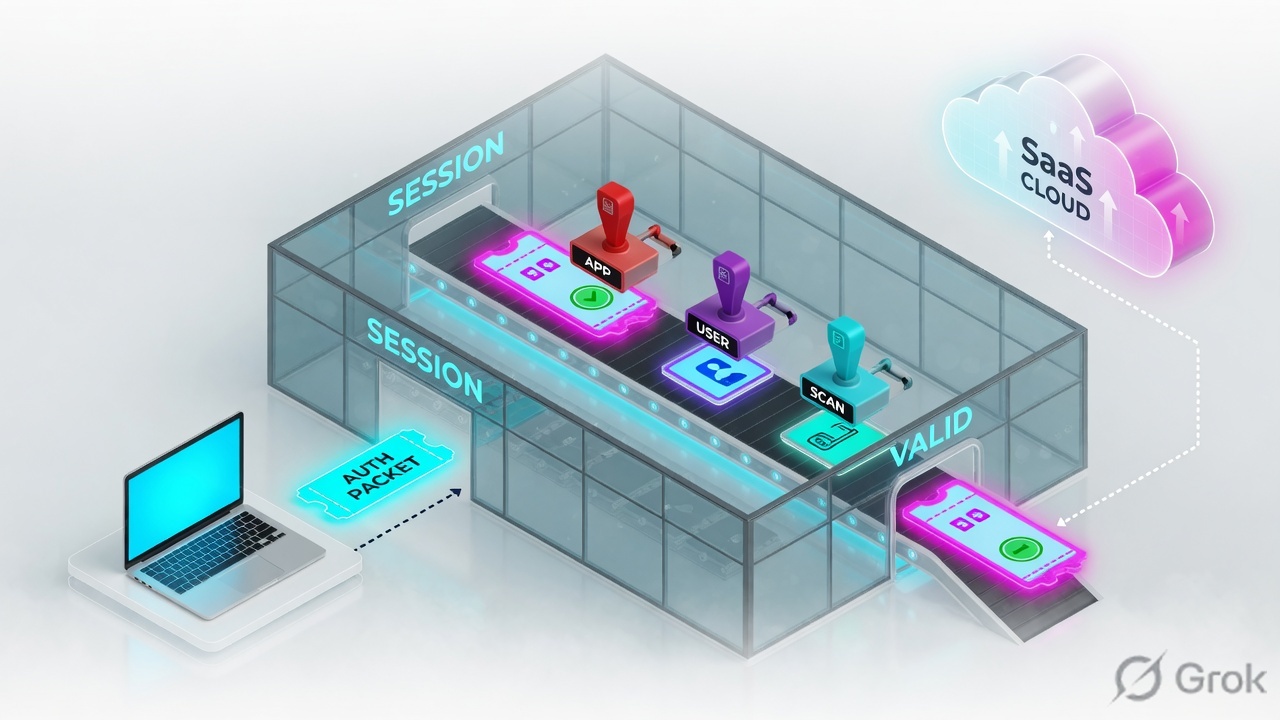
A Palo Alto NGFW is a stateful session factory. The first packet of a new 6-tuple walks session setup (official: zone protection → TCP state → forwarding → NAT lookup → User-ID → DoS → security policy with application ANY → session allocation). Later packets of the same 6-tuple ride the fast path. App-ID, User-ID and Content-ID are stamps written on that one ticket. Success is an ACTIVE session in Monitor → Session Browser with c2s and s2c bytes — not an allow action.
I do not start with features. I ask whether a two-way session formed, which rule was predicted, which rule the live session used, what App-ID became, who User-ID thought the IP was, and whether Content-ID even got a chance to scan. Allow without s2c is not success.
1. Why allow is not a session
Every other blog starts with App-ID, User-ID and Content-ID as three marketing boxes. That is why students freeze in interviews. The real object is the session. Features are only stamps the factory puts on a ticket before it lets two directions talk.
Official session overview: a PAN-OS session is two uni-directional flows, each keyed by a 6-tuple — source address, destination address, source port, destination port, protocol, and security zone. Same IPs in a different zone pair are a different factory job. The first flow is c2s (client to server). The return is s2c (server to client). Security policy is written in the c2s direction. The return does not need a second allow.
What the ticket asked
“Firewall is blocking Salesforce.” That sentence is a hypothesis. The factory may already have allowed the flow and printed a dead ticket.
What you prove first
Identity of the box, then whether a two-way session exists in Session Browser, then predicted vs live rule. The evidence desk is the night-shift version of this order.
“The rule is allow, so the firewall is fine — we need a wider rule.” An allow rule only means the factory was willing to print the ticket. If the return half never arrives, widening the rule just prints more dead tickets.
2. Mental model — ticket plus three stamps
Hold three parts. Interviews fail when people mix them.
1. The ticket is the session
Two halves, one 6-tuple plus zone. Client is whoever sent packet 1 from the firewall’s point of view. State ACTIVE means the slot is live. DISCARD means a later deny or threat marked it.
2. The stamps are the IDs
App-ID = what conversation. User-ID = whose badge is taped to this IP right now. Content-ID = is the payload sick, leaking, or in a bad URL category.
3. The hiring manager is policy
Security policy decides whether to print the ticket. NAT rewrites the return address on egress. Profiles only scan after Allow. Decrypt is taking the envelope off so Content-ID can read.
4. Proof is Session Browser
Monitor → Session Browser is the live table. Traffic logs are history. test security-policy-match is predicted. show session id is the same slot in CLI.
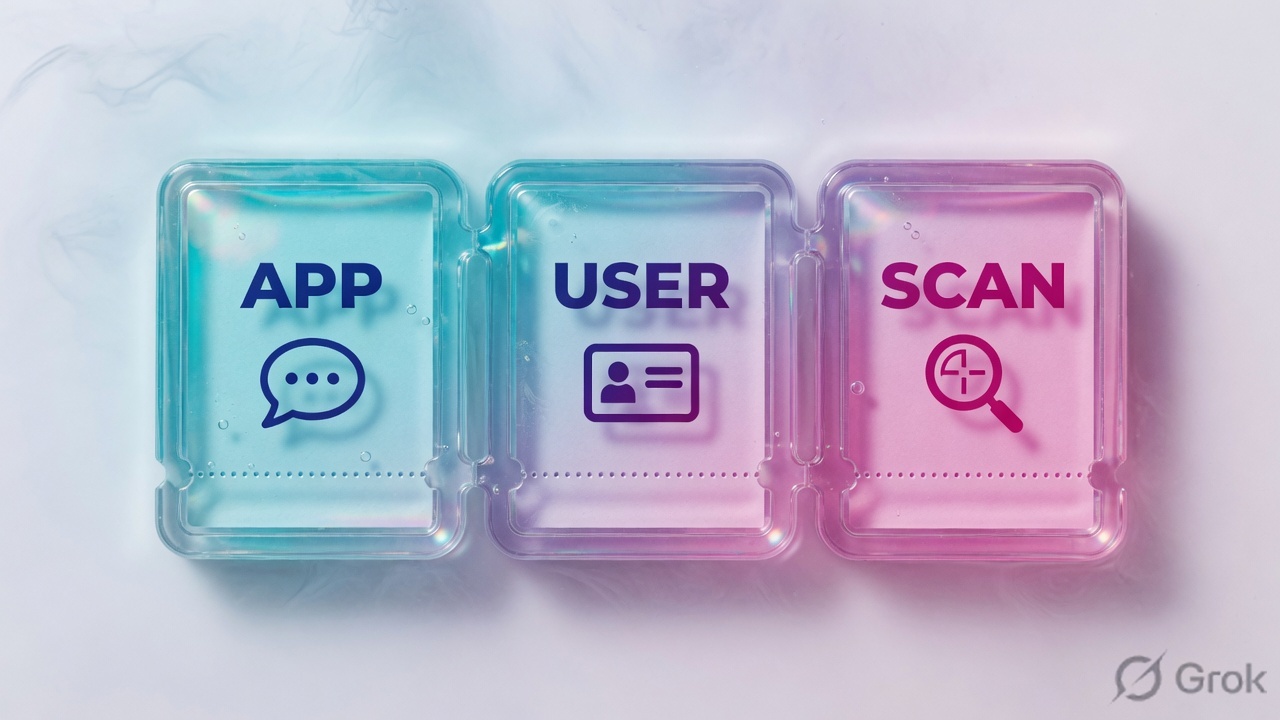
Read the solid arrow first (c2s). If the dashed return stays empty, do not add a rule. Re-read stamps before you touch App-ID.
App-ID answers “what conversation is this?” — not the port. Official: when you allow traffic, App-ID begins to classify without extra config. Port is the first guess. After a few packets the name can change from incomplete or ssl to salesforce-base.
User-ID answers “whose badge is on this IP right now?” Official packet-flow: the firewall queries the User-IP mapping table (per VSYS) with the packet source IP, then the user-group mapping table. Shared NAT, a stale AD mapping, and a laptop that moved desks will lie to you.
Content-ID answers “is the payload sick, leaking, or in a bad URL category?” Official packet-flow Section 6: it runs after the session is allowed and a profile / ALG / tunneled app applies. Decrypt is taking the envelope off so Content-ID can read. No profile on the allow = no stamp.
3. First-packet setup vs fast path
The first packet of a new 6-tuple has no session yet. It walks session setup — Palo Alto also calls this the slow path. Later packets of the same 6-tuple skip that queue and ride the session. That is why “I added a rule” sometimes does nothing until the old session dies.
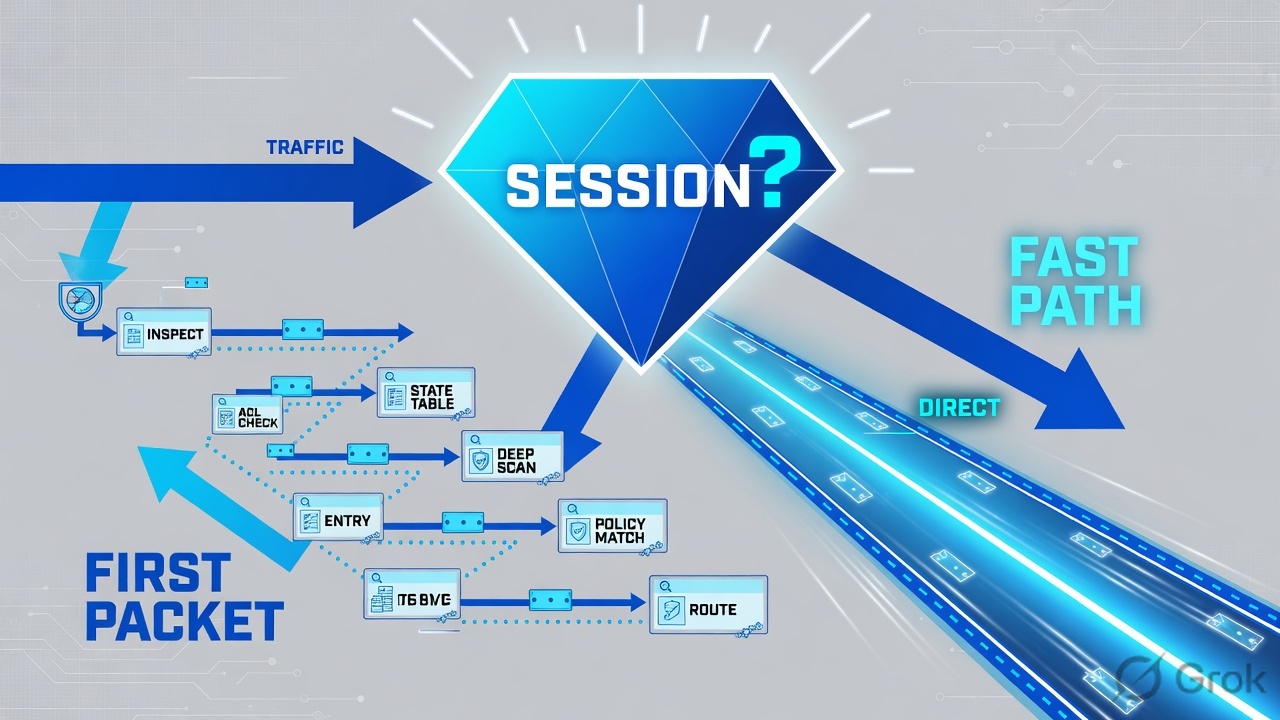
Read left → right, then the green fast-path bar. Decision diamond = “session already exists?” DoS sits before policy on purpose.
The first packets of HTTPS are still just TCP. The factory may log application incomplete or ssl before it ever says salesforce-base. Official setup uses application ANY on that first lookup. If your rule says Application = Salesforce only and Service = application-default, those first packets must still be allowed to exist long enough for App-ID to finish — and Salesforce usually depends on ssl / web-browsing. incomplete with 0 s2c is a dead handshake, not a missing App-ID checkbox.
4. How to choose the stamps
You are not choosing a product. You are choosing what the factory is allowed to write on the ticket.
| Choice | Use when | Do not use when | Proof you were right |
|---|---|---|---|
| Service = application-default | Production allow. App has well-known ports (ssl on 443, DNS on 53). | The app truly lives on a non-standard port and you have an owner. | Traffic log app matches; port is the App-ID default. |
| Service = custom tcp/443 | You must pin a port (audit). Pair with the apps that actually speak on 443. | You set Application = ms-rdp (default 3389) and Service = tcp/443. The factory is literal. |
test security-policy-match with the real port hits this rule. |
| Service = any | Lab only, or a documented exception with expiry. | Any production “just make it work.” You told the factory any door is fine. | Audit will ask why. Have an owner and a date. |
| Application = salesforce-base + ssl | You want Salesforce and you accept the handshake must be identified first. | You put only the inner app and then wonder why packet 1 never grows up. | Live session application becomes salesforce-base, not stuck on incomplete. |
| Source User = finance group | User-ID is healthy on the source zone and you can prove the mapping. | Hot-desk / NAT-shared IPs where the previous laptop’s mapping is still warm. | show user ip-user-mapping matches session src-user at session start. |
| Profile group on Allow | Every internet allow. Content-ID only runs if a profile / ALG / tunnel applies. | You allow without a group and call it “protected.” That is an uninspected tunnel. | Threat log can fire. Session Browser is not enough for Content-ID — you need the Threat row. |
application-default is a port contract, not a vibe. Official wording: it permits the standards-based port for the application. DNS matches only on TCP/UDP 53. Source: Safely Enable Applications on Default Ports / Security Policy Rules.
5. Runbook Side A → B → C
Lab values only. Hostname PA-VM-LAB, serial LAB-PA-0001, user example\finance.user, client 192.0.2.25, SaaS 198.51.100.44, PAT 203.0.113.10. Nothing here is a live tenant.
Side A — zones and the virtual router (building the factory floor)
Primary source: PAN-OS Admin · Network > Interfaces / Zones / Virtual Routers.
-
Put interfaces in the right zones
Network → Interfaces. ethernet1/2 = L3, zone
trust, VRdefault. ethernet1/1 = L3, zoneuntrust, VRdefault. Same IPs in the wrong zone are a different 6-tuple. -
Create the zones
Network → Zones. Type = Layer3. Enable User-ID on
trustonly if you will stamp identity. Do not enable User-ID on untrust as a reflex. -
Give the default VR a way out
Network → Virtual Routers → default. Static default
0.0.0.0/0next hop198.51.100.1out ethernet1/1. Dest zone for internet is the zone that owns that egress interface.
Side B — NAT then security policy (printing the ticket, choosing stamps)
Primary source: NAT Policy Rules + Security Policy Rules. Remember: policy uses pre-NAT addresses and post-NAT zones. Translation happens on egress.
Policies › Security › Add
Security Policy Rule
Destination Zone is post-NAT. Addresses are pre-NAT. First lookup still uses application ANY — these apps matter after App-ID names the flow.
Source: Security Policy Rules — required fields Name, Action, Rule Type, Source Zone, Destination Zone, Application. User and Service are optional; Profile Setting is how Content-ID gets a chance. Dummy values only.
-
Write outbound DIPP first
Policies → NAT → Add. Name
nat-outbound. Original Packet: Source Zonetrust, Destination Zoneuntrust, Destination Interfaceethernet1/1, Source Address192.0.2.0/24. Translated Packet: Source Translation = Dynamic IP and Port, Interface Address, interface ethernet1/1. NAT rules are most-specific first. Source: NAT Policy Rules. -
Write the security rule under that NAT
Use the mock above. Put
finance-saasabove any catch-all ssl allow. Security rules evaluate top to bottom, first match wins. Default interzone is deny. Source: Security Policy Rules. -
Attach a profile group on allow
Security profiles evaluate only on Allow. That is the Content-ID stamp. Decrypt is a separate rulebase — do not “decrypt everything off” to make one mobile app happy.
-
Commit, then do not celebrate
A green commit means the recipe printed. It does not mean Salesforce answered. Side C is the proof.
admin@PA-VM> test security-policy-match from trust to untrust source 192.0.2.25 destination 198.51.100.44 destination-port 443 protocol 6 application ssl
"finance-saas" {
        from trust;
        source 192.0.2.0/24;
        source-user any;
        to untrust;
        destination 198.51.100.0/24;
        application ssl;
        service application-default;
        action allow;
        log-start no;
        log-end yes;
}
Say the word predicted. This command is a what-if. The live session may show a different rule after App-ID shifts. Compare it to Session Browser and show session id in Side C.
Side C — prove the two-way session in Session Browser
Primary source: Monitor → Session Browser (PAN-OS 11.1 help) + Palo Alto Networks Firewall Session Overview (show session id).
-
Baseline the box
show system info— hostnamePA-VM-LAB, serialLAB-PA-0001, sw-version, operational-modenormal. Half of “it doesn’t match the doc” is a different PAN-OS train. Half of empty session tables is the passive unit. -
Click Salesforce, then open the live table
Monitor → Session Browser. Official wording: browse and filter current running sessions. This is not the Traffic log. Filter source
192.0.2.25and dest port 443. -
Read the stamps on the row
You need state ACTIVE, type FLOW, application that left
incomplete, a non-zero receive / s2c byte count, src-user matching finance, rulefinance-saas. Copy the Session ID for CLI. -
If s2c is 0, do not add a rule
Check NAT / DIPP, return route, ARP, and the server SYN-ACK. That is the evidence desk, not a missing allow.
Monitor → Session Browser
Current running sessions
| ID | App | User | State | From / To | c2s / s2c | Rule |
|---|---|---|---|---|---|---|
| 48219 | ssl | finance.user | ACTIVE | trust → untrust | 2844 / 0 | finance-saas |
| 48233 | salesforce-base | finance.user | ACTIVE | trust → untrust | 8120 / 44102 | finance-saas |
Row 48219 is the dead ticket — allow + 0 s2c. Row 48233 is the proof: inner App-ID, user stamp, bytes both ways.
Click next: inspect session 48219, copy the ID, then run show session id 48219. Compare App / User / bytes to the three stamps. Source: Monitor → Session Browser help + Firewall Session Overview.
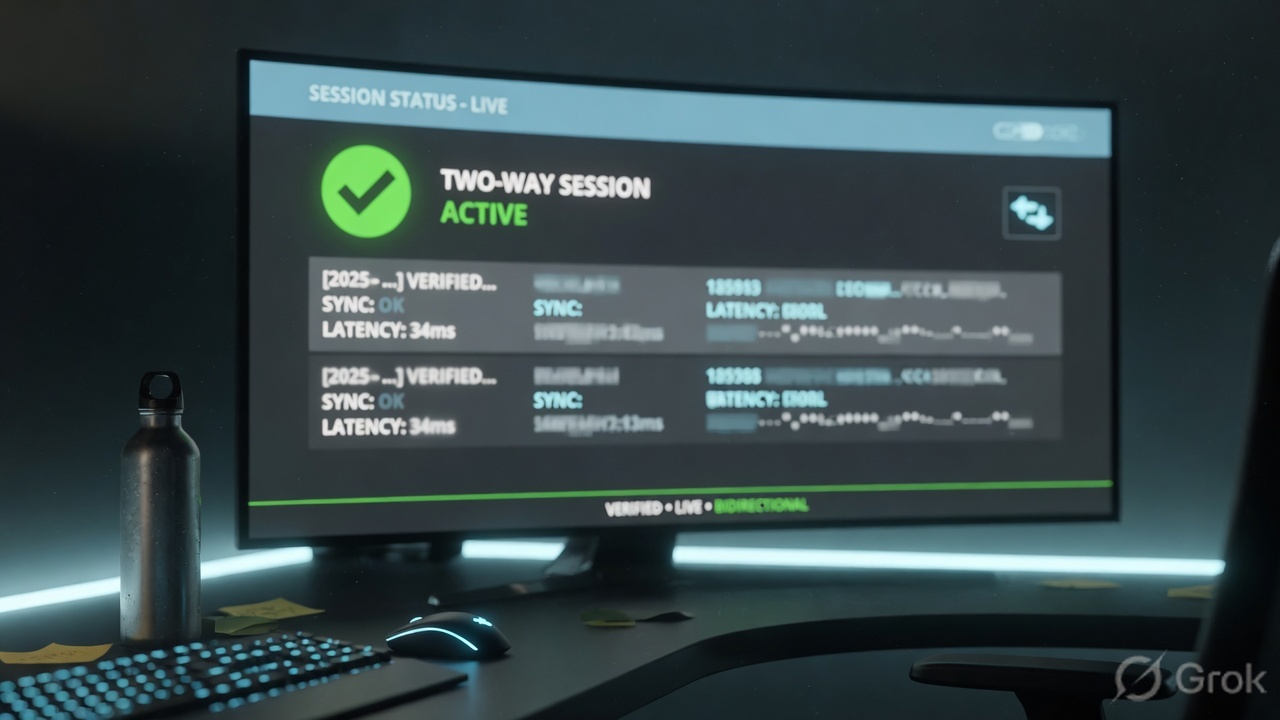
admin@PA-VM> show session id 48219
Session          48219

        c2s flow:
                source:      192.0.2.25 [trust]
                dst:         198.51.100.44
                proto:       6
                sport:       53122          dport:      443
                state:       ACTIVE         type:       FLOW
                src-user:    example\finance.user

        s2c flow:
                source:      198.51.100.44 [untrust]
                dst:         203.0.113.10
                sport:       443            dport:      18422

        start-time                  : 08/15 10:42:18
        timeout                     : 3600 sec
        total byte count(c2s)       : 2844
        total byte count(s2c)       : 0
        application                 : ssl
        rule                        : finance-saas
        service                     : application-default
        action                      : allow
session end reason : aged-outPredicted rule = finance-saas. Session Browser + live session rule = finance-saas. Application left incomplete (inner app or healthy ssl with return bytes). src-user matches the finance mapping. s2c bytes > 0. That is working. Action = allow with s2c = 0 is not.
6. Runtime — App-ID shift, decrypt, old slots
After the slot exists, later packets skip the setup queue. Official fast path: if the session is DISCARD, drop; if ACTIVE, refresh timeout; apply NAT on the L3/L4 header; TCP reassembly; then security processing.
If the application is not yet known, App-ID runs (override policy first, then signatures, then decoders / heuristics). After the app is named, the firewall looks up security policy again with the full key — application, IP, port, protocol, zone, user, URL category. If logging at session start is on, a Traffic log can fire each time App-ID changes. Source: Packet Flow Sequence, Section 5.
Content-ID then inspects if a profile is attached, or an ALG / tunneled app is involved. If the inner application changes (web-browsing inside ssl), policy is consulted again. Decrypt is a second walk through the same factory: terminate TLS when policy and law say so, stamp a real application, run Content-ID, re-encrypt. Certificate-pinned mobile apps will scream. That is the app refusing a substitute certificate — not a broken firewall. Bypass those hosts on purpose, with an owner and an expiry.
HA is two copies of the factory. Active/passive means one factory is printing tickets and the other holds a copy of the book. Green HA state means the book is synced. It does not mean Salesforce recovered in three seconds. Prove that with the same business click. Session Overview: session synced from HA peer True means the slot was born on the other unit.
7. Traps + Session Browser proof
| Symptom | Looks like | Actually | First move |
|---|---|---|---|
| Allow + spinning browser | Missing rule | 0 s2c — return path / NAT / server | Session Browser bytes, then NAT / ARP |
| Log application incomplete | Need Salesforce in the rule | Handshake never finished | Prove SYN-ACK, then parent apps |
| Added a rule, nothing changed | Commit failed | Old session on the fast path | Wait timeout or clear the session in a window |
| RDP rule with service tcp/443 | App-ID is broken | application-default / service mismatch | ms-rdp lives on 3389 |
| Wrong person matched finance | AD is wrong | Stale User-IP mapping | Compare mapping TTL to session start |
| Allow without Threat logs, malware lands | App-ID failed | No Content-ID stamp — no profile group | Attach the group, then decrypt if TLS |
| HA is green, app is dead | License / HA bug | New active has no return path | Replay the same Salesforce click |
| Mobile app dies, browser lives | Missing allow | SSL Forward Proxy + pin | Scoped decrypt bypass, owner + expiry |
show system infois the box you think it is (hostname, version, not the passive).test security-policy-matchpredictsfinance-saas.- Monitor → Session Browser shows the 6-tuple: ACTIVE, rule
finance-saas. - total byte count(s2c) > 0 (or Bytes Received > 0 on the row).
- App-ID stamp left
incompleteand is the inner app or healthysslwith return bytes. - User-ID stamp (
src-user) matches the finance mapping you intended. - Content-ID had a chance: profile group attached; Threat log can fire if you test a signature.
- User can complete the same Salesforce click you used as the test.
PAN-OS is a session factory between zones. The first packet of a new 6-tuple walks session setup. Later packets ride the fast path. App-ID, User-ID and Content-ID are stamps on that ticket, not three extra products. I prove the ticket in Session Browser: two-way bytes, the live rule, the app name, the user mapping. Allow without s2c is not success.
Related: Session table — setup vs fast path, field by field · The evidence desk · Security policy fundamentals · Allow is not protect · Palo Alto hub
Knowledge check
Six judgment questions. Map each miss back to the section named in the reason.
Sources
- Packet Flow Sequence in PAN-OS — ingress, session lookup, setup (zone / TCP / forward / NAT / User-ID / DoS / policy ANY / allocate), fast path, App-ID, Content-ID, egress
- Palo Alto Networks Firewall Session Overview — 6-tuple, c2s/s2c, FLOW vs PREDICT, INIT / ACTIVE / DISCARD,
show session id - Monitor → Session Browser — browse and filter current running sessions
- NAT Policy Rules — pre-NAT addresses, post-NAT zones, translation on egress
- Security Policy Rules — top-down first match, required fields, application-default
- App-ID — classify after you allow; content updates carry new App-IDs
- User-ID Overview — identity vs IP on the wire
- Why traffic may not match the expected rule after App-ID / URL — initial 6-tuple lookup, then full match
Related: PAN-OS session table — setup vs fast path · The PAN-OS evidence desk · Security policy fundamentals · Security profiles — allow is not protect · SP3 architecture · Palo Alto firewall hub