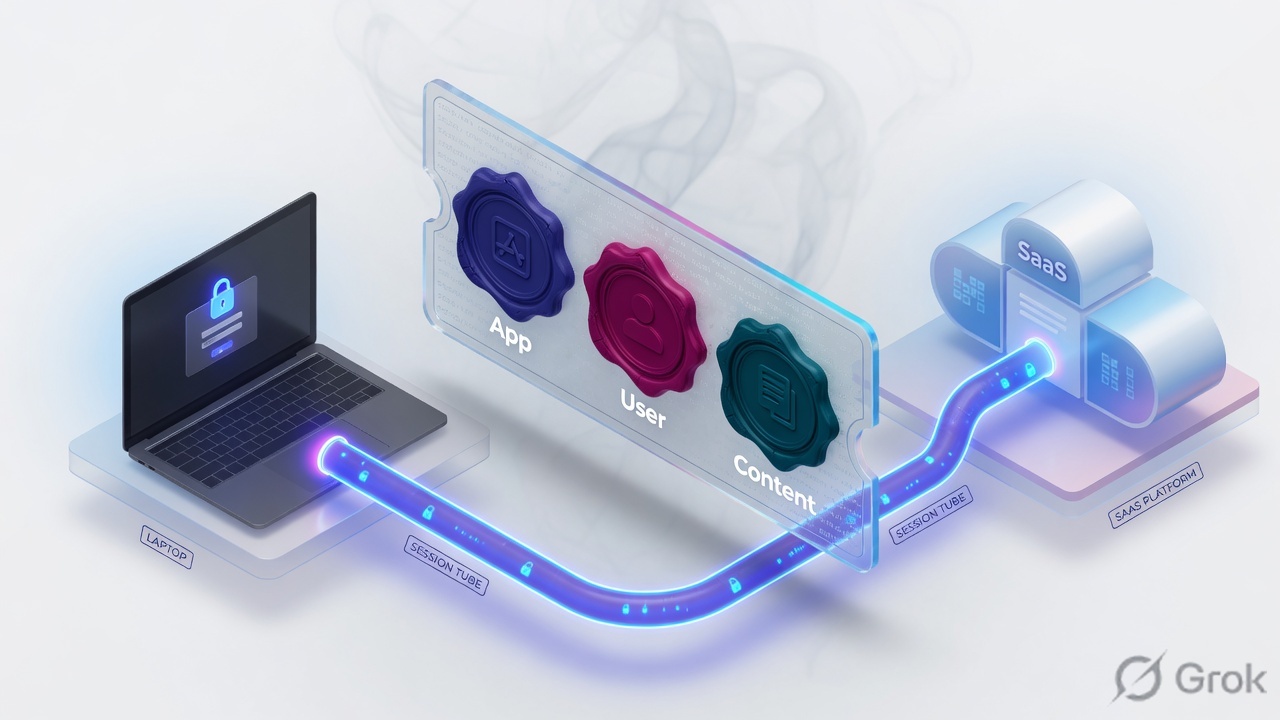
A PAN-OS firewall is a stateful session factory. User-ID looks up the IP-to-user mapping while the session is being set up. App-ID classifies the conversation on the same decoded stream (signatures, protocol decoders, heuristics). Content-ID inspects that stream for threats, URL category and files if the matching allow rule has profiles. They are stamps on one session, not three boxes a packet walks in series. SP3 is the official name for that design: single-pass software plus parallel-processing hardware.
I do not draw App-ID, User-ID and Content-ID as a daisy chain. I draw one 6-tuple session. User-ID is whose badge is on this IP. App-ID is what conversation this is. Content-ID is whether the payload is sick, leaking or in a bad URL category. Policy hires the ticket. The three IDs write on it.
1. Why the serial-box story fails
The previous lesson treated PAN-OS as a session factory. This lesson answers the follow-up every interviewer and every 2 AM ticket still gets wrong: where do the three IDs sit?
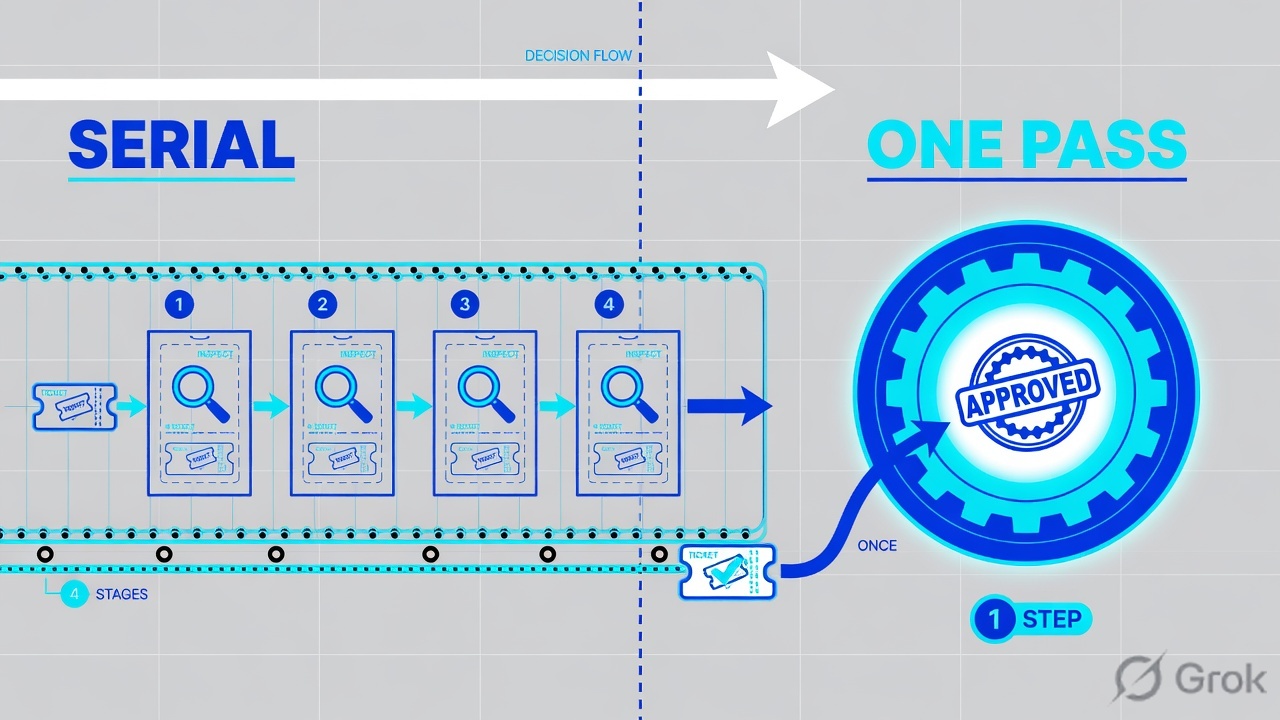
Legacy UTM thought in conveyor belts. The packet was reassembled for IPS, reassembled again for AV, again for URL, again for DLP. Each engine was a box. Turning a feature on meant adding another hop. That is why people still say “we enabled URL filtering and the firewall became two firewalls.”
Official packet-flow language is the opposite. Ingress and egress make per-packet forwarding decisions. App-ID and Content-ID are session-based security modules that ride the same session. User-ID is a mapping lookup during session setup — not a fourth appliance after App-ID.
The ticket
“URL filtering killed throughput.” That is a hypothesis about how long the session stays on the inspection path, not proof that a second firewall was inserted.
The interview
“Walk App-ID then User-ID then Content-ID.” If you draw three boxes, you already failed the architecture question. Draw one session and three stamps.
“App-ID is the first box, User-ID is the second box, Content-ID is the third box.” Official session setup looks up User-ID before the session even exists. App-ID starts after the slot is allocated. Content-ID runs on traffic the allow rule already hired, if a profile is attached. Order is not a daisy chain of appliances.
2. Mental model — stamps on a session
One session is two unidirectional flows (c2s and s2c), each keyed by a 6-tuple: source address, destination address, source port, destination port, protocol, and security zone. Features do not get their own 6-tuple. They write on this one.
Read the ticket first. Then read the three stamps. If you cannot point to the session, you are talking about marketing boxes.
User-ID answers “whose badge is on this source IP right now?” Officially the firewall queries the User-IP mapping table (per vsys), then the user-group mapping table. It is a mapping, not a person. Shared NAT in front of the firewall, a stale AD event, and a laptop that moved desks will lie. User-ID does not work if source IPs are NAT’d before the firewall can map them.
App-ID answers “what conversation is this?” — irrespective of port, protocol, or SSL/SSH evasion. Official mechanisms: application signatures, protocol decoders, and heuristics. First packets are often still incomplete or ssl. The stamp can change. When it changes, policy is consulted again.
Content-ID answers “is the payload a threat, a blocked file, or a bad URL category?” Official packet flow: if the security rule allows the session and a security profile is attached (or an ALG / tunneled app is involved), the same stream is inspected. Decrypt is taking the envelope off so this stamp can read.

- SP3 — Single Pass Parallel Processing. Official pairing: single-pass software + parallel-processing hardware.
- Session setup / slowpath — first packet of a new 6-tuple. Zone protection, TCP state, forwarding, NAT lookup, User-ID, DoS, security policy (application = any), then session allocation.
- Fast path — later packets of an existing session. Timeout refresh, NAT translate, then App-ID / Content-ID if there is still payload to classify or inspect.
- Application Override — a policy that forces the App-ID stamp and skips content inspection for that session. Use as a scoped exception, not a lifestyle.
3. Official session-setup order
Do not invent a six-stage marketing slide. Use the official Packet Flow Sequence in PAN-OS order. Diagram first, prose second.
Pink box is the stamp students put in the wrong place. Put it back before session allocation.
First security-policy lookup uses application any. The firewall does not yet know Salesforce. It only knows enough 6-tuple + zone + user to decide whether a session is allowed to be born. After App-ID names the conversation, policy is looked up again with the real application (and URL category, when it exists).
If that second lookup still allows, and the rule has a profile group — or the app is tunneled / needs an ALG — Content-ID inspects the same decoded stream. That is the single pass. It is not a second firewall inserted after the first.
4. Serial UTM vs SP3 — how to choose the words
You are not choosing a product SKU here. You are choosing which sentence you will say in a design review, and which stamp you are actually turning on.
| Choice | Say this | Do not say this | Proof you were right |
|---|---|---|---|
| SP3 / architecture | One decode. Parallel engines. Stamps on one session. | “Traffic hits the App-ID box, then the User-ID box, then AV.” | You can point at one show session id and name all three fields. |
| User-ID on trust only | Stamp identity where you can map the IP. | Enable User-ID on untrust as a reflex. | show user ip-user-mapping ip matches session src-user. |
| App-ID + application-default | Name the conversation; pin its standard ports. | Service = any “so App-ID can work.” | Live application left incomplete; port is the App-ID default. |
| Content-ID via profile group | Allow-and-scan. Profiles attach to an allow. | “URL filtering is a separate firewall we turned on.” | Traffic log Category + Threat log for the same session id. |
| Application Override | Force the App-ID stamp and skip content inspection for a scoped 6-tuple. | Override a whole /16 because unknown-tcp annoyed you. | Session application is the override name; no Content-ID hits. |
| Decrypt | Open the envelope so App-ID / Content-ID can read HTTPS. | “Decrypt is a fourth ID.” | Session flag shows decrypted; inner app appears. |
Use the right picture in the interview. Use the bottom strip on the throughput ticket.
5. Runbook Side A → B → C
Lab values only. Hostname PA-VM-LAB, user example\finance.user, client 192.0.2.25, SaaS 198.51.100.44. This is not a customer tenant.
Side A — planes (prove the press is two rooms)
Primary source: Packet Flow Sequence in PAN-OS, Section 8 (SP3) + show running resource-monitor.
-
Name the two rooms
Management work = WebUI, CLI, API, commit, routing daemons, log shipping. Dataplane work = session table, NAT, the three stamps, forwarding. A 50-second commit compiles on the management side. The dataplane keeps forwarding on the previous ruleset until the new one is pushed.
-
Read both CPUs before you blame “the firewall”
show running resource-monitor minute. If DP is 30% and MP is 90%, you have a log-storm, a hung commit, or a GUI/API pile-up — not a stamp-press problem. If DP is 90% and MP is quiet, you have session-setup flood, inspection that never settles, or a denied-packet tax. -
Do not schedule a vsys-create as a “safe MP commit”
Most policy commits are MP-only. A few changes still disturb sessions (interface MTU, some GP gateway edits, vsys create). Treat those as change-control, not as architecture-does-not-drop-traffic.
Side B — attach the stamps (do not add boxes)
Primary source: User-ID Overview · App-ID Overview · Security Profiles (allow-and-scan).
-
User-ID stamp — map the IP on the trust zone
Network → Zones → trust. Enable User Identification on the zone where you can see the real source IP. Do not enable it on untrust as a reflex. Confirm the mapping with
show user ip-user-mapping ip 192.0.2.25. -
App-ID stamp — name the conversation on the allow
Policies → Security. Application =
ssl,web-browsing,salesforce-base. Service =application-default. First packets must be allowed to live long enough for the stamp to change. That is not “Service = any.” -
Content-ID stamp — attach profiles on the same allow
Security profiles evaluate on Allow. Antivirus / Anti-Spyware / Vulnerability / URL Filtering / File Blocking ride this session. You did not insert a second firewall. You told the press to keep inspecting the stream.
-
Content-ID global knobs live under Device, not under a fourth rulebase
Device → Setup → Content-ID. URL Continue timeout, Hold Client Request for Category Lookup, Category Lookup Timeout. These tune the stamp. They are not a new hop.
Side C — prove the stamps on the live session
Primary source: Monitor → Session Browser · Traffic log fields · show session id.
Monitor › Session Browser
Current sessions
| ID | Application | From User | From / To | Bytes c2s / s2c | Rule |
|---|---|---|---|---|---|
| 48219 | salesforce-base | example\finance.user | trust → untrust | 2844 / 18220 | finance-saas |
| 48220 | ssl | example\finance.user | trust → untrust | 980 / 0 | finance-saas |
Session 48219 has all three stories: App-ID grew up, User-ID mapped, s2c > 0 so Content-ID had a stream to stamp. Session 48220 is still a dead handshake — do not “add URL filtering” to fix it.
Source: Monitor → Session Browser (official help) + Traffic log fields Application, Source User, Category, Session ID. Training mock · lab IPs only.
-
Read the live slot
show session id 48219. You needstate: ACTIVE, a concrete application, a src-user if you expected one, and s2c bytes > 0. The factory printed a two-way ticket. The stamps have somewhere to sit. -
Read the same three fields in the Traffic log
Monitor → Logs → Traffic. Columns that matter: Application, Source User, Category, Session ID, Bytes Sent, Bytes Received, Rule. One row, three stamps. If Category is empty on HTTPS, you probably did not decrypt — Content-ID never saw the URL.
-
If App-ID is stuck, do not add a box
show session all filter application unknown-tcp. A climbing count means the App-ID stamp never concluded. Fix with a scoped custom App-ID or a narrow Application Override — not with Service = any, and not by “turning off Content-ID for the whole vsys.”
admin@PA-VM-LAB> show user ip-user-mapping ip 192.0.2.25
IP              Vsys   From    User                     Idle Timeout
192.0.2.25      vsys1  AD      example\finance.user     2674

admin@PA-VM-LAB> show session id 48219
Session          48219
        c2s flow:
                source:      192.0.2.25 [trust]
                dst:         198.51.100.44
                proto:       6
                sport:       53122          dport:      443
                state:       ACTIVE
        s2c flow:
                source:      198.51.100.44 [untrust]
                dst:         203.0.113.10
                sport:       443            dport:      18001
        start time                  : 15 Aug 2026 11:02:18
        application                 : salesforce-base
        rule                        : finance-saas
        src-user                    : example\finance.user
        url-cat                     : business-and-economy
        total byte count(c2s)       : 2844
        total byte count(s2c)       : 18220
6. Runtime — fast path, App-ID shift, inspection
After the slot exists, later packets skip session setup. Official fast path: if the session is discard, drop; if active, refresh timeout; if NAT applies, translate headers; then, if there is TCP/UDP payload (or a non-TCP/UDP packet), run App-ID and maybe Content-ID.
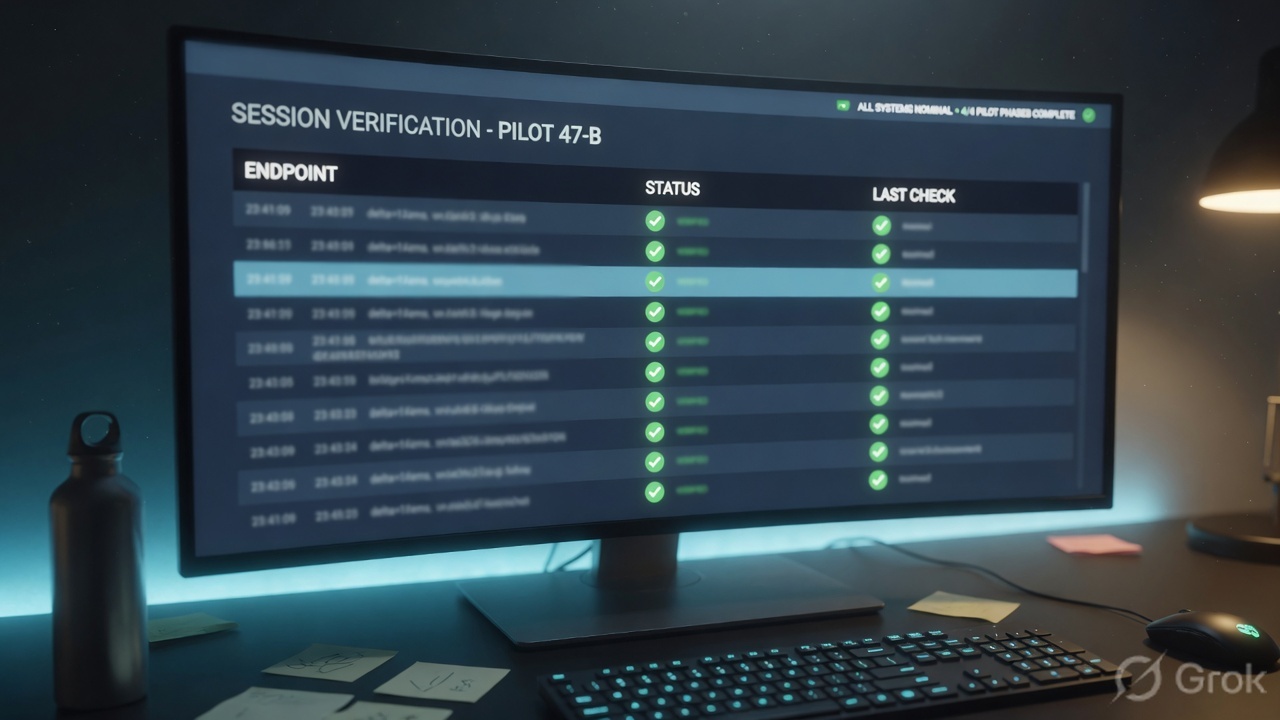
That is why “I added a rule and nothing changed” is usually a fast-path story. The old session still carries the old stamps until it dies. Clear it in a change window, or wait for timeout. Rematch all sessions on config policy change (Device → Setup → Session) is the official knob that reapplies new security rules to sessions already in progress — know whether it is on before you swear the commit “did nothing.”
show session info is the health strip for the press: allocated vs supported sessions, and whether hardware session offload is enabled on this platform. A session whose App-ID never concludes (unknown-tcp, incomplete with growing bytes) stays on the inspection path for its whole life. A session whose Content-ID stamp is still working (URL filtering, threat scan, decrypt) also stays there. That is the real “URL filtering cost” — not a second firewall.
admin@PA-VM-LAB> show session info
Number of sessions supported:           262144
Number of allocated sessions:           18402
Session table utilization (%):          7
Hardware session offload:               True

admin@PA-VM-LAB> show session all filter application unknown-tcp
(no matching sessions — App-ID stamps are concluding)

admin@PA-VM-LAB> show counter global filter severity drop delta yes
flow_policy_deny     12    drop   Session setup: denied by policy
A SYN that matches interzone-deny never becomes a session. Every later SYN pays zone protection + route + NAT lookup + policy again. There is no ticket to stamp and no fast path to ride. Drop scanners at Zone Protection (SYN flood / packet-based attacks) before you argue about security policy. flow_policy_deny climbing with an empty Traffic log is often the implicit interzone-deny — it does not log unless you override it.
7. Traps + proof checklist
| Trap | What it looks like | What is actually true | First fix |
|---|---|---|---|
| Serial-box story | “Walk App-ID then User-ID then Content-ID.” | User-ID is a setup lookup. App-ID and Content-ID stamp one stream. | Draw the ticket. Re-read Flow 2. |
| URL filtering “added a firewall” | DP CPU and session count climb after a profile attach. | Content-ID stayed active, so sessions linger on the inspection path. | Scope the profile. Decrypt only what you must. Do not disable App-ID. |
| unknown-tcp forever | Bytes climb, application never names itself. | App-ID stamp never concluded. Inspection never rests. | Custom App-ID or a narrow Application Override. |
| Denied traffic is free | ACC shows deny; DP is still hot. | No session → every packet pays setup. | Zone Protection first. Then log the implicit deny if you need evidence. |
| Commit will drop trading | Change freeze at 14:30 because “policy commit resets sessions.” | MP compiles; DP forwards on the old ruleset, then switches. | Still schedule MTU / GP / vsys changes. Policy-only commits are the common case. |
| User-ID behind NAT | Every session is the proxy IP’s last user. | Official: User-ID fails when sources are NAT’d before the firewall maps them. | Map before NAT, or use XFF / Authentication Portal with eyes open. |
| Override as a lifestyle | Application Override on a /16 to “fix performance.” | Override forces the App-ID stamp and skips Content-ID. | Scope to the exact 6-tuple. Write an expiry. |
show system infois the box you think it is (not the passive, not last week’s PAN-OS).show running resource-monitor minute— you know which room is hot (MP vs DP).- Session Browser (or
show session id) shows one ID with Application + From User + s2c > 0. - Traffic log same Session ID: Application, Source User, Category (if decrypted / HTTP).
show user ip-user-mapping ipmatches the session src-user at start time.unknown-tcpcount is boring, not climbing.- A denied flood is being eaten by Zone Protection, not by interzone-deny at 10k/s.
- You can say SP3 without saying “three boxes in a row.”
PAN-OS is a session factory with an SP3 stamp press. User-ID maps the IP while the session is born. App-ID names the conversation on one decoded stream. Content-ID inspects that stream if the allow has profiles. I do not draw three serial boxes. I prove the three stamps on one session id in Session Browser. If URL filtering “slowed the box,” I ask how long sessions are staying on the inspection path — I do not look for a second firewall.
You already have the factory floor in PAN-OS is a session factory. Next on this path: zones, interfaces and virtual routers — the building the ticket is printed in.
Knowledge check
Six judgment questions. Each miss names the section to re-read.
Sources
- Packet Flow Sequence in PAN-OS — ingress, session setup (User-ID at 3.5), policy (app any), allocation, App-ID, Content-ID, SP3 summary
- App-ID Overview — signatures, protocol decoding, heuristics; identify irrespective of port / protocol / encryption
- User-ID Overview — IP-to-user mapping, group mapping, visibility / policy / forensics; NAT-before-firewall limitation
- Monitor → Session Browser — browse and filter current sessions
- Traffic log fields — Application, Source User, Category, Session ID, bytes
- Device → Setup → Content-ID — URL / content global settings, not a fourth rulebase
- Security Profiles — allow-and-scan; profiles attach to an allow
- AI-Powered Next-Generation Hardware Firewall — SP3 named as the hardware architecture
- Configure Session Settings — rematch sessions on policy change
- Palo Alto Networks Firewall Session Overview — 6-tuple, c2s/s2c,
show session id
Related: PAN-OS is a session factory · The PAN-OS evidence desk · Zones, interfaces and virtual routers · Security policy fundamentals · Security profiles · Session table and flow