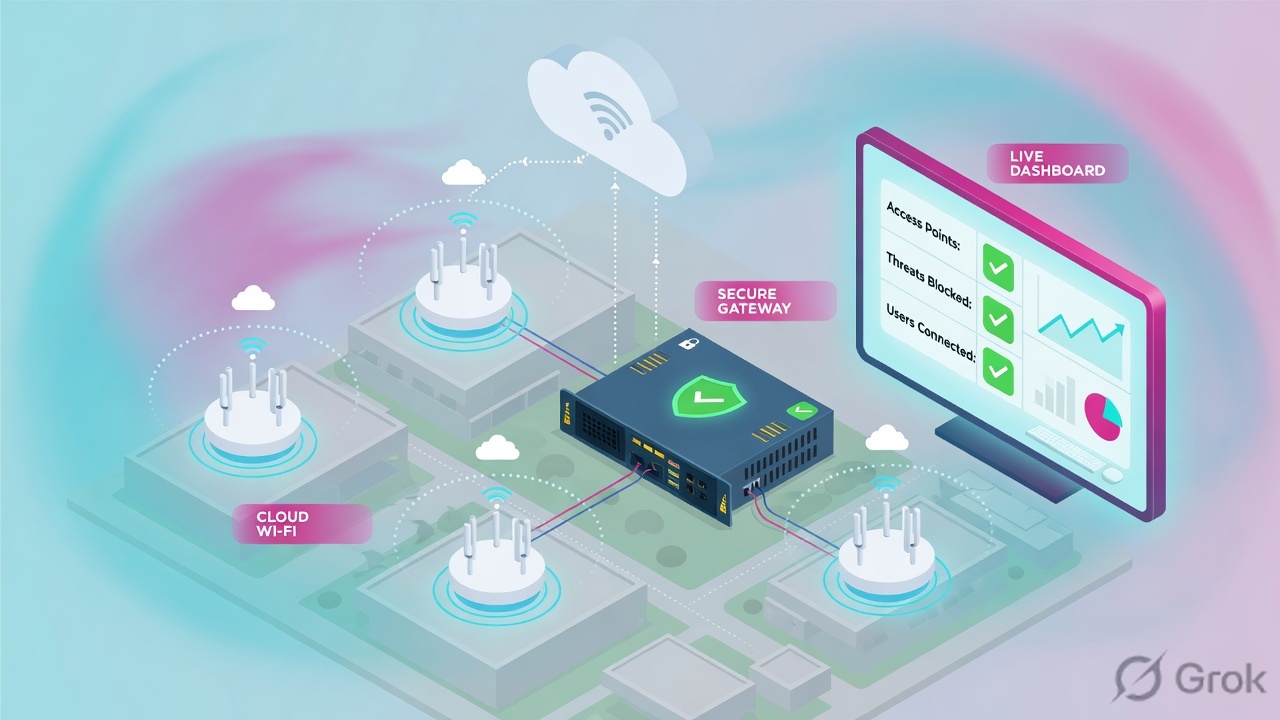
Cisco Meraki is a cloud-dashboard session factory. The organization holds networks. A network holds the MX, MS and MR you are about to edit. Dashboard stores a configuration container and pushes it to those devices over an out-of-band control plane. User packets never go through the cloud. Auto VPN, the MX Layer 3 / Layer 7 firewall, and wireless Access control are stamps on that ticket. Success is Event log rows on the right product type — 802.11 / 802.1X / DHCP for the AP, Meraki VPN for the spoke, Appliance status for the uplink — not a green Save.
I name the organization and the network first. Then I name the device family. Association is not MX policy. One spoke down is not a Meraki outage. Event log is the proof. A green Save on the wrong network is a lie.
1. Why a green Save is not a session
Night shift. Ticket: “Corp Wi-Fi at Pune cannot reach the HQ file server.” An engineer opens dashboard.meraki.com, the last network in the top-left picker is still HQ-Lab, and they flip a Layer 3 rule. Save turns green. The Pune user is still broken. Eighteen other networks in the lab org never moved.
That is the Meraki classic miss, and it is the same class of miss as “the firewall rule is allow.” Officially an organization is a logical container for networks. A network is a logical container for a set of centrally managed devices. Combined networks group MX + MS + MR by physical site. The left-hand menu only shows the network you currently have selected. The factory cannot stamp a ticket it cannot see.
What the ticket asked
“Meraki is down.” That sentence is a hypothesis. The device may already have the last known config and be forwarding. Or you may have saved the recipe on the wrong network.
What you prove first
Organization + network name, then device family (MR / MS / MX), then Event log on that product type. The evidence desk is the night-shift version of this order.
“The Save succeeded, so Meraki applied it.” A green Save means Dashboard updated a configuration container. Official cloud architecture: that container is then pushed to the associated device. If you were in HQ-Lab, Pune’s MX never received a new recipe. If the device is offline, it keeps the last known configuration until it can reach the cloud again.
This lesson is the factory: how the session is built. The pair page is the evidence desk — first tool plus one official proof field, ticket by ticket. Practice both on the Cisco Meraki hub simulator.
2. Mental model — floor, recipe, three stamps
Hold four parts. Interviews fail when people mix them.
1. The floor is the device
MX manufactures L3 / Auto VPN. MS manufactures the wired hop (port, RSTP, VLAN). MR manufactures association and 802.1X. Combined networks put all three in one site container.
2. The recipe is Dashboard
Official: management data flows device ↔ cloud over a secure tunnel. User data (web, file share, VoIP) does not flow through the Meraki cloud. Cloud loss ≠ user outage. Last known config stays.
3. The stamps are three tables
Wireless = who got on the air and which VLAN. MX Firewall = who left the LAN or crossed VLANs. Auto VPN = who crossed the overlay. They are not one page.
4. Proof is Event log
Network-wide → Monitor → Event log is the live history of the factory. Combined networks: pick the product type first. VPN Status and Appliance status are the MX-side Session Browser.
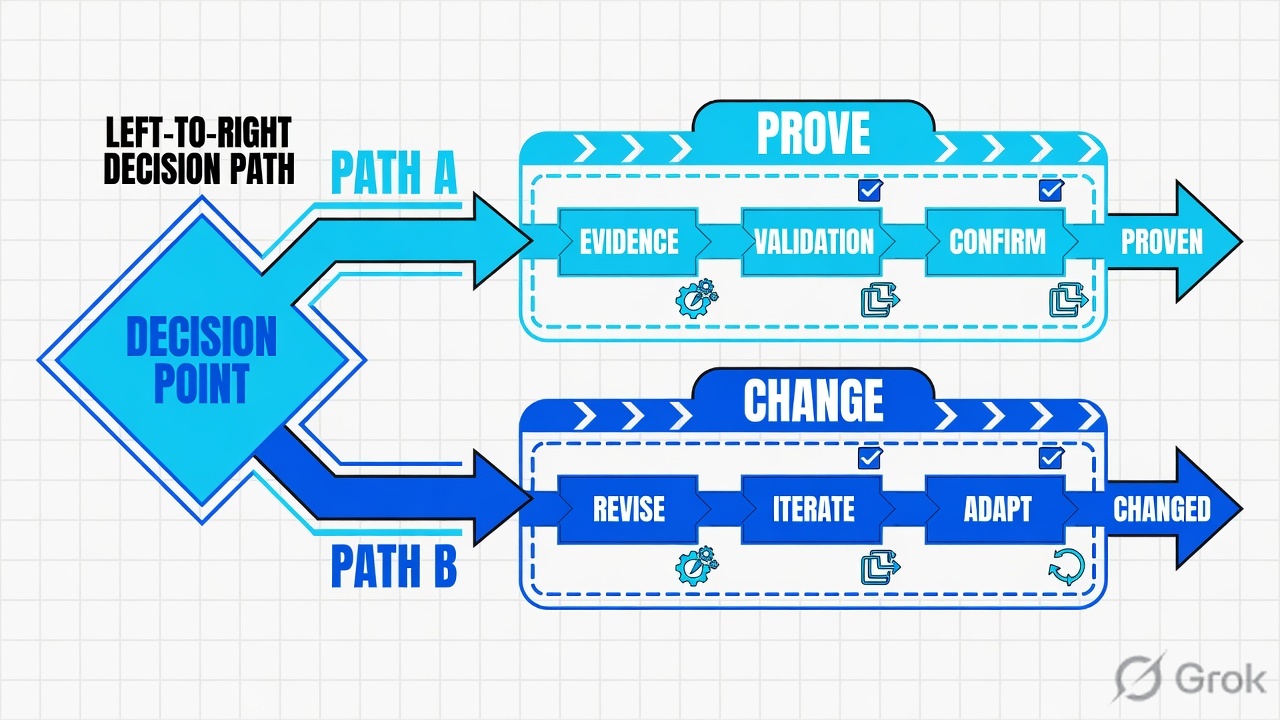
Read left → right. Do not start on Firewall if the client never associated. Do not start on Wireless if 802.1X already succeeded.
Out-of-band control plane — management data to the cloud; user data stays on the LAN/WAN. Bridge mode (External DHCP server assigned) tags client frames and uses upstream DHCP. NAT mode (Meraki AP assigned) puts clients in a private 10.x pool behind the AP. Hub (Mesh) builds tunnels to every other hub. Spoke builds tunnels only to listed hubs. Default route on a spoke sends leftover traffic (0.0.0.0/0) to that hub. Warm spare is MX HA on Appliance status. Site-to-site outbound firewall is the Auto VPN ACL — not the MX outbound Layer 3 table.
Official Auto VPN is an opt-in into the organization’s mesh. Every MX that sets Type to Hub or Spoke is choosing to participate. The cloud VPN registry tracks each appliance’s contact (public IP + UDP port), then the appliances form AES-encrypted IPsec-like tunnels to each other. You do not type Phase 1 proposals. You do name Type, exported local networks, and whether a spoke uses a Default route.
3. Which stamp? Decision flow
Flowchart first. If you cannot answer the diamond, you are guessing in the menu.
If association failed, stay on Wireless. If association succeeded and the app is RFC1918 across Auto VPN, leave Wireless.
Device family decides which Event log product type you open. Symptom decides which stamp you edit. Network picker decides whether that edit can even reach the device.
4. How to choose the stamp
You are not choosing “Meraki.” You are choosing which table the factory is allowed to write on the ticket.
| Symptom | Stamp / screen | Official path | Do not |
|---|---|---|---|
| Cannot find the SSID or the change “did nothing” | Org / network picker | Top-left organization and network drop-downs | Save in the last network you used yesterday |
| Cannot associate, 802.1X fail, wrong VLAN on join | Wireless stamp | Wireless → Configure → Access control → Client IP and VLAN | Edit MX outbound rules first |
| Associated, DHCP OK, internet or inter-VLAN fails | MX L3 / L7 stamp | Security & SD-WAN → Configure → Firewall | Rebuild the SSID or bounce every AP |
| Only one branch loses HQ apps; hub local apps work | Auto VPN stamp | Security & SD-WAN → Monitor → VPN Status, then Configure → Site-to-site VPN on that spoke | Rebuild the hub MX or warm spare |
| Need to deny spoke-to-spoke or VPN subnets | Site-to-site outbound firewall | Security & SD-WAN → Configure → Site-to-site VPN → Organization-wide settings | Assume MX outbound L3 covers Auto VPN — official docs say it does not |
| Wired client, no Wi-Fi in the ticket | MS port stamp | Switching → Monitor → Switch ports, then Event log for switches | Open Access control and blame Corp |
| One client on Corp but should be guest | Client + group policy / SSID VLAN | Network-wide → Monitor → Clients, then group policy or SSID VLAN ID | Quote only the SSID name |
Cisco Meraki, MX Firewall Settings: outbound Layer 3 rules do not apply to Auto VPN traffic. Use Site-to-site VPN firewall settings for peer traffic. Layer 7 rules on the Firewall page still apply locally to traffic destined across Auto VPN. In hub-and-spoke with the hub as default route, spoke internet traffic is evaluated against the hub outbound Layer 3 table.
Official rule evaluation is flow-based. Existing flows may continue until they time out or the MX is rebooted. New outbound Internet flows see the new table immediately. That is the Meraki cousin of a PAN-OS fast-path slot that ignores your fresh commit. Source: MX Firewall Settings, Considerations and Limitations.
5. Runbook Side A → B → C
Lab values only. Organization Techclick-Lab, networks HQ-LAN (hub), BR-PUNE (spoke), leftover picker HQ-Lab. Client MAC aa:bb:cc:dd:ee:ff, DHCP 10.10.8.22, Corp VLAN 20, guest VLAN 40, HQ file server 10.20.0.10. Nothing here is a live tenant.
Side A — organization, network, device family (the factory floor)
Primary source: Meraki Dashboard Organizational Structure + Meraki Cloud Architecture + Combined Dashboard Networks.
-
Read the top-left picker out loud
Say the organization, then the network. Lab target is the user’s site (
BR-PUNE), not leftoverHQ-LaborHQ-LAN. Official: a network is the container for the devices you are about to edit. Combined hardware networks hold MX + MS + MR for one physical site. -
Name the device family before you open a menu
Wi-Fi association = MR. Wired port / RSTP / LLDP neighbor = MS. Internet, inter-VLAN, Auto VPN = MX. Opening Wireless for a docked laptop on a switch port is a factory miss.
-
Check for a configuration template
Bound networks inherit settings from Organization → Monitor → Configuration templates. A local Save can be overwritten or greyed. Official Auto VPN rule: all subnets advertised from a Routed-mode MX must be unique in the topology. Templates that clone the same 192.168.1.0/24 at every branch will not form a clean overlay.
Organization drop-down › Network drop-down (top left)
Select network
The left nav is the current network’s menu. A green Save here never reaches MX-PUNE-A.
Click next: switch to the user’s network, then open Event log filtered by the client MAC. Source: Meraki Dashboard Organizational Structure + Combined Dashboard Networks.
Side B — print the stamps (wireless, MX L3, Auto VPN)
Primary source: Access Control + SSID Modes for Client IP Assignment + MX Firewall Settings + Site-to-site VPN Settings.
Wireless › Configure › Access control › Client IP and VLAN
SSID Corp
NAT mode / Meraki AP assigned isolates clients in 10.0.0.0/8 behind the AP. Official: not the design for an HQ file share.
Click next: if 802.11 / 802.1X / DHCP already succeeded on Event log, leave this page. Source: SSID Modes for Client IP Assignment and Access Control.
-
Open the correct SSID only if association is the question
Wireless → Configure → Access control. Select
Corpfrom the SSID menu. Security in the lab is Enterprise with 802.1X, splash None. Prefer External DHCP server assigned (Bridge) and VLAN ID 20 for enterprise. NAT mode / Meraki AP assigned is the guest pattern — clients cannot be initiated to from the LAN, and VLAN tagging is not supported. -
Do not confuse SSID firewall with MX firewall
Wireless → Configure → Firewall and traffic shaping is the SSID Layer 3 / Layer 7 table. MX outbound is Security & SD-WAN → Configure → Firewall. A wireless allow does not punch an MX deny to RFC1918.
-
Read MX outbound rules on the network that owns the MX
Fields from the official page: Policy, Rule description, Protocol, Source, Destination, Src port, Dst port. Lab dummy: allow TCP 443 VLAN20 → Any; deny Any VLAN20 → RFC1918; default allow internet. Source IPs must match subnets on Addressing & VLANs. Outbound is allow-by-default unless you add a default deny.
-
If the destination is across Auto VPN, change screen
Official: Layer 3 rules on the Firewall page do not apply to Auto VPN or non-Meraki VPN. Open Security & SD-WAN → Configure → Site-to-site VPN. Set Type = Spoke, add the hub, mark Default route only if leftover traffic should go to HQ. Then Organization-wide Site-to-site outbound firewall for peer ACLs. Those rules apply to every MX in the org that participates in site-to-site VPN.
-
Name the spoke before you touch the hub
Security & SD-WAN → Monitor → VPN Status (or Organization → Monitor → VPN Status for the whole mesh). Lab: 17 peers, 16 healthy,
BR-PUNEdown. Do not rebuildHQ-LANor the warm spare for one spoke.
MERAKI-LAB > show network BR-PUNE
org=Techclick-Lab type=combined template=Branch-IN-Template
mx=MX-PUNE-A ms=1-stack mr=6

MERAKI-LAB > show firewall l3
allow TCP 443 VLAN20 -> Any
deny  Any VLAN20 -> RFC1918
default=allow internet
note=L3 outbound does not apply to Auto VPN

MERAKI-LAB > show vpn status
type=Spoke hub=HQ-LAN default-route=yes
registry=connected peers=17 healthy=16 down=1 (BR-PUNE)
exported=10.10.8.0/24
last-change=09:05Z
Side C — prove the ticket in Event log
Primary source: How to Use the Meraki Event Log + VPN Status Page + Clients List and Details Page Overview.
-
Open Event log on the network you just named
Network-wide → Monitor → Event log. Combined networks: use the drop-down next to Event log and pick the product type — for access points, for security appliances, or for switches. The empty table is usually the wrong product type or the wrong network, not “Meraki is down.”
-
Filter the client, not the whole building
Client field: MAC, hostname, or custom name. Lab filter
aa:bb:cc:dd:ee:ff. Official: only events affecting that client are displayed. Event log uses the network time zone. -
Read the stamps that actually fired
MR: 802.11 association, 802.1X / WPA, DHCP. MX: Meraki VPN, Appliance status (primary uplink), DHCP, VRRP (warm spare). MS: 802.1X, Spanning Tree, Switch port. Copy AP name + RSSI, VLAN, and the VPN peer name onto the ticket.
-
If 802.1X succeeded and the app is still dead, leave Wireless
That is MX Firewall, VPN Status, or Appliance status (Active vs Ready on the uplink). The evidence desk names the first tool per ticket. This page only demands that you stop editing Access control.
Network-wide › Monitor › Event log › for access points
Event log
| Time | Type | Client | Device | Event |
|---|---|---|---|---|
| 09:06:12 | 802.11 | aa:bb:cc:dd:ee:ff | AP-3F-02 | association · rssi=-62 · ssid=Corp |
| 09:06:13 | 802.1X | aa:bb:cc:dd:ee:ff | AP-3F-02 | authentication success |
| 09:06:14 | DHCP | aa:bb:cc:dd:ee:ff | AP-3F-02 | ack 10.10.8.22 · vlan=20 |
| 09:06:40 | 802.11 | aa:bb:cc:dd:ee:ff | AP-3F-02 | still associated — app fail is not here |
Three green wireless rows end the Wi-Fi debate. Next click: Security & SD-WAN → Firewall or VPN Status — not another SSID Save.
Click next: if those three rows exist, leave Wireless. Open VPN Status and name the spoke. Source: How to Use the Meraki Event Log — filter by client MAC; combined networks pick the product type first.
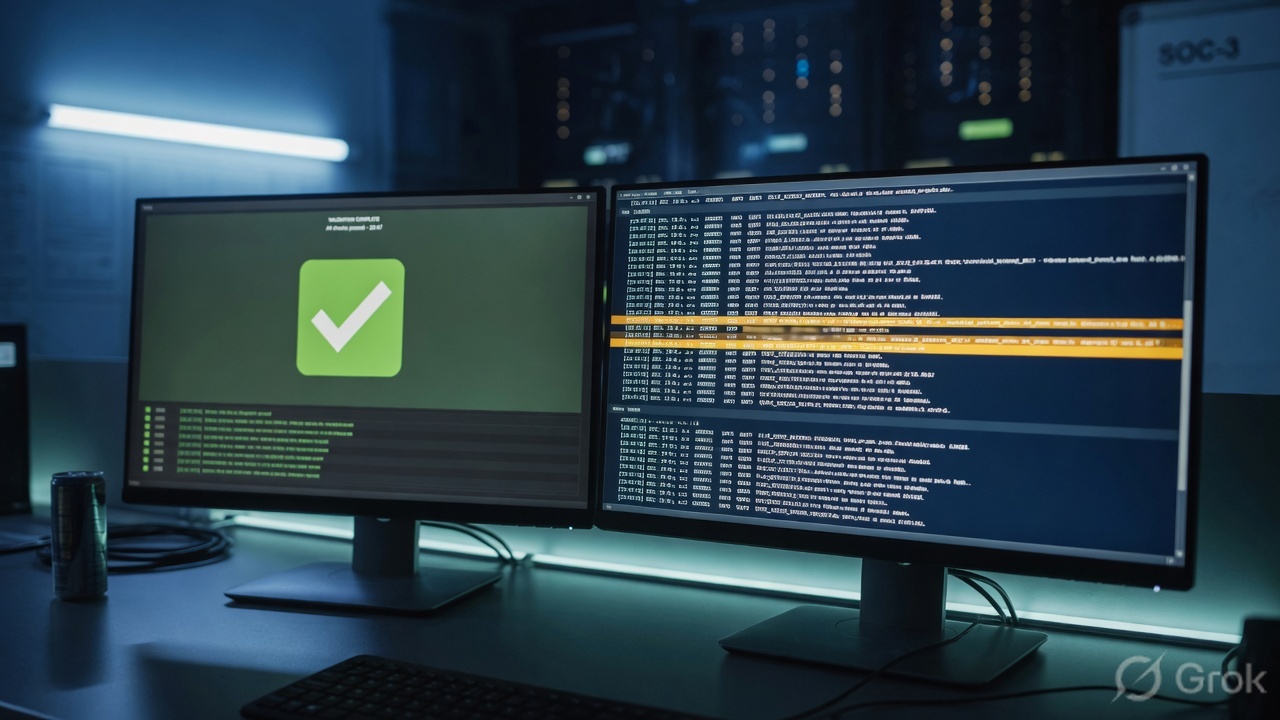
Picker = Techclick-Lab / BR-PUNE. Event log for access points shows association + 802.1X success + DHCP ACK on VLAN 20. Client details: ssid=Corp, vlan=20, policy=normal. If the app is HQ RFC1918: VPN Status peer BR-PUNE is up, exported subnet listed, Site-to-site outbound firewall is not denying the pair. If the app is internet: MX outbound L3 on the hub (Default route) allows it, uplink on Appliance status is Active not merely Ready. The same user click then works. That is working. A green Save on HQ-Lab is not.
6. Runtime — last known config, old flows, templates
Once the recipe is on the device, later packets do not walk back to Dashboard. Official cloud architecture: if cloud connectivity is lost (usually a local ISP), the hardware continues with its last known configuration. User data never needed the cloud in the first place. “Dashboard is slow” is not “Pune cannot print.” Prove the data plane on Event log and VPN Status before you blame the control plane.
Official MX Layer 3 is flow-based. Existing flows may continue until they time out or the MX reboots. A new deny you just saved can look like “it did nothing” because the old flow is still alive. That is the Meraki cousin of a PAN-OS fast-path slot. Re-test with a new client flow, or wait for timeout, before you add a second deny.
Hub-and-spoke with Default route is a second-factory problem. The spoke sends leftover traffic to the hub. Official MX Firewall Settings: that spoke internet is then evaluated against the hub outbound Layer 3 table. Editing the spoke Firewall page will not move a full-tunnel user. Edit the hub, or stop advertising 0.0.0.0/0 from that hub.
Layer 7 on the Firewall page is the exception students invert. Official Site-to-site VPN Firewall Rule Behavior: VPN traffic is never subject to the global Layer 3 table, but Layer 7 rules configured on Security & SD-WAN → Configure → Firewall still apply locally to client traffic destined across Auto VPN and IPsec peers. Quote the table you edited.
Templates are a delayed stamp. Changes to Organization → Monitor → Configuration templates push to every bound network. A “local” SSID tweak that vanishes on the next sync was never local. Unique Routed-mode subnets remain mandatory for Auto VPN — two bound branches advertising 10.0.0.0/24 will collide even if the SSIDs look identical.
Warm spare is two copies of the MX factory. Configure it on Security & SD-WAN → Monitor → Appliance status → Configure warm spare. VRRP events land in Event log for security appliances. Green spare state means the pair can fail over. It does not mean the Pune spoke recovered. Replay the same file-share click.
Uplink language: Appliance status shows Active versus Ready. Ready is a healthy spare path, not the path carrying traffic. Failback delay and uplink preference can leave users on WAN2/LTE after WAN1 returns. Quote Active, not “the circuit is up.”
Proof fields: AP name, RSSI, 802.1X result, DHCP ACK, VLAN, SSID, MX rule intent, Auto VPN peer name, uplink Active vs Ready.
7. Traps + Event log proof
| Symptom | Looks like | Actually | First move |
|---|---|---|---|
| Save succeeded, user unchanged | Meraki ignored the change | Wrong network, or a template overwrote it | Read org + network. Switch. Then edit. |
| Wi-Fi bars, file share dead | Need a new SSID / PSK | 802.1X already succeeded; MX or spoke dropped it | Event log for access points, then Firewall / VPN Status |
| Only Pune loses HQ apps | Rebuild the hub MX / warm spare | One Auto VPN spoke is down | VPN Status → name BR-PUNE → spoke uplink / Type |
| MX deny to RFC1918 “does nothing” | Layer 3 is broken | Destination is Auto VPN; outbound L3 does not apply | Site-to-site outbound firewall (org-wide) |
| Full-tunnel branch still hits a deny | Spoke Firewall page | Hub outbound L3 evaluates Default-route traffic | Edit the hub table, or drop Default route |
| New deny, old session still flows | Save failed | Flow-based L3 — old flow until timeout / reboot | New client flow, then re-read Event log |
| “They are on Corp” but guest portal | SSID name is enough | VLAN or group policy override | Client details: SSID + VLAN + group policy |
| NAT mode, cannot reach file server | MX rule missing | Clients sit in 10.x behind the AP; no L2 to the LAN | Bridge + VLAN ID; DHCP on MX VLAN or upstream |
| Dashboard unreachable, users still browse | Split-brain / outage | Out-of-band control plane; last known config | Do not reboot the MX “to restore the cloud” |
| Empty Event log | Logging is broken | Wrong network, or wrong product-type drop-down | Switch network, then pick for access points / appliances / switches |
- Organization and network spoken and written on the ticket (
Techclick-Lab/BR-PUNE). - Network-wide → Monitor → Event log → for access points → client MAC: 802.11 association, 802.1X success, DHCP ACK, AP name, RSSI.
- Client details: SSID
Corp, VLAN20, group policynormal, IP10.10.8.22. - If the hop is wired: Event log for switches + Switch ports (RSTP, LLDP neighbor) — not Access control.
- If the app is internet: MX outbound L3/L7 on the appliance that actually evaluates the flow (spoke, or the hub if Default route) + uplink Active.
- If the app is HQ RFC1918: VPN Status peer name up, exported subnet listed, Site-to-site outbound firewall not denying the pair.
- Same user click then works. Dummy lab values only — no live tenant IDs.
Meraki is a cloud-dashboard session factory. MX, MS and MR live in a network. Dashboard prints an out-of-band recipe — user packets never go through the cloud. Auto VPN, Layer 3 firewall and wireless are three stamps, not one page. I prove the ticket in Event log on the right product type, then VPN Status or Appliance status. A green Save on the wrong network is not success.
Related: Meraki evidence desk — first tool + one official field per ticket. Factory model stays on this page.
Knowledge check
Six judgment questions. Map each miss back to the section named in the reason.
Sources
- Cisco Meraki — Meraki Cloud Architecture — organization / network containers; out-of-band control plane; last known configuration; user data does not traverse the cloud
- Cisco Meraki — Meraki Dashboard Organizational Structure — account, organization, network; Combined type
- Cisco Meraki — Combined Dashboard Networks — one Event log page; filter by device type
- Cisco Meraki — MX Firewall Settings — Security & SD-WAN → Configure → Firewall; outbound L3 fields; L3 does not apply to Auto VPN; hub evaluates Default-route spoke internet; flow-based rules
- Cisco Meraki — Site-to-site VPN Firewall Rule Behavior — org-wide Site-to-site outbound firewall; L7 on Firewall still applies to VPN-destined client traffic
- Cisco Meraki — Meraki Auto VPN Configuration Settings — Type Off / Hub (Mesh) / Spoke; Default route; local networks; VPN registry; monitor on VPN Status
- Cisco Meraki — Configuring Hub-and-spoke VPN Connections
- Cisco Meraki — VPN Status Page — Organization → Monitor → VPN Status and Security & SD-WAN → Monitor → VPN Status
- Cisco Meraki — Access Control — Wireless → Configure → Access control; Client IP and VLAN
- Cisco Meraki — SSID Modes for Client IP Assignment — Bridge vs NAT (10.0.0.0/8); VLAN tagging not supported in NAT mode
- Cisco Meraki — VLAN Tagging on MR Access Points
- Cisco Meraki — How to Use the Meraki Event Log — Network-wide → Monitor → Event log; product-type filter; client MAC / hostname; 802.11, 802.1X, DHCP, Meraki VPN, VRRP, Spanning Tree
- Cisco Meraki — Clients List and Details Page Overview
- Cisco Meraki — Managing Multiple Networks with Configuration Templates
- Cisco Meraki — MX Warm Spare — Appliance status → Configure warm spare
Related: Meraki evidence desk · Cisco Meraki interview hub · Dummy lab · Auto VPN / SD-WAN deep dive · SSID security · MS switching · All lessons