Imperva Cloud WAF (Cloud Security Console at my.imperva.com) is a WAF session factory, not one switch. Official onboarding puts the website on an Imperva PoP with a DNS A / CNAME change. Official site status must read Fully configured before a rule can protect traffic. A default WAF Rules policy is auto-applied to new websites. Each rule has a mitigation: most default to Block Request; Sensitive Information Leakage defaults to Ignore. When a rule fires, Application → Security Events prints the session. A 403 with Action = Block Request can be the product succeeding. Alert Only writes an event and is not a 403. Quote site + policy + rule + Action before you change anything.
I do not start with features. I ask whether the website is Fully configured, which WAF Rules policy is attached, what mitigation that rule was told to take, and whether Security Events printed a session. A site that never finished DNS is not a SQL Injection ticket. Alert Only is not a block. I do not disable the site to “see if it’s us.”
1. Why “Imperva is down” is not a diagnosis
Concept: Every other blog starts with “enable the WAF.” That is why students freeze. The real object is the request that entered an Imperva PoP. Features are only stamps the factory puts on that ticket after the website is on the path.
Official Web Protection — Introduction: organizations route website traffic through the Imperva network by performing a DNS change. Official Websites Help: Fully configured means traffic to the website is protected and accelerated. Partially configured means DNS and/or SSL is incomplete. Not configured means none of the website’s domains are fully configured. Disabled is a different door: DNS resolves the site’s CNAME into the origin IP instead of a PoP address.
Users collapse four failures into one sentence. DNS never finished, so the site is Partially configured. Last night’s policy save set SQL Injection to Block Request. The event is Alert Only and the 403 is origin. A cookieless session hit the error page and nobody filtered the Incident ID. Those are four desks. The factory order is how you stop guessing.
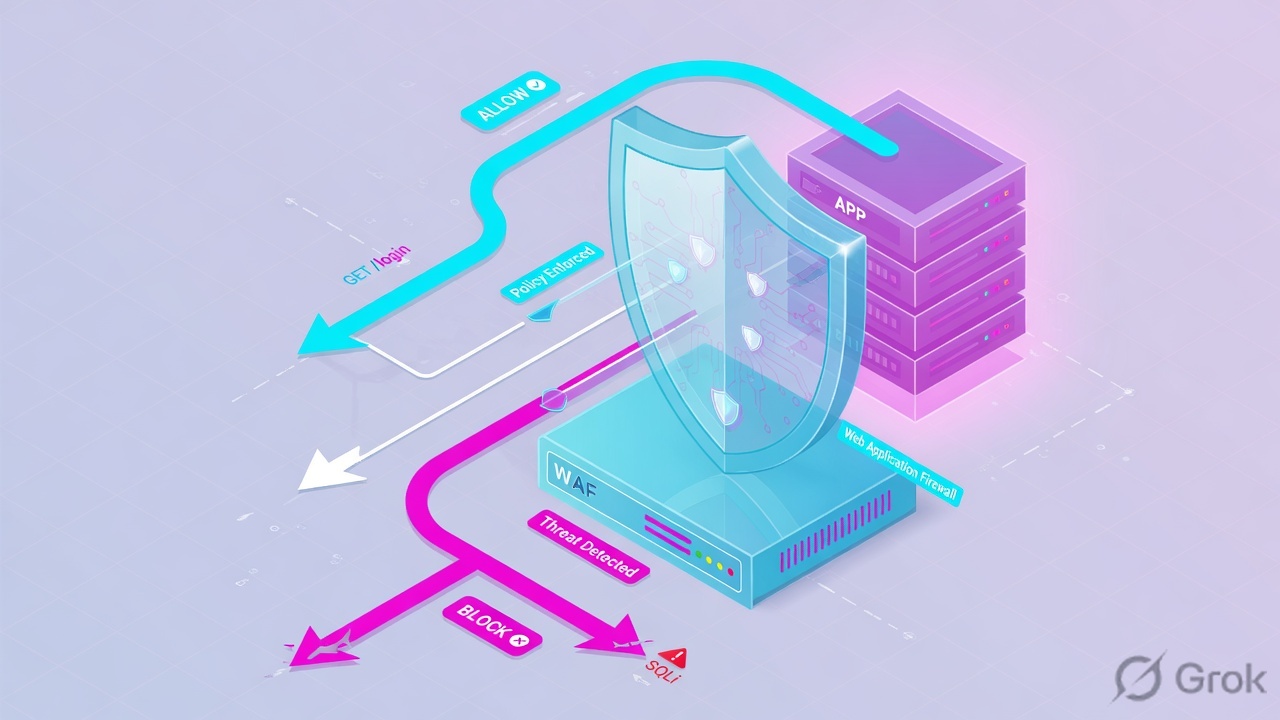
What the ticket asked
“Imperva is blocking search.” That sentence is a hypothesis. The factory may have Alerted, Ignored, or never seen the hostname. The 403 may be origin.
What you prove first
Site status, then the attached WAF Rules policy, then Action on the Security Events session. The evidence desk is the night-shift version of this order.
Path
Add website → SSL → Imperva A/CNAME → DNS cutover → Fully configured → policy stamps → Action → event (or origin).
Do
Name the site. Name the policy. Name the rule. Name the Action. Change the smallest object. Re-test the same URL.
“Disable the website so we can see if it’s us.” Official: when a site is Disabled, DNS resolves the CNAME to the origin IP instead of a PoP. You just took DDoS, WAF, and the certificate path offline together — and you still have not named Action. A 403, an Alert Only row, and a half-onboarded hostname all survive that disable for different reasons.
Website finance.lab.example, site id SITE-LAB-01, origin 192.0.2.20:443, client 203.0.113.88, policy Finance-Baseline, Incident ID 2048-LAB. Nothing here is a live tenant. Never paste a customer Incident ID with PII into a public ticket.
2. Mental model — door, stamps, action, ticket
Hold four parts. Interviews fail when people mix them.
1. The door is site onboarding
Official four steps: add the website, configure SSL, get the Imperva A / CNAME, point DNS at it. Status Fully configured is the only green door. Status is documented for the first domain only.
2. The stamps are policy + rule
Each account ships a default WAF Rules policy, auto-applied to new websites. You may create up to 1,000 policies. Each rule is an attack type: SQL Injection, Cross Site Scripting, Illegal Resource Access, Remote File Inclusion, Sensitive Information Leakage, and siblings.
3. The action is the mitigation
Block Request stops this request and writes an alert. Help also documents blocking the current session. Alert Only notifies and writes Security Events — it is not a 403. Ignore is how a rule goes quiet (SIL default).
4. The ticket is the event
Application → Security Events. Events exist when a security rule is triggered. You view them per session (WAF Sessions), then drill into the request. The error page’s Incident ID is the handle you filter on.
Read left → right, then the four stamps. A website that never finished onboarding is a different ticket. Block Request can skip origin the way a firewall deny skips the server.
Site status answers “did this hostname even enter the factory?” Official Fully configured: traffic is protected and accelerated. Official Disabled: the CNAME resolves to origin, not a PoP. Official caveat: website status indicates DNS configuration for the first domain only. It does not reflect extra hostnames or full-site SSL coverage.
WAF Rules policy answers “which recipe is attached to this website?” Official: each account and sub-account includes a default WAF Rules policy, automatically applied to new websites. Most WAF settings now live on that policy, not on the older per-site WAF page. Tuning a cousin policy that is not attached is a silent no-op.
Mitigation / Action answers “what was this rule told to do?” Official Create and Manage Policies: by default the WAF rules are all set to Block Request, except Sensitive Information Leakage, which is set to Ignore. Official Alert Only: a notification is sent and an alert appears on the Security Events page. That is not a 403. The Customer Setup Checklist still documents Cross-Site Scripting historically defaulting to Alert Only — quote what the live policy shows tonight.
Security Events answers “did a security rule fire on this session?” Official: events are created when a security rule is triggered; requests that are not suspicious are not displayed. You view events per session, then drill into requests. Official next clicks on that row include Add an exception and Edit directly in policy — both are writes. Isolate first.
Cloud Security Console — my.imperva.com.
PoP — Imperva point of presence that answers after the DNS A / CNAME cutover.
WAF Sessions — Security Events grouping. Clean requests in the same session are not listed.
Incident ID — handle on the Cloud WAF error page. Filter Security Events with it.
Mitigation level — Block Request, Alert Only, or Ignore on that rule.
Exception — official: URL, Parameter, IP, or Country so that item bypasses the specific rule. Wildcard * on a URL only at the end of the path.
cs-attacktype — official log code. SQL Injection is 0. Cross Site Scripting is 1. Illegal Resource Access is 3. Bot Access Control is 4.
3. Factory path — onboard to event
Path: flowchart first. The first request after DNS cutover walks the whole factory. A later request of the same session can ride a blocked WAF Session until you release it. A terminating Block Request never reaches origin at all.
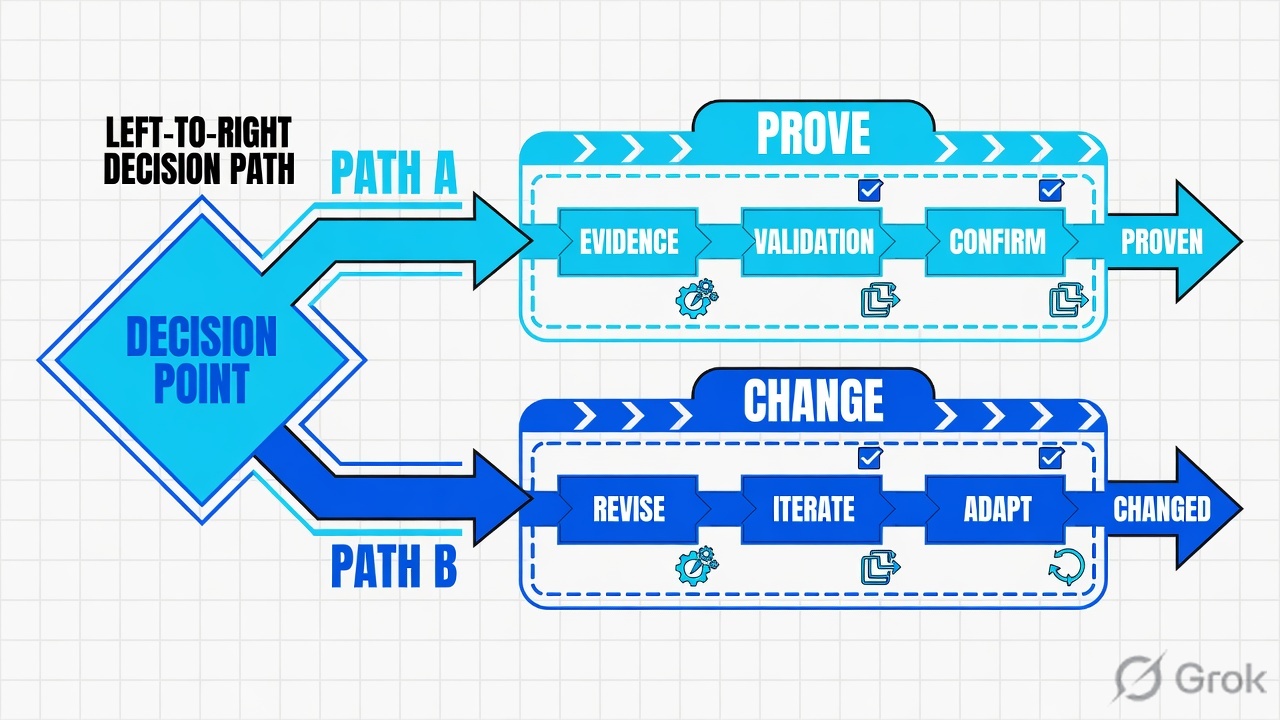
Read left → right, then the three Action boxes. Diamond = “is the first domain Fully configured?” Do not open SQL Injection from the amber box.
Help is explicit: events are created when a security rule is triggered; non-suspicious requests in the session are not displayed. An empty Events page usually means the site is not Fully configured, the matching rule is Ignore, or the request never reached a PoP. It does not mean “add a SQL Injection exception.” Start at Application → Websites.
4. How to choose the desk you touch
You are not choosing a product. You are choosing which factory object you are allowed to change.
| Choice | Use when | Do not use when | Proof you were right |
|---|---|---|---|
| Finish onboarding | Status is Not configured or Partially configured. DNS or SSL for the first domain is incomplete. | You already have a Block Request row on this URL. That site is on the path. | Websites status flips to Fully configured. Traffic is protected and accelerated. |
| Keep Block Request | Event Action = Block Request, rule is a real attack type, payload is hostile (lab: 1'or'1'='1 in q). |
You have not opened the session yet. “Users said 403” is not a rule verdict. | Same Incident ID still Block Request after you contain the tester. Origin was never required. |
| Set Alert Only | Change window to observe a suspected false positive. You accept the request will reach origin. | You think Alert Only “blocks quietly.” Official: it notifies and writes Security Events. It is not a 403. | New events show Alert Only. The user page loads. Re-read WAF Settings / Policies. |
| Leave Ignore | Sensitive Information Leakage default, or a rule you have deliberately silenced with an owner. | You expect an event for that rule. Ignore is why Events can be empty. | Policy still shows Ignore. Audit Trail names who set it. |
| Add a scoped exception | Proven false positive on one URL / Parameter / IP / Country. Official: that item then bypasses the specific rule. | You want “SQL Injection = Disabled” for the site. That is not an exception. | New request for that URL has no Block on that rule. Other URLs still block. Applied websites still list this site. |
| Release the session | Help: you determined the session was blocked unnecessarily. Path: WAF Sessions → session details → ellipsis → Release session. | You have not quoted Incident ID + Action. Releasing a real SQLi session is a write. | That session is no longer blocked. The rule mitigation itself did not change. |
| Disable the website | Documented emergency only: you accept DNS will resolve the CNAME to origin and the PoP is off the path. | Any “just to test.” You removed WAF, DDoS, and the Imperva cert path together. | Status = Disabled. Origin IP answers. This is a rollback, not a diagnosis. |
View Security Events: you can add an exception for a specific item in the request — URL, Parameter, IP, or Country — and that item then bypasses the specific rule. Create and Manage Policies: a wildcard * in a URL exception is only at the end of the path. Troubleshoot False Positives: after you identify an FP, you change how Cloud WAF responds to specific types of requests — not how the whole site is protected.
5. Runbook Side A → B → C
Do: Side A builds the factory floor (website + origin + DNS). Side B prints the stamps (WAF Rules policy + mitigations). Side C proves the ticket (Security Events + Incident ID). Lab tenant only. No live customer IDs.
Side A — Site onboarding (the door)
Primary source: Imperva Help — Onboard a website (add website → SSL → get Imperva A / CNAME → configure DNS) and Web Protection — Websites (status values).
-
Add the website object
Cloud Security Console → top bar Application → sidebar Websites → add. Lab: domain
finance.lab.example, site idSITE-LAB-01, origin192.0.2.20:443. Official step 1 is “Add your website to Imperva.” The default WAF Rules policy is auto-applied the moment the object exists — that is why Side B must name the attached policy, not a cousin. -
Configure SSL, then take the Imperva DNS records
Official steps 2–3: configure SSL support for secure sites, then get the Imperva DNS A record / CNAME record. Apex domains may also need a CNAME on
wwwplus an A on the apex — quote Website General Settings / multi-domain certificate Help for the hostname you are cutting over. Automatic CNAME validation is the documented way to avoid 99-day manual revalidation. -
Point DNS, then wait for Fully configured
Official step 4: configure your DNS. Status stays Partial until the first domain’s DNS (and SSL) complete. Do not open SQL Injection from Partial. Official Disabled later: the same CNAME will resolve to origin instead of a PoP — that is how you take the factory offline, not how you diagnose a 403.
-
Prove origin is reachable from Imperva, separately
Website Settings → Origin Servers. Connectivity Report tests per origin. A healthy origin does not excuse a policy 403. A 502 after Allow is an origin ticket — stay off the WAF rule.
Application › Websites › finance.lab.example
Website · SITE-LAB-01
Lab values only. Domain is example. Origin is TEST-NET-1. Not a customer site.
Source: Imperva Help — Web Protection — Websites (Fully / Partially / Not configured / Disabled) and Onboard a website (add → SSL → Imperva A/CNAME → DNS). Click next: Application → WAF > WAF Policies and confirm Finance-Baseline lists this site.
Side B — WAF Rules policy (printing the stamps)
Primary source: Create and Manage Policies. Official note on WAF Settings: most WAF settings are now managed by the WAF Rules policy feature.
Application › WAF › WAF Policies › Finance-Baseline
WAF Rules policy · Finance-Baseline
Training mock. Mitigation names follow official Help. XSS historically Alert Only on the Customer Setup Checklist — quote the live policy, not a PDF from memory.
Source: Imperva Help — Create and Manage Policies (default Block Request; Sensitive Information Leakage → Ignore; Alert Only writes Security Events). Click next: Exceptions tab only after a proven false positive. Applied websites must list SITE-LAB-01.
-
Open the attached policy, not a cousin
Application → WAF > WAF Policies. Official: each account includes a default WAF Rules policy, automatically applied to new websites. Maximum 1,000 policies. Confirm Applied websites lists
finance.lab.examplebefore you argue about a mitigation. -
Read the rule’s mitigation — that is the Action the engine was told to take
Official: each WAF rule addresses a different threat; you set a mitigation level. Current Help default: WAF rules are Block Request, except Sensitive Information Leakage → Ignore. Quote tonight’s policy. Do not recite a checklist from memory for XSS.
-
Know the older per-site path so you do not edit the wrong object
Still documented: Application → Websites → site → Website Settings → WAF. Official note on that page: most WAF settings are now managed by the WAF Rules policy feature. Use WAF Policies as the source of truth for mitigation.
-
Save is a recipe, not proof
A green save means the stamps printed. It does not mean
/searchis healthy, and it does not mean a 403 is a failure. Side C is the ticket.
Imperva Help — Create and Manage Policies (WAF Rules policy, default Block Request, SIL → Ignore, Alert Only definition) and Web Protection — WAF Settings (most settings now on the policy). Confirm live console labels in the change window you will touch.
Side C — Security Events (prove the ticket)
Primary source: View Security Events, Cloud WAF Error Pages and Codes, Release Blocked Sessions. Field-by-field night-shift work is the evidence desk.
-
Open Security Events, not the policy editor
Application → Security Events. Official: the page displays a log of security events detected by Imperva; events are created when a security rule is triggered; you view events per session, then drill into specific requests. Filter the website + the UTC window on the ticket.
-
If the user pasted an error page, filter the Incident ID
Official Cloud WAF Error Pages and Codes: Incident IDs are listed in Imperva security messages; investigate the incident on the Security Events page. Lab handle:
2048-LAB. A cookieless blocked session still has an Incident ID — do not start from a screenshot of the red banner alone. -
Read Action, then decide whether this is a write
Quote Action + violation type + URL + parameter + source IP. Official next clicks: Add an exception (URL / Parameter / IP / Country bypasses that rule) and Edit directly in policy. Both are writes. Isolate first. Official Release: WAF Sessions → session details → ellipsis → Release session only if you determined the block was unnecessary.
-
If Events is empty, do not invent a rule
Go back to site status. Or the matching rule is Ignore. Or the request never reached a PoP. Access Logs (every request, if configured) are the next read — Security Logs only exist for suspicious events. Official SIEM fields when you need a paste:
cs-rule,cs-attacktype,sc-status,cs-uri,c-ip.
Application › Security Events › WAF Sessions
Security Events
| Time (UTC) | URL | Violation | Action | Source IP |
|---|---|---|---|---|
| 10:08:11 | /login | Cross Site Scripting | Alert Only | 203.0.113.40 |
| 10:12:04 | /search | SQL Injection | Block Request | 203.0.113.88 |
WAF Sessions hide clean requests. The highlighted row is the ticket. Release session and Add exception are writes.
Source: Imperva Help — View Security Events (events per session; exception on URL / Parameter / IP / Country) and Cloud WAF Error Pages and Codes (Incident ID). Release Blocked Sessions: ellipsis → Release session. Lab website and TEST-NET-3 addresses only.
site=finance.lab.example status=Fully configured
policy=Finance-Baseline applied=yes
event Incident-ID=2048-LAB action=Block Request
rule=SQL Injection cs-attacktype=0
url=/search param=q ip=203.0.113.88
origin=192.0.2.20:443 not reached
6. Runtime after DNS cutover
After the first domain is Fully configured and the policy is attached, every browser request walks this path. Use it to narrate the ticket without opening a second incident.
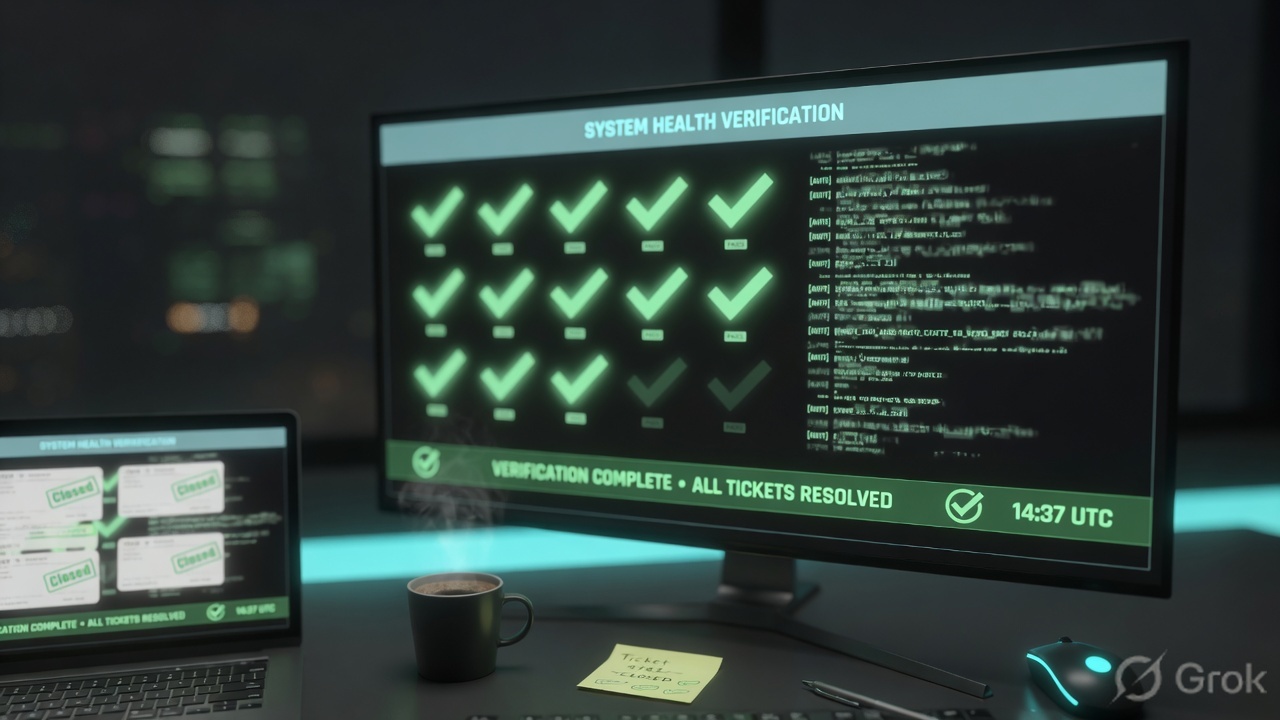
After go-live the PoP is the front door. Origin is the back room. Do not debug the back room for a front-door Block Request.
Same session, later request
Official: you can release a session that was blocked unnecessarily. Until you do, subsequent requests in that WAF Session can stay on the blocked ticket — do not add a second policy to “fix” the same Incident ID.
Dashboard is a pointer
Website Security Dashboard (Application → WAF > Dashboards > Security) shows WAF sessions by violation type. Click the type to land on Security Events. A tile is not an Incident ID.
7. Traps + proof checklist
These are the interviews and the Sev-2. Each row is a mix-up of two factory desks.
| Trap | What it looks like | What is actually true | What you do |
|---|---|---|---|
| 403 means the product failed | “Turn Imperva off” | Block Request on a hostile payload is success | Quote rule + Action. Contain the tester |
| Alert Only = silent block | Event exists, page still loaded, someone wants a rollback | Official Alert Only notifies and writes Events. It is not a 403 | Find the rule that actually blocked, or origin |
| Empty Events = WAF is off | SOC says “nothing in Imperva” | No trigger, or Ignore, or site not Fully configured | Websites status first. Then mitigation. Then Access Logs |
| Disable the website to test | Status flipped to Disabled, origin answers | CNAME now resolves to origin. Whole factory is off | Do not use Disable as a diagnostic |
| Wrong policy | Exception saved, production www still blocks | Default policy is auto-applied. You edited a cousin | Applied websites list. Then the event |
| First-domain status for a second host | Fully configured on the primary, shop. still broken | Official status does not cover extra domains | Onboard / DNS that hostname. Do not tune SQLi |
| Exception wider than the FP | SQL Injection Disabled for the site | Official exception is URL / Parameter / IP / Country on that rule | /search + q only after a proven FP |
| Release without a field | Ellipsis → Release session from panic | Release is a write. The rule mitigation is unchanged | Incident ID + Action on the ticket first |
| XSS “always Alert Only” | Reciting the setup checklist | Current Help default is Block Request except SIL Ignore | Quote the live policy tonight |
| Healthy origin ignored | Paging origin for a 403 | Healthy origin + Block Request = policy | Stay on the event |
| Skip Audit Trail | “Nobody changed anything” | Account → Account Management → Audit Trail lists WAF Rules policy edits | Diff that timestamp against the incident |
- Application → Websites status is Fully configured for the hostname on the ticket (remember the first-domain caveat).
- Attached WAF Rules policy is named. Applied websites lists this site. Default policy is not assumed.
- That rule’s mitigation is quoted (Block Request / Alert Only / Ignore) from WAF Policies, not from memory.
- Application → Security Events shows the session: Action + violation type + URL + source IP.
- Error-page Incident ID filters to that same row.
- If you need a SIEM paste:
cs-rule+cs-attacktype+sc-status+cs-uri+c-ip. - Any write is a scoped exception, a single-rule mitigation change, or a documented Release session — not Disable website.
- Re-test the same URL. New event Action matches intent. User completes the same click if you allowed it.
Imperva Cloud WAF is a session factory. Site onboarding puts the hostname on a PoP — Fully configured is the door. A WAF Rules policy stamps the request with attack-type rules. The mitigation is the Action: Block Request, Alert Only, or Ignore. I prove the ticket in Security Events with Action, violation, and the Incident ID. A 403 can be the product succeeding. I do not start with “disable the site.”
Related: Evidence desk — first tool + proof field · Imperva WAAP hub · Cloud WAF DNS / SSL / origin runbook
Knowledge check
Six judgment questions. Map each miss back to the section named in the reason.
Sources
- Web Protection — Introduction — route traffic through the Imperva network with a DNS change
- Onboard a website — add website → SSL → Imperva A / CNAME → configure DNS
- Customer Setup Checklist — enterprise setup checklist; confirm live XSS mitigation (historical Alert Only)
- Web Protection — Websites — Fully / Partially / Not configured / Disabled; Disabled CNAME resolves to origin; first-domain caveat
- Website General Settings — original DNS vs Imperva records; TXT alongside CNAME
- Website Settings — Origin Servers and sibling settings pages
- Connectivity Report — tests per origin on Websites → Settings → Origin Servers
- Create and Manage Policies — default WAF Rules policy auto-applied; max 1,000; Block Request default; SIL → Ignore; Alert Only writes Security Events; URL exception wildcard at end of path
- Web Protection — WAF Settings — most settings now on the WAF Rules policy; Alert Only definition; older Website Settings → WAF path
- Troubleshoot False Positives — exceptions change how Cloud WAF responds to specific request types
- View Security Events — Application → Security Events; events per session; exception on URL / Parameter / IP / Country; Release a session
- Release Blocked Sessions — WAF Sessions → session details → ellipsis → Release session
- Cloud WAF Error Pages and Codes — Incident ID on the error page; investigate on Security Events
- Website Security Dashboard — Application → WAF > Dashboards > Security; WAF sessions by violation type
- Cloud WAF Log Integration — Security Logs / Access Logs / None
- Log File Structure —
cs-attacktype(SQL Injection = 0) and sibling W3C fields - Example Logs —
cs-rule,cs-attacktype,cs-attackid,s-ruleName - Activity Log — Application → Activity Log
- Audit Trail — Account → Account Management → Audit Trail; WAF Rules policy entries
Related: The Imperva evidence desk · Cloud WAF DNS / SSL / origin runbook · Attack Analytics SOC triage · Advanced Bot Protection runbook · Imperva WAAP hub