FortiOS looks up a route twice per session (first packet each way). Official order: policy-based routes top-down; if one matches and can actually forward, that is the path. A miss goes to the FIB (kernel routing table). No FIB match is drop. Inside the routing table the most specific prefix wins; a tie is broken by lower administrative distance, then cost / priority, then ECMP. SD-WAN rules and Internet Service static routes live with policy routes on the Routing Monitor Policy view — they are not a fifth tier after OSPF. Prove the winner with get router info routing-table details <ip> (Known via, best) and all for the installed line.
1. Why the five-tier myth burns tickets
Monday the SD-WAN rule “Office 365 → wan2” is green. Tuesday SaaS still egresses wan1. The operator runs get router info routing-table all, sees both defaults, and starts flipping OSPF costs. Wrong first tool. FortiOS already steered the flow on a forgotten policy route written six months ago. The routing table never got a vote.
FortiOS 7.4 Routing concepts is blunt: look-up order is (1) policy-based routes, (2) the Forwarding Information Base / kernel routing table, (3) drop. The old interview chant “policy → static → dynamic → SD-WAN → default” is not that page. Default routes are just 0.0.0.0/0 rows inside the table. SD-WAN rules sit with policy routes.
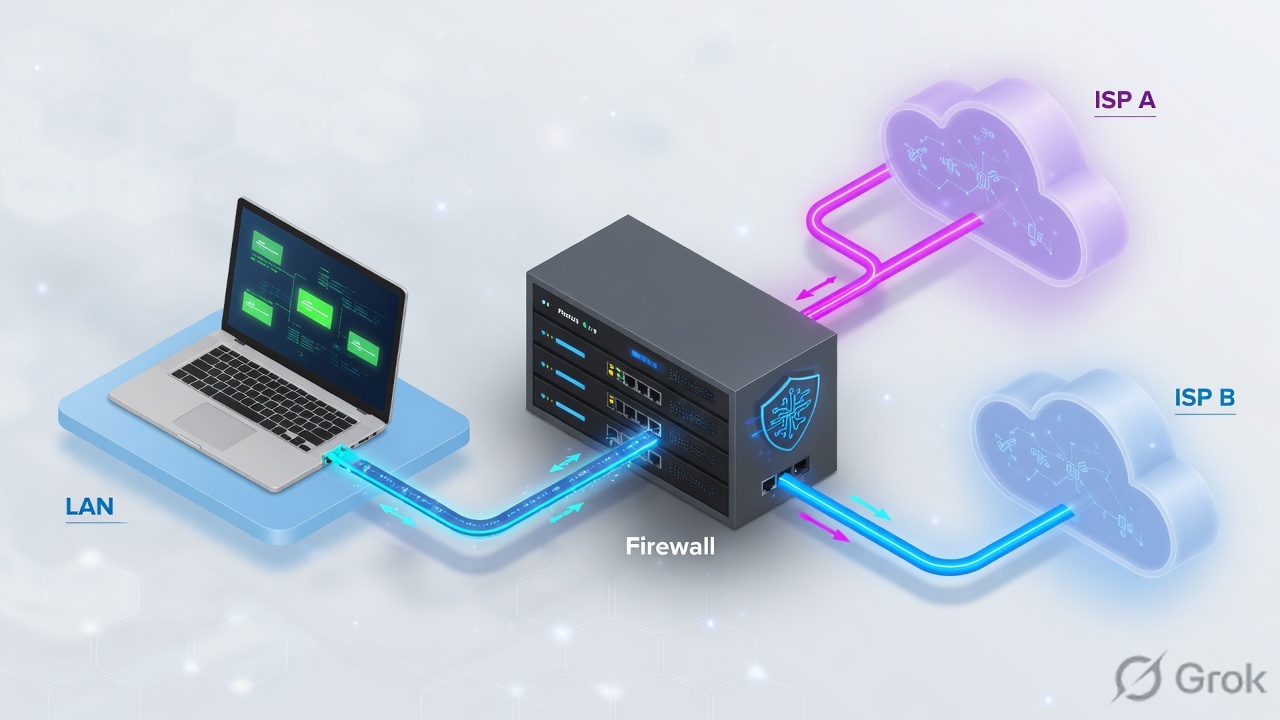
Policy route (PBR)
Match incoming interface, source, destination, protocol, ports, ToS. Steer to an outgoing interface + gateway. Top-down. First usable match wins.
Routing table / FIB
Best prefixes from connected, static, OSPF, BGP. Longest match, then distance, then priority. all is installed; database is everything learned.
2. Mental model: PBR, then the FIB
Memorize two rooms. Mixing them is why OSPF Full still “fails.”
Room 1 — Policy routes. FortiOS starts at the top of config router policy. A match needs enough information to actually forward: outgoing interface and gateway. If either is missing, FortiOS searches the routing table for the best active route that completes that policy. If nothing in the table can complete it, that policy does not match, and FortiOS walks the next row. End of list with no match → Room 2.
Room 2 — FIB. The routing daemon injects only the best of each prefix into get router info routing-table all. The kernel table (get router info kernel) is what forwards the packet. No match → drop.
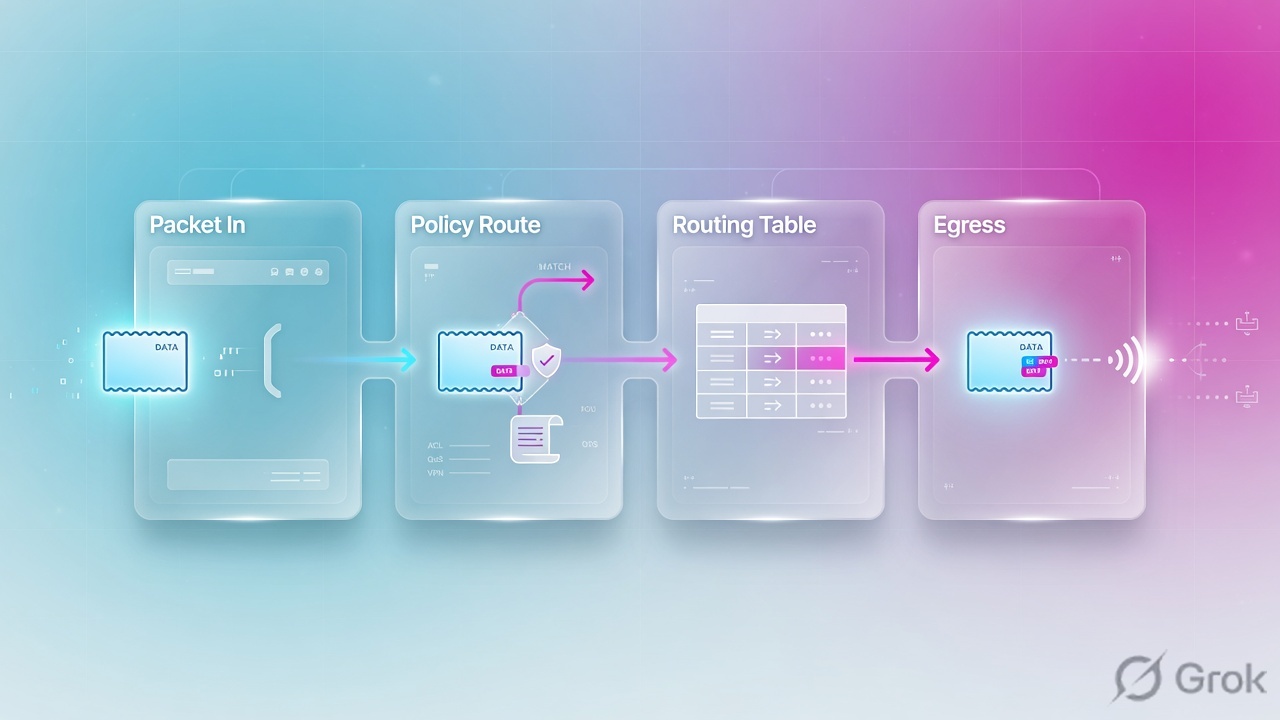
preserve-session-route and snat-route-change in traps.Read left → right, then down. A forgotten PBR is why “OSPF is Full” is not proof of the forwarding path. Re-read this section if Q1 on the quiz feels wrong.
Policy route steers by 5-tuple before the routing table votes. The routing table only installs the best of each prefix. I prove both rooms: Policy view for PBR/SD-WAN/ISDB, then get router info routing-table details for the FIB winner.
3. Look-up order and RIB selection
Open Dashboard → Network → Static & Dynamic Routing. That widget is the routing table. Toggle Static & Dynamic to Policy to see the policy-route family: policy routes you created, SD-WAN rules, and Internet Service static routes. That toggle is the interview screenshot.
Inside the table, FortiOS 7.4 is also blunt: the most specific route always takes precedence. If two sources offer the same prefix, the lower administrative distance is injected. If distances also tie, cost and priority decide. If those tie, ECMP can install more than one next-hop.
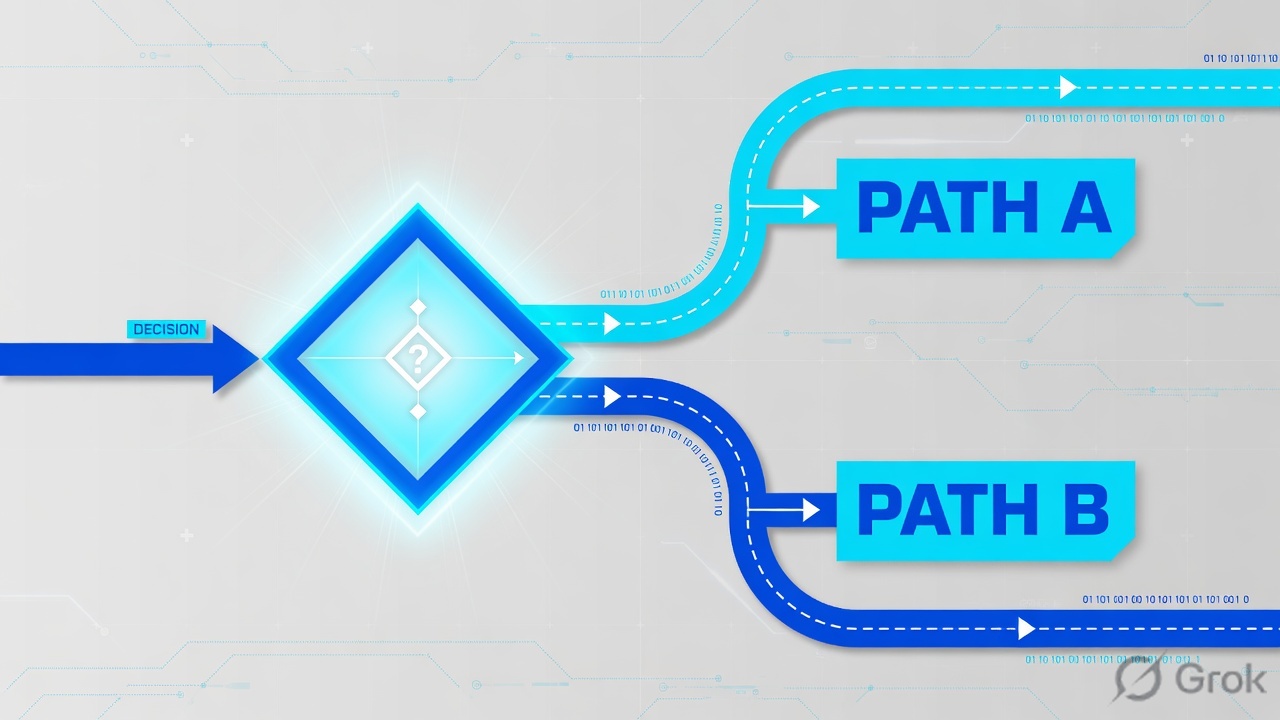
Read the brackets, not the row order in the GUI. A DHCP WAN with “Retrieve default gateway from server” injects a default at distance 5 and beats a static default at 10. Re-read this section for Q2.
Distance is the per-protocol trust rating (lower wins the injection). Static default 10; official sample shows OSPF [110/101] and eBGP [20/0]. Priority is the FortiOS static tie-breaker when distance is equal — lower number wins. FortiOS 7.4 GUI default is 1. Metric is the protocol cost (OSPF relative cost, BGP MED). Database is every learned route; > marks the selected one. Kernel is the FIB that actually forwards.
4. Static vs policy vs OSPF vs BGP
Pick the tool by the question you are answering, not by “we always run OSPF.”
| Question | Use | Do not use |
|---|---|---|
| One or two known next-hops to the internet or a VPN | Static on Network → Static Routes. Distance 10, raise priority on the backup. | A policy route that matches 0.0.0.0/0 from every LAN — it steals SD-WAN later. |
| This source / service / incoming interface must leave a different WAN than the default | Policy route (Network → Policy Routes). Or an SD-WAN rule if you already have zones + SLA. | A more-specific static. Statics do not match source or port. |
| Many internal prefixes, fast intra-AS failover, multi-vendor L3 | OSPF (Network → OSPF). Area 0 backbone. Point-to-point on IPsec. | eBGP as the campus IGP. Hold time 180 s is the wrong timer for DC failover. |
| ISP underlay, AS boundary, policy on AS-path / local-pref | eBGP (Network → BGP). Unique router-id. Multihop only if the peer is not adjacent. | iBGP to the ISP. iBGP is same-AS; eBGP is the internet edge. |
| VPN went down — do not leak that subnet to the WAN default | Blackhole static. Interface = Blackhole. IPsec wizard creates these on purpose. | Relying on the default 0.0.0.0/0 to “just fail closed.” It will not. |
If the box already has SD-WAN members, a default static should usually point at the SD-WAN zone, not at wan1 alone. Application steering is an SD-WAN rule (policy-route family). A leftover config router policy row still beats that rule. Check Policy view before you debug SLA.
5. Runbook: static, policy route, OSPF, BGP
Lab numbers are RFC 5737 / RFC 1918 training values: wan1 203.0.113.1, wan2 198.51.100.1, LAN 10.10.10.0/24, guest 10.10.20.0/24, OSPF fabric 10.0.0.0/24 on port3, eBGP peer 203.0.113.50 AS 65002. Primary source for each block is named under the steps.
Side A — Dual default statics
Source: FortiOS Administration Guide — Routing concepts (“Adding or editing a static route”).
-
Primary default
Network → Static Routes → Create New. Destination subnet
0.0.0.0/0.0.0.0, Interfacewan1, Gateway203.0.113.1, Administrative Distance 10. Expand Advanced Options and leave Priority at the GUI default (1 on FortiOS 7.4). -
Backup default
Same destination, Interface
wan2, Gateway198.51.100.1, Distance 10, Priority 10 (higher number = standby while both are up). Do not raise distance on the backup unless you want it to lose to OSPF/BGP as well. -
DHCP WAN caution
If wan1 is DHCP with Retrieve default gateway from server, FortiOS injects a default at distance 5. That beats both statics. Disable retrieve, or raise that interface distance, before you trust the static pair.
Network → Static Routes → Create New
New Static Route
RFC 5737 training values. Named Address and Internet Service are valid Destination types. Blackhole is an Interface choice, not a gateway. Priority for a blackhole is CLI-only.
Click next: OK → add the wan2 row with Priority 10 → open Dashboard → Network → Static & Dynamic Routing and confirm one S* default via wan1. Source: Routing concepts.
config router static
    edit 1
        set dst 0.0.0.0 0.0.0.0
        set gateway 203.0.113.1
        set device "wan1"
        set distance 10
        set priority 1
        set comment "primary ISP"
    next
    edit 2
        set dst 0.0.0.0 0.0.0.0
        set gateway 198.51.100.1
        set device "wan2"
        set distance 10
        set priority 10
        set comment "backup ISP"
    next
end
Side B — Policy route (guest HTTPS out wan2)
Source: FortiOS Administration Guide — Policy routes.
-
Create the row
Network → Policy Routes → Create New → Policy Route. Incoming interface
lan(or the guest VLAN), Source10.10.20.0/255.255.255.0, Destination0.0.0.0/0.0.0.0, Protocol TCP, Destination ports 443–443, enable Outgoing interfacewan2, Gateway198.51.100.1. -
Order is the preference
A new policy is appended at the bottom. Drag it in the table, or
config router policy/move 3 after 1. First usable match wins. -
Do not leave gateway or output empty unless you mean it
If output or gateway is unset, FortiOS tries to complete the policy from the routing table. If the table cannot complete it, the policy does not match and evaluation continues. That is the silent “my PBR does nothing” ticket.
Network → Policy Routes → Create New → Policy Route
New Policy Route
Official sample uses FTP (TCP/21) out port4. Same fields. ToS / Bit Mask default 0x00. This is not a firewall policy — you still need an ACCEPT policy on the same path.
Click next: OK → drag the row above any catch-all PBR → Dashboard → Network → Routing Monitor → Policy and confirm it is listed. Source: Policy routes.
config router policy
    edit 1
        set input-device "lan"
        set src "10.10.20.0/255.255.255.0"
        set dst "0.0.0.0/0.0.0.0"
        set protocol 6
        set start-port 443
        set end-port 443
        set gateway 198.51.100.1
        set output-device "wan2"
        set comments "guest HTTPS out backup ISP"
    next
end
Side C — OSPF area 0 + eBGP to the ISP
Source: FortiOS Administration Guide — OSPF and BGP.
-
OSPF
Network → OSPF. Set a unique Router ID (
10.0.0.1). Areas: Area ID0.0.0.0, Type regular. Networks: prefix10.0.0.0/255.255.255.0in area 0. Interfaces: bindport3, Network Type point-to-point on an IPsec overlay, Hello/Dead matching the peer. On an MTU-trimmed tunnel, enablemtu-ignoreor set the same MTU on both sides — ExStart hang is the classic symptom. -
eBGP
Network → BGP. Local AS
65001, Router ID10.0.0.1. Neighbors: IP203.0.113.50, remote AS65002. IPv4 Networks: advertise10.10.0.0/255.255.0.0only if you intend to originate it. If the peer is not on the same L2, enableebgp-enforce-multihop(and a TTL that covers the hop count). -
Do not double-originate
Redistribute static into OSPF only with a route-map. Originating the same prefix as OSPF and BGP without a design is how you get distance surprises (eBGP 20 vs OSPF 110 vs static 10).
config router ospf
    set router-id 10.0.0.1
    config area
        edit 0.0.0.0
        next
    end
    config network
        edit 1
            set prefix 10.0.0.0 255.255.255.0
            set area 0.0.0.0
        next
    end
    config ospf-interface
        edit "port3"
            set interface "port3"
            set network-type point-to-point
            set mtu-ignore enable
        next
    end
end
config router bgp
    set as 65001
    set router-id 10.0.0.1
    config neighbor
        edit "203.0.113.50"
            set remote-as 65002
            set ebgp-enforce-multihop enable
        next
    end
    config network
        edit 1
            set prefix 10.10.0.0 255.255.0.0
        next
    end
end
6. Prove it: get router info routing-table
Route look-up happens on the first packet each way and is written into the session. You prove which room won with three CLI views plus the Policy monitor. Source: FortiOS Administration Guide — Routing concepts (route look-up, routing table, routing database) and Verifying routing table contents in NAT mode.

get router info routing-table all
Codes: K - kernel, C - connected, S - static, R - RIP, B - BGP
       O - OSPF, IA - OSPF inter area
       N1 - OSPF NSSA external type 1, N2 - OSPF NSSA external type 2
       E1 - OSPF external type 1, E2 - OSPF external type 2
       i - IS-IS, L1 - IS-IS level-1, L2 - IS-IS level-2, ia - IS-IS inter area
       * - candidate default

Routing table for VRF=0
S*      0.0.0.0/0 [10/0] via 203.0.113.1, wan1, [1/0]
S       0.0.0.0/0 [10/0] via 198.51.100.1, wan2, [10/0]
C       10.10.10.0/24 is directly connected, lan
O       10.20.0.0/16 [110/101] via 10.0.0.2, port3, 01:54:18
B       192.0.2.0/24 [20/0] via 203.0.113.50, wan1, 00:31:43
get router info routing-table details 8.8.8.8
Routing table for VRF=0
Routing entry for 0.0.0.0/0
  Known via "static", distance 10, metric 0, best
  * 203.0.113.1, via wan1
get router info routing-table database
# > = selected route, * = FIB route. An O row without > lost to a better source.

get router info kernel
# actual FIB. tab=254 unicast. oif= is the outgoing interface.

get router info ospf neighbor
get router info bgp summary
# OSPF Full / BGP Established is adjacency, not forwarding proof.

diagnose firewall proute list
# active policy-route family on the box you are sitting on.
For a destination IP: details prints Known via "static"|"ospf"|"bgp" and best, and all shows that prefix with the expected interface. For guest HTTPS: Policy monitor (or diagnose firewall proute list) shows the PBR, and a new session after the change leaves wan2. OSPF Full or BGP Established alone is not enough.
7. Traps and pilot checklist
| Symptom | Weak guess | Actual first check | Fix |
|---|---|---|---|
| SD-WAN rule green; SaaS still uses wan1 | SLA probe is lying | A policy route matched first (Policy view / diagnose firewall proute list) |
Move or delete the leftover PBR; SD-WAN is the same family, later in the list |
| Two static defaults, “wrong” WAN is active | Configuration order decides | Distance tie → lower priority wins. Or DHCP default at distance 5 | Read [dist/metric] and trailing [prio/weight]; disable retrieve-default-gateway if it is stealing |
| OSPF neighbor stuck ExStart / Exchange | Area or hello timer | Those usually die in Init / 2-Way. ExStart is DBD / MTU | Align MTU or set mtu-ignore enable on the OSPF interface |
BGP State/PfxRcd = Active |
Need a route-map | TCP/179 never established (wrong IP, firewall, or eBGP TTL=1 across a hop) | set ebgp-enforce-multihop enable; confirm SYN-ACK on 179 |
| IPsec down; remote subnet now hits the internet | Need a deny policy | No blackhole; traffic followed 0.0.0.0/0 |
Network → Static Routes, Interface Blackhole, same prefix, distance worse than the tunnel route |
| You changed the static; old TCP still uses wan1 | FIB is stale forever | Look-up is cached on the session. SNAT sessions keep the old egress while the old route is active | preserve-session-route / snat-route-change; or clear the test session and send a new first packet |
| VDOM box: “empty routing table” | Routing is global | All get router info commands must run inside the VDOM |
config vdom / edit <name> first |
Weak: “FortiGate checks policy, then static, then OSPF, then SD-WAN, then the default.” Strong: “Policy-based routes first — including ISDB and SD-WAN on the Policy monitor. Miss goes to the FIB: longest prefix, then distance, then priority. I prove it with get router info routing-table details and the Policy view, not with neighbor state.”
- Policy monitor empty of surprise rows (or every row is named and dated).
get router info routing-table allshows the expectedS*/O/Bline with the expected interface.get router info routing-table details <pilot-dst>printsKnown via+beston that same next-hop.databaseshows a>on the winner; losers have no>.- OSPF
Fullor BGPEstablishedonly after the FIB line is right. - New session after the change (do not trust an old SNAT session).
- If VDOMs: proof taken inside the traffic VDOM.
Knowledge check
Six judgment items. Map each miss back to the section named in the reason.
Sources
- FortiOS 7.4 Administration Guide — Routing concepts (default route, static GUI fields, table vs database vs kernel, official look-up order,
get router info routing-table details, blackhole, session re-look-up). - FortiOS 7.4 Administration Guide — Policy routes (Network → Policy Routes, match/complete rules, official CLI,
move). - FortiOS 7.4 Administration Guide — Verifying routing table contents in NAT mode (
get router info routing-table allsample codes). - FortiOS 7.4 Administration Guide — OSPF (Network → OSPF fields).
- FortiOS 7.4 Administration Guide — BGP (Network → BGP fields).
- FortiOS 8.0 Administration Guide — Policy routes (policy-route family precedence: policy-based, ISDB, SD-WAN; miss → routing table).
Related: FortiGate policy lookup + NAT · FortiGate SD-WAN SLA · FortiGate IPsec / SSL-VPN · FortiGate interview · Troubleshooting command center