A FortiGate VDOM is a stateful session factory. Official: FortiOS inspects a sequential group of packets as one session instead of judging every packet alone. The first packet of a new 5-tuple walks routing, then policy lookup (iprope), then NAT, then session install. Later packets of the same 5-tuple hit the session table and skip that lookup. Success is a live row with policy_id matching iprope and proto_state=11 — not another Accept on the policy list.
I state VDOM and HA role first. Then I ask: is there already a session for this 5-tuple? If yes, I read proto_state and the stamps on that row. If no, I run Policy Lookup / iprope. I do not add Accept rules to fix a one-way handshake, and I do not expect a policy edit to rewrite a session that already exists.

1. Why the session table is the product
FortiGate interviews die when the student lists UTM blades. Production tickets die the same way. Helpdesk sees Policy & Objects → Firewall Policy action Accept and assumes the path is done. Accept only means “this 5-tuple is allowed to become a session.” It does not mean SYN-ACK came back. It does not mean the next packet will walk the policy list again.
Official session overview: sessions let FortiOS act on a sequential group of packets together. An entry is placed in the session table for each traffic session that passes a security policy. GUI view: Dashboard → FortiView Sessions (needs a logging device and traffic log). CLI truth for a hang: diagnose sys session filter then diagnose sys session list. The fields that close INC-4418 are vd, proto_state, policy_id, and the SNAT hooks.
Concept
One VDOM, one ingress interface, one first-packet policy lookup, optional SNAT, one session row.
Path
Packet in → session lookup. Miss = install. Hit = ride the existing row. Policy list is not re-walked on every packet.
Do
State VDOM. Filter the lab source 10.10.20.45. List the session. Compare iprope. Then decide isolate vs change-control.
Lab box only
Hostname FGT-LAB, serial FGTVM0LAB000001, FortiOS 7.4.5 build 2702. RFC 5737 addresses. No live tenant IDs.
“Policy 14 is Accept, so we need a new policy.” Accept plus proto_state=01 is a path problem, not a missing allow. Policy 15 will not finish TCP. The factory already printed the row.
2. Mental model — VDOM, lookup, row
Hold three parts. Interviews fail when people mix them.
1. The factory is the VDOM
Each VDOM is its own virtual firewall: own interfaces, own routing, own policy list, own session table. Default management VDOM is root. Traffic in CustA is invisible from root.
2. The hiring manager is policy lookup
First packet: ingress zone → dest interface from routing → first-match firewall policy (iprope). GUI: Policy & Objects → Firewall Policy → Policy Lookup. CLI: diagnose firewall iprope lookup.
3. The ticket is the session row
After accept, FortiOS installs orig-tuple + reply-tuple, NAT hooks, policy_id, timeout. Later packets match that row. Helpers and NPU offload change what you see, not the story.
4. Proof is diagnose, not the GUI checkbox
FortiView Sessions is history plus live when logging works. diagnose sys session list is the live table. iprope is predicted. Those three disagree on purpose — that is the ticket.
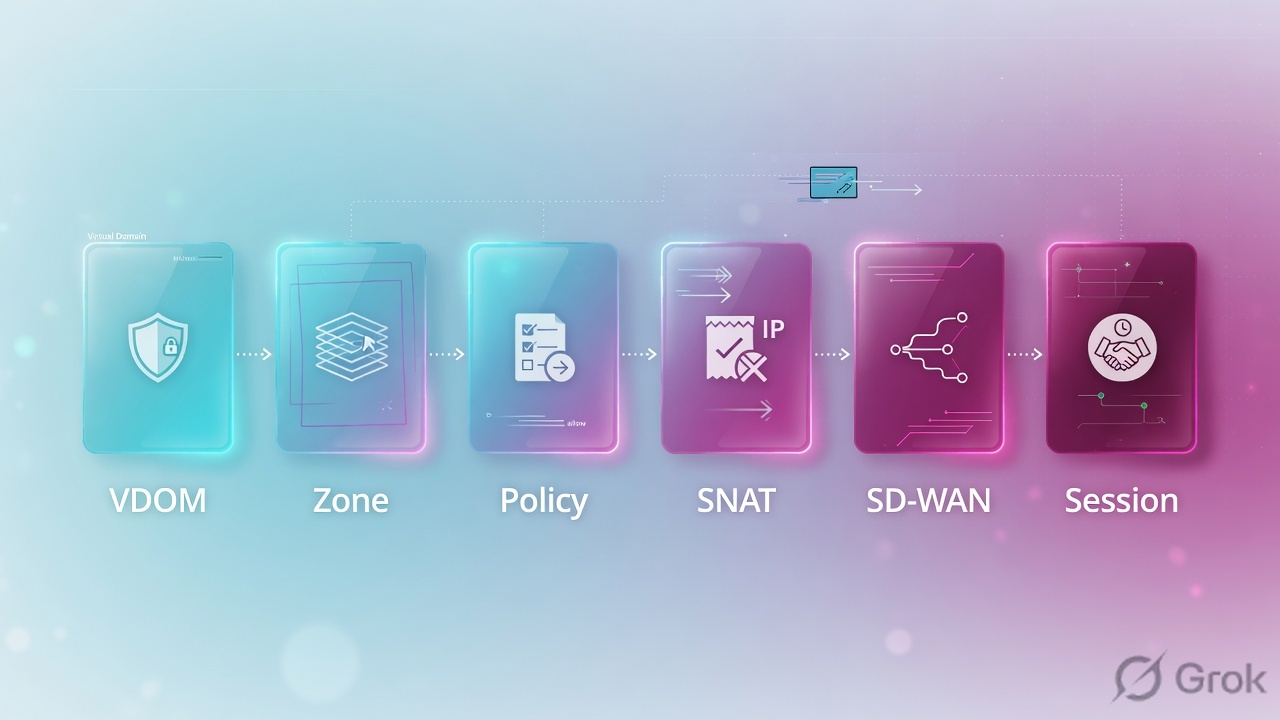
Read left → right. If you skip VDOM, the empty session table is a lie you told yourself.
5-tuple = src IP, dst IP, src port, dst port, protocol — plus the VDOM that owns the table. iprope is FortiOS policy lookup (predicted). proto_state is handshake language: lab teaching value 01 = SYN seen / incomplete; official Admin Guide sample for a live HTTPS session is 11 (established). vd on the session row is the VDOM index. Policy Lookup in the GUI is the same predicted match as iprope, not the live table.
3. First packet vs existing session
The diamond is not “is Accept checked.” The diamond is “does this 5-tuple already have a session in this VDOM?” That is why “I added a rule” sometimes changes nothing until the old row dies.

Read the diamond first. Left/green = already a session. Top bar = first packet. Bottom box = the four traps this page exists to kill.
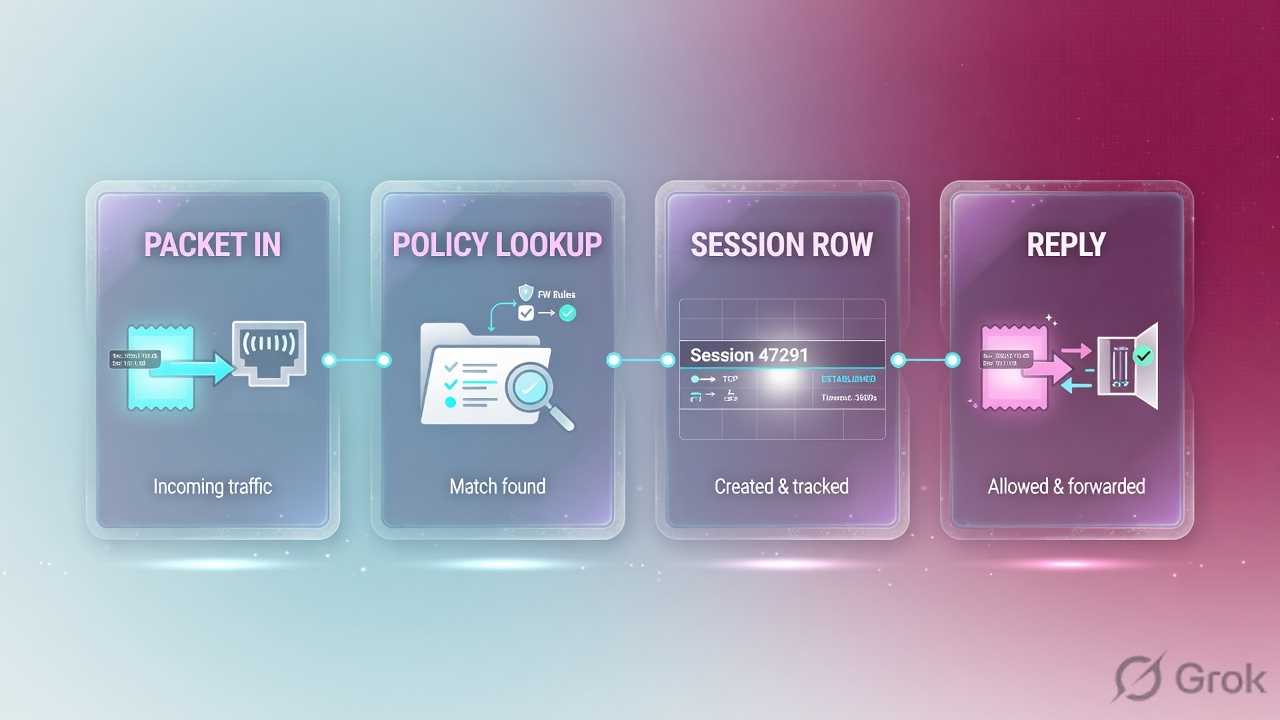
The first packet already printed a row. Later packets ride that row with the old policy_id, old SNAT, old outgoing interface. iprope now says the new policy. The live list still says 14. That is not FortiOS being broken. Clear only the filtered lab tuple after change-control — never diagnose sys session clear with no filter on a production box.
4. How to choose the next proof
If X then Y. Do not mix predicted match with a live row, and do not mix “member is up” with “session is established.”
| Situation | Prefer | Do not |
|---|---|---|
| Browser connecting, policy already Accept | Filter + diagnose sys session list. Read proto_state before you clone a policy. | Add policy 15 Any-Any “just for the ticket.” |
| Need to know which policy should hit | GUI Policy Lookup or diagnose firewall iprope lookup | Treat iprope as proof the handshake finished. |
| Just edited NAT / outgoing IF / profile | Filtered session clear of that 5-tuple, then one new first packet | Expect existing rows to pick up the edit. |
| Empty session table after failover | get system status + get system ha status + VDOM selector | Clone every root policy into the customer VDOM. |
| MSSP / multi-tenant box | Switch VDOM (top bar or config vdom / edit CustA) before any session command | Reading root sessions for traffic that lives in CustA. |
| Need packet-by-packet story | Filtered diagnose debug flow, then disable + reset | Unfiltered flow left on overnight. |
Firewall Policy and Policy Lookup: FortiOS Administration Guide — Configuring a firewall policy. Session table fields and diagnose sys session list: Using a session table (sample proto_state=11). iprope: FortiOS CLI Reference — diagnose firewall iprope lookup. VDOM scope: VDOM overview (management VDOM defaults to root).
5. Runbook Side A → B → C
Goal on FGT-LAB: Finance host 10.10.20.45 reaches 198.51.100.80:443 through policy 14 Finance-SaaS, SNAT pool 203.0.113.20, in VDOM root on the HA primary. Prove it with session fields, not a new Accept.
Side A — identity of the factory
-
State VDOM and HA before any object edit
GUI: top-bar VDOM selector (when VDOMs are on) and System → HA. CLI:
get system statusthenget system ha status. Lab expected: NAT mode, HA A-P, this unit master / Primary FGT-LAB, current virtual domainroot. Source: VDOM overview + HA status. -
Map the ingress interface into a zone
Network → Interfaces and Network → Interfaces → Zone. Official: a zone groups one or more interfaces so policies can match the group. Lab:
port2in LAN,port1in WAN. Policies match zones unless you designed interface-to-interface on purpose. -
Address and service objects
Policy & Objects → Addresses / Services. Lab: source
10.10.20.0/24, destination198.51.100.80, service HTTPS. No live customer FQDN.
Side B — policy lookup, then NAT
-
Edit the existing accept — do not clone first
Policy & Objects → Firewall Policy → policy 14
Finance-SaaS. Incoming LAN, outgoing WAN, NAT on, log enabled, schedule always. Source: Configuring a firewall policy. -
Run Policy Lookup before you save a second rule
Same menu: Policy Lookup. Fill source IP, dest IP, dest port, protocol, source interface. Lab must predict policy 14. CLI equivalent:
diagnose firewall iprope lookup 10.10.20.45 51990 198.51.100.80 443 tcp. -
Bind SNAT you can quote
Either NAT enable on the policy or Policy & Objects → Central SNAT + IP Pools. Lab reply tuple must show
203.0.113.20:18422. If the pool is exhausted or the ISP does not own that IP, proto_state stays 01.
Policy & Objects → Firewall Policy → Policy Lookup
Policy Lookup
FortiOS Administration Guide · Configuring a firewall policy + CLI Reference · diagnose firewall iprope lookup. Next click: retest the same 5-tuple, then diagnose sys session list. Do not add policy 15 from this screen.
Policy & Objects → Firewall Policy → Edit Policy 14
Edit Firewall Policy
VDOM context: root. Saving this does not rewrite a session that already exists.
FortiOS Administration Guide · Configuring a firewall policy. After OK: one new first packet, then session list. Existing rows keep the old stamps until timeout or a filtered clear.
Side C — prove, do not hope
-
Predicted match
iprope / Policy Lookup must print
matched policy: id=14 name=Finance-SaaS,srcintf=port2 dstintf=port1,nat=1. -
Live session
Filter source, then list. Success is
proto_state=11, samepolicy_id=14, SNAT hook present,vdis this VDOM. Fail is01with a long duration — first packet installed, reply never arrived. -
User transaction, then stop debug
A real HTTPS GET. If you used debug flow, filter the addr, capture the tuple, then
diagnose debug disableanddiagnose debug reset. Green HA is not a recovered login.
6. Runtime CLI on FGT-LAB
Commands below match official FortiOS diagnose syntax. Output is dummy lab (RFC 5737). Confirm the field names on your production release before you type on a real box. Never leave debug flow on.
Version: FortiGate-VM64 v7.4.5,build2702,240822 (GA.M)
Serial-Number: FGTVM0LAB000001
Hostname: FGT-LAB
Operation Mode: NAT
Current virtual domain: root
Current HA mode: a-p, master
Cluster uptime: 14 days 2:11:08
What it proves: build, NAT mode, this VDOM, this unit is HA master. What it does not prove: a healthy Finance session.
session filter:
        vd: 0
        proto: 6
        src: 10.10.20.45-10.10.20.45
        dst: 198.51.100.80-198.51.100.80
        dport: 443-443
filter applied.
Filter is armed. It does not list sessions. Forgetting this step — or forgetting you are still in root — is a junior FortiOS miss. Official: diagnose sys session filter then list (Using a session table).
session info: proto=6 proto_state=01 duration=48 expire=3552 timeout=3600
  orig-tuple: 10.10.20.45:51990 -> 198.51.100.80:443
  reply-tuple: 198.51.100.80:443 -> 203.0.113.20:18422
  hook=post dir=org act=snat 10.10.20.45:51990->203.0.113.20:18422
  hook=pre dir=reply act=dnat 198.51.100.80:443->10.10.20.45:51990
  policy_id=14 pol_idx=0 auth=no
  npu_state=00000000
  total: 1 session listed
vd/ current virtual domain is the one that owns Finance (lab: root, index 0).policy_id=14matches iprope — not a miss, not policy 15.- SNAT hook to
203.0.113.20:18422is present. Reply-tuple uses that address. - Fail close:
proto_state=01after 48 seconds. First packet installed. SYN-ACK never arrived. - Pass close (what you want after the fix):
proto_state=11as in the Admin Guide HTTPS sample, plus bytes both directions.
lookup: proto=6 10.10.20.45:51990 -> 198.51.100.80:443
matched policy: id=14 name=Finance-SaaS
  srcintf=port2 dstintf=port1
  action=accept nat=1 log=enable
  schedule=always service=HTTPS
Official CLI: “Lookup firewall policy that matches provided criteria.” Prediction is not the live session. Compare policy_id in the list output. If they disagree, the first packet already installed an older row — isolate why. Do not add a third policy.
id=20085 trace_id=17 func=print_pkt_detail msg='vd-root:0 received a packet(proto=6, 10.10.20.45:51990->198.51.100.80:443) from port2.'
id=20085 trace_id=17 func=fw_forward_handler msg='Check iprope policy, result=ok policy 14'
id=20085 trace_id=17 func=fw_forward_handler msg='SNAT 10.10.20.45->203.0.113.20:18422'
id=20085 trace_id=17 func=ip_session_install msg='session installed'
Flow shows receive, policy 14, SNAT, session install — that is the first-packet path. It does not show the server SYN-ACK. That is why proto_state stays 01. Filter tightly. Then:
diagnose debug disable
diagnose debug reset
diagnose debug flow filter clear
7. Traps + proof checklist
| Symptom | Likely cause | First check | Unsafe change |
|---|---|---|---|
| Accept + connecting spinner | First packet installed; proto_state=01 | Session list + return path + SNAT pool | Add policy 15 |
| Policy edited, traffic still old | Existing session riding old stamps | Compare iprope vs policy_id on the row | Delete the whole session table |
| Empty session table after failover | Standby unit or wrong VDOM | get system status + HA + VDOM selector | Clone all policies in root |
| iprope says 14, session says other | Predicted vs live cache | Filtered clear of the lab tuple after change-control | A third Accept “to be safe” |
| debug flow left on | CPU / log flood | Filter addr + disable + reset | Unfiltered flow on production |
| Session in CustA, you listed root | VDOM-scoped table | Top-bar selector or config vdom / edit CustA | Invent a missing policy in root |
Isolate with read-only diagnose: status, HA, VDOM, session filter/list, iprope, routing table. Change-control is a new policy, NAT pool, or a filtered session clear — one owner, one reversible change, same 5-tuple retest. diagnose debug flow is isolate only when filtered and turned off.
- Quoted VDOM and HA role (Primary
FGT-LAB, vdrootin the lab). - iprope / Policy Lookup = policy 14 accept + NAT.
- Live session
policy_id=14andproto_state=11after the fix. - SNAT pool address appears on the reply tuple.
- If you changed policy, you generated a new first packet (or cleared that tuple) so the factory reprinted the row.
- User HTTPS works once; ticket cites the fields, not “we added an allow.”
Interview close: “FortiGate is a session factory. I state VDOM and HA role, then I ask whether a session already exists. First packet does policy lookup and installs the row. Later packets ride it. I quote proto_state and iprope. I do not add Accept rules to fix a one-way handshake.”
Knowledge check
Six judgment items. Map each to a promise bullet or trap. Check answers, then Reset if you miss.
Sources
- FortiOS 7.4 Administration Guide — Using a session table (
diagnose sys session filter/list; sessions are sequential packet groups; policy number on the row) - FortiOS 8.0 Administration Guide — Using a session table (sample
session info: proto=6 proto_state=11) - FortiOS 7.4 Administration Guide — Configuring a firewall policy (Policy & Objects → Firewall Policy; Incoming / Outgoing Interface, NAT, log)
- FortiOS 7.4 Administration Guide — Zone
- FortiOS 7.4 Administration Guide — FortiView Sessions (Dashboard → FortiView Sessions)
- FortiOS Administration Guide — VDOM overview (management VDOM defaults to root; each VDOM is a virtual firewall)
- FortiOS CLI Reference — diagnose firewall (
diagnose firewall iprope lookup— lookup policy that matches provided criteria) - FortiOS Hardware Acceleration — diagnose sys session list (sample
proto_state=01) - FortiOS Cookbook — Debugging the packet flow (
diagnose debug flow; filter and turn off)
Related: FortiGate evidence desk · FortiGate policy lookup + NAT · FortiGate VDOMs · FortiGate interview · FortiGate hub