Cloudflare is an edge session factory, not one switch. Official: if the zone is active and the DNS record is Proxied, Cloudflare answers with anycast IPs and reverse-proxies HTTP/HTTPS. That request gets a Ray ID (cf-ray). Security features then run in a fixed phase order. A terminating action stops later phases. If the request is allowed, cache may answer with CF-Cache-Status: HIT and never reach origin. If the edge does fetch origin under Full (strict) and the origin certificate fails validation, users see 526 — that is TLS, not WAF. Quote Ray ID + Service + Action + cache header before you change a rule.
I do not start with features. I ask whether the hostname is orange-clouded, whether a Ray ID exists, which Service stamped the ticket, and whether cache or origin answered. Grey cloud is not a WAF ticket. HIT is not a failed deploy. 526 is not a 403.
1. Why “Cloudflare blocked us” is not a diagnosis
Concept: Every other blog starts with “enable the WAF.” That is why students freeze. The real object is the request that entered the edge. Features are only stamps the factory puts on that ticket.
Official How Cloudflare works: when the domain status is active and the queried record is proxied, Cloudflare responds with an anycast IP instead of the origin IP in your DNS table. HTTP/HTTPS then routes through Cloudflare on the way between client and origin. Official Proxy status: Proxied is the orange-cloud icon. DNS-only is the grey cloud — Cloudflare returns the origin IP and does not route HTTP/HTTPS through its network.
Users collapse four failures into one sentence. A 403 from a managed rule, a Managed Challenge from Super Bot Fight Mode, a 526 from Full (strict), and a stale HIT after a deploy all look like “the orange cloud is broken.” They are four desks. The Ray ID is how you stop guessing.

What the ticket asked
“Cloudflare blocked login.” That sentence is a hypothesis. The factory may have challenged, cached, or failed origin TLS. It may never have seen the hostname.
What you prove first
Proxy status, then the Ray ID, then Service + Action in Security Events. The evidence desk is the night-shift version of this order.
Path
DNS → orange-cloud reverse proxy → security phases → cache lookup → origin (if not HIT / not blocked).
Do
Collect cf-ray. Confirm Proxied. Name the desk. Change the smallest object. Re-test with a new Ray ID.
“Pause Cloudflare so we can see if it’s us.” Pause takes the whole factory offline. Official: you have not named Service or Action yet. A login challenge, a 526, and a cache HIT all survive that pause for different reasons — and you just removed DDoS, WAF, and cache together.
Zone app.example.test, hostname app.example.test, origin 192.0.2.20:443, client 203.0.113.88, Ray ID 8a1b2c3d4e5f6789-BOM. Nothing here is a live tenant. Never paste a customer Ray ID with PII into a public ticket.
2. Mental model — door, ticket, stamps, answer
Hold four parts. Interviews fail when people mix them.
1. The door is DNS / proxy status
Proxied (orange cloud) sends HTTP/HTTPS through the edge. DNS-only (grey cloud) returns the origin IP. Only A, AAAA, and CNAME used for IP resolution can be proxied. MX and TXT are always DNS-only.
2. The ticket is the Ray ID
Official: a Ray ID is given to every request that goes through Cloudflare. It appears as cf-ray to the browser and to origin. Format encodes the data center, for example 8a1b2c3d4e5f6789-BOM.
3. The stamps are WAF / Rules
Custom rules, rate limiting, Managed Rules (Cloudflare Managed Ruleset + OWASP Core), Super Bot Fight Mode. They judge the request. Action can be Block, Managed Challenge, Skip, Log.
4. The answer is cache or origin
HIT = edge already had the object. MISS = cacheable, fetched from origin. DYNAMIC = not eligible, no cache lookup. Origin TLS fail under Full (strict) is 526. Handshake fail is 525. Origin refused is 521.
Read left → right, then the four stamps. Grey cloud is a different ticket. HIT can skip origin the way a later packet rides a firewall session.
Proxy status answers “did this hostname even enter the factory?” Official: Proxied records get Cloudflare anycast IPs, TTL Auto (300 seconds, not editable), and Cloudflare can apply WAF, cache, and redirect rules. DNS-only records expose the origin IP and get DNS analytics only — no HTTP/HTTPS analytics, no WAF, no Ray ID from Cloudflare.
WAF answers “does this request look like an attack?” Official attack score: 1 almost certainly malicious, 99 likely clean. That is not bot score. Official: attack score finds variations of attacks that Managed Rules miss; bot score finds whether the client looks automated.
Bot answers “does this client look automated?” Official bot score: 1 quite certain automated, 99 quite certain human. Super Bot Fight Mode (Pro and above) can be skipped with a custom Skip. Bot Fight Mode (Free) is an on/off toggle and cannot be skipped.
Cache answers “did the edge already have the bytes?” Official CF-Cache-Status: HIT found in cache; MISS eligible but fetched from origin; DYNAMIC not eligible, no lookup; BYPASS eligible at request time but origin response was not cacheable. HIT after a deploy is a successful CDN, not a failed WAF.
Ray ID — per-request identifier (cf-ray). Look it up in Security Events Sampled logs. Not guaranteed to appear if sampling hid it — narrow the time window.
Security Events — mitigated or flagged requests only. Security Analytics — all traffic, including allowed.
Service — which product acted (Managed rules, Rate limiting rules, Super Bot Fight Mode, IP Access rules…).
Terminating action — Block or Managed Challenge stops later Ruleset Engine phases.
Full (strict) — visitor↔edge and edge↔origin are HTTPS, and the origin cert must be unexpired, publicly trusted or Origin CA, with a CN/SAN that matches the hostname.
HIT — resource found in Cloudflare cache. Success for the CDN. Stale if you just shipped new bytes to origin.
3. Factory path — DNS to origin
Path: flowchart first. The first request of a new URL walks the whole factory. A later request for a cacheable object can be answered as HIT and never reach origin — that is the edge’s version of a fast path. A terminating security action never reaches cache or origin at all.
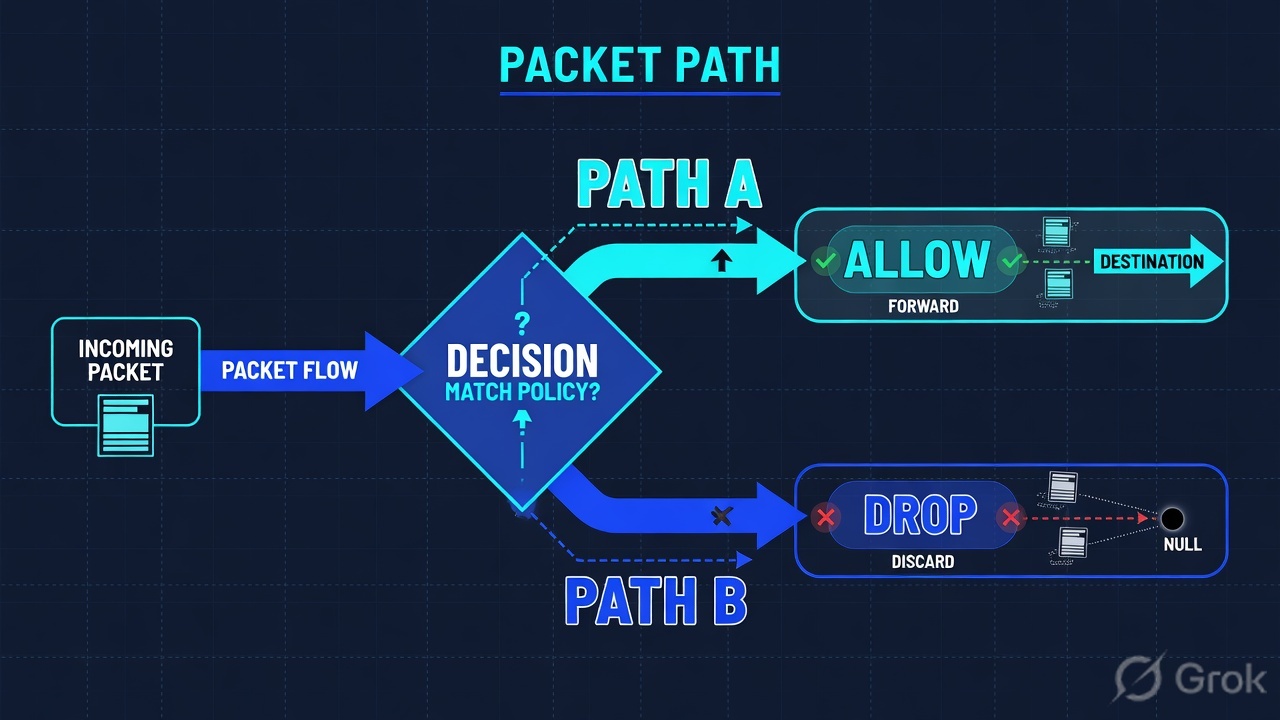
Read left → right, then the green cache bar. Decision diamond = “is this record Proxied?” Do not open SSL/TLS for a Bot challenge. Do not skip OWASP for a 526.
Official security-related request phases, in execution order: ddos_l7 (HTTP DDoS Attack Protection) → http_request_firewall_custom (custom rules) → http_ratelimit (rate limiting rules) → http_request_firewall_managed (Managed Rules, including OWASP) → http_request_sbfm (Super Bot Fight Mode). Within each phase, account-level rulesets run before zone-level rulesets. Source: Security features interoperability.
Features evaluated independently, not in that phase list: IP Access rules, Zone Lockdown, User Agent Blocking, Browser Integrity Check, Hotlink Protection, Security Level. A Skip you wrote for Managed Rules does not cover an IP Access rule.
A Managed Challenge on /login with Service = Rate limiting rules is not SQLi rule 100203. Official: a terminating action in an earlier phase stops later phases. Tuning the login rate-limit (or skipping SBFM for that path) leaves the Cloudflare Managed Ruleset on. Bot Fight Mode cannot be skipped at all — upgrade to Super Bot Fight Mode or turn that toggle off under Security → Settings.
4. How to choose the desk you touch
You are not choosing a product to buy. You are choosing which factory desk printed this ticket. The “first control” is the smallest change that can close it.
| You see | Desk | Do not touch | First control |
|---|---|---|---|
No cf-ray, DNS record grey-clouded |
DNS / proxy status | Security rules | Confirm whether the hostname should be Proxied. Pending zones stay DNS-only until active. |
| Security Events Service = Managed rules, action Block, rule id present | WAF Managed Rules / OWASP | SSL mode, cache purge, Bot Fight Mode | WAF exception or disable that rule for a scoped expression |
Service = Rate limiting rules, action Managed Challenge on /login |
Rate limiting | OWASP Core Ruleset | Tune threshold, or Skip rate limiting for known office IPs |
| Service = Super Bot Fight Mode; bot score 12 | Bot | Managed Ruleset global off | Custom rule Skip → Super Bot Fight Mode for that path. Bot Fight Mode cannot be skipped. |
| Status 526, SSL/TLS = Full (strict) | Origin TLS | WAF, Bot, cache | Fix origin cert (dates, SAN, chain) or install Origin CA. Flexible is a workaround, not the close. |
| Status 525 | Origin TLS handshake | WAF | Port 443, SNI, cipher match, a certificate installed |
| Status 521 | Origin refused the edge | WAF | Origin up? Cloudflare IPs allowed on the origin firewall? |
CF-Cache-Status: HIT, Age high, origin already new |
Cache | WAF rollback | Caching → Configuration → Custom Purge → URL, then confirm MISS → HIT |
| Only one office blocked; HQ fine | IP Access rules / allow-list | OWASP | Quote the IP rule. IP Access sits outside the Ruleset Engine skip you wrote for OWASP. |
WAF attack score and bot score are both 1–99 and they are not the same field. Official: attack score classifies how malicious the payload looks; bot score classifies how automated the client looks. Do not treat score 12 as “this user is a criminal.” Product owner decides challenge versus allow.
5. Runbook Side A → B → C
Do: three sides, in order. Side A is the factory door (DNS + the user’s browser). Side B is the dashboard products that stamp the ticket. Side C is proof you can paste into the change record. Dummy values only.
Side A — DNS and the browser (building the factory floor)
Primary source: Manage DNS records + Proxy status. Dashboard: DNS → Records.
-
Collect the Ray ID from the user
Error page, or DevTools → Network → the failing request → Response headers →
cf-ray. Lab handle:8a1b2c3d4e5f6789-BOM. Official: you can alsocurl -vthe URL. If there is no Ray ID, Side A is already the story — grey cloud, pending zone, or the user never hit this hostname. -
Confirm proxy status on the exact hostname
DNS → Records. Column Proxy status must be Proxied (orange cloud) for WAF, cache, and branded 5xx pages. Official: if one A/AAAA on this name is Proxied, Cloudflare treats all A/AAAA on this name as Proxied.
-
Confirm the zone is active
Official How Cloudflare works: pending domains stay DNS-only until nameservers are authenticated, even if the cloud icon is orange. A 24-hour pending warning is a DNS ticket, not a WAF ticket.
DNS → Records
DNS management for app.example.test
| Type | Name | Content | Proxy status | TTL |
|---|---|---|---|---|
| A | app | 192.0.2.20 | Proxied | Auto |
| A | 192.0.2.25 | DNS only | Auto |
app is orange-clouded — HTTP/HTTPS enters the factory. mail is grey on purpose (non-HTTP). Official: only A, AAAA, and CNAME used for web traffic should be Proxied.
Source: Manage DNS records — Type, Name, Content, Proxy status, TTL. Proxied TTL is Auto (300s) and cannot be edited. Dummy values only.
curl -sI https://app.example.test/login
HTTP/2 403
cf-ray: 8a1b2c3d4e5f6789-BOM
cf-cache-status: DYNAMIC
server: cloudflare
That response already names two desks. A Ray ID exists, so the request entered the factory. DYNAMIC means cache did not look up /login — expected for HTML login. The 403 is a security stamp, not a cache stamp. Side B names which Service wrote it.
Side B — WAF / Rules / SSL / cache (printing the ticket, choosing stamps)
Primary source: Security Events + Security features interoperability + SSL/TLS encryption modes. Dashboard: Security → Analytics → Events.
-
Look up the Ray ID in Security Events
In the Cloudflare dashboard, go to the Analytics page, then the Events tab. Add filter: Field = Ray ID, operator = equals, value = the user’s Ray ID. Read Service, Action, rule, path, IP. Official: Security Events may be sampled — pick a smaller timeframe if the row is missing.
-
Name the layer that hit — do not say “WAF” yet
Service = Managed rules is a payload stamp. Service = Rate limiting rules is a burst stamp. Service = Super Bot Fight Mode is an automation stamp. Service = IP Access rules sits outside the phase list.
-
If the page is 526 or 525, leave Security rules alone
Dashboard: SSL/TLS → Overview → SSL/TLS encryption mode. Official Full (strict): origin cert must be unexpired, issued by a publicly trusted CA or Cloudflare Origin CA, and the CN/SAN must match the hostname. 526 = invalid origin certificate. 525 = handshake failed (no cert, port 443 closed, SNI, cipher mismatch).
-
If the release “didn’t go out,” read the cache header
CF-Cache-Status: HITplus a highAgemeans the edge still has yesterday’s object. That is not a WAF rollback. Official Instant Purge: single-file (purge by URL) is the recommended method.
Security → Analytics → Events
Sampled logs · filter Ray ID
Official: one HTTP request can generate more than one security event. Events are mitigated/flagged only — allowed traffic lives in Security Analytics. Do not say “I can’t find the allow” in Events.
Click next: read Service before you press Create custom security rule. Source: Security Events — Analytics page, Events tab, Sampled logs, Add filter.
# Ticket A — payload (WAF)
Service=Managed rules  Action=Block  rule=100203  path=/search

# Ticket B — burst (rate limit)   ← this lab login
Service=Rate limiting rules  Action=Managed Challenge  path=/login

# Ticket C — automation (bot)
Service=Super Bot Fight Mode  Action=Managed Challenge  bot score=12
Say the word Service out loud before you write a Skip. A Skip of Managed Rules does not turn off Super Bot Fight Mode. A Skip of Super Bot Fight Mode does not turn off Bot Fight Mode — that toggle is not in the Ruleset Engine.
Side C — prove the two-way ticket and the smallest change
Primary source: Security Events + Purge by single-file + Full (strict). Success is a new Ray ID you can paste, not a green Deploy toast.
-
Write the three-field close
Ray ID
8a1b2c3d4e5f6789-BOM· Service = Rate limiting rules · Action = Managed Challenge on/login.CF-Cache-Status: DYNAMIC. SSL/TLS mode still Full (strict). Therefore not a site outage and not a 526. -
Change the smallest object
Security → Security rules → Create rule → Custom rules for a scoped Skip, or tune the rate-limit threshold. Official Skip can bypass
http_ratelimit,http_request_sbfm, and/orhttp_request_firewall_managed. Never “WAF off.” Never Pause Cloudflare for a login challenge. -
If this was a cache ticket, purge that URL
Caching → Configuration → Purge Cache → Custom Purge → URL. Official: subsequent requests for that asset return
MISS, then refill toHIT. Prefer hashed filenames so the next deploy is a new key. -
Re-test and keep the new evidence
New Ray ID, Action = allow (or no Security Event), same path, same office IP. For 526, the page is 200 and encryption mode is still Full (strict). For cache,
MISSthenHITon the new bytes.
Caching → Configuration → Purge Cache
Custom Purge
Official recommended method is single-file (purge by URL). Purge Everything is the last resort on a busy zone. Host is case-insensitive; the path is case-sensitive.
Click next: re-fetch the URL and confirm CF-Cache-Status: MISS, then HIT on the new bytes. Source: Purge by single-file — Configuration page, Custom Purge, Purge by URL.

Proxy status = Proxied. A Ray ID exists. Security Events Service + Action named (or no event, and Security Analytics shows the allow). CF-Cache-Status matches intent — DYNAMIC or BYPASS on /login, HIT on hashed /app.[hash].js. SSL/TLS mode still Full (strict) after a 526 fix. User can complete the same click you used as the test.
6. Runtime after go-live
Once the zone is orange-clouded and Full (strict) is on, a production request looks like this. Use it in interviews when they ask “walk me through a request.”
Same order as Flow 2, compressed for the interview answer. Terminating action never reaches the green cache box.
Cache after go-live is where teams waste a night. Official default cached extensions cover common static types; HTML and JSON are usually DYNAMIC unless a Cache Rule says otherwise. A Cache Rule with Bypass cache also produces DYNAMIC. BYPASS means the request was eligible, then the origin sent Cache-Control: no-store / private, a Set-Cookie, or Vary: *. Do not purge a DYNAMIC URL and expect a HIT.
Login pages must not be HIT. Official dynamic-content guidance: if you see HIT or EXPIRED on /login and no Set-Cookie, add a more specific Cache Rule that bypasses /login, /account, /cart, /checkout. Confirm the fixed response is DYNAMIC, MISS, or BYPASS and still sets the cookie.
The night-shift version of this page is the evidence desk — first tool plus one official proof field per ticket type (Security Events Action + Rule, Trace, Analytics Web Traffic, Log Explorer / Logpush, SSL/TLS edge cert Status).
7. Traps + proof checklist
| Symptom | Looks like | Actually | First move |
|---|---|---|---|
| P1 Slack, no Ray ID | Turn WAF off | You have not named Service or Action — maybe grey cloud | DNS → Records, then cf-ray |
| User “can’t log in” | Challenge = Block | Managed Challenge can allow one second later | HAR timestamps vs Sampled logs |
| Login loop after Super Bot Fight Mode | Bot = WAF | Different phase, different skip | Skip SBFM, not OWASP. Bot Fight Mode cannot be skipped |
| Cert rotate night, 526 | WAF 403 | Full (strict) origin validation | Fix the chain; keep Full (strict) |
| Both called “SSL errors” | 525 = 526 | 525 handshake, 526 invalid cert, 521 origin refused | Quote the number before SSL/TLS mode |
| Deploy ticket, old JS | HIT = origin served new files | HIT is the edge copy | Purge that URL or hash the filename |
| No Ray ID, origin 403 | Grey cloud still “has WAF” | DNS-only never entered the factory | Proxy status, not Security Events |
| origin health = healthy | Health check proves /login | Probe path may not be the failing URL | Fetch the real path; read 526 vs 200 |
| bot score = 12 | Bot score = identity | Signal, not a person | Decide with the product owner |
| “I can’t find the allow” | Security Events = all traffic | Events are mitigated/flagged | Security Analytics for allows |
| Pending zone, orange icon | WAF should already run | Pending domains stay DNS-only until active | Nameserver / zone status first |
| One A Proxied, one A grey on same name | Half the traffic bypasses | Official: all A/AAAA on that name are treated as Proxied | Do not use a second A as a “back door” |
- Zone status is active (not pending).
- DNS → Records Proxy status = Proxied for that hostname.
- User’s Ray ID matches Sampled logs (or a narrower window if sampled).
- Service + Action written in the ticket (not “Cloudflare”).
CF-Cache-Statusmatches intent: login is not HIT; hashed JS is HIT after refill.- SSL/TLS mode still Full (strict) after a 526 close; origin cert unexpired, name-matching, complete chain or Origin CA.
- Change is a scoped rule, exception, or single-file purge — not Pause Cloudflare.
- Re-test Ray ID shows allow (or no Security Event) and the user completes the same click.
Cloudflare is an edge session factory. DNS decides whether the request enters. Orange-cloud reverse proxy prints a Ray ID. WAF and Rules stamp that ticket in a fixed phase order. Cache or origin answers. I prove the ticket with cf-ray, Service, Action, and CF-Cache-Status. I do not start with “turn WAF off.” 526 is origin TLS. HIT is cache. Challenge is not a block.
Related: Evidence desk — first tool + proof field · Cloudflare WAF hub · WAF skip tuning · Bot login abuse
Knowledge check
Six judgment questions. Map each miss back to the section named in the reason.
Sources
- How Cloudflare DNS works — active zone, proxied record, anycast, reverse proxy
- Proxy status — Proxied (orange-cloud) vs DNS-only (grey-cloud); A/AAAA/CNAME only; mix-proxied rule; Auto TTL 300s
- Manage DNS records — DNS → Records, Proxy status field
- Cloudflare Ray ID — identifier,
cf-ray, Security Events lookup - HTTP headers · Cf-Ray — hashed value plus data-center code
- Security features interoperability — phase order, terminating actions, Skip, Bot Fight Mode exception, features outside the engine
- Security Events — Analytics → Events, Service, Sampled logs, sampling, Events ≠ Analytics
- Custom rules · Create a custom rule in the dashboard — Security rules → Create rule → Custom rules
- Available skip options — skip
http_ratelimit,http_request_sbfm,http_request_firewall_managed - Managed Rules — Cloudflare Managed Ruleset + OWASP Core,
http_request_firewall_managed - WAF attack score vs bot score — different fields, both 1–99
- Super Bot Fight Mode — skip via custom Skip; Bot Fight Mode cannot be skipped
- Encryption modes · Full (strict) — SSL/TLS → Overview
- Error 526 · Error 525 · Error 521
- CF-Cache-Status — HIT, MISS, DYNAMIC, BYPASS, EXPIRED
- Purge cache · Purge by single-file — Caching → Configuration → Custom Purge → URL
- Dynamic content and login issues — login must not be HIT
Related: The Cloudflare evidence desk · WAF skip tuning · Bot login abuse · Cloudflare WAF hub · Dummy lab