CLI skill is recall under pressure, not recognition in a recording. Ask the same six questions on every box — what are you, what are you connected to, where do you send traffic, what are you allowed to pass, what is flowing now, what went wrong recently — then prove every change with a show that reads running state. On PAN-OS and Junos that means commit first. Practice on the dummy labs under /interview and the HTML labs under /simulators. Output is canned training data. Confirm live syntax before you type on a real device.
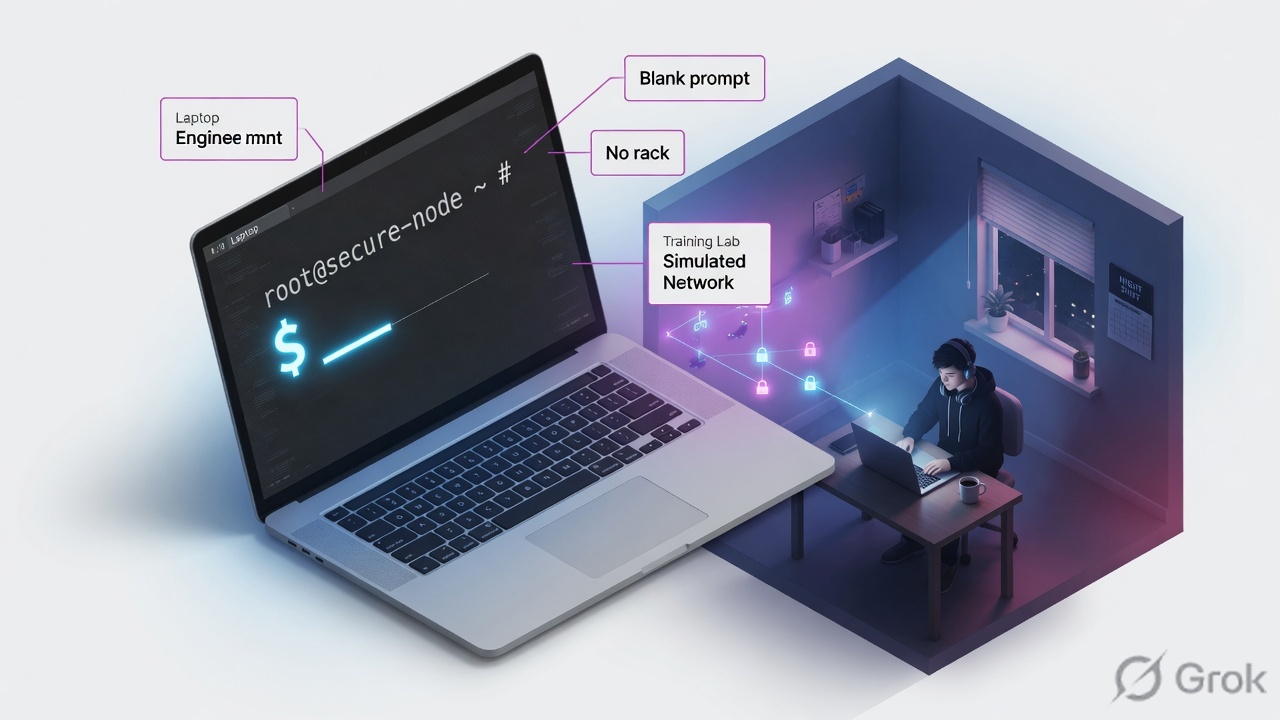
Why watching never transfers
There is a moment every hands-on interview produces. The question is easy. You have seen it done. Nothing comes out. You know PAN-OS has a test command that proves policy match without generating traffic. You cannot produce the rest of the line.
That is not a memory failure. Following a demonstration trains recognition — confirming a command is correct when you see it. Interviews and P1 tickets need recall — producing it from nothing. Hours of the first do not buy the second.
What transfers
Typing from a blank prompt. Being wrong, then correcting. Spacing twenty minutes across four days. Interleaving vendors so you retrieve which syntax as well as what.
What does not
Rewatching a recording. Copying from a guide panel. One eighty-minute block on a single vendor. Measuring preparation in hours watched.
Read left → right. The struggle to retrieve is the part that does the work.
Dummy labs and HTML sims ship a command list beside the terminal. Use it on the first pass of an unfamiliar vendor. After that it converts retrieval back into recognition. Stay stuck for ninety seconds before you open it.
The six questions
Every network or security device can answer the same six questions. Only the syntax changes. Learn the questions first. Syntax becomes a lookup. That is how you stay useful the first time someone hands you a vendor you have never touched.
- What are you? Model, version, uptime, serial, HA role.
- What are you connected to? Interface state, addresses, zones or VLANs.
- Where do you send traffic? The routing table — active, not merely configured.
- What are you allowed to pass? The policy or rulebase that is actually enforcing.
- What is flowing right now? The session or connection table.
- What went wrong recently? A named log or drop counter, never an unfiltered browse.
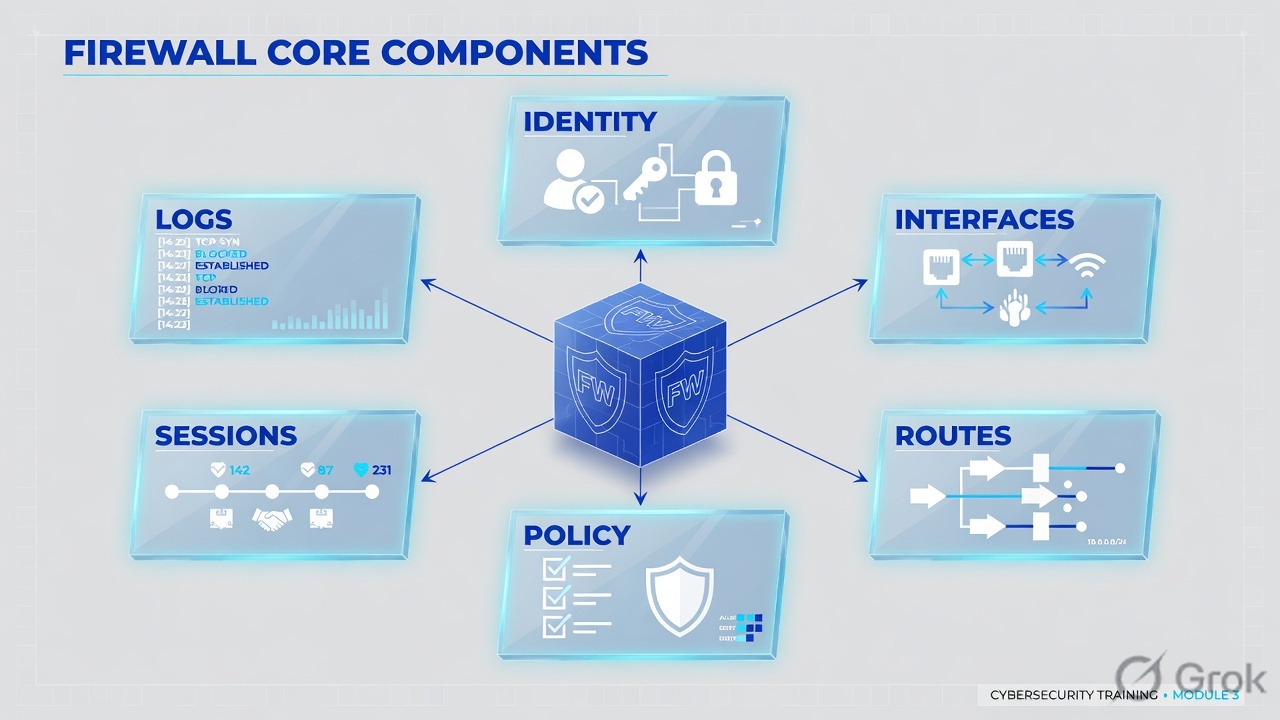
Read the ring, not a vendor column. If you can ask these six, an unfamiliar CLI is a ten-minute lookup.
The six questions are vendor-independent. Syntax is a lookup. I will not open a configuration guide until I have asked identity, interfaces, routes, policy, sessions and logs.
Same six questions, six CLIs
Read the table across a row. The row is the skill. The column is trivia. Primary source for each column is the vendor CLI reference listed in Sources.
| Question | PAN-OS | FortiOS | Cisco IOS / ASA / FTD | Gaia / Check Point | Junos SRX | F5 tmsh |
|---|---|---|---|---|---|---|
| What are you? | show system info |
get system status |
show version |
show version all / fw ver |
show version |
show sys version |
| Interfaces | show interface all |
get system interface |
show ip interface brief (IOS) · show interface ip brief (ASA) |
show interfaces / fw ctl iflist |
show interfaces terse |
list net self |
| Routes | show routing route |
get router info routing-table all |
show ip route (IOS) · show route (ASA / FTD) |
show route |
show route |
list net route |
| Policy | show running security-policy |
show firewall policy |
show access-list · FTD: show access-control-config |
fw stat |
show security policies |
list ltm virtual |
| Sessions | show session all |
diagnose sys session list |
show conn (ASA / FTD) |
fw tab -t connections -s |
show security flow session |
show sys connection |
| Recent faults | less mp-log ms.log |
execute log display |
show logging · FTD: show asp drop |
fw ctl zdebug drop |
show log messages |
tail /var/log/ltm |
Recognition is confirming a command when you see it. Recall is producing it from a blank prompt. Candidate configuration is the editing layer on PAN-OS and Junos. Running configuration is what the box enforces. Commit promotes candidate to running. Policy-match test evaluates a 5-tuple against the running rulebase without sending traffic — test security-policy-match on PAN-OS, packet-tracer on ASA / FTD, diagnose firewall iprope lookup on FortiOS.
FortiOS reverses the Cisco instinct: get reads operational state, show reads configuration. That one swap is why Cisco-trained engineers type the wrong verb on a FortiGate for the first week.
What the dummy labs actually accept
The interview dummy labs on ai.techclick.in are an allowlist, not a full vendor shell. They answer the same six questions with a smaller set. Type these when you are on the Simulator tab — they are the strings in public/data/vendor-simulators.json.
| Question | Dummy-lab command that answers it | Open |
|---|---|---|
| What are you? | show system info · get system status · show version · fw ver · tmsh show sys version | Six primary labs in Pick a real simulator |
| Interfaces / zones | fw ctl iflist · show security zones · F5 self-IPs live in the HTML lab, not the dummy pack | Use classic syntax on a VM; use the dummy pack for identity + sessions |
| Routes | show routing route · get router info routing-table all · show route · show route 198.51.100.80 | PAN-OS, FortiOS, FTD, SRX dummy labs |
| Policy | test security-policy-match … · diagnose firewall iprope lookup … · packet-tracer … · fw stat · show security policies from-zone trust to-zone untrust · tmsh show ltm virtual vip_finance_443 | Same six labs |
| Sessions | show session id 48219 · diagnose sys session list · show conn address 10.10.8.22 · fw tab -t connections -s · show security flow session destination-prefix 198.51.100.80 · tmsh show sys connection cs-client-addr 10.10.8.22 | Same six labs |
| Faults | show counter global filter severity drop delta yes · show asp drop · fw log -n -c drop | tail · F5 HTML lab reads /var/log/ltm | Dummy labs + F5 troubleshooting lab |
What to type next
Flowchart first. If you are handed an unfamiliar box, do not start in the policy editor. Work the six questions in order. Look up only the verb you cannot produce.
Diamond first. The dummy labs are built as tickets, so most of your practice time sits in the right-hand box.
Pick a real simulator
Techclick hosts two kinds of browser lab, both on ai.techclick.in. The catalog is /simulators. Every vendor interview hub also has a Simulator tab. Nothing in the table below is a guessed path.
- Dummy CLI labs — allowlisted commands, canned fictional output, attached to /interview hubs. Best for the six-question habit and ticket sequencing.
- HTML workflow labs — specific jobs (IPsec, App Connector, F5 tickets, GRE). Best for one workflow from blank.
Every line of output is training data on a fictional estate. Nothing is sent to a live tenant, API or device. Confirm current syntax on the production release before you type on a real box.
| # | Lab | Use it for | Open |
|---|---|---|---|
| 1 | PAN-OS dummy lab | Six questions + test security-policy-match | /interview/palo-alto-firewall#simulator |
| 2 | FortiOS dummy lab | Six questions + diagnose sys session list | /interview/fortigate#simulator |
| 3 | Cisco FTD dummy lab | show version, show conn, packet-tracer | /interview/cisco-secure-firewall#simulator |
| 4 | Check Point dummy lab | fw ver, fw stat, drop log | /interview/check-point#simulator |
| 5 | Junos SRX dummy lab | Zones, flow session, policies | /interview/juniper-srx#simulator |
| 6 | F5 tmsh dummy lab | VIP / pool / connection | /interview/f5#simulator |
| 7 | F5 BIG-IP HTML lab | LTM virtual, pool, node | /f5-simulator |
| 8 | F5 troubleshooting lab | Six broken tickets, tmsh + /var/log/ltm | /simulators/f5-troubleshooting |
| 9 | Palo Alto IPsec lab | IKE gateway + IPsec tunnel | /simulators/palo-alto-ipsec-simulator |
| 10 | Prisma Access SASE lab | Remote network / service connection | /simulators/prisma-access-simulator |
| 11 | Zscaler dummy lab | ZIA / ZPA evidence commands | /interview/zscaler#simulator |
| 12 | ZPA App Connector lab | Provisioning key + connector CLI | /simulators/zscaler-app-connector |
| 13 | Zscaler Branch Connector lab | Branch DIA workflow | /simulators/zscaler-branch-connector |
| 14 | Zscaler Cloud Connector lab | AWS / Azure connector group | /simulators/zscaler-cloud-connector |
| 15 | Zscaler troubleshooting lab | Blocked SaaS, logs, policy | /simulators/zscaler-troubleshooting |
| 16 | ZIA GRE / IPSec router lab | Router-side GRE and IKEv2 | /simulators/zscaler-zia-gre-ipsec |
| 17 | SonicWall dummy lab | Interleave a second firewall CLI | /interview/sonicwall#simulator |
| 18 | Sophos Firewall dummy lab | Interleave SFOS verbs | /interview/sophos-firewall#simulator |
| 19 | Cisco ISE dummy lab | Identity path next to FTD | /interview/cisco-ise#simulator |
| 20 | Cisco Meraki dummy lab | Campus / SD-WAN shape | /interview/cisco-meraki#simulator |
| 21 | Aruba / ClearPass dummy lab | Role vs SSID interleave | /interview/hpe-aruba-networking#simulator |
| 22 | Netskope dummy lab | SSE interleave next to Zscaler | /interview/netskope#simulator |
Exam drilling uses labs 1–6 every day. HTML labs 7–16 are one-workflow blocks. Labs 17–22 are interleave only — four minutes on an unfamiliar prompt so tomorrow’s primary vendor sticks. Do not rotate all twenty-two equally four weeks from PCNSE.
Twenty-minute loop
Primary source for the commands you type: the vendor CLI reference in Sources, plus the dummy-lab allowlist on the Simulator tab you opened. A session with no failure in it has taught you nothing. Structure the twenty minutes so being wrong is scheduled.
Side A — Warm-up (minutes 0–2)
-
Open today’s primary lab
PCNSE → PAN-OS dummy lab. NSE4 → FortiOS dummy lab. CCNP Security → FTD dummy lab. CCSA → Check Point dummy lab. JNCIA-SEC → SRX dummy lab. F5 201 → tmsh dummy lab or /f5-simulator.
-
Close the guide
Type the six identity-to-log commands from memory. If one will not come, write it down and move on. That line is tomorrow’s start.
Side B — One workflow from blank (minutes 2–10)
-
Pick a single objective
Add a security rule and prove match. Bring up an interface. Add a static route. Or open one HTML lab: IPsec on palo-alto-ipsec-simulator, a broken VIP on f5-troubleshooting, a connector on zscaler-app-connector.
-
Stay stuck for ninety seconds
Looking it up at ten seconds wastes the retrieval. At ninety seconds, open the allowlist or the vendor cheat sheet, type it, then reset and type it again without looking.
Side C — Prove, interleave, log (minutes 10–20)
-
Verify every change
Commit on PAN-OS and Junos. Then run the paired running-state command. Reset the workspace and rebuild the same thing once. The second pass is where retention happens.
-
Interleave four minutes
Open a second vendor from rows 17–22 and answer the same six questions there. The friction is the point.
-
Write one line
What you could not produce today. Tomorrow starts with that line, not with a new recording.
1–6  the six warm-up commands on today's vendor
7    the verify command after a hostname change
8    commit (PAN-OS / Junos) or the equivalent save
9    the command that proves policy match for tcp/443
Whatever you had to correct is your real skill level. Not hours watched.
Verify or it did not happen
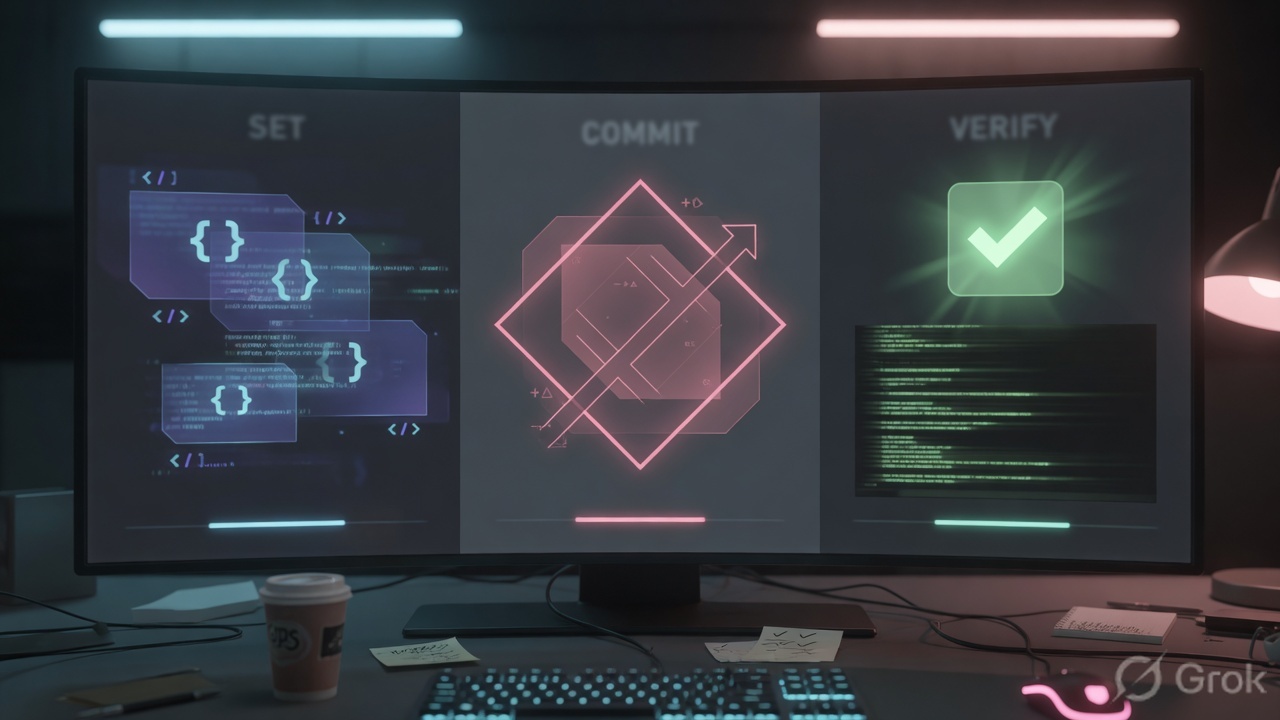
The habit that separates a weak hands-on interview from a strong one is simple. After a configuration command, without being asked, type the command that proves it worked.
On any candidate-config platform the acknowledgement after set means only that the syntax parsed. It does not mean the value landed where you intended, that it is active, or that it survived the session. PAN-OS and Junos need commit before running state changes. A configuration-mode show reads the candidate. Traffic does not.
| You changed | Then you run | What it proves |
|---|---|---|
| Hostname | show system info / get system status / show version | The value landed and the prompt agrees |
| A security rule (PAN-OS) | commit then test security-policy-match … | The running rulebase selects that rule |
| A FortiOS policy | diagnose firewall iprope lookup … | The live lookup hits the rule you think it does |
| An ASA / FTD rule | packet-tracer input inside tcp … | The predicted path, NAT and ACP action |
| An interface address (Junos) | commit then show interfaces terse | Operational state, not the candidate stanza |
| A static route | show routing route / show route / get router info routing-table all | The route is installed, not merely configured |
set deviceconfig system hostname BRANCH-FW
commit
show system info
Success is not “the CLI said OK.” Success is a show that reads the running layer and prints the value you intended. On PAN-OS, test security-policy-match selecting your new rule after commit is that proof. A configuration-mode show of the same rule is not.
Classic fails and proof
Ankit builds a Trust-to-Untrust web rule on PAN-OS, describes every field correctly, and never commits. Configuration-mode show displays the rule. test security-policy-match still selects deny-all. The two commands read different layers. Commit, then re-test. Drill it on the PAN-OS dummy lab.
| Trap | What it looks like | Fix |
|---|---|---|
| Guide panel open | You finish a lab “perfectly” and cannot reproduce it tomorrow | Ninety-second rule. Guide is a last resort, not a third pane |
| Candidate vs running | Show displays the change; traffic ignores it | Commit, then a running-state command — never the same show you built with |
| Wrong FortiOS verb | show system status fails or prints config | get for operational state. Dummy lab: get system status |
| Interfaces good, traffic dead | Routes and NICs look fine on Check Point | Inspection, not connectivity. Classic: fw ctl zdebug drop. Dummy lab: fw log -n -c drop | tail |
| Policy allow, zero return | Session exists c2s only (PAN-OS dummy: session 48219) | Do not add another allow. Check NAT, return route, ARP, server |
| Equal time on all 22 labs | Four weeks from PCNSE and the PAN-OS prompt is still slow | Daily depth on the exam vendor. Interleave is a four-minute detour |
| Treating canned output as diagnosis | You memorise session 48219 instead of the method | Simulators automate syntax. Real faults still need a live box and current docs |
- Six warm-up commands produced from memory, not from the guide.
- Every
sethas a paired running-state show. - PAN-OS / Junos:
commitcompleted before you claimed the change. - One interleave vendor answered the same six questions.
- One written line names tomorrow’s weak command.
- Commands you will take to production were checked against the vendor CLI reference, not only the dummy allowlist.
Knowledge check
Six judgment questions. Map each miss back to the section named in the reason.
Sources
- Palo Alto Networks — PAN-OS CLI Quick Start, “Test the configuration” /
test security-policy-match. docs.paloaltonetworks.com - Palo Alto Networks — CLI cheat sheet: networking (
show routing route, interfaces). docs.paloaltonetworks.com - Fortinet — FortiOS administration / CLI:
diagnose sys session list. docs.fortinet.com - Fortinet — CLI troubleshooting cheat sheet. docs.fortinet.com
- Cisco — Firepower Threat Defense command reference (
packet-tracer,show conn,show route). cisco.com - Check Point — Gaia Administration Guide, Clish. sc1.checkpoint.com
- Juniper —
show security flow session. juniper.net - F5 — tmsh reference (
list net self,showvslist). clouddocs.f5.com - Techclick — HTML lab catalog. ai.techclick.in/simulators
- Techclick — dummy CLI packs (allowlisted commands, canned output) on each vendor hub Simulator tab, e.g. PAN-OS, FortiOS, FTD, Check Point, SRX, F5.
Related: PAN-OS session factory · FortiGate session factory · Check Point session factory · Cisco FTD session factory · SRX session factory · F5 session factory · All HTML labs · Interview dashboards