Property activation answers “which version is live on Production?” WAF / Security event answers “did App & API Protector Alert or Deny this request — and which rule?” CP code / hostname answers “does this Host even belong to this property?” GREP log answers “what HTTP status did the edge (or the origin) actually return?” Edge diagnostic answers “what did this URL look like from an edge, including cache?” Staging Active is not Production. Alert is not Deny. A sampled WSA row is not a GREP line. An origin 200 plus a client 403 is policy, not origin death.
1. Why “is Akamai serving?” is five questions
Operators collapse five failures into one sentence. The hostname never CNAME’d to an edge hostname. Production still serves property v18 while the student saved v19. App & API Protector denied /api/orders. The origin returned 500 and the edge just forwarded it. The object is a TCP_HIT of last night’s HTML. Those are five first clicks.
This page is the night-shift desk for proof. The factory taught the two objects — property version versus security config version, save versus activate, staging versus production. Here you learn the five tools you actually open, in order, when someone asks you to prove Akamai is serving — or why it blocked.
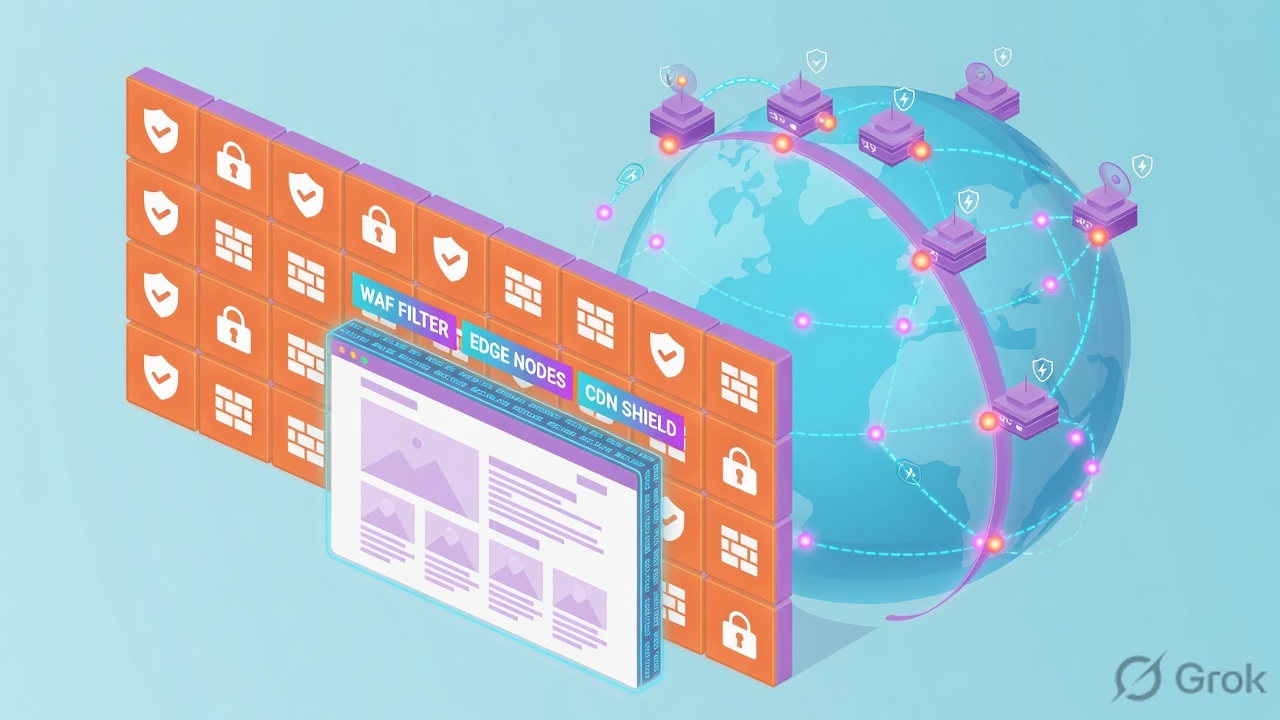
If they say “prove Akamai is working,” do not say “I opened Control Center.” Say: “I prove the live property with Activation History Active on Production, the hostname with property hostname + edge hostname + CP code, the block with WSA Action Applied + Rule, the wire with GREP Status + log type, and the feel with Request Content CURL + Pragma X-Cache.”
2. Mental model — five proof tools
Memorise five named objects before you click. Each tool is allowed to prove one thing. Over-claiming a field is how you ship Fast Fallback — or disable WAF — at 02:00.
1 · Property activation
Content delivery → CDN → Properties → version → Activate tab. Proves which property version is Active or Pending - Full Rollout on Staging or Production. Does not prove WAF, cache, or origin status.
2 · WAF / Security event
Security → Security analytics → Security Center → Analysis → Web Security Analytics → Samples. Proves one evaluated request: Action Applied + Rule + Hostname. Samples are a random hundred — empty is not “no deny.”
3 · CP code / hostname
Same property: Property Hostnames panel + Default Rule Content Provider Code. Proves this Host is on this property, CNAME’d to this edge hostname, billed on this CP code. A new CP code can take up to two hours to be recognized.
4 · GREP log
Test & troubleshoot → Edge Diagnostics → View logs (GREP). Filter Host headers or CP codes. Proves Status, Host header, log type r (client→edge) or f (edge→origin). Last 6 or 24 hours; recommended window 10 minutes.
5 · Edge diagnostic
Request Content (CURL) or the Content Problems scenario (CURL + GREP together). Add Pragma. Proves HTTP status + X-Cache / X-Cache-Key (serial, CP code, TTL) + X-Akamai-Request-ID. A 200 is not a fresh object.
Hard words, once
ESN / Staging does not serve end users. Alert records; Deny blocks. Action Applied is the request’s final mitigation; Rule Action is per-rule. Samples ≠ GREP. Fast Fallback = 60 minutes after full rollout, last active property version only.
Read left → right. Each box is allowed one claim. If you cannot name the field, you are not proving — you are guessing.
I prove the live property, then the hostname and CP code, then the security event, then the GREP status, then the cache hop. I do not Fast Fallback, activate a new security config, or disable App & API Protector until I can quote the field that made me do it.
3. Decision flow — ticket → first tool
Flowchart first. Do not open the WAF rule editor until a diamond says so.
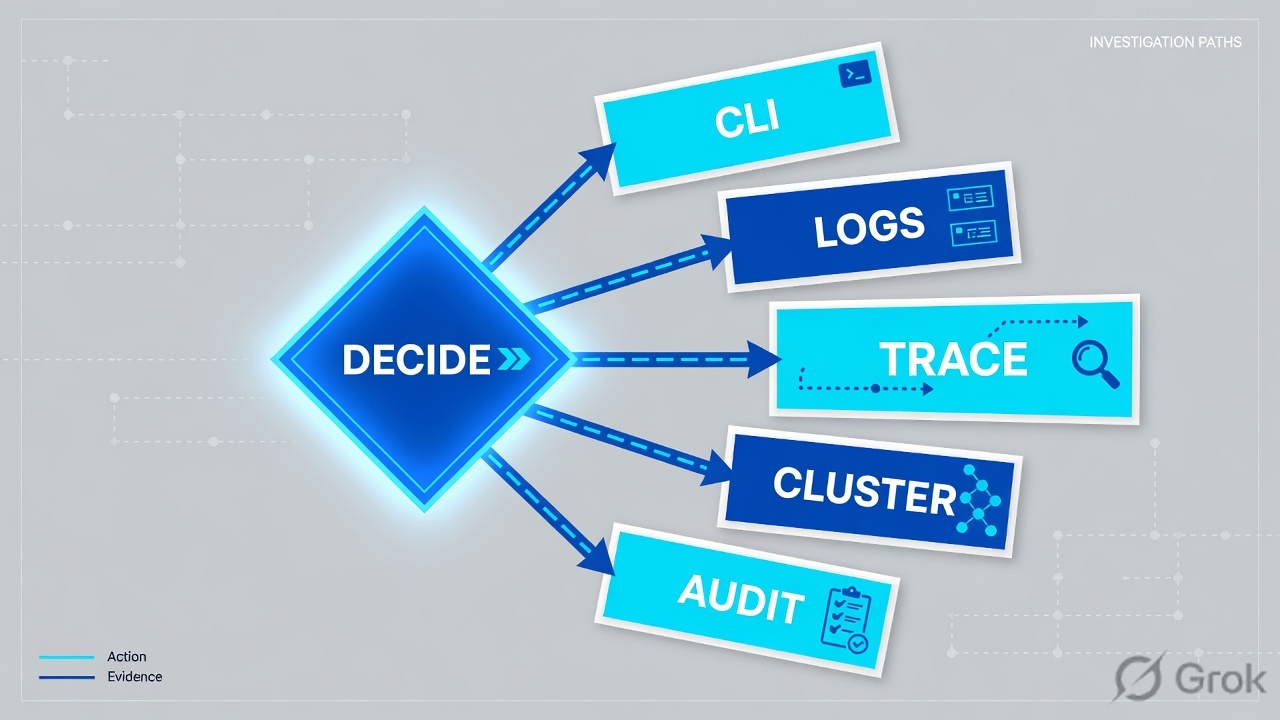
Read the diamond first. A new hostname never starts in WSA. Stale 200 never starts in a WAF exception. Staging Active never starts in Fast Fallback.
4. How to choose — first tool + proof field
Print this next to Control Center. If you cannot recite the proof field, you are not ready to change anything.
| If the ticket says… | First tool (official path) | Proof field | Do not open first |
|---|---|---|---|
| “Is Akamai even serving?” / which config is live after a ship | Content delivery → CDN → Properties → Version → Activate tab / Activation History | Version + network (Production or Staging) + status Active or Pending - Full Rollout |
A WAF exception; Fast Fallback |
| One URL / API 403 or “Akamai blocked us” after a security activate | Security → Security analytics → Security Center → Analysis → Web Security Analytics → Samples | Action Applied (Alert / Deny / Monitor) + Rule + Hostname + Policy |
Property origin hostname; cache TTL |
| New hostname, “this Host isn’t ours,” or empty WSA for that FQDN | Same property: Property Hostnames + Default Rule Content Provider Code; confirm CNAME with Get Domain Details (DIG) | Property hostname + edge hostname (edgesuite.net / edgekey.net) + CP code |
A new custom rule |
| Need the actual request row; WSA empty or only Alert; 5xx vs 403 | Test & troubleshoot → Edge Diagnostics → View logs (GREP) | Status + Host header + log type r or f (+ Error if present) |
Disable App & API Protector |
| Page is 200 but stale / wrong object / “the cloud is slow” | Edge Diagnostics → Request Content (CURL) (or Content Problems) | HTTP status + Pragma X-Cache + X-Cache-Key (serial, CP code, TTL) |
A new WAF Deny |
Akamai has two networks. Staging (Edge Staging Network) is smaller, does not serve end-user traffic, and usually finishes in 2–3 minutes. Production is phased: live-traffic servers first (typically under 4 minutes), then Pending - Full Rollout up to ~15 minutes, then Active. End users mapped to a new edge location in those minutes can still hit the previous property version. Quote the network. Never tell the CIO “it’s live” from a Staging activate.
5. Runbook Side A → B → C
Side A proves the delivery object: which property version is on which network, and whether this Host and CP code belong to it. Side B proves the protection object: the security event. Side C proves what the edge actually returned. On a messy Sev-2, do them in this order until a field lights up.
Side A — Property, hostname, CP code (delivery)
-
Open the property, not the WAF editor
Path: Content delivery → CDN → Properties. Filter by property or hostname. Open the property. Official: Activate on staging / Activate on production. You are hunting Activation History, not a rule tree edit. You cannot edit a version that is already active — create a new version if you must change delivery.
-
Quote version + network + status
Click the version, then the Activate tab. Proof field: which version is
Activeon Production. If the ship is onlyActiveon Staging, stop — there is no production WAF story yet. If status isPending - Full Rollout, live servers already have the new version; the rest of the network is still catching up. Fast Fallback exists only for 60 minutes after full rollout, and only to the last active property version. -
Prove this Host is on this property
In the Property Manager Editor, read the Property Hostnames panel. Quote property hostname (what the user types) and edge hostname (the CNAME target — typically
*.edgesuite.netStandard TLS or*.edgekey.netEnhanced TLS). Confirm DNS with Test & troubleshoot → Edge Diagnostics → Get Domain Details (DIG). No CNAME to that edge hostname means Akamai is not serving, no matter what Activation History says. -
Read the CP code on the Default Rule
Behavior: Content Provider Code. Traffic must be served through an active CP code. Official caveat: a newly created CP code can take up to two hours to be recognized; activating production before that can disrupt service. GREP and DataStream both key off this CP code — if you grep the wrong one, the log is empty and you will invent a WAF story.
Content delivery / CDN / Properties / shop-ion / v18 / Activate
Activation History
| Version | Network | Status | Submitted |
|---|---|---|---|
| v18 | Production | Active | 15 Aug 14:02 UTC |
| v19 | Staging | Active | 16 Aug 01:10 UTC |
| v17 | Production | Deactivated | 02 Aug 09:40 UTC |
Source: TechDocs — How activation works (Activation History Active / Pending - Full Rollout, Fast Fallback 60-minute window); Activate on production — path Content delivery → CDN → Properties → Version → Activate tab. Lab names only. Training mock · not live.
Side B — WAF / Security event (protection)
-
Open Web Security Analytics, not the rule editor
Path: Security → Security analytics → Security Center. Left menu: Analysis → Web Security Analytics. Select the security configuration that covers this hostname. Set the UTC window on the ticket (samples are retained 38 days; query up to 31 days). Official: Navigate Web Security Analytics.
-
Filter, then switch Statistics → Samples
Start in Statistics to see the spike. Filter Hostname + Path + time. Then open Samples — individual requests with Headers, Client Information, and Rules, including contributing rules that Statistics may hide. Samples are a random hundred in the window. Empty Samples is not proof that WAF never fired — it is a sample.
-
Read Action Applied, then Rule, then Hostname
Proof field:
Action Applied(Alert, Deny, Monitor — Alert records; Deny blocks). Then the rule that fired, the security policy, and the hostname. Official widgets include Action Applied and Rule Action. Rule Action is per-rule; Action Applied is what the request actually got. Do not treat an Alert sample as a 403. -
If Samples is empty, do not invent a custom rule
Empty usually means this Host is not on this security configuration, the request never reached the edge, or you filtered the wrong config / time. Go back to Side A (hostname + CP + Production Active) or forward to Side C GREP. App & API Protector: one hostname is covered by only one active security configuration at a time. Activate is Security → Web app & API protection → Web Security → configuration → Activate + Network (Staging to test, Production to go live).
Security / Security analytics / Security Center / Analysis / Web Security Analytics / Samples
Samples · shop-waf (lab)
| Hostname | Path | Attack Type | Rule | Action Applied |
|---|---|---|---|---|
| www.shop.example | /login | WAF | CMD-Injection (lab) | Alert |
| www.shop.example | /api/orders | API | API-schema (lab) | Deny |
Source: TechDocs — Navigate Web Security Analytics; Samples view (Requests, Headers, Client Information, Rules); Filters / Action Applied vs Rule Action. Lab identities only. Training mock · not live.
Side C — GREP log + Edge diagnostic (what the edge returned)
-
GREP the Host or the CP code, not “the whole contract”
Path: Test & troubleshoot → Edge Diagnostics → View logs (GREP). Filter by Host headers or CP codes (up to 10). You need an Edge server IP — get it from User Diagnostic Data or Get Domain Details (DIG). Log record type:
r= client → edge,f= edge → origin, or Both. Time: last 6 or 24 hours depending on the server; official recommendation is a 10-minute window. Up to 5,000 lines. -
Read Status on r, then Status on f
Proof field:
Status(HTTP response code) +Host header+ log type. Anrline 403 with anfline 200 means the origin was fine and the edge (WAF, metadata, or an access control) denied. Anfline 500 means you do not have a WAF ticket. Also quoteError,Time taken/ turnaround, andARLwhen they are populated. -
If the ticket is “200 but wrong / stale / slow,” switch to CURL
Path: Edge Diagnostics → Request Content (CURL). Enter the fully qualified URL. Pick location or edge server IP. Click Add Pragma headers. Official pair: request
Pragma: akamai-x-cache-on, akamai-x-get-cache-key, akamai-x-get-request-id(andakamai-x-check-cacheableif you need YES/NO). Results: HTTP status + Headers. -
Quote X-Cache and X-Cache-Key, not “looks fine”
X-Cachevalues includeTCP_HIT(fresh from disk cache),TCP_MISS(fetched from origin),TCP_REFRESH_HIT,TCP_MEM_HIT,TCP_NEGATIVE_HIT.X-Cache-Keyreturns the cache key including serial, CP code, and TTL — that is how you prove the request landed on the CP you think it did.X-Akamai-Request-IDis the join key back into GREP. Content Problems runs CURL + GREP on one URL if you want both tabs at once.
Test & troubleshoot / Edge Diagnostics / View logs (GREP)
Logs preview
| Type | Method | Status | Host header | ARL / path |
|---|---|---|---|---|
| r | POST | 403 | www.shop.example | /api/orders |
| f | POST | 200 | origin.shop.example | /api/orders |
Source: TechDocs — View Logs (GREP) (Host headers / CP codes, log type r/f, Status, Host header, recommended 10-minute window); Request Content (CURL) + Pragma headers (X-Cache, X-Cache-Key, X-Akamai-Request-ID). Lab values only.
Property:     shop-ion  v18  Production  Active
Hostname:     www.shop.example  →  www.shop.example.edgekey.net
CP code:      7654321   (Default Rule · Content Provider Code)
WSA Sample:   Hostname=www.shop.example  Path=/api/orders
              Action Applied=Deny  Rule=API-schema (lab)  Policy=api-policy
GREP:         r Status=403  ·  f Status=200  ·  Host header=www.shop.example
CURL:         HTTP 403  ·  X-Cache=TCP_MISS  ·  X-Cache-Key contains 7654321
If empty WSA: prove Production Active + hostname on this property, then GREP
If Staging only: do not hunt Production Samples — Activate v# on Production first- Side A property: Activation History shows the intended version
Activeon Production (not only Staging). Side A hostname: DIG CNAME equals the edge hostname on the property; CP code matches Default Rule. - Side B: Samples (or a later GREP join) names
Action Applied+ Rule + Hostname on the failing path. - Side C: GREP
rStatus matches what the user saw;fStatus tells you whether origin was already sick. CURL + Pragma namesX-Cacheand aX-Cache-Keythat contains the same CP code.
6. Five tickets as full stories
These five land every quarter. Memorise first tool + proof field. Times and identities below are lab-only.
| Ticket | Symptom | First tool | Proof field |
|---|---|---|---|
| AKEVD-01 | “Is Akamai even serving?” after a 01:10 ship | Property Activate tab | Version + Production Active — or Staging-only |
| AKEVD-02 | After a security-config activate, /api/orders returns 403 | WSA Samples | Action Applied = Deny + Rule + Hostname |
| AKEVD-03 | New shop.example “not on Akamai”; www is fine | Property Hostnames + CP + DIG | Hostname missing / CNAME not to edge HN |
| AKEVD-04 | Checkout 500s; someone typed “disable WAF” | GREP Both | f Status = 500 (origin) vs r 403 (edge) |
| AKEVD-05 | Homepage 200 but yesterday’s banner; WSA already Alert-only | CURL + Pragma | X-Cache = TCP_HIT + X-Cache-Key TTL / CP |
AKEVD-01 — Prove the live property (Activate tab)
01:42 · P2. Priya on a hotel network. Day team said they “shipped v19.” L1 already drafted Fast Fallback. CIO asks if Akamai is even serving.
First tool: Content delivery → CDN → Properties → shop-ion → Activate tab.
If Staging only: v19 is Active on Staging; v18 is still Active on Production. Quote both rows. End users never hit ESN. Next act is Activate v19 on Production (after staging tests) — or tell the channel the live version is still v18. That is not a WAF ticket.
If Production Active: you proved the delivery object. You have not proved hostname, WAF, or cache. Now you are allowed to open Property Hostnames and WSA.
Do not Fast Fallback a Production v18 because Staging v19 “looks wrong.” Fast Fallback reactivates the last active property version, only inside 60 minutes of full rollout, and it does not roll back a security config. Save is not Activate. You cannot edit v18 while it is Active — clone v19.
AKEVD-02 — Prove the block (WSA Samples)
02:05 · P2. Mobile shipped a new /api/orders body at 10:00. Checkout 403 after last night’s security-config activate. Someone wants App & API Protector set to Alert for the tenant.
First tool: Security → Security analytics → Security Center → Analysis → Web Security Analytics → Samples. Security configuration = shop-waf. Filter Hostname = www.shop.example, Path contains /api/orders, last hour.
Proof field: Action Applied = Deny, Rule = API-schema (lab), Policy = api-policy. /login in the same window is Alert — that is not this 403. The rule name is the ticket. Change that one control (or the API constraint), Activate the security config on Production, then re-read the same three columns. Do not clone the property to fix a schema deny.
I would not disable WAF. I would quote Action Applied + Rule on that hostname and path. Activate is not proof until the same filter returns Alert or no Deny.
AKEVD-03 — Prove the Host (hostname + CP + DIG)
02:20 · P1. Marketing cut over shop.example (apex-style host in the ticket). www.shop.example is fine. WSA for shop-waf has no Samples for the new Host. L1 wants a custom rule.
First tool: Property Hostnames on shop-ion v18, then Get Domain Details (DIG) for shop.example.
Proof field: www.shop.example → www.shop.example.edgekey.net is on the property. shop.example is not in Property Hostnames. DIG does not CNAME to an Akamai edge hostname. Empty WSA is expected — this Host never reached the security configuration. Add the hostname to a new property version, activate Staging, then Production. Assign an existing, recognized CP code — do not create a brand-new CP code and activate Production in the same hour (official: up to two hours before the network recognizes it).
Empty Samples is the clue the Host is not on this property / config. Quote Property Hostnames + DIG. Do not Activate a WAF exception on a hostname Akamai has never seen.
AKEVD-04 — Prove the status (GREP r vs f)
02:40 · P1. Checkout throws 500. Channel says “Akamai WAF.” WSA Samples for the same minute show Alert, not Deny.
First tool: View logs (GREP). Host header = www.shop.example. Log record type = Both. Last 10 minutes. Edge server IP from DIG.
Proof field: r Status = 500 and f Status = 500. Origin already failed; the edge forwarded it. Alert on WSA is a recording, not a mitigation. Restarting origin (or the app pool) is isolate. Disabling App & API Protector is change-control that will not fix a 500.
The opposite pair is the AKEVD-02 close: r 403 + f 200 = edge policy, not origin death.
GREP needs the edge server IP and the right Host or CP code. An empty GREP on the wrong CP is not “Akamai has no logs.” DataStream 2 is the long-running stream (fields cp, reqHost, HTTP status); GREP is the night-shift 6/24-hour grab. Use both, do not swap their jobs.
AKEVD-05 — Prove the cache hop (CURL + Pragma)
03:00 · P3. Homepage is yesterday’s sale banner. WSA Action Applied is Alert or empty. Property v18 is Production Active. Someone typed Sev-1 and a WAF Deny.
First tool: Request Content (CURL) on https://www.shop.example/. Add Pragma headers.
Proof field: HTTP 200 + X-Cache: TCP_HIT + X-Cache-Key containing CP 7654321 and a long TTL. That is a cache object, not a WAF ticket. If you need origin’s copy, you are in property behaviors (caching, cache key, purge) — a new property version — not a security-config Activate. Compare two locations with CURL compare if only one region is stale.
I would leave WAF alone. I would paste X-Cache + the CP inside X-Cache-Key + X-Akamai-Request-ID. A 200 TCP_HIT is proof Akamai is serving — the wrong object.
7. Traps + close-the-ticket proof

| You see | Weak close | Strong close |
|---|---|---|
| v19 Active on Staging only | “Akamai shipped” / Fast Fallback | Quote Staging vs Production; Production is still v18 |
| v18 Production Active, still failing | “Akamai is fine” | You only proved the property. Open hostname, then WSA or GREP |
| Pending - Full Rollout | “Activation is broken” | Live servers already have the version; some geos can still hit the previous one |
| WSA Action Applied = Alert | “WAF blocked it” | Alert records. Deny blocks. Match GREP r Status |
| Empty WSA Samples | Add a tenant-wide exception | Hostname / CP / Production Active first; Samples are a random hundred |
GREP r 403 + f 200 | Restart origin | Edge policy. Quote WSA Rule or metadata |
GREP f 500 | Disable App & API Protector | Origin. WAF Alert is a spectator |
| CURL 200 TCP_HIT | New WAF Deny / Sev-1 | X-Cache + X-Cache-Key CP / TTL — property cache, not WAF |
| New CP code, just created | Activate Production now | Official: up to two hours before the network recognizes it; stage first |
| Security config saved, not Activated | “We tuned WAF” | Same factory rule: save ≠ activate; quote Network |
- UTC window written next to the tool you opened.
- Property version + network + Activation History status quoted when the ticket is “is Akamai serving?”
- Hostname proved: property hostname, edge hostname, DIG CNAME, CP code on the Default Rule.
- One transaction quoted: WSA
Action Applied+ Rule + Hostname, or GREPStatus+r/f, or CURLX-Cache+X-Cache-Key. - Next tool named — or change-control owner named. No Activate / Fast Fallback / WAF disable without residual control.
- Peer host or second path compared when you claim “not a tenant outage.”
- Staging Active never used as Production proof. Alert never used as Deny proof. Empty Samples never used as “WAF is clean.”
I name the question, then the first tool, then one official field. Activation History proves the live property. Property Hostnames + CP code + DIG prove the Host. WSA Samples prove the security event. GREP proves the status on r versus f. CURL + Pragma proves the cache hop. I do not Fast Fallback, activate a security config, or disable App & API Protector until that field is on the ticket. Factory model: property version ≠ security config version.
Knowledge check
Six night-shift judgments. Each maps to a first tool or a proof field. Check answers, then Reset if you picked the wrong surface.
Sources
- TechDocs — How activation works (staging vs production, phases,
Pending - Full Rollout,Active, Fast Fallback 60-minute window, cannot edit an active property) - TechDocs — Activate on staging (Content delivery → CDN → Properties → Version → Activate tab → Activate v# on Staging)
- TechDocs — Activate on production (Activate v# on Production; DNS CNAME to the edge hostname)
- TechDocs — Key concepts and terms (property hostname vs edge hostname)
- TechDocs — Content Provider Code (CP codes required before production; new CP code recognition up to two hours)
- TechDocs — Map your domain to a property (CNAME to edge hostname; hostname Status column)
- TechDocs — Mitigate threats against your web applications (Security → Web app & API protection → Web Security; Activate + Network; one hostname, one active security configuration)
- TechDocs — Security Configurations (versioned; cannot edit an activated version; Activate)
- TechDocs — Application Security API concepts (rule actions alert / deny / none; versioned security configurations)
- TechDocs — Navigate Web Security Analytics (Security → Security analytics → Security Center; Statistics vs Samples; 31-day query / 38-day sample retention)
- TechDocs — Samples view (Requests, Headers, Client Information, Rules; random hundred)
- TechDocs — Add a filter (
Action AppliedvsRule Action) - TechDocs — View Logs (GREP) (Test & troubleshoot → Edge Diagnostics; Host headers / CP codes; log type
r/f; Status; Host header; 6/24 hours; 10-minute recommendation) - TechDocs — Request Content (CURL) (HTTP status + Headers; Add Pragma headers)
- TechDocs — Pragma headers (
X-CacheTCP_HIT / TCP_MISS / …;X-Cache-Keyserial + CP code + TTL;X-Akamai-Request-ID) - TechDocs — Content Problems (CURL + GREP on one URL)
- TechDocs — Choose a tool or problem scenario (GREP, CURL, DIG, Verify and Locate IP, URL health check)
- TechDocs — DataStream 2 data set parameters (
cp,reqHost, HTTP status — the long-running log sibling of GREP)
Related: Factory · property version ≠ security config version · WAAP ASE policy tuning · App & API Protector Hybrid · Akamai practice dashboard