Lessons · FortiGate series · VDOM tenants and admins
This lesson is how one chassis becomes two tenants: VDOM split, admin profiles, inter-VDOM links. Packet → session still lives on zone/policy/NAT. Route leak between dummy-root and a single tenant is the sibling VDOM page.
Zones, policy, NAT · VDOM tenant split (route leak) · Command center
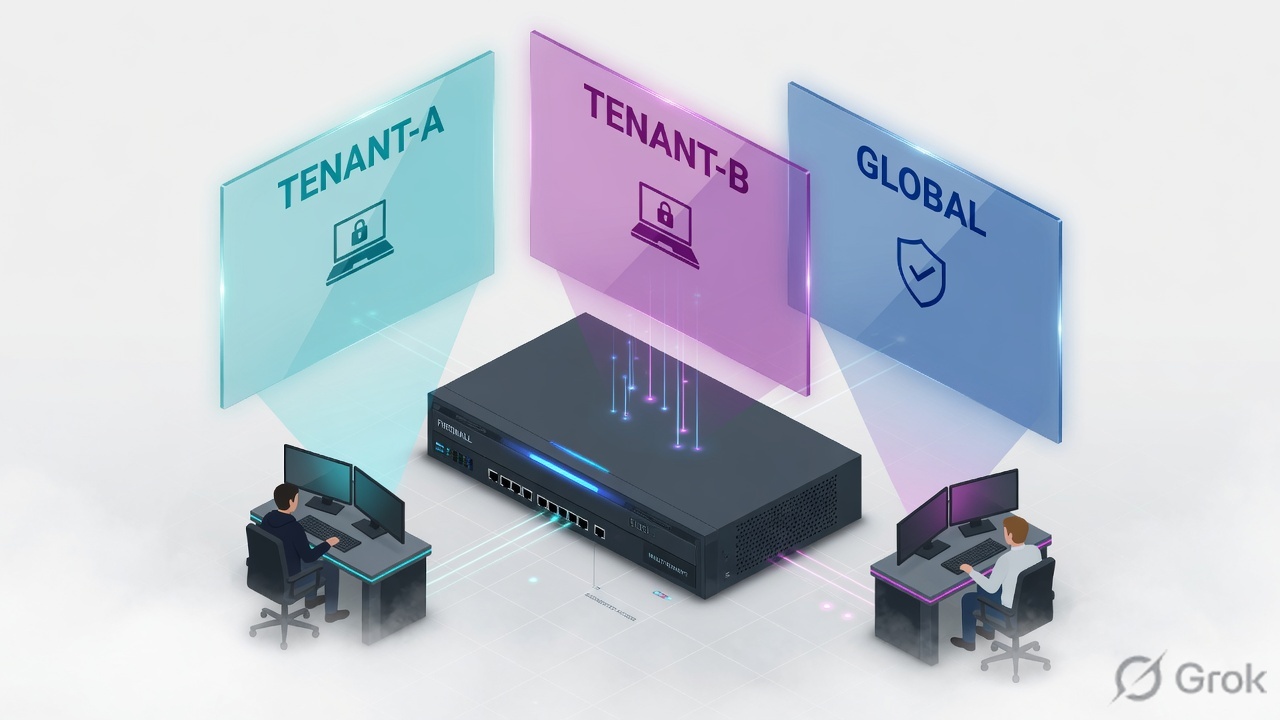
A VDOM is a virtual FortiGate: its own policies, routing table and VPN. Enable with config system global / set vdom-mode multi-vdom (you are logged out). Global still owns interface-to-VDOM assignment, firmware, HA and admin accounts. A tenant operator is config system admin with a profile that has set scope vdom (built-in prof_admin or custom) and a VDOM list — super_admin is the leak. An inter-VDOM link is two virtual interfaces (AVlnk0 / AVlnk1); traffic still needs a route and an accept policy in each VDOM. Proof: diagnose sys vd list, show system admin, then a tenant login that cannot enter Global or the other VDOM. Lab: TENANT-A 10.20.20.0/24, TENANT-B 10.30.30.0/24, root WAN 192.0.2.0/24.
Why creating a VDOM is not isolation
The day-one ticket is always the same: “We created TENANT-A, so they cannot see TENANT-B.” Wrong. config vdom / edit TENANT-A only names a context. Until you move an interface into it, all traffic still hits root. Until you bind the admin to a vdom-scope profile, that operator is still a global pair of hands.
Three silent-leak states look identical from the GUI (green VDOM list):
- VDOM exists;
port2is stillset vdom root. TENANT-A has no ingress, so every packet is still root policy. - Admin
tenant-a-opusessuper_adminorset vdom TENANT-A TENANT-B. The extra VDOM in the list is the leak, not a convenience. AVlnkis up and pings; there is no TENANT-A→AVlnk0 policy and no root AVlnk1→wan1 policy. Link ≠ permit. Same rule as any other interface pair.
The boundary is: interface membership (global), routing table (per VDOM), firewall policy (per VDOM), admin accprofile + vdom list. Miss any one and the ticket is “they can still see the other tenant.”
VDOM, global, profile, link — four objects
A VDOM is an independent virtual unit: separate security policies and, in NAT mode, separate routing and VPN. FortiOS 6.2+ exposes this as vdom-mode: no-vdom (default), split-vdom (fixed root + FG-traffic), multi-vdom (root plus the tenants you create). Most models start at 10 VDOMs; more is a license. The management VDOM cannot be deleted.
In multi-VDOM you also pick a VDOM type: Traffic (packets), Admin (management only, no through-traffic, at most one), or LAN extension. This lab uses Traffic VDOMs plus root as the shared-WAN / management VDOM.
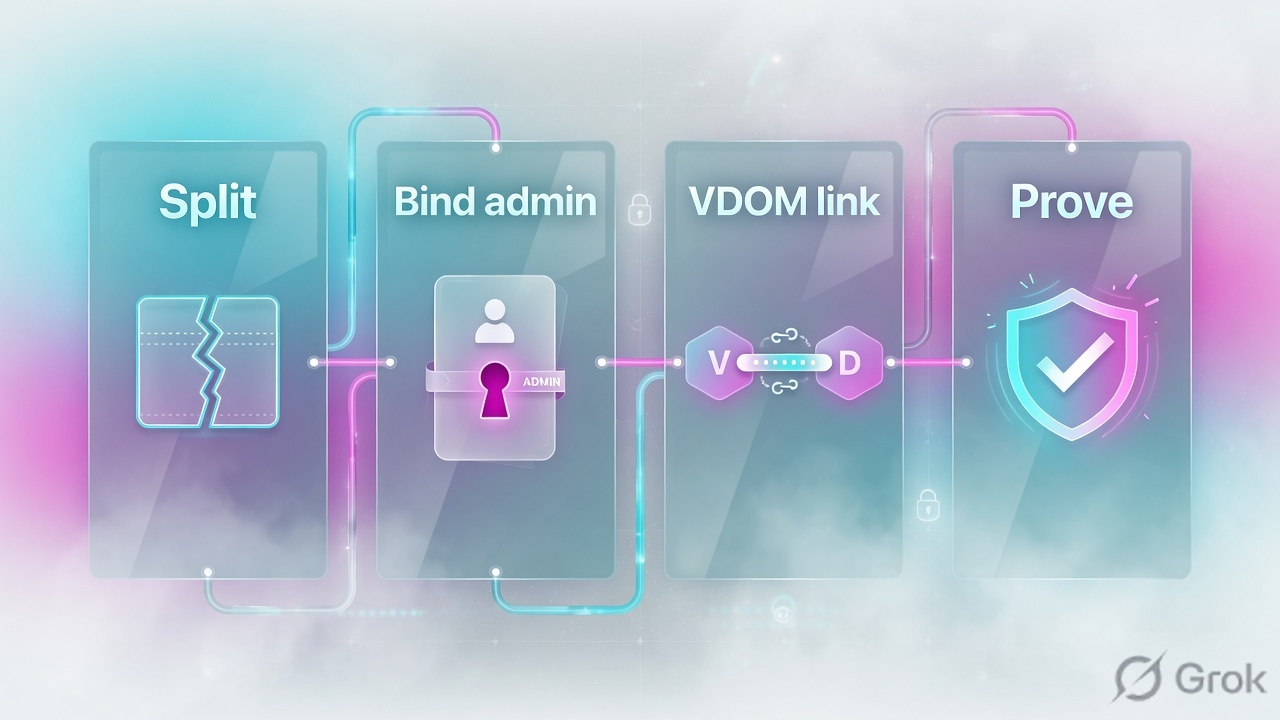
VDOM
config vdom / edit TENANT-A. GUI: Global › System › VDOM. Type Traffic. Own policy, RIB, VPN. Not an interface.
Global
Firmware, HA, interface-to-VDOM map, admin accounts, some DNS/logging. Only a super_admin created at global sees this.
Admin profile
config system accprofile. Built-in super_admin (undeletable, full box) vs prof_admin / custom with set scope vdom. GUI: System › Admin Profiles.
VDOM link
config system vdom-link creates a pair (name0/name1). Each end is an interface in one VDOM. Still needs IP, route, policy.
The chassis is global. Each VDOM is a firewall. The admin profile is the key. The vdom-link is just two interfaces — policy still has to accept both sides.
How a packet and an admin walk the split
Two paths, same chassis. A packet from 10.20.20.10 never sees TENANT-B’s policy table. An admin whose VDOM list is only TENANT-A never sees Global or TENANT-B, and can only HTTPS in on an interface that lives in TENANT-A (or the console).
Read the three panes, then the gold chassis bar is implied above them. Arrows are vdom-links, not physical cables.
Left is the MSSP operator. Middle is the tenant. Right is the ticket you are here to close.
| Object | Lab value | If missing |
|---|---|---|
| vdom-mode | multi-vdom | No second VDOM. split-vdom is a different product: root + FG-traffic only. |
| TENANT-A | Traffic · port2 10.20.20.1/24 | Host ARP fails, or packets still match root policy. |
| TENANT-B | Traffic · port3 10.30.30.1/24 | Same. Do not leave port3 in root “for now.” |
| root WAN | wan1 192.0.2.1/24 gw 192.0.2.254 | No FortiGuard, no shared internet. Management VDOM needs a path out. |
| AVlnk | AVlnk0 10.255.1.2 · AVlnk1 10.255.1.1 /30 | No path from TENANT-A to WAN. Ping across the pair is not internet. |
| tenant-a-op | accprofile tenant-admin · vdom TENANT-A | super_admin = can edit TENANT-B. That is the original ticket. |
Independent vs shared-WAN vs split-vdom
Pick the topology the contract actually bought. Mixing them is the usual “they have internet through my VDOM” ticket.
| Need | Use | Skip |
|---|---|---|
| One management plane, one traffic plane | split-vdom: root is management-only (no through-traffic); FG-traffic is the data VDOM | Creating extra named VDOMs. split-vdom is two fixed contexts. |
| Two tenants, each with its own WAN | multi-vdom, independent VDOMs, no vdom-link. Move a WAN port into each tenant. | Shared root NAT. That re-introduces a common policy domain. |
| Two tenants, one ISP on the chassis (this lab) | multi-vdom + vdom-link from each tenant into root + policy/NAT in root | Assigning wan1 into TENANT-A and hoping TENANT-B “uses it.” |
| East-west between tenants | A dedicated vdom-link TENANT-A↔TENANT-B, policies on both ends, explicit addresses — treat it as a DMZ | Hairpinning both tenants through root without a deny between them. |
| MSSP tenant operator | Custom accprofile scope vdom (or prof_admin), VDOM list = that tenant only, login on that tenant’s intf | super_admin “just for onboarding.” It never gets taken back. |
You cannot build a vdom-link between two Layer-2 transparent VDOMs. At least one end must be NAT. Hardware NPUs expose npu0_vlink0/1 for accelerated links; software config system vdom-link is the lab default. Source: FortiOS inter-VDOM routing notes.
Runbook Side A / B / C
Side A is VDOMs and interfaces. Side B is admin profiles. Side C is the vdom-link, policy, and proof. Do not start at C — a link into a VDOM that still owns no LAN port is a black hole.
Side A — enable multi-vdom, create tenants, move ports
-
Turn on multi-vdom
System › Settings › Virtual Domains (toggle). CLI:
config system global/set vdom-mode multi-vdom. You are logged out.vdom-modeis a hidden command — type it in full; it will not tab-complete. Source: FortiOS Administration Guide — VDOM overview; Community TT: How to enable multiple VDOMs. -
Create TENANT-A and TENANT-B
Log back in as a
super_admin. Global › System › VDOM › Create New. Type Traffic. CLIconfig vdom/edit TENANT-A. Management VDOM staysrootunless you have a reason to move FortiGuard. -
Move interfaces (global)
Global › Network › Interfaces.
port2→ VDOM TENANT-A, IP10.20.20.1/24, allowaccess ping https ssh.port3→ TENANT-B10.30.30.1/24.wan1stays root192.0.2.1/24. Address lives on the member, not on the VDOM name.
config system global
    set vdom-mode multi-vdom
end
# logged out — log back in as super_admin

config vdom
    edit TENANT-A
    next
    edit TENANT-B
    next
end
config global
    config system interface
        edit "port2"
            set vdom "TENANT-A"
            set ip 10.20.20.1 255.255.255.0
            set allowaccess ping https ssh
            set role lan
        next
        edit "port3"
            set vdom "TENANT-B"
            set ip 10.30.30.1 255.255.255.0
            set allowaccess ping https ssh
            set role lan
        next
        edit "wan1"
            set vdom "root"
            set ip 192.0.2.1 255.255.255.0
            set allowaccess ping https ssh
            set role wan
        next
    end
end
config vdom
    edit root
        config router static
            edit 1
                set gateway 192.0.2.254
                set device "wan1"
            next
        end
    next
end
Side B — profiles then per-VDOM admins
System › Administrators › Create New › Administrator
tenant-a-op
Source: FortiOS Administration Guide — Create per-VDOM administrators (Global VDOM, System › Administrators, Type Local User, Virtual Domains field). Profile is prof_admin or custom — not super_admin. Multi-VDOM assignment is created at global.
-
Custom vdom-scope profile
System › Admin Profiles › Create New —
tenant-admin. CLIset scope vdom, thenfwgrp/netgrpread-write,loggrpread. Built-inprof_adminis already VDOM-scoped if you do not want a custom profile. Source: FortiOS — Administrator profiles;config system accprofile. -
Bind tenant-a-op and tenant-b-op
Virtual Domains = that tenant only. Repeat for TENANT-B. Keep
global-opsas the onlysuper_admin. Per-VDOM admins cannot backup/restore the box.
config global
    config system accprofile
        edit "tenant-admin"
            set scope vdom
            set fwgrp read-write
            set netgrp read-write
            set loggrp read
            set utmgrp read-write
        next
    end
    config system admin
        edit "tenant-a-op"
            set accprofile "tenant-admin"
            set vdom "TENANT-A"
            set password ENC <set_on_box>
        next
        edit "tenant-b-op"
            set accprofile "tenant-admin"
            set vdom "TENANT-B"
            set password ENC <set_on_box>
        next
    end
end
When creating an administrator at the VDOM level, super_admin cannot be used — FortiOS blocks it. The leak is creating the account at global with super_admin or adding a second VDOM to the list “so they can help.” Remove TENANT-B from tenant-a-op before you call it isolated.
Side C — vdom-link, policy both sides, prove
Network › Interfaces › Create New › VDOM link
AVlnk
Source: FortiOS — Inter-VDOM routing configuration example: Internet access (Global › Network › Interfaces › Create New › VDOM link). OK creates AVlnk0 and AVlnk1. You still need routes and firewall policies in each VDOM. Repeat as BVlnk for TENANT-B (10.255.2.0/30).
-
Link pair + IPs
config system vdom-link/edit AVlnk. Thenconfig system interfaceonAVlnk0(TENANT-A, 10.255.1.2/30) andAVlnk1(root, 10.255.1.1/30), allowaccess ping. Same for BVlnk. -
Routes and accept on both ends
TENANT-A: default via 10.255.1.1 device AVlnk0. Policy LAN(port2)→AVlnk0 accept + NAT if you hide behind the link IP. Root: policy AVlnk1→wan1, src 10.20.20.0/24, accept,
nat enableto 192.0.2.1. Reverse: wan1 is not a path into TENANT-A unless you add a VIP + policy — out of scope here. -
Prove isolation, then prove internet
Login as
tenant-a-oponhttps://10.20.20.1. No Global menu, no TENANT-B. Then from 10.20.20.10 HTTPS to 203.0.113.80; in TENANT-Adiagnose sys session filter src 10.20.20.10/list—vd=TENANT-A. In TENANT-B the same filter is empty.
config global
    config system vdom-link
        edit "AVlnk"
        next
    end
    config system interface
        edit "AVlnk0"
            set vdom "TENANT-A"
            set ip 10.255.1.2 255.255.255.252
            set allowaccess ping
        next
        edit "AVlnk1"
            set vdom "root"
            set ip 10.255.1.1 255.255.255.252
            set allowaccess ping
        next
    end
end
config vdom
    edit TENANT-A
        config router static
            edit 1
                set gateway 10.255.1.1
                set device "AVlnk0"
            next
        end
        config firewall policy
            edit 1
                set name "LAN-to-AVlnk"
                set srcintf "port2"
                set dstintf "AVlnk0"
                set srcaddr "all"
                set dstaddr "all"
                set action accept
                set schedule "always"
                set service "ALL"
                set nat enable
                set logtraffic all
            next
        end
    next
    edit root
        config firewall address
            edit "TENANT_A_LAN"
                set subnet 10.20.20.0 255.255.255.0
            next
        end
        config firewall policy
            edit 10
                set name "AVlnk-to-WAN"
                set srcintf "AVlnk1"
                set dstintf "wan1"
                set srcaddr "TENANT_A_LAN"
                set dstaddr "all"
                set action accept
                set schedule "always"
                set service "ALL"
                set nat enable
                set logtraffic all
            next
        end
    next
end
diagnose sys vd list shows TENANT-A / TENANT-B / root. show system admin tenant-a-op has accprofile tenant-admin and only TENANT-A. Tenant GUI has no Global. Session list in TENANT-A has the flow; TENANT-B does not. That is the close — not “the VDOM exists.”
One flow after go-live
Host 10.20.20.10 SYN to 203.0.113.80:443. Ingress port2, VDOM TENANT-A. Session miss. RIB default via 10.255.1.1, egress AVlnk0. Policy LAN-to-AVlnk accept, SNAT to 10.255.1.2 (if NAT on that policy). Packet arrives AVlnk1 in root. Root RIB default via 192.0.2.254, egress wan1. Policy AVlnk-to-WAN matches TENANT_A_LAN, accept, SNAT to 192.0.2.1. Two sessions, two vd= values. Reply reverses both hooks. TENANT-B’s table never sees the 5-tuple.
Admin path: tenant-a-op HTTPS to 10.20.20.1 (port2). Local-in in TENANT-A. GUI is VDOM:TENANT-A only. Same user to 192.0.2.1 is a miss — wan1 is root. global-ops HTTPS to wan1 sees the VDOM switcher.
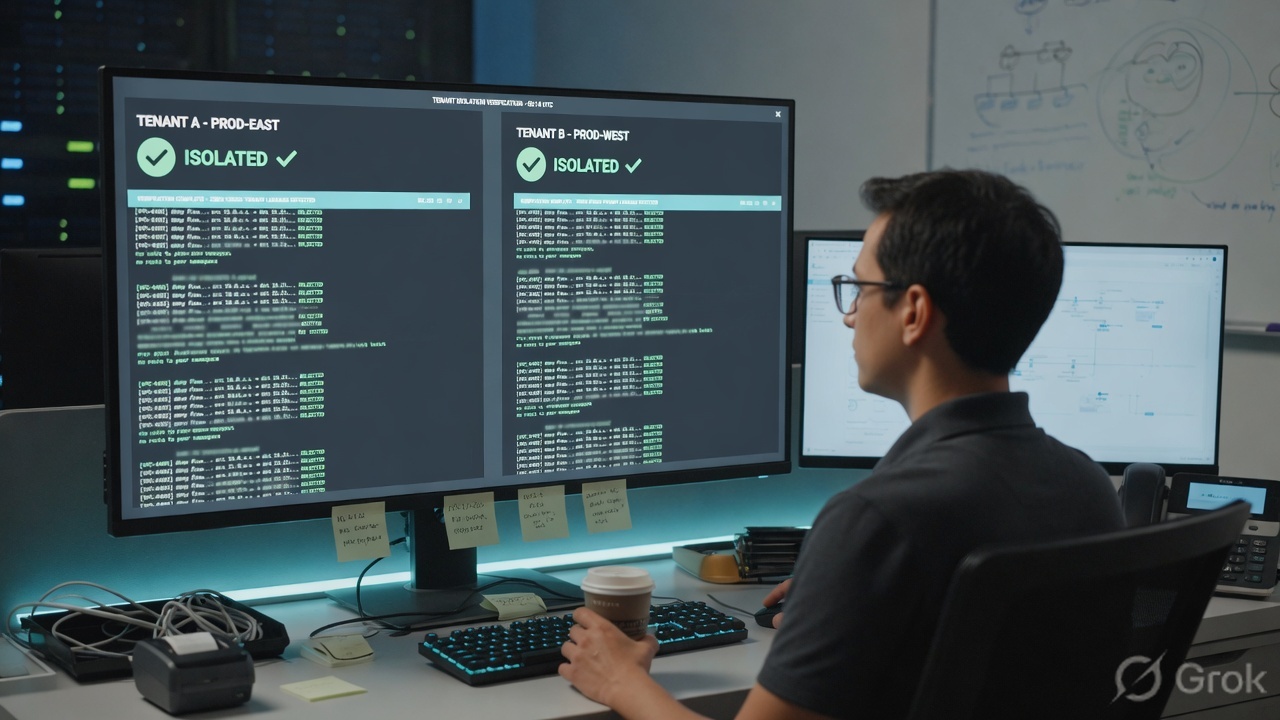
diagnose sys vd list, show system admin, tenant GUI scope, and diagnose sys session list with vd=TENANT-A. Artwork checkmarks are not FortiOS.get system status # Virtual domain configuration: multiple / vdom-mode config global diagnose sys vd list show system admin tenant-a-op # accprofile tenant-admin # vdom TENANT-A <— TENANT-B must not appear config vdom edit TENANT-A diagnose sys session filter clear diagnose sys session filter src 10.20.20.10 diagnose sys session list # vd=TENANT-A policy_id=1 next edit TENANT-B diagnose sys session filter src 10.20.20.10 diagnose sys session list # empty — if you see the flow here, the interface is in the wrong VDOM end
Traps + proof
| Symptom | Likely cause | Proof |
|---|---|---|
| tenant-a-op edits TENANT-B objects | super_admin, scope global, or set vdom lists both tenants | show system admin tenant-a-op. Fix the list; do not “train them not to click.” |
| VDOM created, packets still hit root policy | Interface still set vdom root | config global / show system interface port2 — look at set vdom. |
| vdom-link up, no internet | Missing route or accept on one side. Link is L3, not a permit. | Ping 10.255.1.1 from TENANT-A works; debug flow in root shows policy 0. |
| tenant-a-op cannot HTTPS in | Logging in on wan1 (root) or port3 (TENANT-B). Per-VDOM admin must use an intf in their VDOM. | Try https://10.20.20.1. Console still works. |
| Enabling VDOM kicked everyone off | Expected. set vdom-mode logs you out. Management VDOM must still have a path to FortiGuard. | Log back in. get system status. Confirm mgmt VDOM has a default route. |
| Empty session in the VDOM you are debugging | CLI still in root, or HA standby | config vdom / edit TENANT-A first. Standby has no forwarding table. |
| Cannot create link, both VDOMs transparent | FortiOS refuses L2-to-L2 vdom-link (loop risk) | Put at least one end in NAT. Source: inter-VDOM routing constraints. |
| Tenant sees a profile they cannot edit | Global security profiles are read-only inside a VDOM | Edit from Global, or clone a VDOM-local profile. Not a permission bug. |
That steals the shared ISP from TENANT-B and from FortiGuard on root. Shared WAN is a vdom-link plus root policy. Independent WAN is a second physical (or VLAN) moved into that tenant.
get system statusshows multiple VDOM / multi-vdom. Management VDOM = root with a default route.port2in TENANT-A,port3in TENANT-B,wan1in root. Hosts ping their VDOM gateway.tenant-a-opprofile is notsuper_admin. Login on 10.20.20.1: no Global, no TENANT-B. Login on 192.0.2.1 fails.- From 10.20.20.10: HTTPS out. TENANT-A session list has the flow with
vd=TENANT-A. TENANT-B list for that src is empty. - From 10.30.30.10: same for TENANT-B. No east-west session unless you built a TENANT-A↔TENANT-B link on purpose.
Knowledge check
Six judgment items. Submit once. Reasons point back at the section to re-read.
Sources
- FortiOS Administration Guide — VDOM overview (global vs VDOM settings, management VDOM, VDOM types, global vs per-VDOM administrators, inter-VDOM routing)
- FortiOS Administration Guide — Virtual Domains (independent units; default VDOM count / license)
- FortiOS Administration Guide — Create per-VDOM administrators (prof_admin or custom; login via assigned VDOM interface; multi-VDOM assignment at global; no super_admin at VDOM level)
- FortiOS Administration Guide — Administrator profiles (
super_adminundeletable; System › Admin Profiles;config system accprofile) - FortiOS CLI reference — config system accprofile (
set scope {vdom | global}) - FortiOS Administration Guide — Inter-VDOM routing configuration example: Internet access (
config system vdom-link,name0/name1, routes and policies per VDOM) - Fortinet Community — Technical Tip: How to enable multiple VDOMs (
set vdom-mode multi-vdomvssplit-vdom; hidden command; GUI System › Settings)
Related: Zones, policy, NAT · VDOM tenant split · FortiGate command center · FortiGate interview