Cover, mindset, and the three PDF infographics
This page is the full Module 7 deck: F5-BIG-IP-LTM-Module-7.pdf (22 slides) plus the rest of the production module (HTTP, TLS, persistence, iRules, policies, logs, HA, ConfigSync, ten incident scenarios). Nothing from the PDF is skipped.
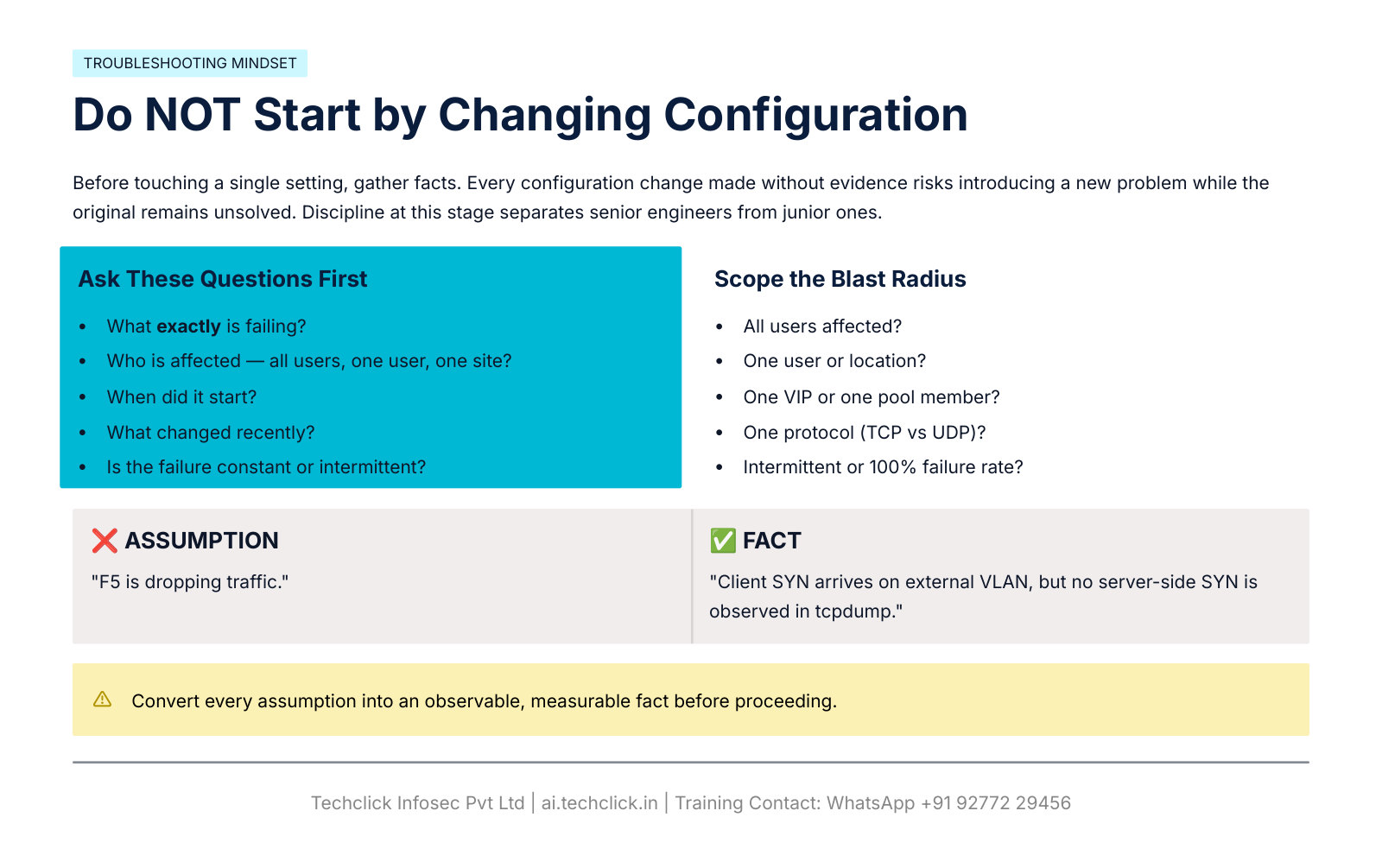
Find the last known-good packet. On a Standard VS, client TCP and server TCP are two conversations. Green VIP is one probe, not the user path.
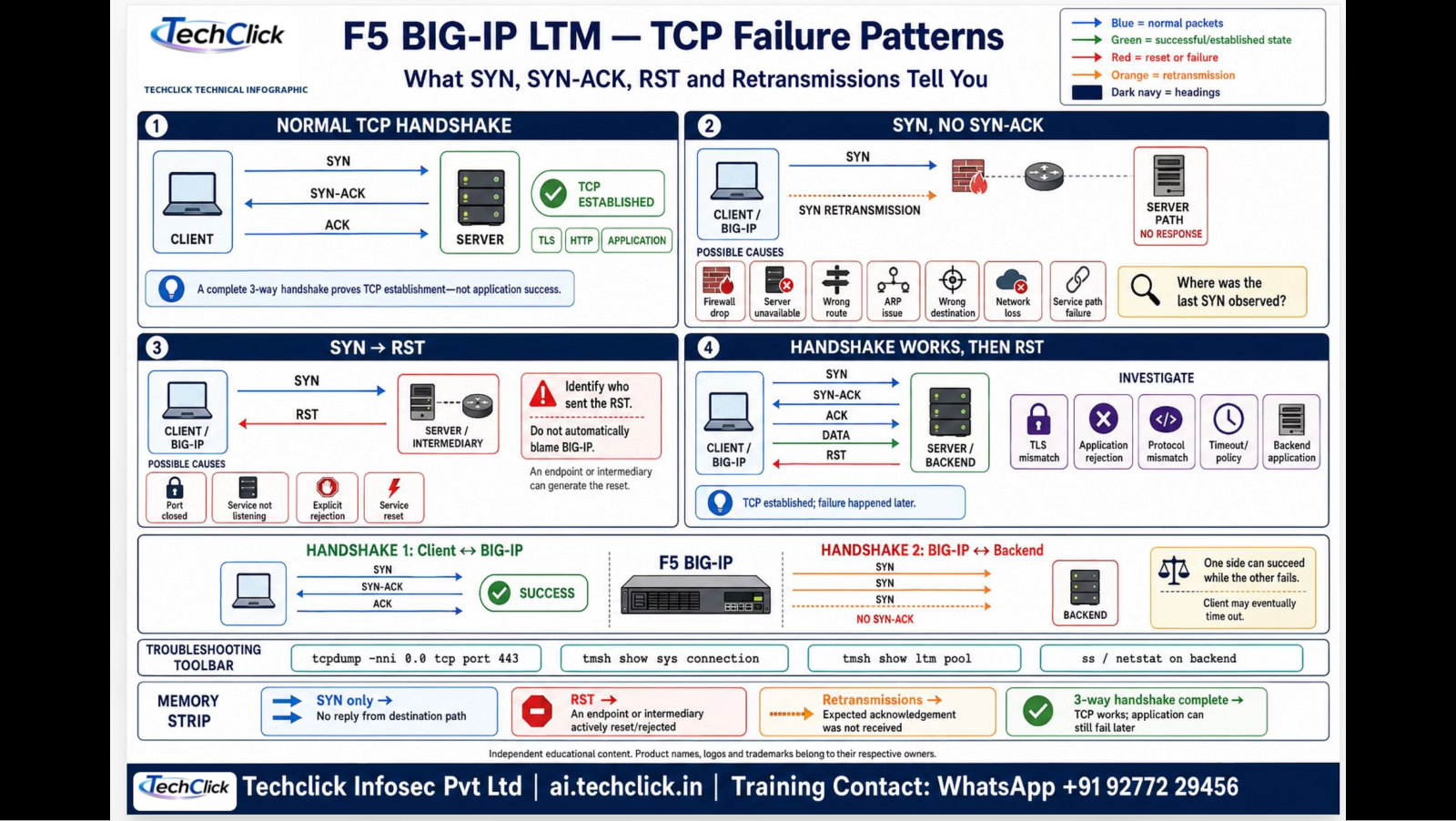
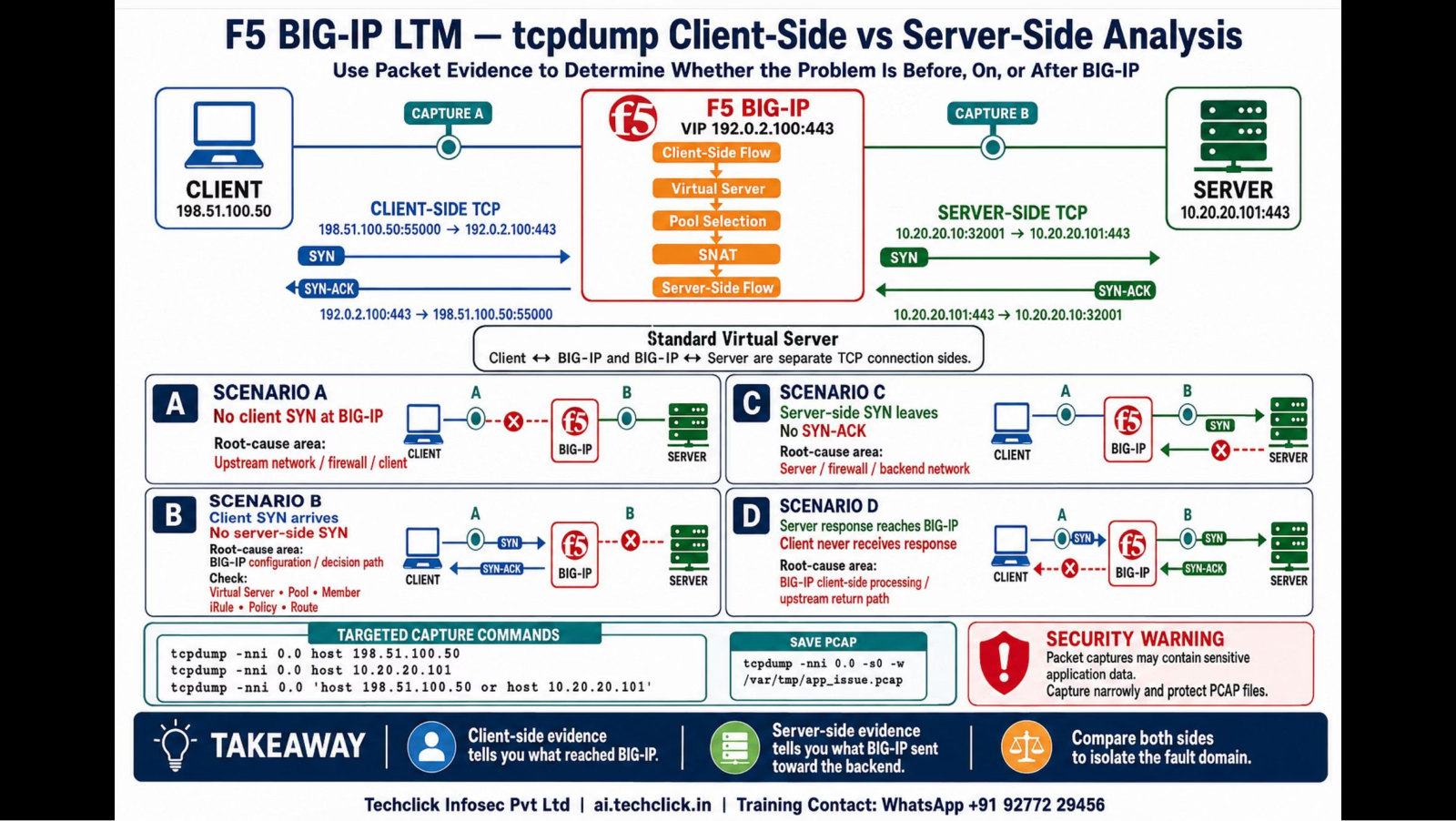
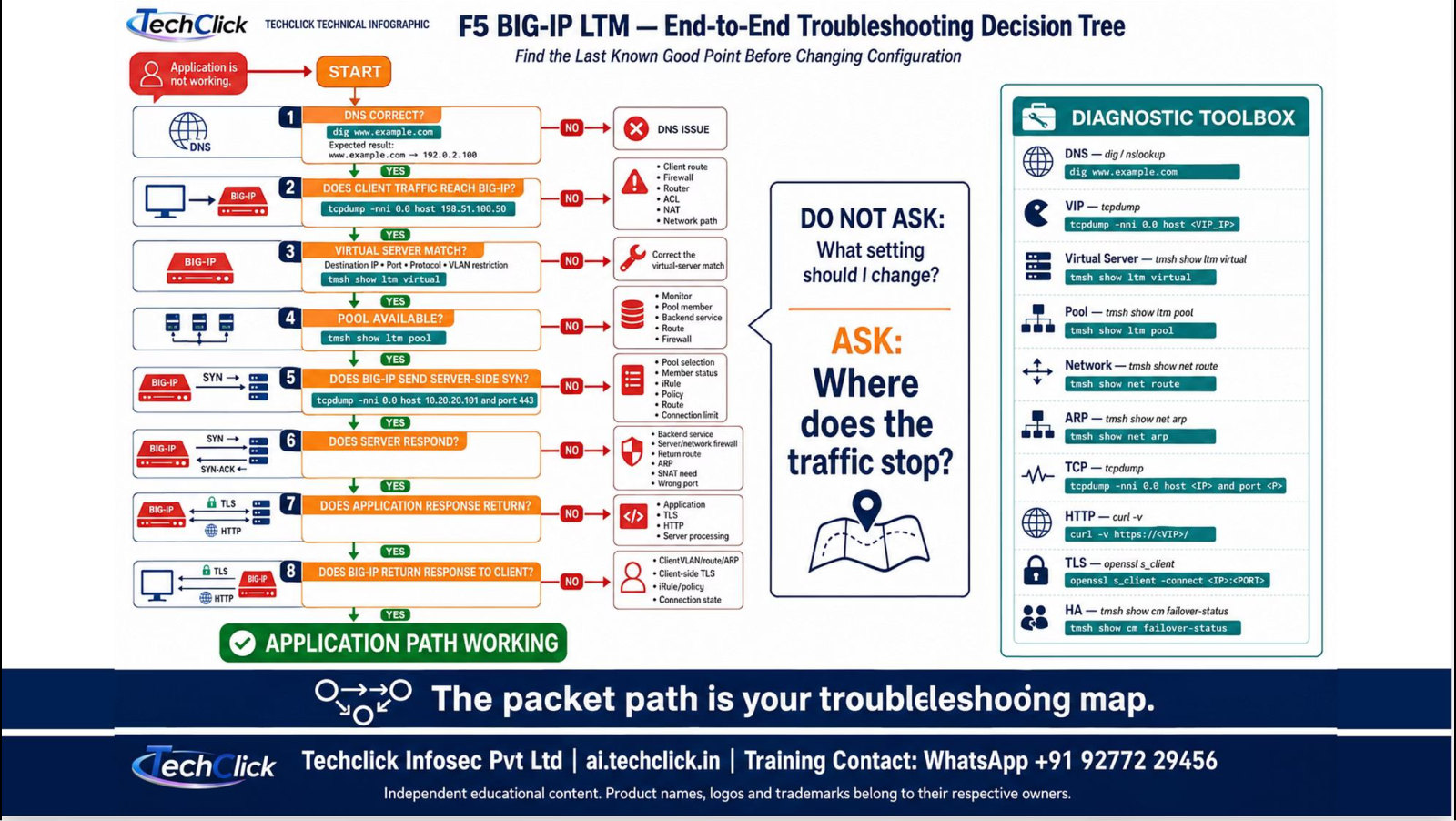
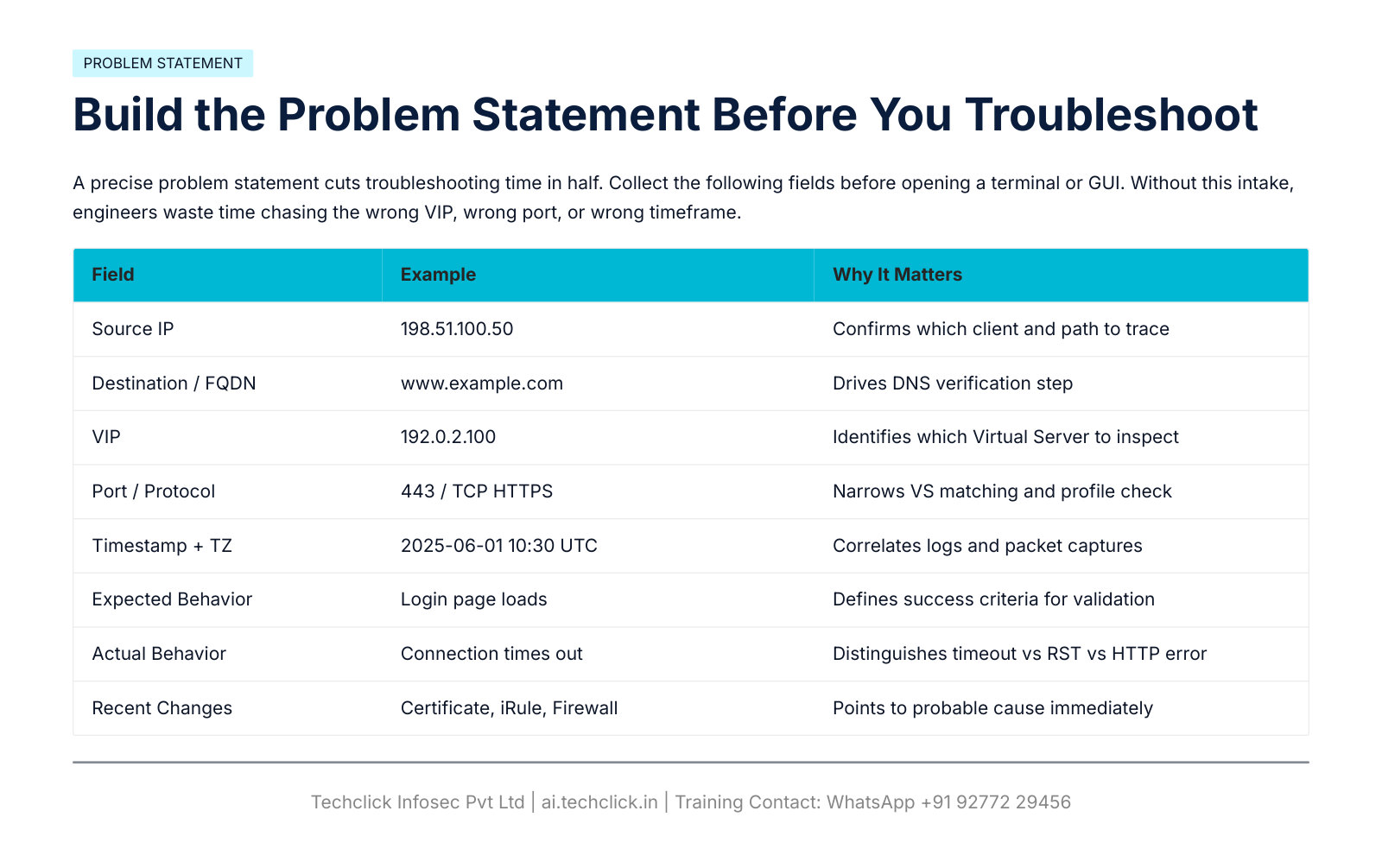
Problem statement and master flow
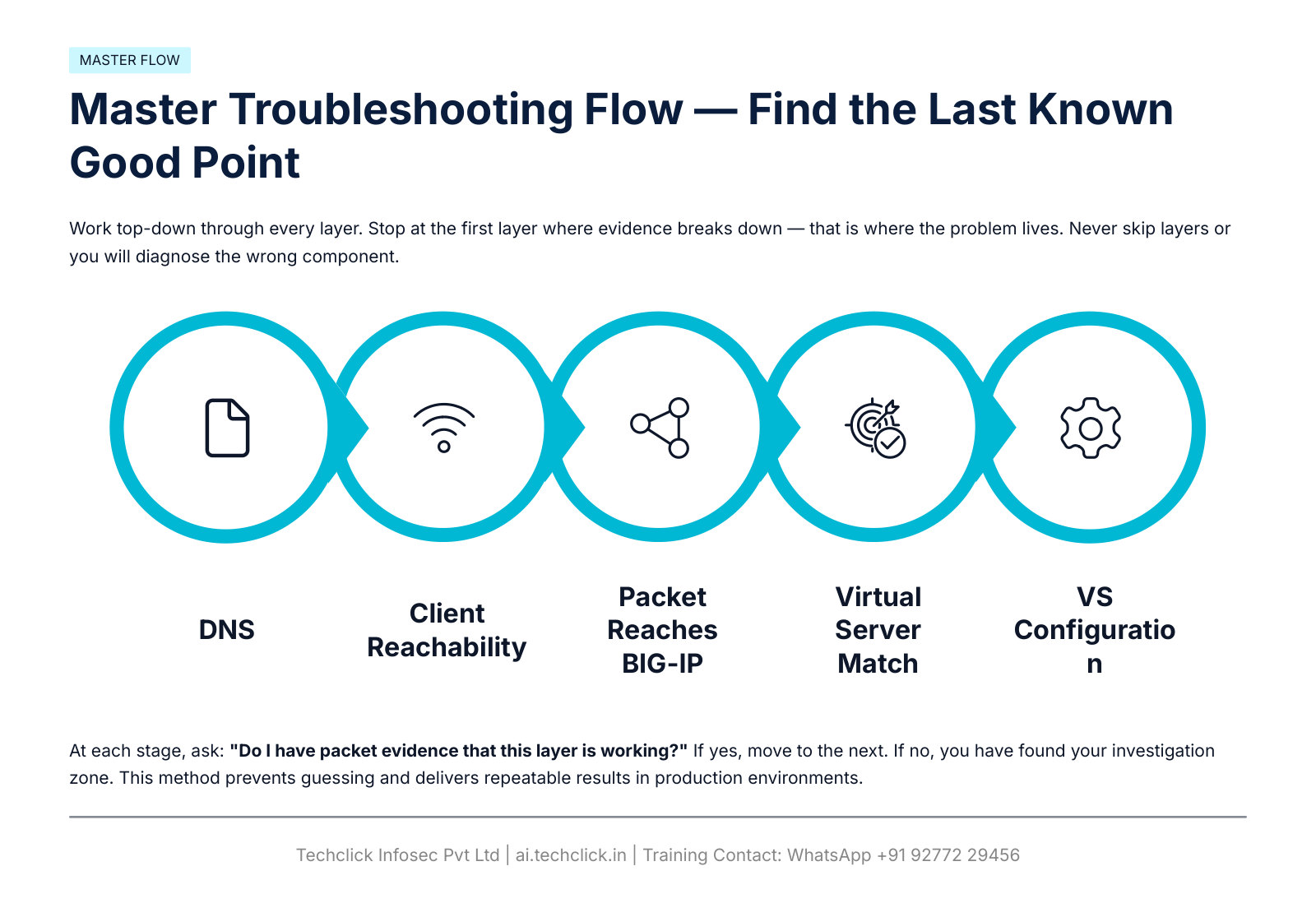
Blue = client path. Orange = BIG-IP match. Green = server path. Purple = TLS/HTTP. Gray = policy/HA.
DNS and client-to-VIP (slides 6–7)
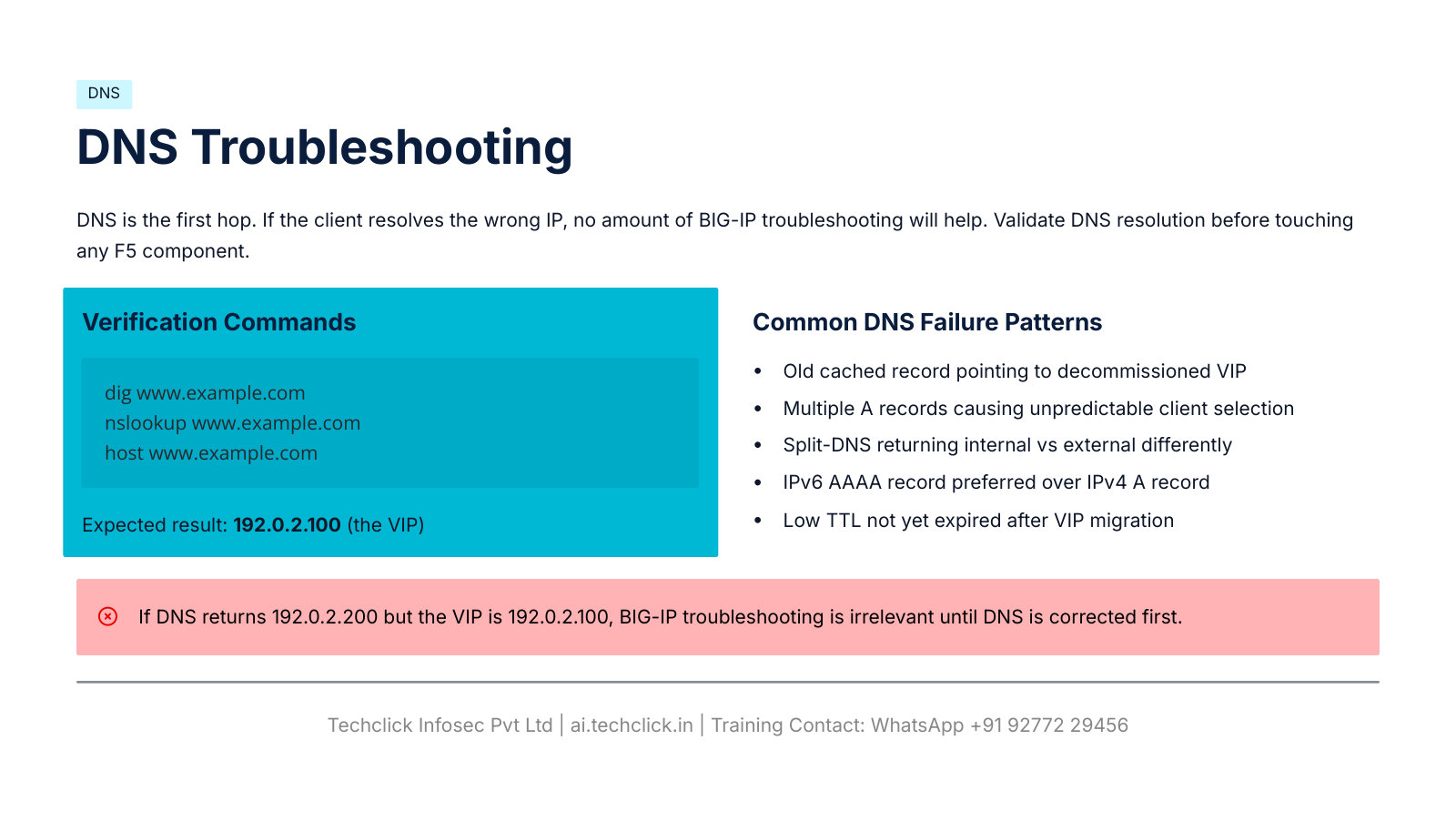
dig www.example.com
nslookup www.example.com
host www.example.com
# expected A: 192.0.2.100
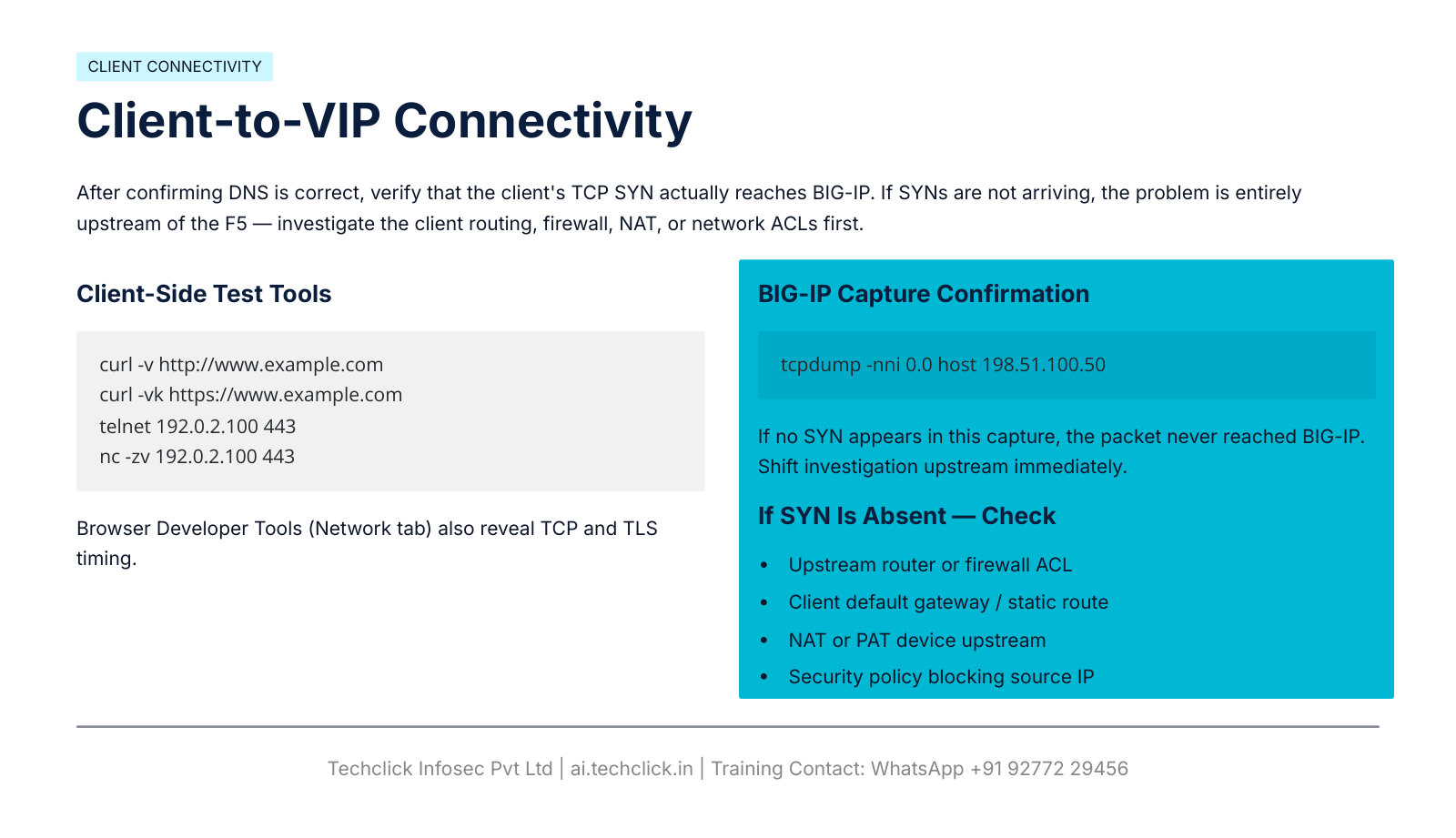
curl -v http://www.example.com
curl -vk https://www.example.com
telnet 192.0.2.100 443
nc -zv 192.0.2.100 443
tcpdump -nni 0.0 host 198.51.100.50
Virtual Server match (slides 8–9)
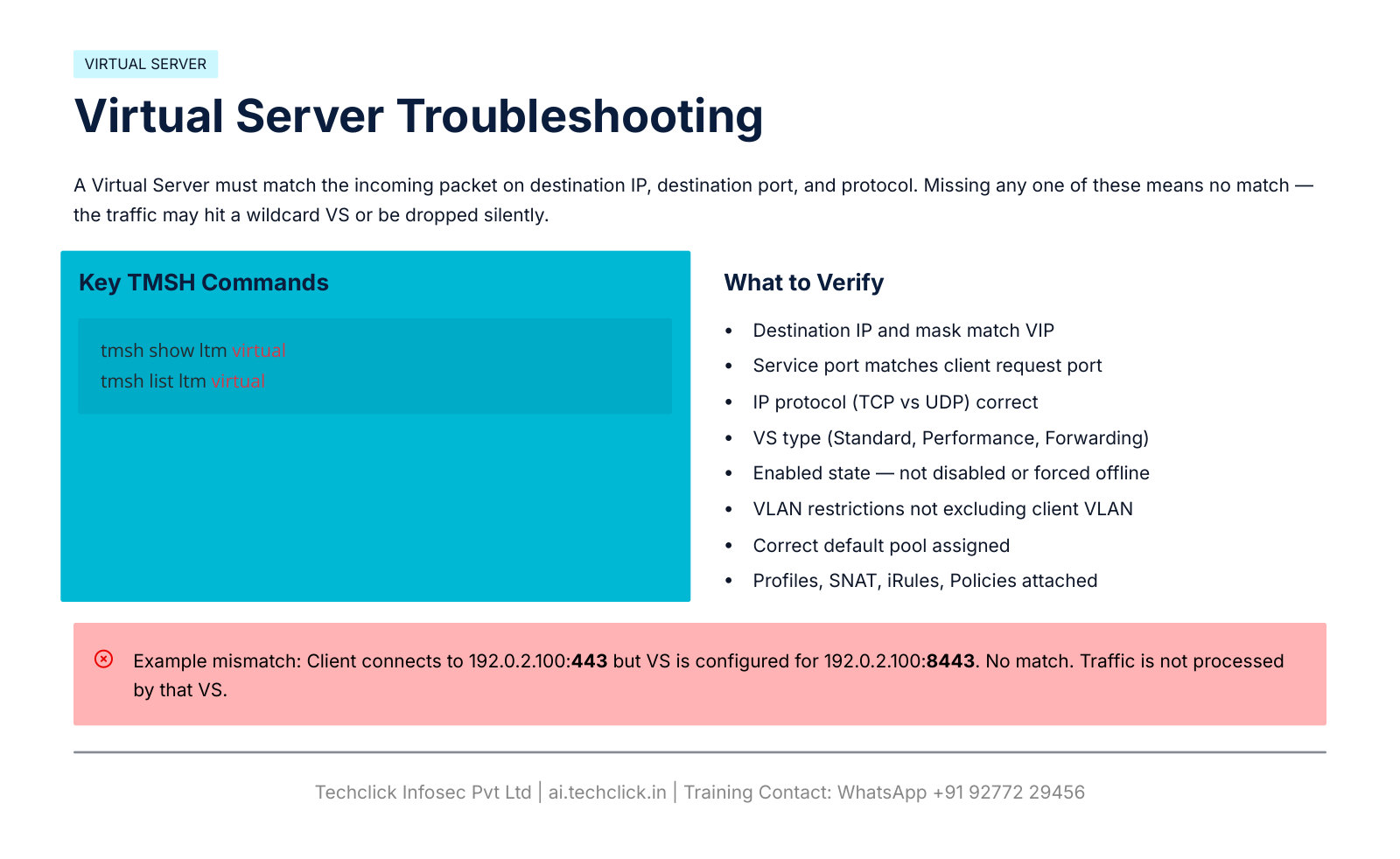
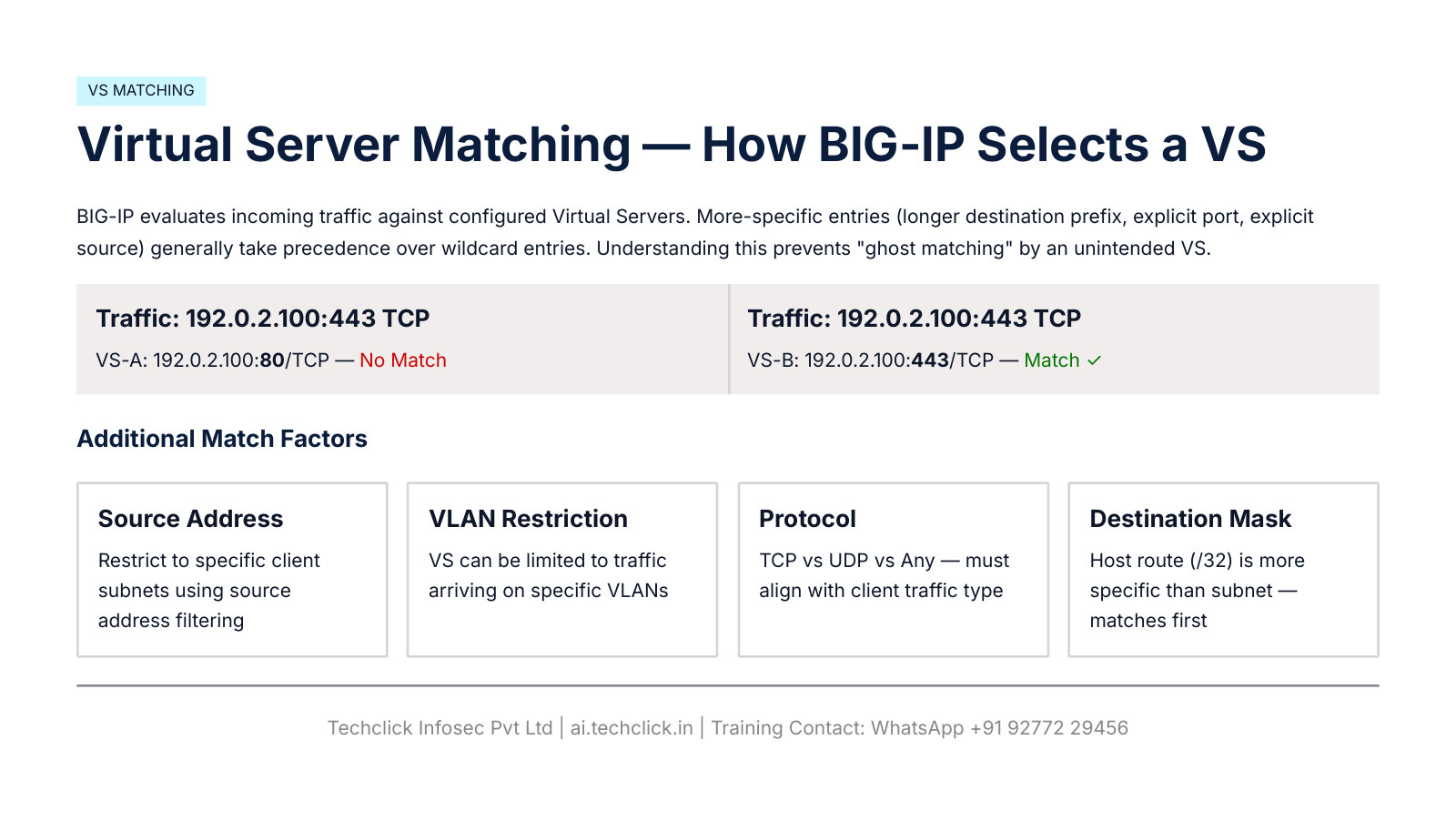
tmsh show ltm virtual
tmsh list ltm virtual vs_web_https
Local Traffic › Virtual Servers › vs_web_https
Properties
Documented VS fields from the PDF. Green here does not prove a client SYN arrived.
Pool, node, monitor (slides 10–13)
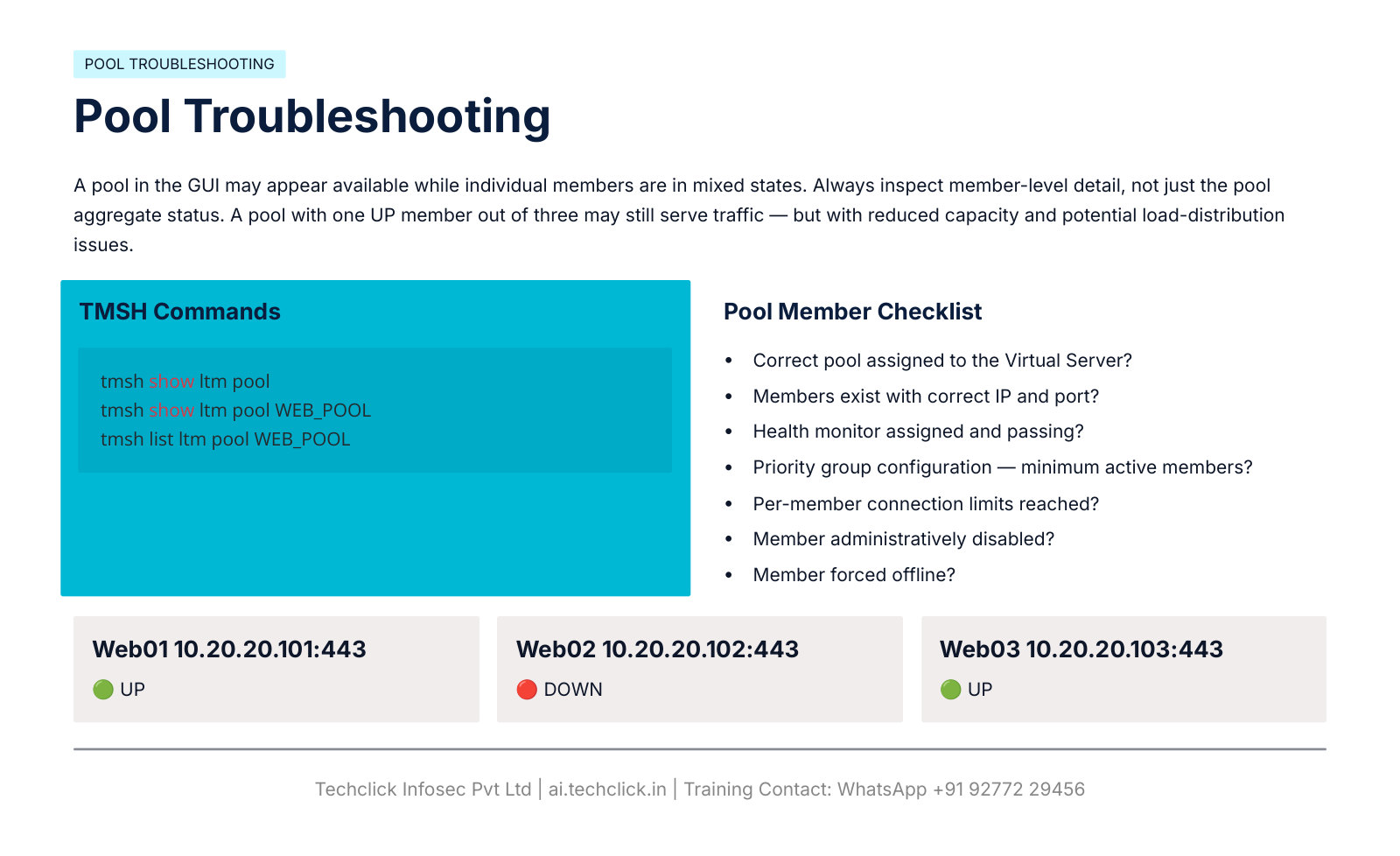
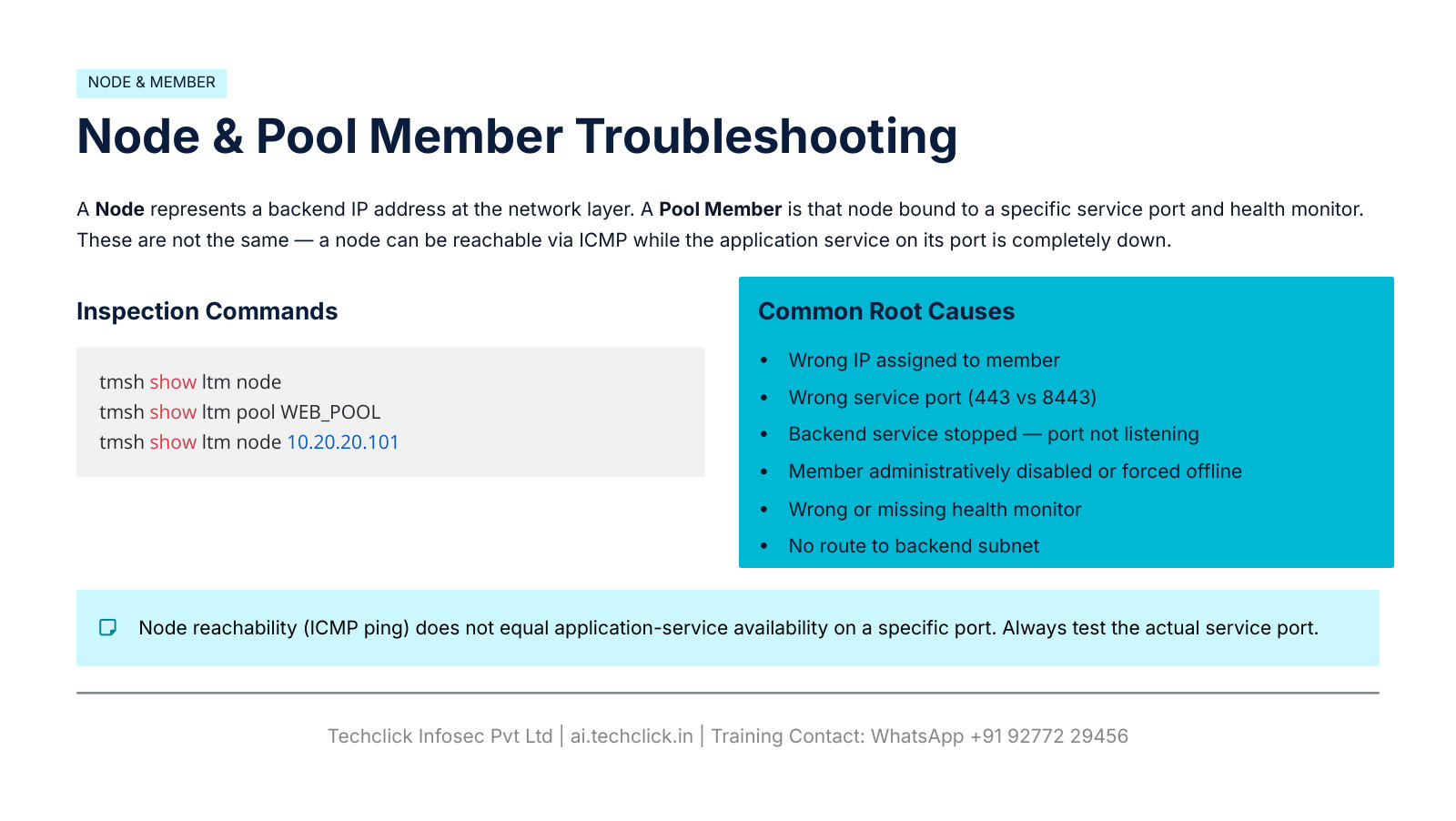
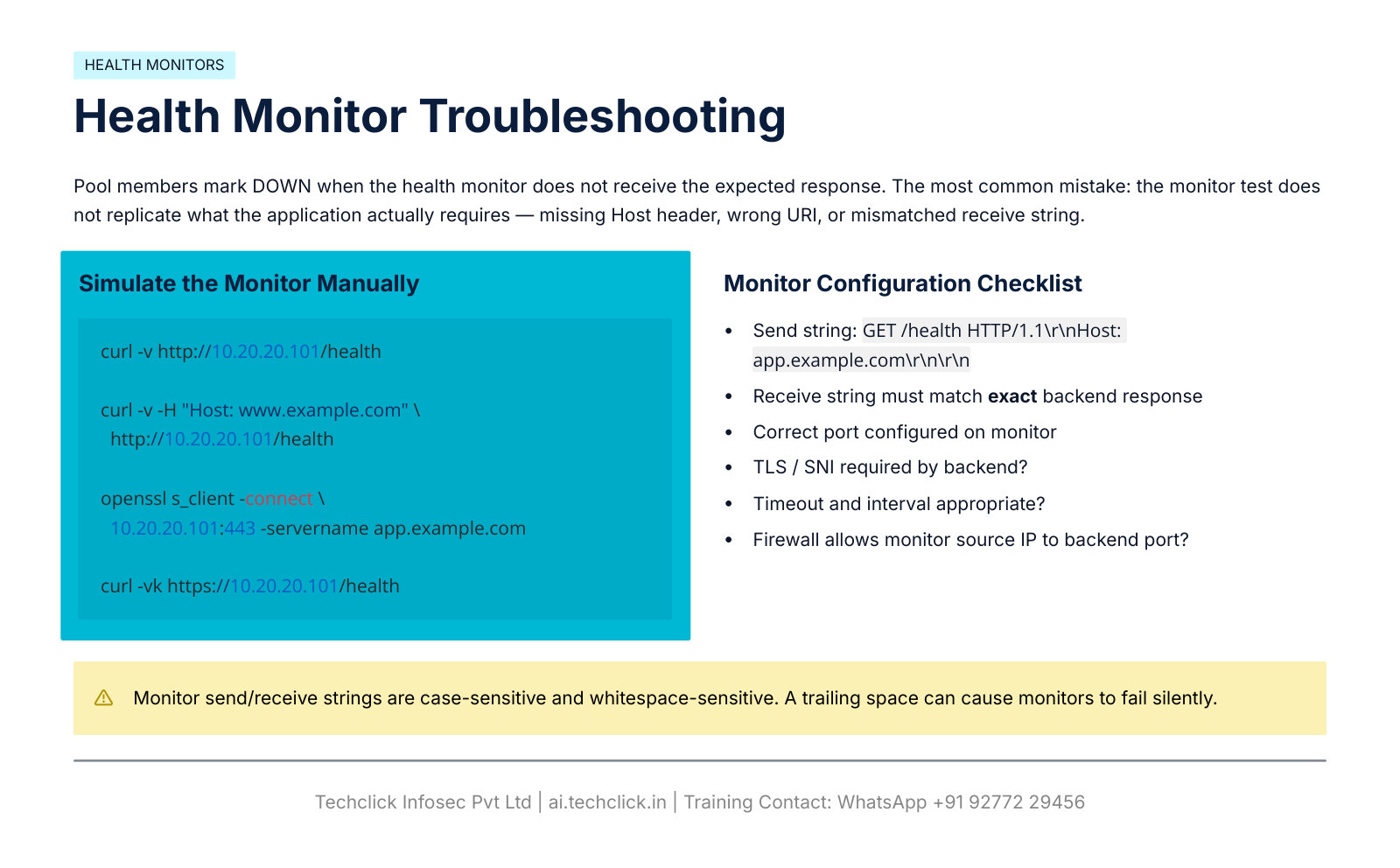
tmsh show ltm pool
tmsh show ltm pool WEB_POOL
tmsh list ltm pool WEB_POOL
tmsh show ltm node
tmsh show ltm node 10.20.20.101
curl -v http://10.20.20.101/health
curl -v -H "Host: www.example.com" http://10.20.20.101/health
curl -vk https://10.20.20.101/health
openssl s_client -connect 10.20.20.101:443 -servername app.example.com
Local Traffic › Pools › WEB_POOL › Members
Members
| Member | Port | Status |
|---|---|---|
| 10.20.20.101 | 443 | UP |
| 10.20.20.102 | 443 | DOWN |
| 10.20.20.103 | 443 | UP |
Same member mix as PDF slide 10.
Routing, ARP, SNAT (slides 14–17)
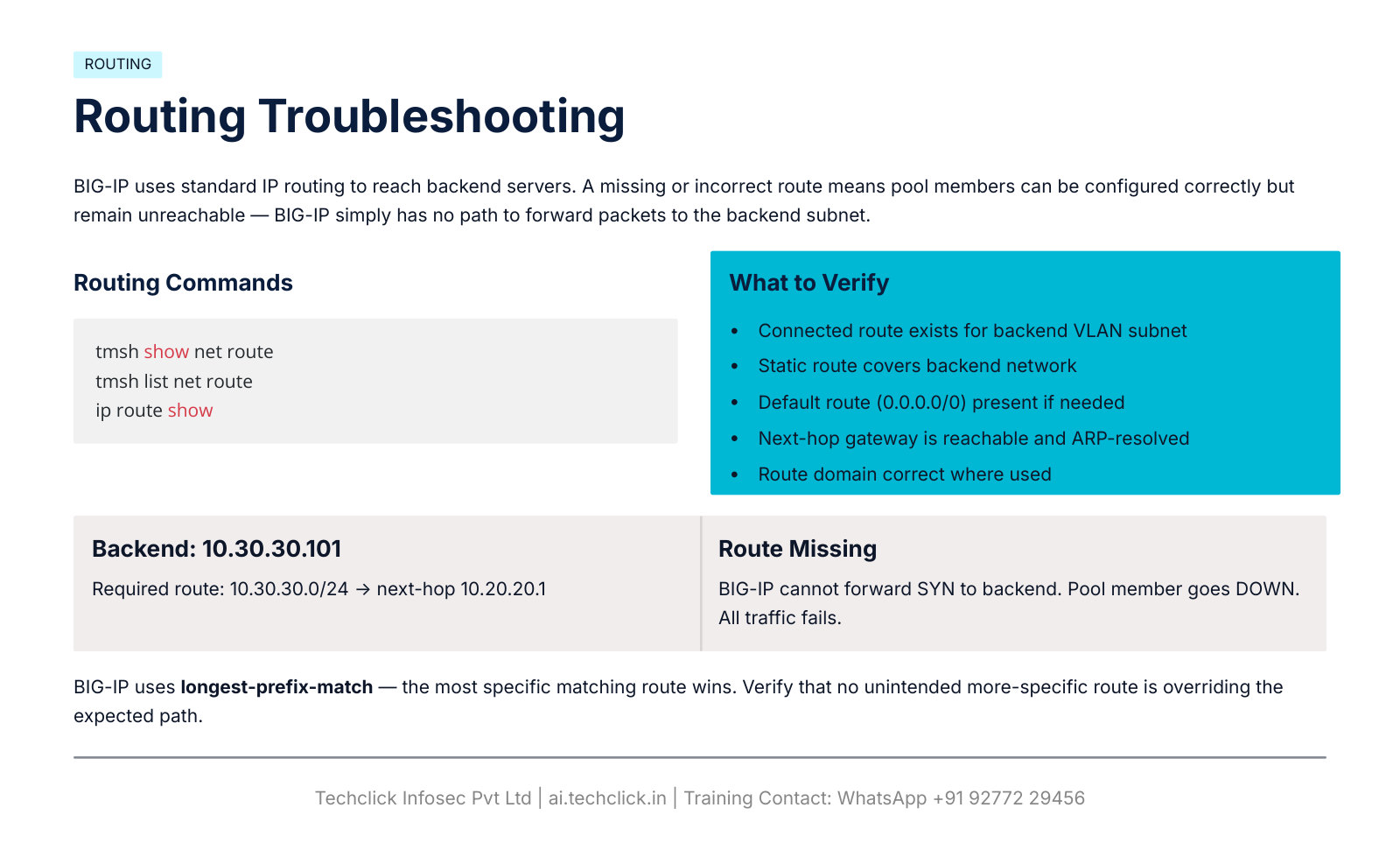
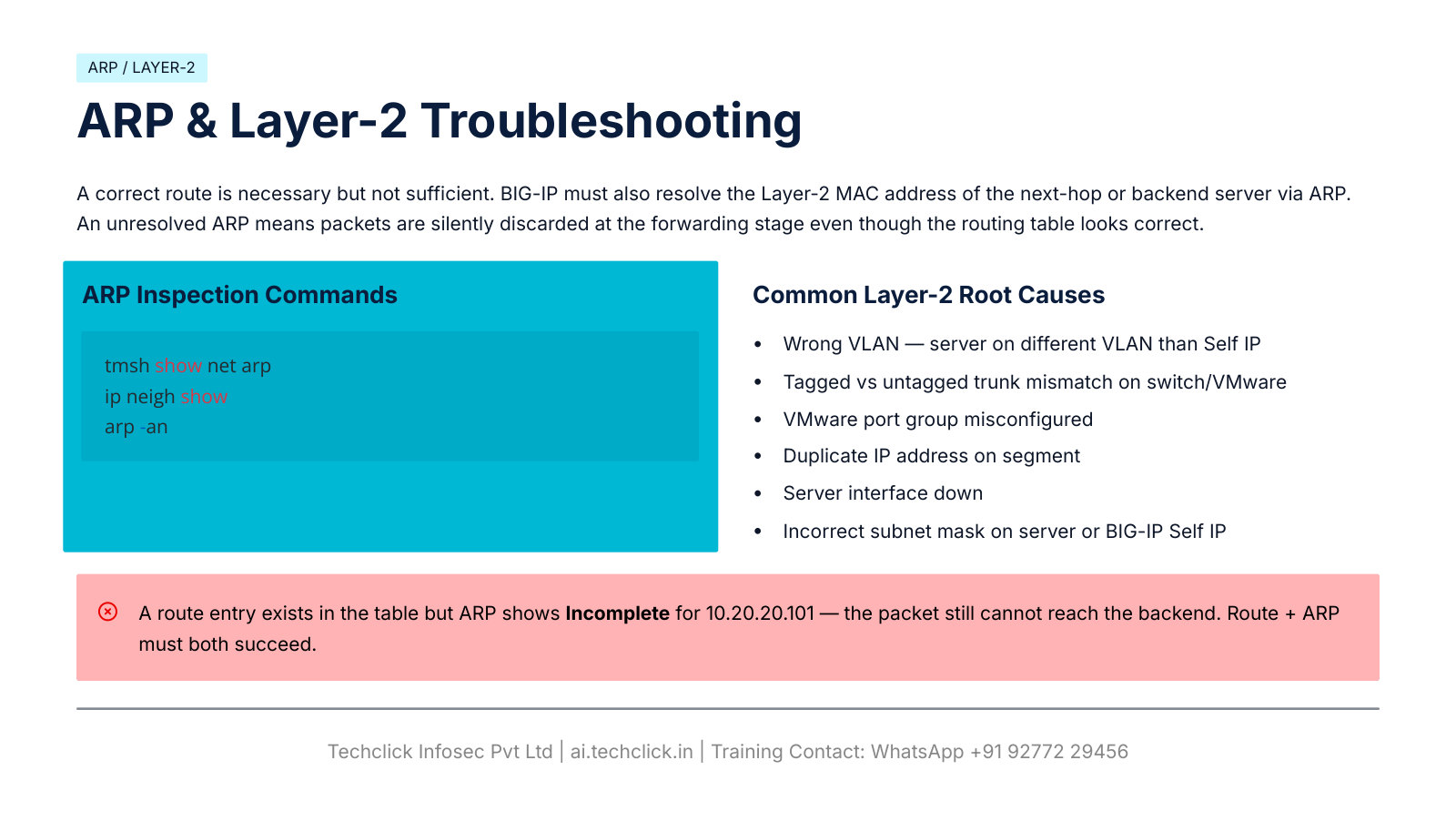
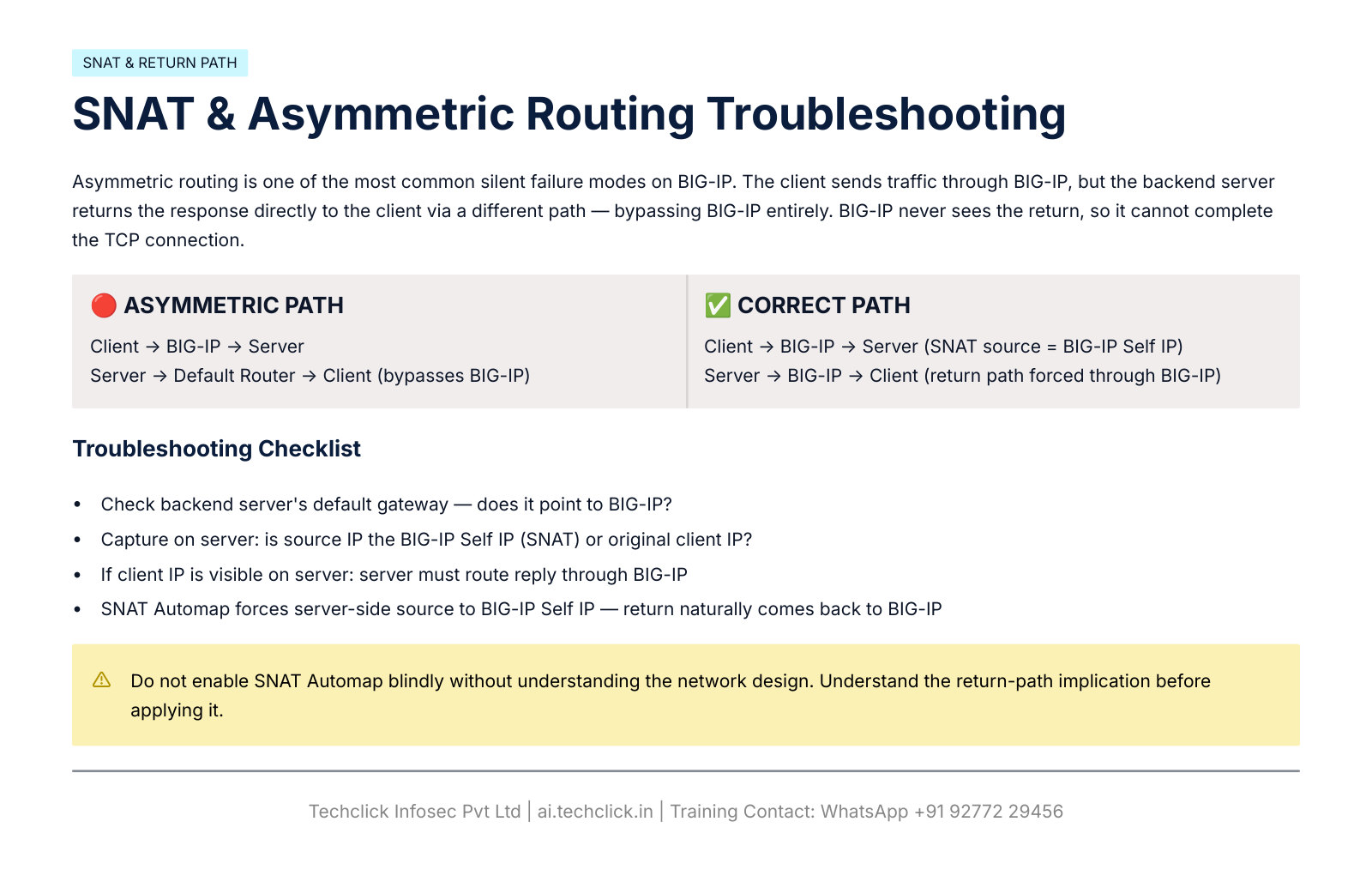
tmsh show net route
tmsh list net route
ip route show
tmsh show net arp
ip neigh show
arp -an
Seeing the original client IP on the server means the server must route replies back through BIG-IP. If it does not, that is asymmetric routing — one of the PDF’s most common silent failures.
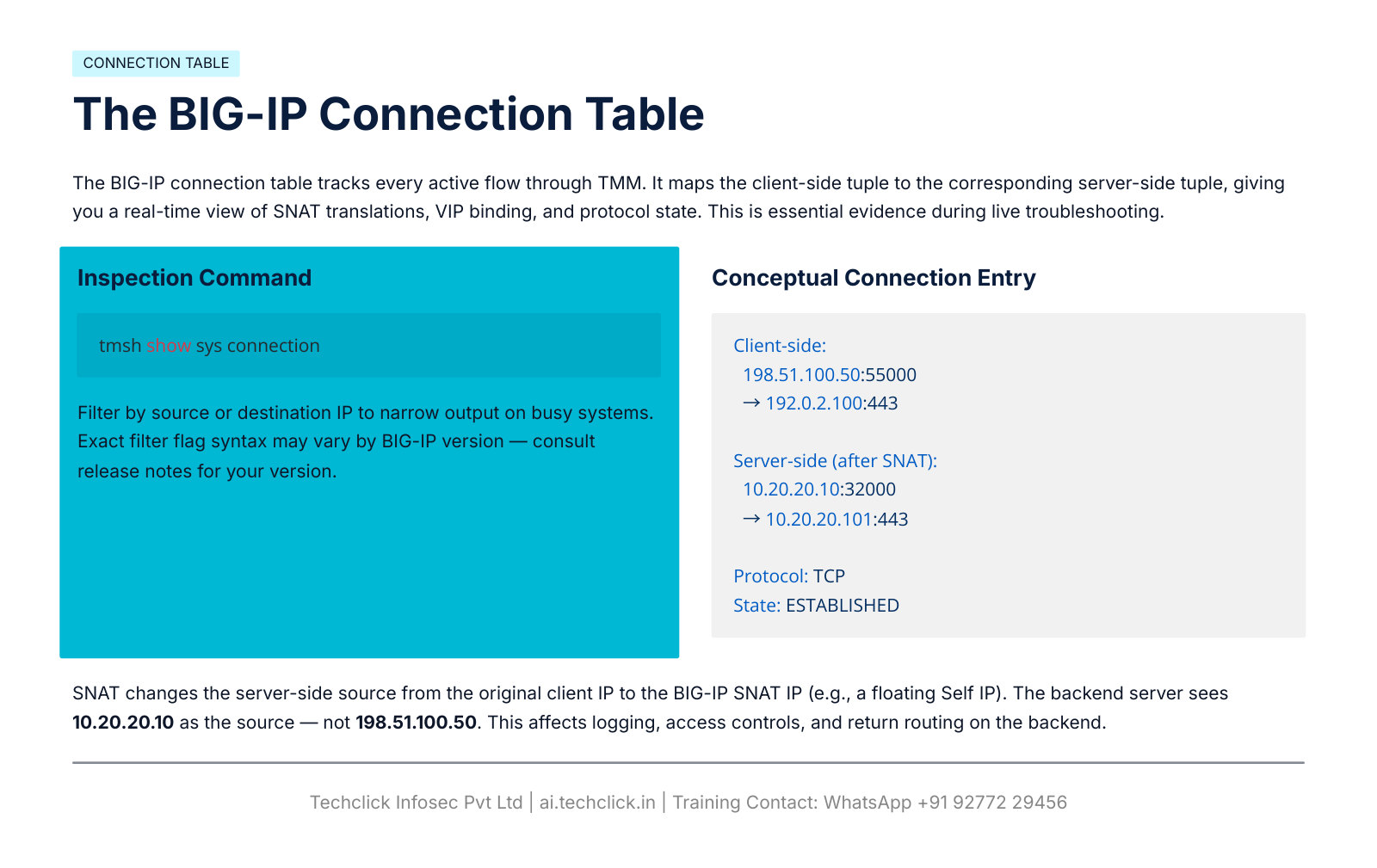
Connection table, full proxy, TCP, RST (slides 18–22)
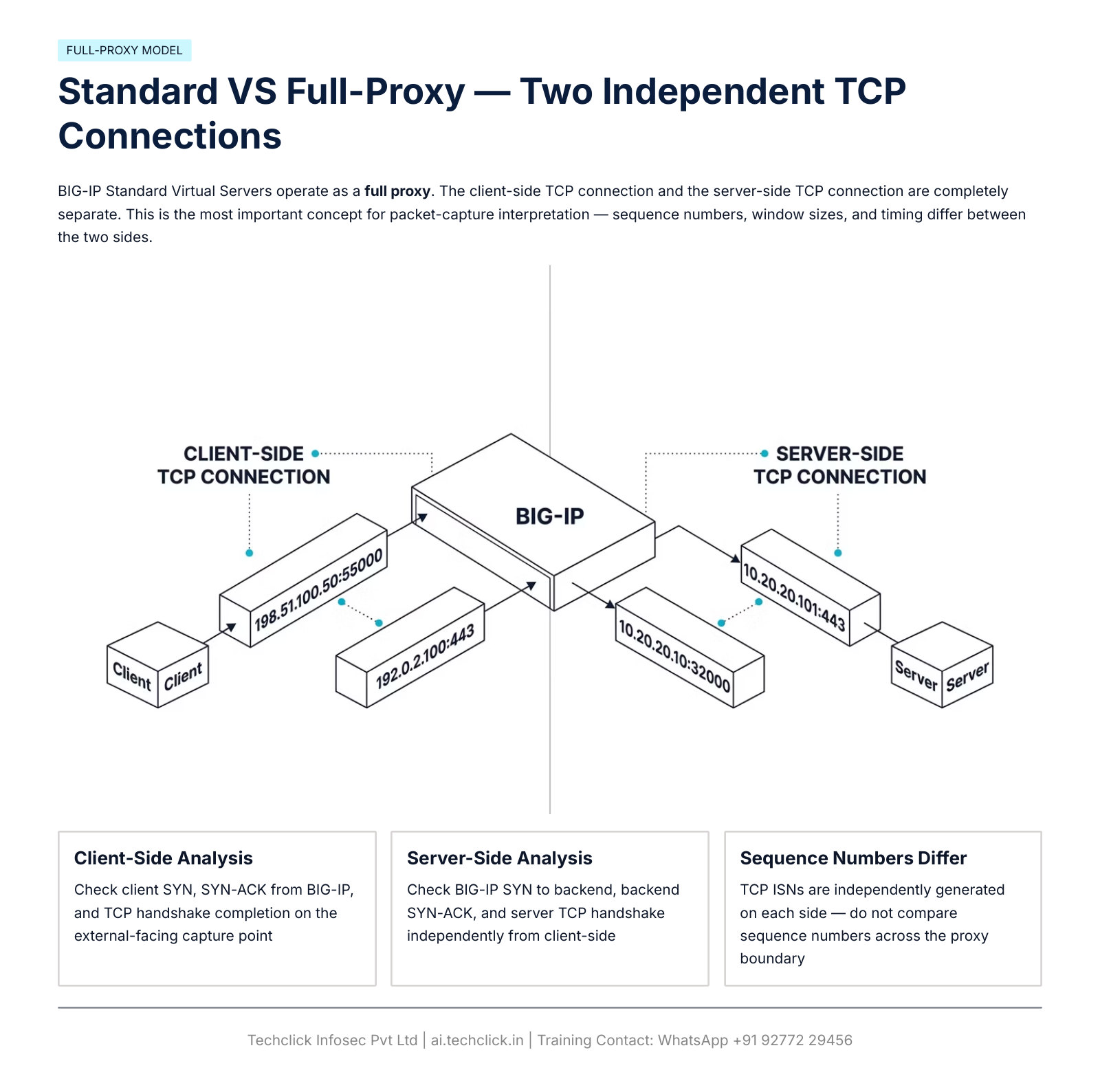
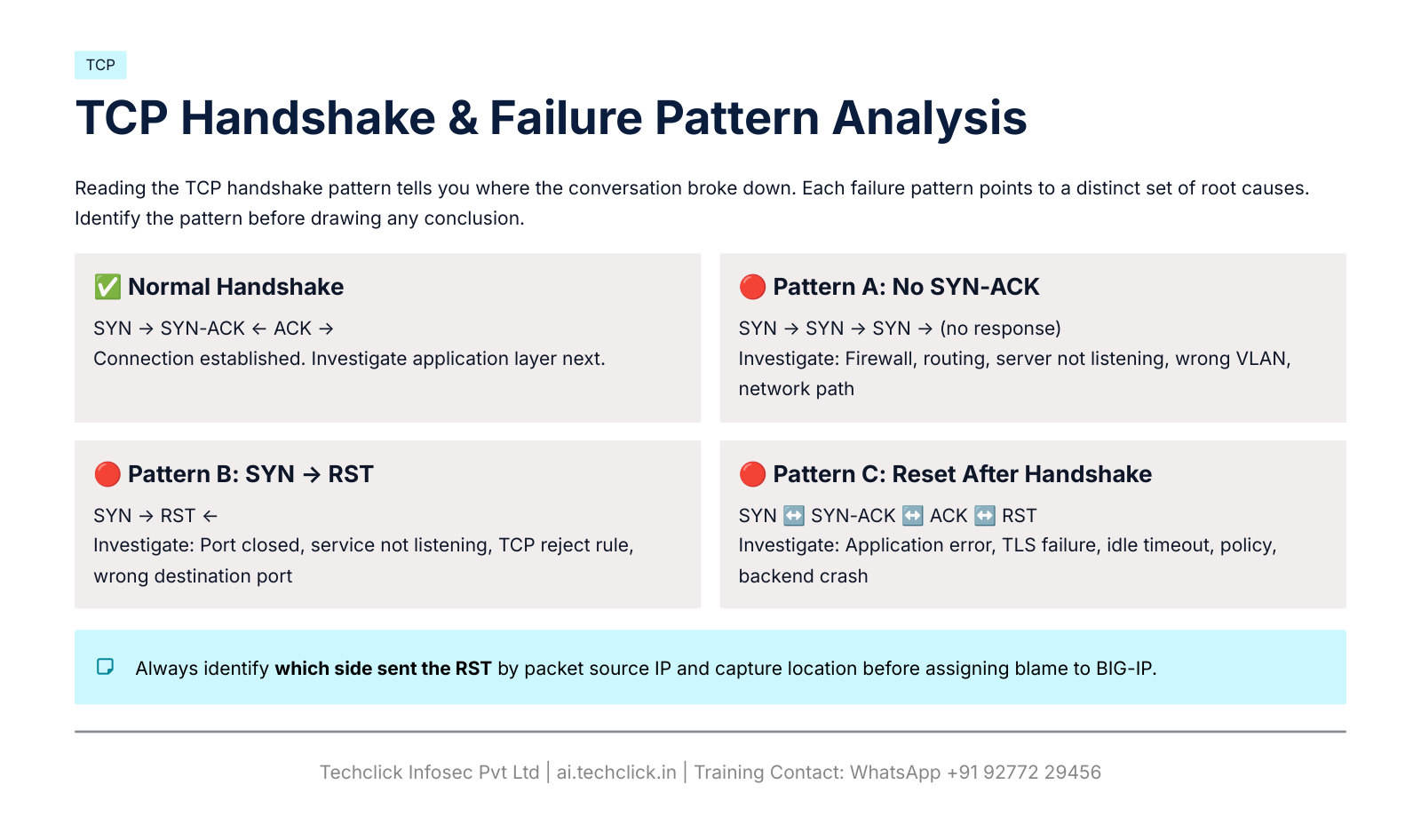
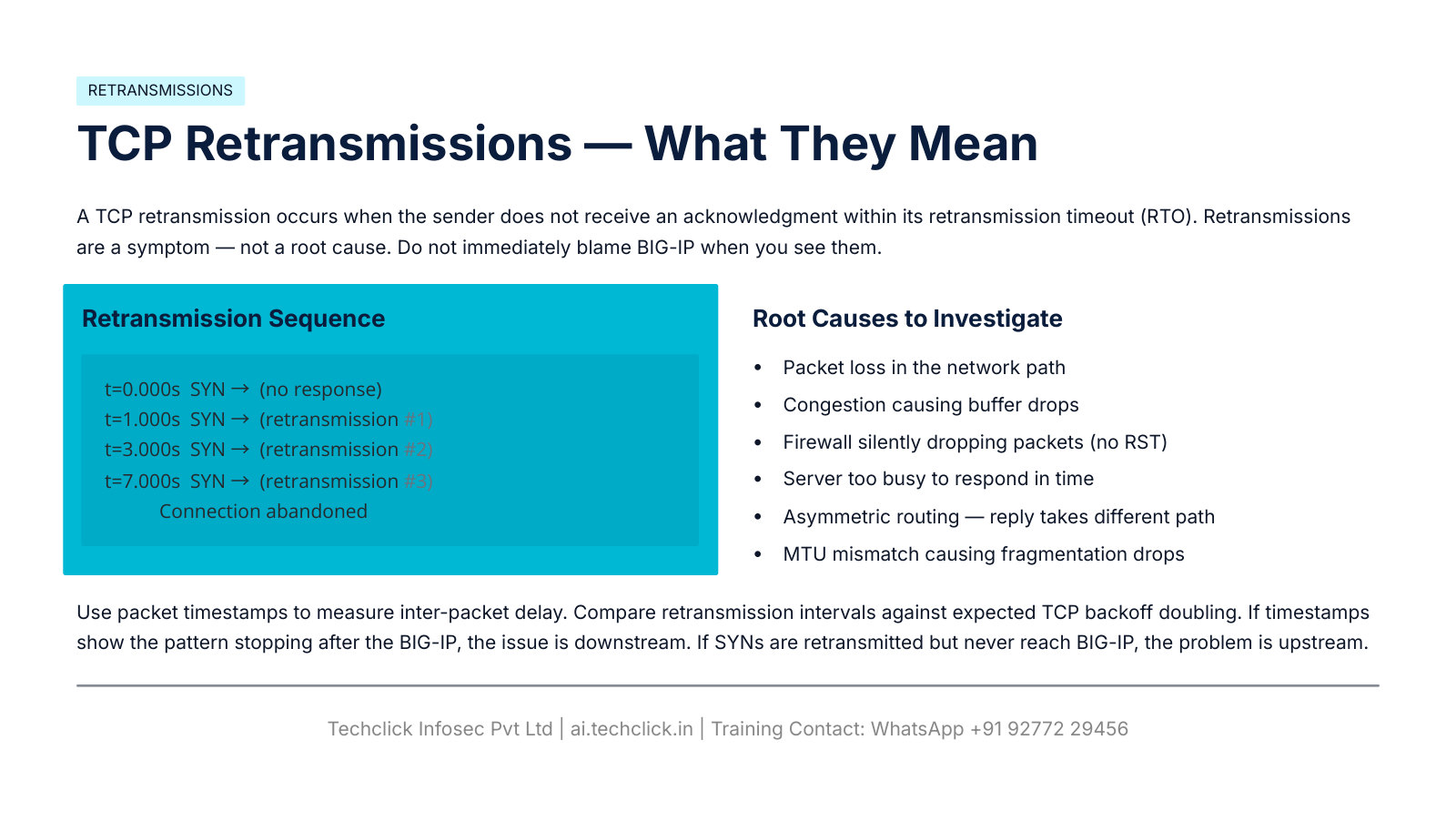
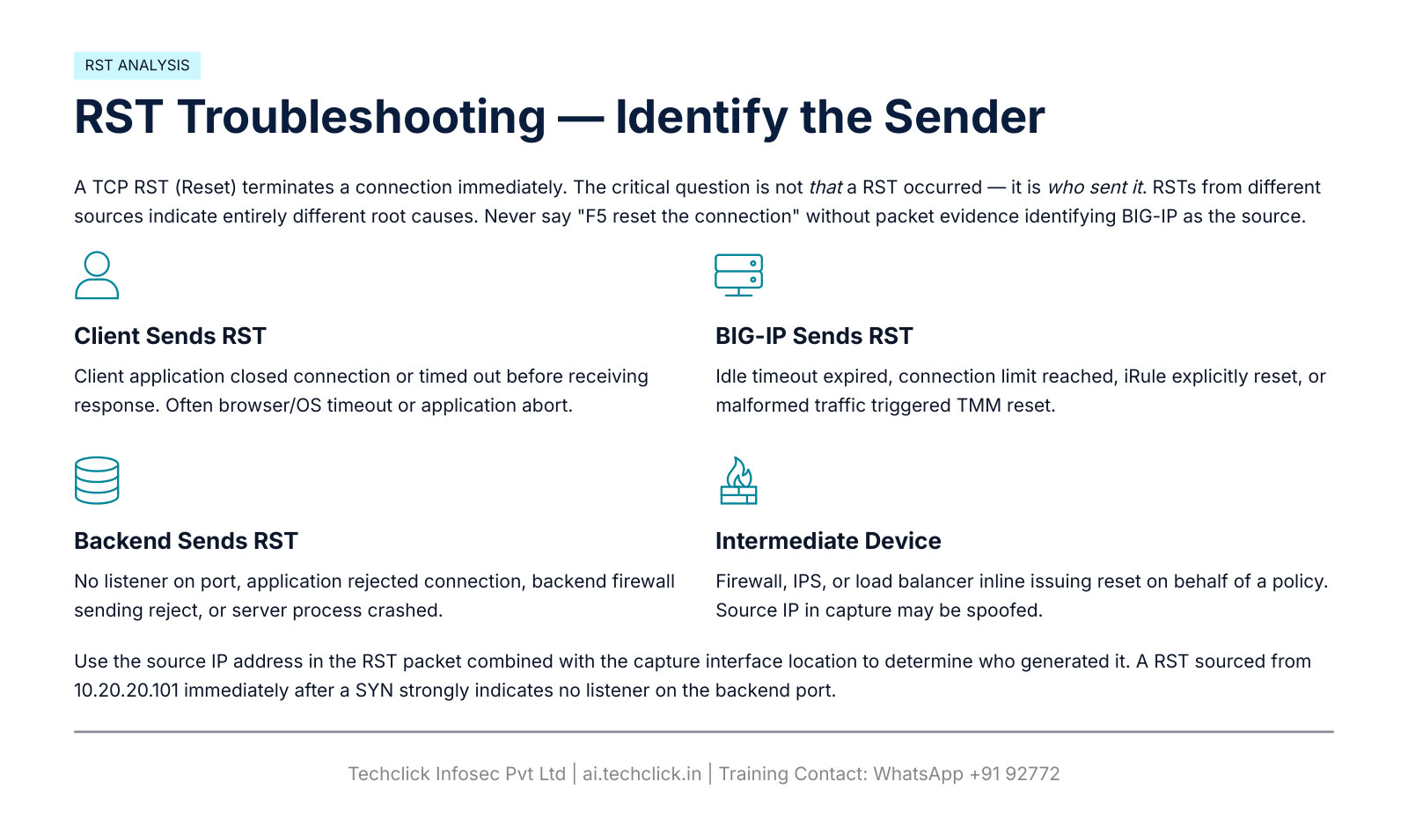
tcpdump -nni 0.0 host 198.51.100.50
tcpdump -nni 0.0 host 10.20.20.101
tcpdump -nni 0.0 'host 198.51.100.50 or host 10.20.20.101'
tcpdump -nni 0.0 tcp port 443
tcpdump -nni 0.0 -s0 -w /var/tmp/app_issue.pcap host 198.51.100.50 and tcp port 443
tmsh show sys connection
Some releases add F5 Ethernet trailers / both-sides capture with interface modifiers (K00463541: :nnn, p). Syntax is version-specific. Confirm on the box. K6546: 0.0 is not rate-limited like switch taps — filter it. Use -n/-nn. Protect PCAPs.
HTTP, Host header, TLS, SSL bridging (the rest of Module 7)
The 22-slide PDF stops at RST. Production work continues: HTTP status source, name-based vhosts, two TLS sessions.
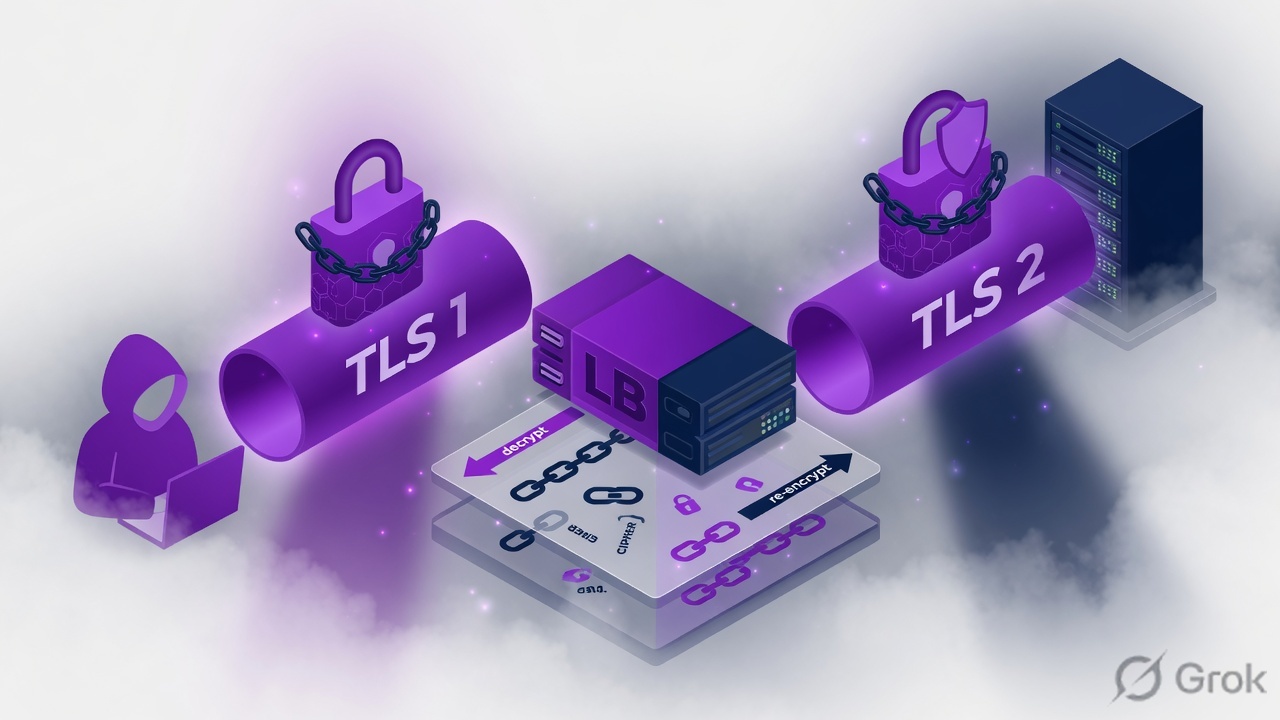
Source: BIG-IP 17.0 SSL Traffic Management.
curl -v http://www.example.com
curl -vk https://www.example.com/
curl http://10.20.20.101/                    # may fail
curl -H "Host: www.example.com" http://10.20.20.101/   # name-based vhost
openssl s_client -connect 192.0.2.100:443 -servername www.example.com
openssl s_client -connect 10.20.20.101:443 -servername app.internal.example
| Symptom | First evidence | Usual miss |
|---|---|---|
| 301/302 loop | curl -vk Location vs Host | HTTP profile / iRule redirect vs VS port |
| 403 / 404 / 500 / 503 | Who sourced the status (BIG-IP vs app) | Blaming F5 for application 5xx |
| IP curl fails, Host curl works | Name-based vhost | Monitor without Host |
| Browser cert warning | SAN, SNI, chain, expiry on Client SSL | Wrong profile or missing intermediate |
| Direct HTTPS to member works, VIP fails | Server SSL SNI, ciphers, pool port | Direct test skipped LTM functions |
Client SSL: certificate, key match, chain, TLS versions, ciphers, SNI, expiry. Server SSL: backend port, TLS/cipher, SNI sent to backend, cert validation, vhost. Client-side TLS success does not prove backend TLS.
Persistence, iRules, policies, logs, HA
Uneven traffic can be persistence working. Random logouts can be app sessions stored on Web01 after persist expiry. ConfigSync status ≠ failover status.
tmsh show ltm persistence persist-records
tmsh list ltm rule
tmsh list ltm virtual vs_web_https
tail -f /var/log/ltm
grep -iE 'error|fail|monitor' /var/log/ltm
# also /var/log/messages and /var/log/audit

tmsh show cm failover-status
tmsh show cm sync-status
tmsh show cm device
tmsh show cm device-group
tmsh show cm traffic-group
tmsh show sys performance
tmsh show sys memory
tmsh show sys tmm-info
| Check | Question | Do not |
|---|---|---|
| Persistence | Cookie / source-IP / timeout / NAT / OneConnect / PGA | Treat pin as a broken LB method first |
| iRule | Attached? event, Host, URI, pool name, HTTP profile, TLS terminated? | Debug with noisy logs in production |
| LTM Policy | Attached, enabled, condition order, action, healthy pool | Ignore iRule vs policy ownership |
| Logs | ltm vs messages vs audit | Assume one file covers every subsystem |
| CPU/memory | Correlate timestamp, SSL, logging, connections | Assume high CPU = TMM bug |
| HA | Who is Active? Who owns traffic-group-1? Floating IPs? | Confuse with ConfigSync |
| ConfigSync | Changes Pending → identify authority, then sync. Disconnected → CS Self IP, route, VLAN, FW, trust, NTP | Sync blindly |
Connection mirroring does not guarantee every application session survives failover. After failover: new Active, traffic-group owner, floating Self IP, VIP, VLAN map, route, SNAT, ConfigSync.
Ten production scenarios + VIP-green infographic
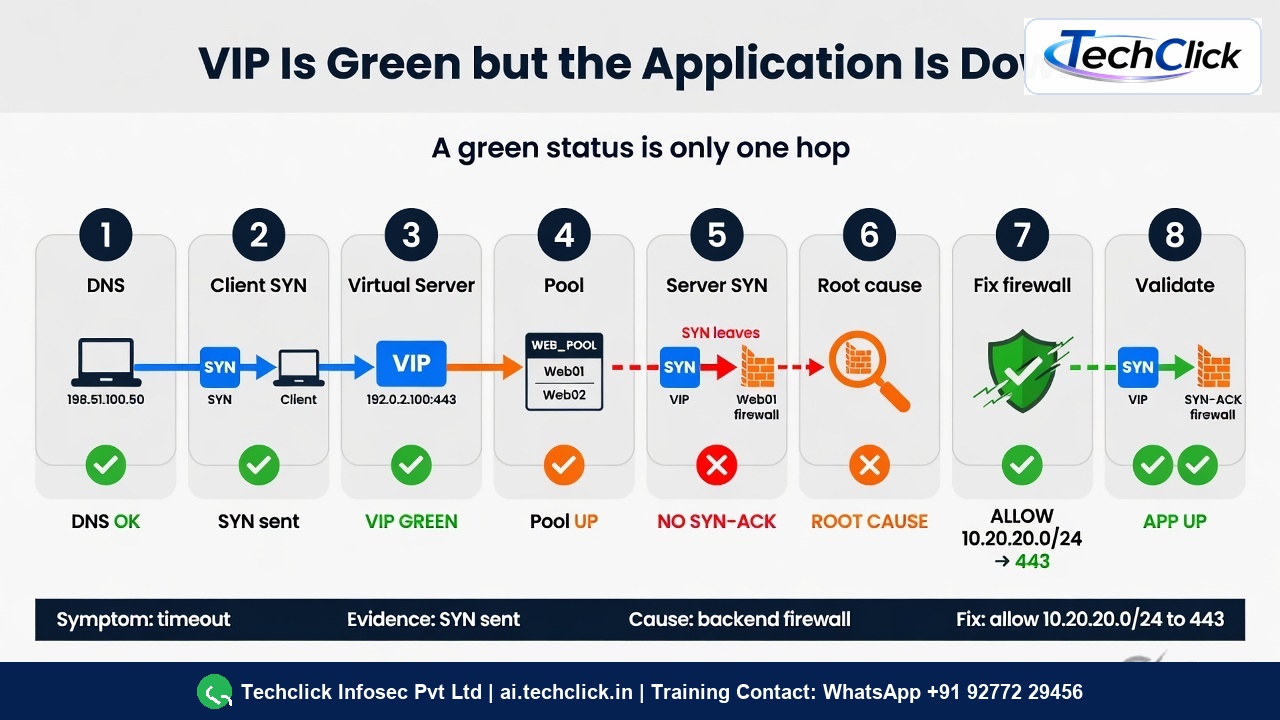
| # | Given | Evidence move | Typical root cause |
|---|---|---|---|
| 1 | VIP green, timeout | DNS, client SYN, server SYN, TLS, HTTP, iRule | Upstream FW, backend FW, TLS, SNAT return, policy |
| 2 | Pool red | Reproduce monitor with Host/TLS/port | Monitor send string ≠ app; service down |
| 3 | Client SYN, no backend SYN | VS match, pool, iRule, limits | BIG-IP never opened server-side (infographic B) |
| 4 | Backend SYN, no SYN-ACK | Member capture, ARP, listener | Backend/network (infographic C) |
| 5 | Server OK, client fails | Return path, client TLS, iRule | Infographic D |
| 6 | Direct backend works, VIP fails | Diff source IP, Host, SNI, Server SSL, port | Direct test skipped LTM functions |
| 7 | HTTPS fails after cert change | openssl s_client, chain, key, SNI | Wrong Client SSL object or incomplete chain |
| 8 | Random logouts | Persist timeout + app session store + HA | Local sessions on one member |
| 9 | One server gets all traffic | Persist, NAT, OneConnect, PGA, limits | 1000 users behind 203.0.113.10 source-IP persist |
| 10 | Works before failover, fails after | Active unit, traffic-group, floating IP, sync, VLAN, SNAT | Standby never had the same path |
Traps, lab, interview
| Trap | Looks like | Proof |
|---|---|---|
| Change config first | SNAT/iRule flapping | Written intake + last known-good packet (slide 2) |
| Green = healthy | VS/pool Available, timeout | Client SYN and server SYN in tcpdump |
| Monitor whitespace | Member DOWN, curl works | Exact send/receive + Host (slide 13) |
| Route without ARP | Route exists, Incomplete | Slide 15 |
| Asymmetric return | Server capture OK, BIG-IP never sees reply | Slide 17 |
| RST means F5 | “F5 reset” | RST source IP (slide 22) |
| One TLS session | Browser padlock, backend fails | Server SSL / openssl to member |
| Sync to fix failover | Wrong traffic-group owner | failover-status vs sync-status |
| Wide 0.0 capture | Huge PCAP | K6546 + PDF security warning |
1) DNS to 192.0.2.200. 2) VS port 443 vs 8443. 3) Firewall drop on member :443 (scenario C). 4) Strip Host from HTTP monitor. 5) Persist source-IP behind a proxy. 6) Save a filtered PCAP, then delete it.
“VIP is green, site times out. First packet question?” Did the client SYN reach BIG-IP, and did BIG-IP send a server-side SYN? Weak: “I would bounce TMM.”
Knowledge check
From the PDF infographics and the rest of Module 7.
Sources
- F5-BIG-IP-LTM-Module-7.pdf — all 22 slides (Downloads). Infographics: slides 3, 11, 16.
- K6546 tcpdump 0.0
- K00463541 tcpdump modifiers
- K40033505 connection table
- K14800 VS matching
- BIG-IP 17.0 SSL Traffic Management
Related: SSL offload vs re-encrypt · SNAT · Persistence · Evidence desk · F5 interview · Syllabus
Command flags vary by BIG-IP version. Confirm on the running release.