Lessons · WAF series · Cloudflare WAF
F5 ASM hangs on a Standard virtual server. Cloudflare WAF hangs on a proxied DNS record. Same idea: no attach, no inspection. Policy building on BIG-IP is a different lesson; here the attach is the orange cloud.

Cloudflare WAF inspects HTTP(S) only after a request hits a proxied (orange-cloud) A / AAAA / CNAME record. DNS-only (grey cloud) answers with the origin IP — WAF, rate limit, and L7 DDoS are off for that hostname. On the edge, security phases run in order: HTTP DDoS (ddos_l7), Custom rules (http_request_firewall_custom), Rate limiting (http_ratelimit), Managed Rules (http_request_firewall_managed), Super Bot Fight Mode (http_request_sbfm). Account-scope runs before zone-scope in the same phase. A Block / Managed Challenge stops later phases. Prove a hit in Security Events (Analytics → Events): Service, Action, Rule ID, Ray ID — not in a quiet origin firewall log.
Why the WAF is silent
The day-one ticket is always the same: “WAF is enabled on the zone, so the app is protected.” Wrong. Enabling Managed Rules on the zone does nothing for a hostname whose DNS record is DNS-only. The browser never reached the edge. It opened TCP to 192.0.2.10.
Three silent-zero states look identical in Security Events (empty for that hostname):
- Record is DNS-only — Cloudflare answers DNS with the origin IP. No proxy, no WAF.
- Record is proxied, but the client is hitting a different hostname (stale CNAME, mobile app hard-coded to the origin IP, partner still on the old A record).
- Traffic is not HTTP on a proxied port — SSH, SMTP, RDP, game servers. The HTTP proxy does not terminate them; those records must stay DNS-only or the service breaks.
DNS-only is not Transparent. It is bypass. dig +short api.example.com returning 192.0.2.10 is the proof. Anyone who has that IP skips every custom rule, managed rule, and L7 DDoS policy on the zone. Internal APIs that truly need a direct path use Cloudflare Tunnel or Authenticated Origin Pulls — they do not grey-cloud a public A record.
Orange cloud is the attach
Cloudflare is a reverse proxy on anycast. When Proxy status is Proxied, the A/AAAA answer is a Cloudflare anycast address. The client TCP (and TLS) terminates at the nearest PoP. WAF, Bot, cache, and SSL run there. The edge then opens its own connection to 192.0.2.10 and sets CF-Connecting-IP to the original client. When Proxy status is DNS-only, DNS returns 192.0.2.10 and none of that happens.
Only A, AAAA, and CNAME used for HTTP/HTTPS can be proxied. MX and TXT are always DNS-only. Mail, SSH, and FTP records that you orange-cloud will break — that is a DNS mistake, not a WAF bug.
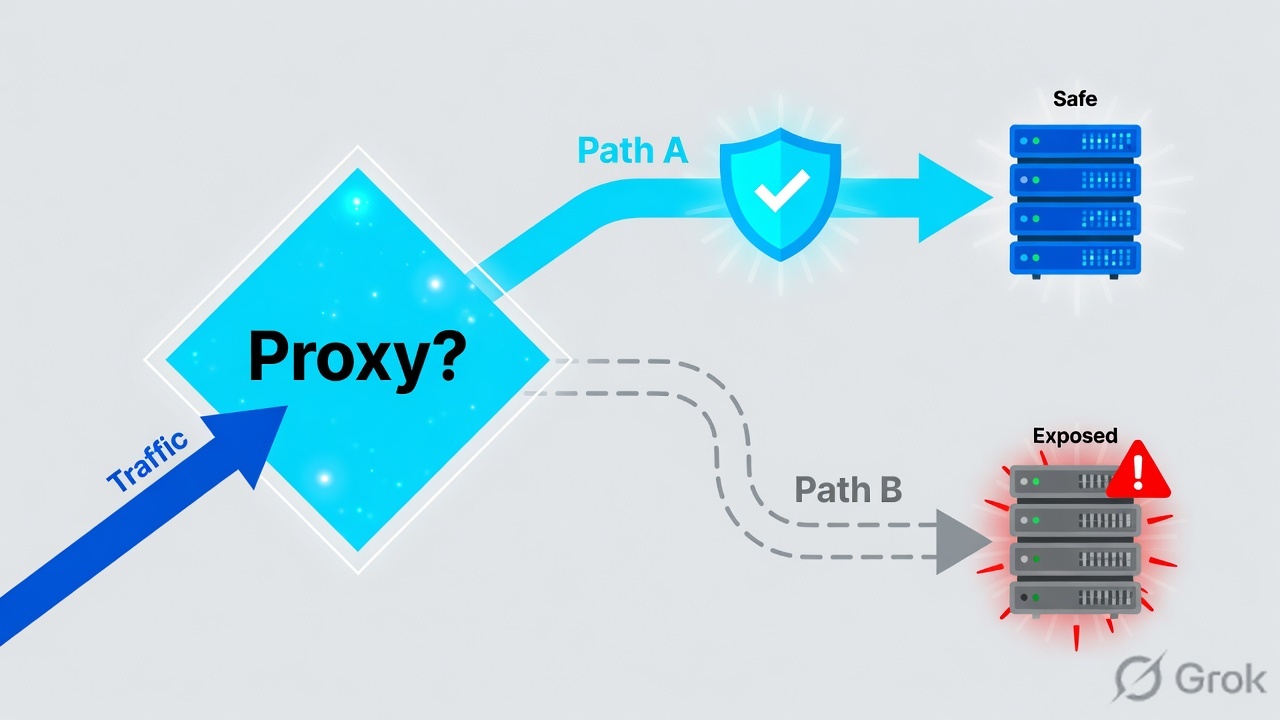
Read left → right. The gold band is one proxied hostname. Managed Rules on the zone do not inspect a grey-cloud sibling. Source: Cloudflare DNS — Proxy status.
WAF runs only on proxied records. Grey cloud returns the origin IP. Non-HTTP must stay DNS-only. A rule that is never reached is not a WAF failure — it is a DNS miss.
Proxied
A / AAAA / CNAME for web. Dashboard: DNS → Records → Proxy status Proxied. Edge IP in dig. WAF can see HTTP.
DNS-only
Grey cloud. Origin IP is the answer. Use for MX-related A records, SSH, SMTP, services the HTTP proxy cannot terminate.
Full (strict)
SSL/TLS encryption mode. Browser↔edge and edge↔origin both TLS, origin cert validated. Flexible is HTTP to origin — do not use it in production.
Hide the origin
Proxy the public hostnames. Filter 192.0.2.10 so only Cloudflare IP ranges (or Tunnel / Authenticated Origin Pulls) can reach it. Otherwise the orange cloud is optional in the attacker’s path.
Phases — custom before managed
This is the whiteboard question: walk a request through the WAF. L3/L4 DDoS runs on packets before HTTP is parsed. Then the Ruleset Engine security phases run in a fixed order. Account-level rulesets in a phase run before zone-level rulesets in that same phase. A terminating action (Block, Managed Challenge) stops evaluation — later phases never see the request.
Source: Cloudflare WAF — Security features interoperability and WAF phases. Custom is http_request_firewall_custom. Managed is http_request_firewall_managed.
| Phase | Product | Where you configure it |
|---|---|---|
ddos_l7 | HTTP DDoS Attack Protection | Always on. Overrides live under DDoS protection — not a Custom rule. |
http_request_firewall_custom | Custom rules / account custom rulesets | Security → WAF / Security rules → Create rule → Custom rules. Account then zone. |
http_ratelimit | Rate limiting rules | Security rules → Rate limiting rules. Characteristic often ip.src. |
http_request_firewall_managed | Cloudflare Managed Ruleset, OWASP Core Ruleset, Sensitive Data Detection | Security → WAF / Security Settings: turn on the managed ruleset. Exceptions skip rules in this phase. |
http_request_sbfm | Super Bot Fight Mode | Bot product on Pro+. Skip from a custom rule can bypass SBFM. Bot Fight Mode (Free) cannot be skipped. |
A Custom rule that Blocks 203.0.113.45 “because of SQLi” means Managed Rules never run on that IP. Security Events will not carry the SQLi rule ID. Prefer action Log (Enterprise) on the IP rule if you still want managed attribution — or accept the trade-off for a permanent ban. Source: WAF phases — terminating actions stop later phases.
OWASP map and rule actions
Interviewers ask which Cloudflare control maps to which OWASP bucket. Injection and known CVEs are Managed Rules. Auth brute is rate limit plus Exposed Credentials Check. Broken access control and insecure design are not a signature problem.
| OWASP (2021) | Cloudflare control | What it actually matches |
|---|---|---|
| A01 Broken Access Control | Custom rules; API Shield on Enterprise | Path / method allow-lists. IDOR on a valid session is still an app check. |
| A02 Cryptographic Failures | SSL/TLS Full (strict), TLS 1.3, HSTS | Not a WAF signature. Flexible is HTTP to origin. |
| A03 Injection | OWASP Core Ruleset + Cloudflare Managed Ruleset; Attack Score cf.waf.score (Business+) | ?id=1' OR '1'='1, XSS, command injection patterns. |
| A04 Insecure Design | — not a WAF job | Business logic. Say this out loud in the interview. |
| A05 Security Misconfiguration | Managed Ruleset (admin-panel signatures) | GET /server-status, leftover consoles. |
| A06 Vulnerable Components | Managed Ruleset per-CVE virtual patch | Log4Shell-style ${jndi: in headers — origin never reached. |
| A07 Auth Failures | Rate limiting on /login; Exposed Credentials Check | Brute POST. Stolen cookie still looks legitimate. |
| A08 Integrity Failures | Managed Ruleset deserialisation signatures | Pattern match, not supply-chain attestation. |
| A09 Logging failures | Security Events; Logpush dataset http_requests | Infra. WAF does not replace SIEM retention. |
| A10 SSRF | Managed Ruleset SSRF signatures + custom on metadata IPs | ?url=169.254.169.254. Hex/encoding bypasses still exist. |
Block · Managed Challenge · JS Challenge · Challenge · Skip (selected later phases / rulesets) · Log (Enterprise custom rules). When a managed rule is noisy, start with a scoped exception or a Log period — do not turn the whole OWASP Core Ruleset off. Log is not available on Free/Pro/Business custom rules (official availability table).
(http.request.uri.path eq "/wp-login.php" and http.request.method eq "POST" and ip.src.country ne "IN")
(ip.src.country in {"KP" "IR" "SY"})
(cf.threat_score gt 14)
(http.request.uri.path eq "/login" and http.request.method eq "POST")
# rate-limit: characteristic ip.src · period 60s · requests 5 · action Block · duration 300s
(http.host eq "api.example.com" and http.request.uri.path eq "/stripe/webhook" and ip.src in {192.0.2.80})
# Skip → Super Bot Fight Mode / Managed Rulesets — payment callbacks
Operators: eq ne in contains matches. Fields: http.request.uri.path, http.request.method, http.host, ip.src, ip.src.country (ISO 3166 alpha-2), http.user_agent, cf.threat_score, cf.client.bot. Enterprise Bot Management adds cf.bot_management.score (1–99). C-style == is not the language.
| Plan fact (official custom-rule table) | Free | Pro | Business | Enterprise |
|---|---|---|---|---|
Custom rules (zone, http_request_firewall_custom) | 5 | 20 | 100 | 1,000 |
| Log action on custom rules | No | No | No | Yes |
| Regex in expressions | No | No | Yes | Yes |
| Account-level custom rulesets | No | No | No | Yes |
| Bot | Bot Fight Mode | Super Bot Fight Mode | Bot Management add-on for cf.bot_management.score | |
Runbook Side A / B / C
Lab: origin 192.0.2.10, public host www.example.com Proxied, do not grey-cloud it “to test origin.” Encryption mode Full (strict). Dashboard names below are Security → WAF / Security rules / Security Events as they appear in current docs.
Side A — DNS / client / bypass
-
Proxy the web records
DNS → Records. A / AAAA / CNAME for
wwwand the apex: Proxy status Proxied. Leave MX, SPF/DKIM TXT, andmail/ SSH hosts DNS-only. Source: Cloudflare DNS — Proxy status. -
Prove the answer is not the origin
dig +short www.example.com Amust not return192.0.2.10. If it does, the WAF is not in path. Then filter origin so only Cloudflare (or Tunnel) can connect. -
Encryption mode Full (strict)
SSL/TLS → Full (strict). Origin presents a valid certificate the edge will verify. Flexible is HTTP to
192.0.2.10.
Side B — product (managed, custom, rate limit)
-
Turn on managed rulesets
Security → WAF / Security Settings (filter Web application exploits). Enable Cloudflare managed ruleset and OWASP Core. Optional: Sensitive data detection. Source: Deploy a WAF managed ruleset in the dashboard.
-
One Custom rule
Security rules → Create rule → Custom rules. Rule name
block_high_threat. When incoming requests match:(cf.threat_score gt 14). Then take action: Managed Challenge (or Block). Deploy. Keep IP bans here; do not use this phase to “also catch SQLi” if you still want managed rule IDs in Security Events. -
Rate limit /login
Create rule → Rate limiting rules. Expression
(http.request.uri.path eq "/login" and http.request.method eq "POST"). Characteristicip.src. Period 60 seconds, 5 requests, action Block, duration 300s. Behind corporate NAT,ip.srcalone punishes a whole office — add a cookie/session characteristic if you have one. -
Do not skip managed for convenience
Skip is for known-good callbacks (payment webhooks with a tight
ip.srclist). Skip-all-managed on/is turning the WAF off with extra steps.
Security › Security rules › Create rule › Custom rules
Create custom rule
Source: Cloudflare WAF — Create a custom rule in the dashboard. Fields: Rule name, When incoming requests match, Then take action, Deploy / Save as Draft. New dashboard path is Security rules; older docs still say Security → WAF. Same phase: http_request_firewall_custom.
Side C — proof (Security Events / Logpush)
-
Synthetic request
From a test client that resolves through the proxied name:
curl -sS -D- "https://www.example.com/product?id=1'+OR+'1'='1". Expect 403 (or challenge) if managed SQLi is in Block. If you get the app 200, first re-check Proxy status — then whether the managed rule action is actually Block. -
Security Events
Dashboard: Analytics → Events (Security Events). Filter the hostname and last 24 hours. You want a row: Service = Managed rules (or Custom rules / Rate limiting rules), Action = Block (or Managed Challenge), Rule ID, Ray ID, Client IP. Source: Cloudflare WAF — Security Events.
-
False-positive ladder
Marketing says
/api/uploadmultipart is blocked. Open the event, read the payload, take the rule ID (OWASP often949110/ related anomaly rules). If it is a real attack, keep the block. If it is a false positive: Security rules → Create → Managed rules exception. When incoming requests match: path/api/upload. Then skip those rule IDs only. Re-test. Do not disable OWASP Core for the zone. -
Logpush (optional SIEM)
Logpush job, dataset
http_requests, fields at least RayID, ClientIP, ClientCountry, WAFAction, WAFRuleID. Destination is your SIEM or R2. Plan availability is account-specific — confirm on the Logpush page rather than assuming Free includes it.
Analytics › Events · Last 24 hours · www.example.com
Security Events
Source: Cloudflare WAF — Security Events. Official path: Analytics page → Events tab. Service tells you which phase acted. Empty Events on a grey-cloud hostname is expected — there was no edge request to log.
curl -X POST "https://api.cloudflare.com/client/v4/zones/$ZONE/logpush/jobs" \
  -H "Authorization: Bearer $TOKEN" \
  -H "Content-Type: application/json" \
  --data '{
    "destination_conf": "r2://lab-bucket/cf-waf?account-id=$ACCT",
    "dataset": "http_requests",
    "logpull_options": "fields=RayID,ClientIP,ClientCountry,WAFAction,WAFRuleID×tamps=rfc3339"
  }'
dig +short www.example.comis an edge address, not192.0.2.10.- SSL/TLS encryption mode Full (strict).
- Cloudflare managed ruleset + OWASP Core on. Custom rule Deployed, not Draft.
- Test SQLi → Security Events row with Service, Action, Rule ID, Ray ID. Origin access log has no matching client hit for the blocked request.
One request after go-live
After the record is Proxied and rules are Deployed, GET /product?id=1' OR '1'='1 from 203.0.113.45 does this:
- Resolver returns an anycast edge IP. Client TLS to the PoP. Origin IP stays unpublished.
- L3/L4 DDoS, then
ddos_l7. A single SQLi GET is not a flood — it continues. http_request_firewall_custom— ifcf.threat_scoreis low and no IP rule matches, continue. If a custom Block matches, stop; Managed never runs.http_ratelimit—/productis not the login rule; continue.http_request_firewall_managed— OWASP / Cloudflare Managed SQLi rule Blocks. 403 to the client. Security Events writes Service, Rule ID, Ray ID. Origin is not fetched.- SBFM, cache, Workers, origin — skipped because the action terminated the pipeline.
WAF exceptions are skip rules in http_request_firewall_managed. Scope them. Source: Add a WAF exception in the dashboard.
Traps + proof

| Symptom | Likely cause | Proof / fix |
|---|---|---|
| Managed Rules on; origin still sees SQLi | Hostname is DNS-only, or clients use the origin IP. | dig +short that hostname. Proxy it. Filter 192.0.2.10. |
| Empty Security Events for that host | No edge request — grey cloud, wrong zone, or HTTP never reached Cloudflare. | Analytics → Events filtered on hostname. Empty + origin IP in DNS = bypass, not a stale ruleset. |
| Custom IP Block, no SQLi rule ID | Custom phase terminated before managed. | Expected. Log the IP rule (Enterprise) or live with lost attribution. |
| Zone Skip for CN, still blocked | Account-scope Block in the same phase runs first. | Put the exception at account scope, or move the geo-block to the zone. |
Multipart /api/upload 403 | OWASP anomaly / size rules on a legitimate body. | Exception: path + those rule IDs. Not “disable OWASP Core.” |
| SSH / SMTP died after orange-cloud | HTTP proxy cannot terminate those protocols. | DNS-only on that record. Non-HTTP is not a WAF miss — it is out of scope. |
| Office NAT rate-limited as one user | Rate limit characteristic = ip.src only. | Add session cookie or split the login hostname. Do not raise the whole-zone threshold to 10,000. |
| Custom rule matches old path, not rewritten path | URL Rewrite runs before WAF custom. | Trace the request. Match the rewritten URI, or reorder the rewrite. |
| Bot Fight Mode still challenges after Skip | Bot Fight Mode is not Ruleset Engine. | Skip cannot disable it. SBFM / Bot Management, or turn Bot Fight Mode off under Security Settings. |
Origin IP exposed — grey-cloud, old A record in an email, mobile app pin, or origin that still accepts the world. Non-HTTP — SSH, SMTP, RDP, anything the reverse proxy does not parse. Mis-proxied DNS — the public name orange, the name clients actually use still grey. On top of that, pattern WAFs miss business logic, IDOR on a valid session, stolen cookies, and race conditions. Those need app auth and code review. Cloudflare WAF is one layer.
- Web A/AAAA/CNAME Proxied.
digis not the origin. Origin ACL / Tunnel / Authenticated Origin Pulls in place. - Full (strict). No Flexible in production.
- Cloudflare managed ruleset + OWASP Core enabled. One custom rule Deployed. Login rate limit on
ip.srcwith eyes on NAT. - Test Block visible in Security Events (Service + Rule ID + Ray ID). Origin log lacks that client for blocked requests.
- False positives get path-scoped exceptions, not a disabled ruleset.
Knowledge check
Six judgment calls on proxy, phases, and tuning — not menu trivia.
Sources
- Cloudflare DNS — Proxy status (Proxied / DNS-only; WAF applies only when proxied)
- Cloudflare DNS — Proxy status use cases (non-HTTP must stay DNS-only)
- Cloudflare WAF — WAF phases (
http_request_firewall_custom,http_ratelimit,http_request_firewall_managed; account then zone) - Cloudflare WAF — Security features interoperability (execution order; terminating actions; Skip vs Bot Fight Mode)
- Cloudflare Ruleset Engine — Phases list
- Cloudflare WAF — Custom rules (availability table; Log action Enterprise)
- Cloudflare WAF — Create a custom rule in the dashboard (Security rules → Create rule → Custom rules)
- Cloudflare WAF — Managed Rules (Cloudflare Managed Ruleset, OWASP Core Ruleset)
- Cloudflare WAF — Deploy a managed ruleset (Security Settings)
- Cloudflare WAF — Add a WAF exception
- Cloudflare WAF — Security Events (Analytics → Events)
- Cloudflare SSL/TLS — encryption mode Full (strict) vs Flexible
Related: F5 ASM architecture · F5 WAF interview